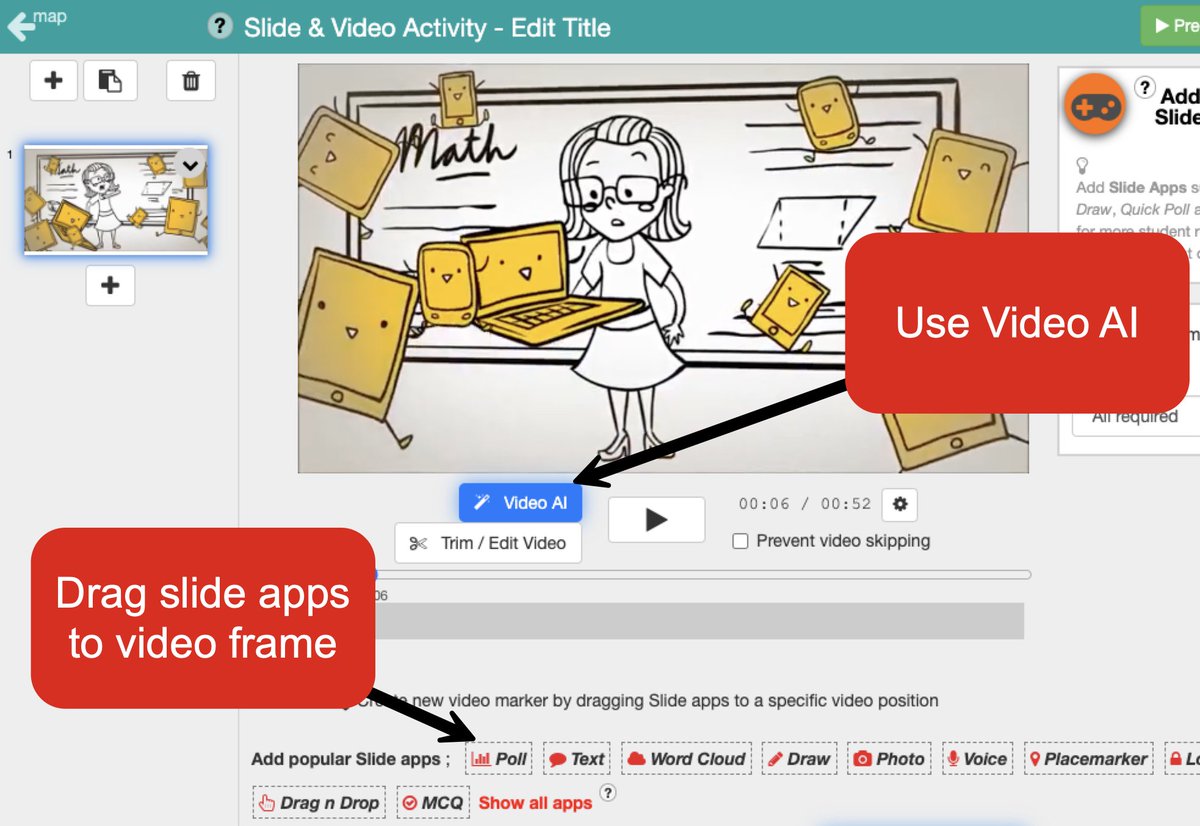
[NEW] Early access: Video Upload in https://t.co/Qk37tFpHOj
Upload your own videos for Interactive Video and add Slide apps on the timeline.
Join our Facebook Community for exclusive early access: https://t.co/BUp0wGkoQN
#DeckToys#EdTech#Teachers
[TIP] Daily Morning Meeting in DeckToys
We added Daily Morning Meeting as a Lesson Creation Wizard theme.
Choose it, add your topic or objectives, and generate an editable deck for a class check-in, daily plan, or reflection routine.
Feedback welcome.
[NEW] Classroom Messages in DeckToys
We added a Student Messages panel for live classrooms.
Send a quick note to a student or the whole class from Teacher View, and let students message back when you enable replies.
Useful for reminders and quiet support. Feedback welcome.
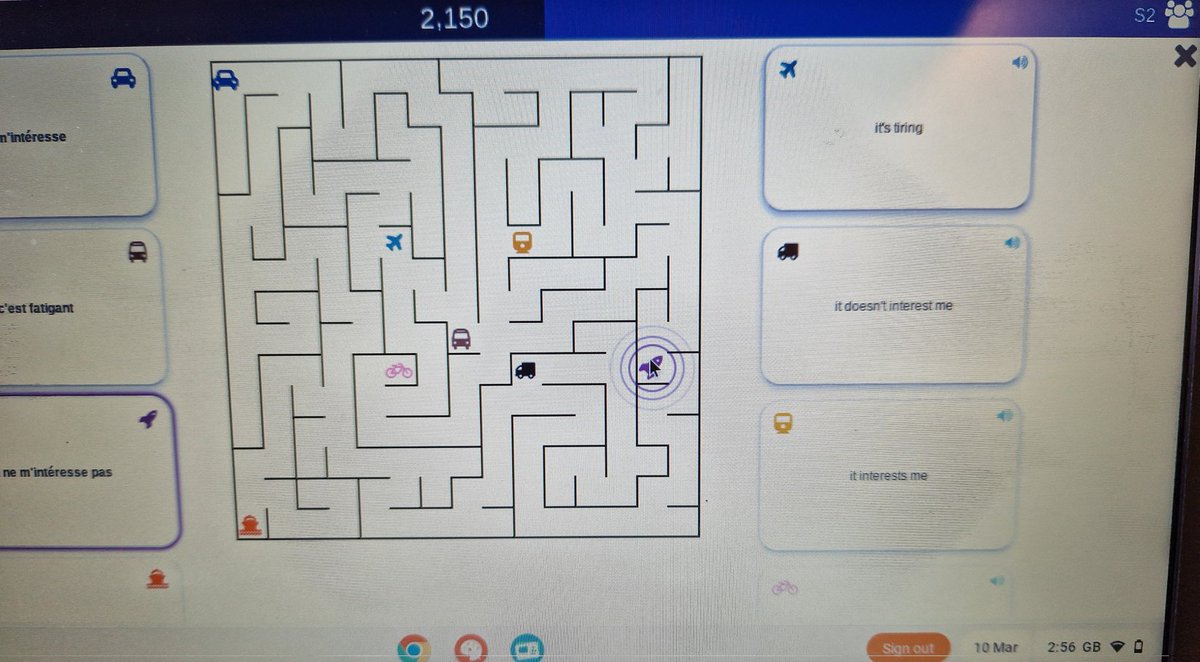
[NEW] Meteor Cards for Study Sets in DeckToys.
Launch a Study Set as a falling-card challenge. Students answer before the card lands, while teachers can follow progress, misses, and best combos.
Useful for vocabulary and quick recall practice.
What would you try it with?
We've made lesson prep faster with the Lesson Creation Wizard.
Turn a worksheet, PDF, Google Drive file, or YouTube video into an editable interactive https://t.co/Qk37tFpHOj lesson draft, then review and edit before class.
[TIP] Set a default student language for your https://t.co/Qk37tFpHOj classroom.
Choose it in Classroom Settings so students start with the same class language.
Helpful when devices or browsers are mixed.
Tell us what language workflow would help next.
[TIP] Use Game Show for quick whole-class review.
Turn a Study Set into a quiz-show style board, open tiles from the teacher screen, and let students answer together.
Useful for warm-ups, revision, or a fast recall check in DeckToys.
We've made lesson prep faster with the Lesson Creation Wizard.
Turn a worksheet, PDF, Google Drive file, or YouTube video into an editable interactive https://t.co/Qk37tFpHOj lesson draft, then review and edit before class.
[NEW] Adapt deck content while making a copy in DeckToys.
Keep the same lesson structure, then adapt the text for another class, level, or language.
Useful when the deck flow works, but the wording needs to fit your students.
Images and media stay as they are.
[TIP] Turn a paper worksheet into lesson input.
Scan pages on desktop or switch to phone with a QR code. Then crop, rotate, reorder, retake, or remove pages before sending them into the wizard.
A faster starting point from the printed material you already use in class.
[TIP] Upload HTML apps into DeckToys.
Add a standalone HTML app, preview it, and use it in your decks.
Useful for simulations, mini tools, and AI-made web apps for class. What would you upload first?
[NEW] Word Cloud activity in DeckToys
Collect one word or short phrase from each student and build a live word cloud.
Useful for warm-ups, vocab checks, discussion starters, and exit tickets. Teachers can remove words and save a snapshot.
[NEW] Teams feature in DeckToys
Create a Team, invite teachers, and share decks and classrooms in one shared space.
Team members can browse from Team Library, while the Team owner still approves access.
Useful for grade-level teams, departments, and co-teaching.
[NEW] Early access: Video Upload in https://t.co/Qk37tFpHOj
Upload your own videos for Interactive Video and add Slide apps on the timeline.
Join our Facebook Community for exclusive early access: https://t.co/BUp0wGkoQN
#DeckToys#EdTech#Teachers
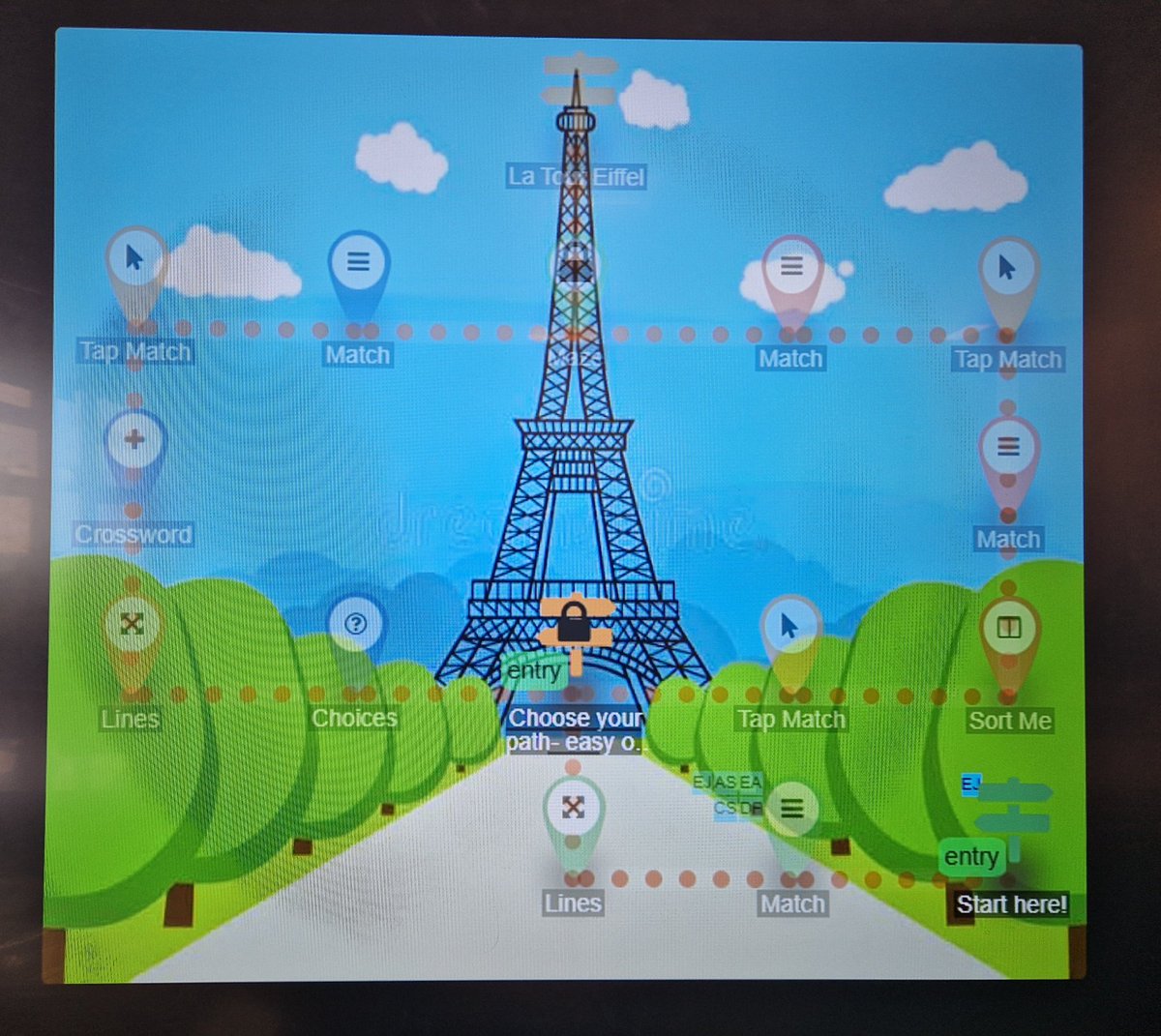
S2 pupils have been trying to climb La Tour Eiffel using @DeckToys to consolidate our sports topic. Excellent for differentiation as I can prepare 2 routes to reach the top.
🗼
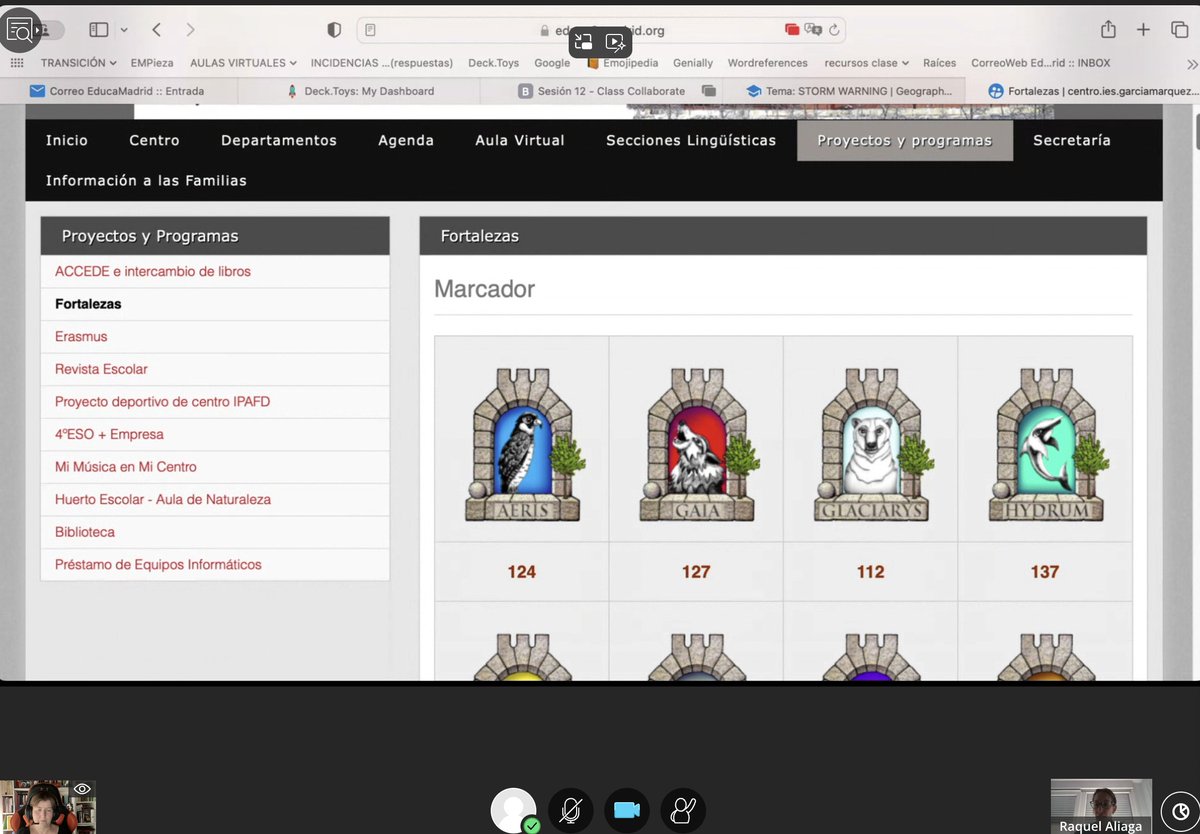
Hoy en la asignatura de Gamificación y videojuegos educativos tenemos invitada especial:
@proferachel
!!! La narrativa es el punto central de sus gamificaciones con su proyecto Fortalezas #MTED en la @uaxuniversidad y su experiencia con
@DeckToys


![DeckToys's tweet photo. [NEW] Early access: Video Upload in https://t.co/Qk37tFpHOj
Upload your own videos for Interactive Video and add Slide apps on the timeline.
Join our Facebook Community for exclusive early access: https://t.co/BUp0wGkoQN
#DeckToys #EdTech #Teachers https://t.co/HIeG4JskpT](https://pbs.twimg.com/media/HDLO7wZaEAAMG-z.jpg)







![DeckToys's tweet photo. [TIP] Daily Morning Meeting in DeckToys
We added Daily Morning Meeting as a Lesson Creation Wizard theme.
Choose it, add your topic or objectives, and generate an editable deck for a class check-in, daily plan, or reflection routine.
Feedback welcome. https://t.co/A5hHzDZvI7](https://pbs.twimg.com/media/HKQCRb-aMAAV8D-.jpg)
![DeckToys's tweet photo. [NEW] Classroom Messages in DeckToys
We added a Student Messages panel for live classrooms.
Send a quick note to a student or the whole class from Teacher View, and let students message back when you enable replies.
Useful for reminders and quiet support. Feedback welcome. https://t.co/C5wmqFIvzR](https://pbs.twimg.com/media/HKGFFambUAAnHe-.jpg)



![DeckToys's tweet photo. [TIP] Set a default student language for your https://t.co/Qk37tFpHOj classroom.
Choose it in Classroom Settings so students start with the same class language.
Helpful when devices or browsers are mixed.
Tell us what language workflow would help next. https://t.co/9PY5reKwHS](https://pbs.twimg.com/media/HIkPTdqbwAAPVxJ.jpg)
![DeckToys's tweet photo. [TIP] Use Game Show for quick whole-class review.
Turn a Study Set into a quiz-show style board, open tiles from the teacher screen, and let students answer together.
Useful for warm-ups, revision, or a fast recall check in DeckToys. https://t.co/Vph3Zn7Lto](https://pbs.twimg.com/media/HICnXcPaIAAb2iq.jpg)
![DeckToys's tweet photo. [NEW] Adapt deck content while making a copy in DeckToys.
Keep the same lesson structure, then adapt the text for another class, level, or language.
Useful when the deck flow works, but the wording needs to fit your students.
Images and media stay as they are. https://t.co/JTvJpUYmCu](https://pbs.twimg.com/media/HHPSTJxaMAAKafL.jpg)
![DeckToys's tweet photo. [TIP] Turn a paper worksheet into lesson input.
Scan pages on desktop or switch to phone with a QR code. Then crop, rotate, reorder, retake, or remove pages before sending them into the wizard.
A faster starting point from the printed material you already use in class. https://t.co/uzwMVw7ioC](https://pbs.twimg.com/media/HGlo-cFaoAAF24I.jpg)
![DeckToys's tweet photo. [TIP] Upload HTML apps into DeckToys.
Add a standalone HTML app, preview it, and use it in your decks.
Useful for simulations, mini tools, and AI-made web apps for class. What would you upload first? https://t.co/2lpuJuaP3U](https://pbs.twimg.com/media/HGg6tIWaEAAlE8d.jpg)
![DeckToys's tweet photo. [NEW] Word Cloud activity in DeckToys
Collect one word or short phrase from each student and build a live word cloud.
Useful for warm-ups, vocab checks, discussion starters, and exit tickets. Teachers can remove words and save a snapshot. https://t.co/veTDEqs9Zf](https://pbs.twimg.com/media/HGbbRwgasAA41z1.jpg)
![DeckToys's tweet photo. [NEW] Teams feature in DeckToys
Create a Team, invite teachers, and share decks and classrooms in one shared space.
Team members can browse from Team Library, while the Team owner still approves access.
Useful for grade-level teams, departments, and co-teaching. https://t.co/iTpRVJ5QPA](https://pbs.twimg.com/media/HGZo_u6bQAEFGEr.jpg)