🔴 ALERTE SANTÉ. 100 % des 81 casques audio testés (Bose, Samsung, Apple...) contiennent des substances toxiques liées au cancer. Le bisphénol A détecté dans 98 % des cas, migrant via la transpiration. Les détails de l'étude ⬇️ https://t.co/ha0HO6b880
Des pirates détournent https://t.co/hQAtyQ5qab pour installer un spyware sur macOS ! Plus de 15 600 utilisateurs ont été piégés par de fausses commandes Terminal. Découvrez comment ces attaques se propagent et comment vous en protéger. 🚨💻⚠️
https://t.co/UrlG17ixxf
Explore how the Spring Debugger plugin for @intellijidea adds Spring-specific info to the standard debugger, through a practical guide: https://t.co/MAHBZE9iZf
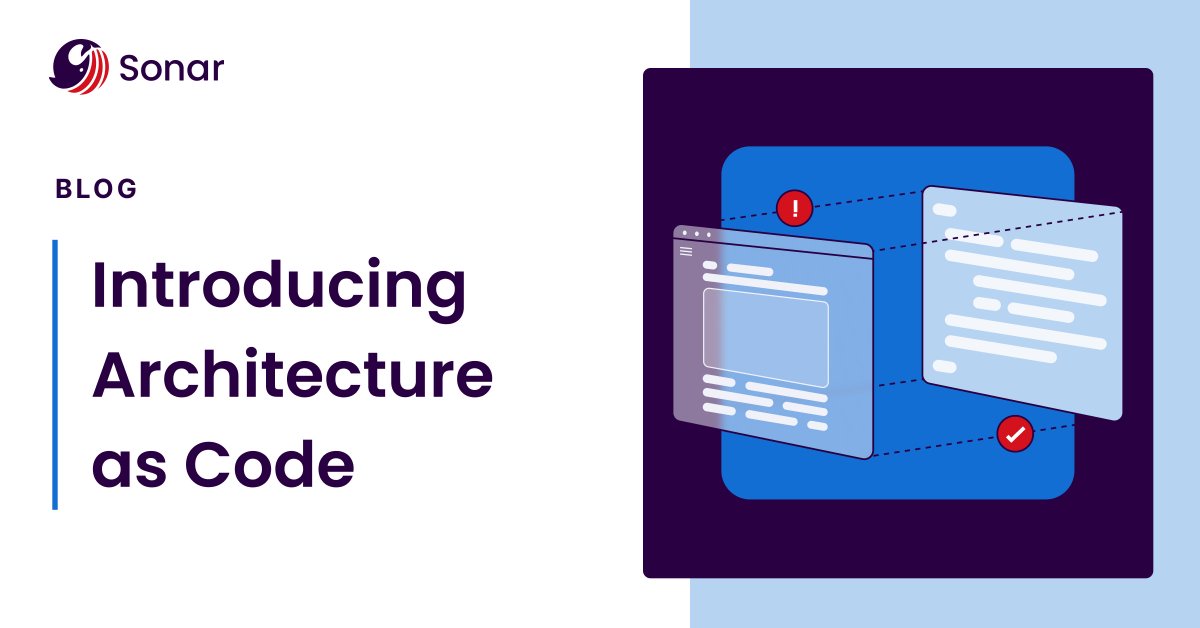
Ensure maintainability and stop architectural drift with Sonar’s Architecture as Code. 🛠️
This approach allows teams to define architecture, store it alongside their code, and automatically verify it during CI/CD analysis. ✅ https://t.co/coMeZqrlbA
#CodeQuality#CodeSecurity
If you've missed the Atlas Search piece and you're using MongoDB (or working on a relevance-focused search) - definitely have a look at this one: https://t.co/qYyE4k3s1t
How do you draw architectural diagrams?
The most popular option is UML diagrams.
However, there's also the C4 model.
C4 stands for:
- (System) Context Diagram
- Container Diagram
- Component Diagram
- Code Diagram
It's a lightweight model to describe your architecture.
Want to learn more about the C4 model?
Check out this article: https://t.co/cto1Jrizb2
Architecture testing can help you control technical debt.
Technical debt is the consequence of prioritizing development speed over well-designed code.
With architecture testing, you can control:
- Direction of dependencies
- Naming conventions
- Various design rules
Curious to learn more?
I wrote this in-depth guide that I think you'll enjoy: https://t.co/X6x7yXY3RO
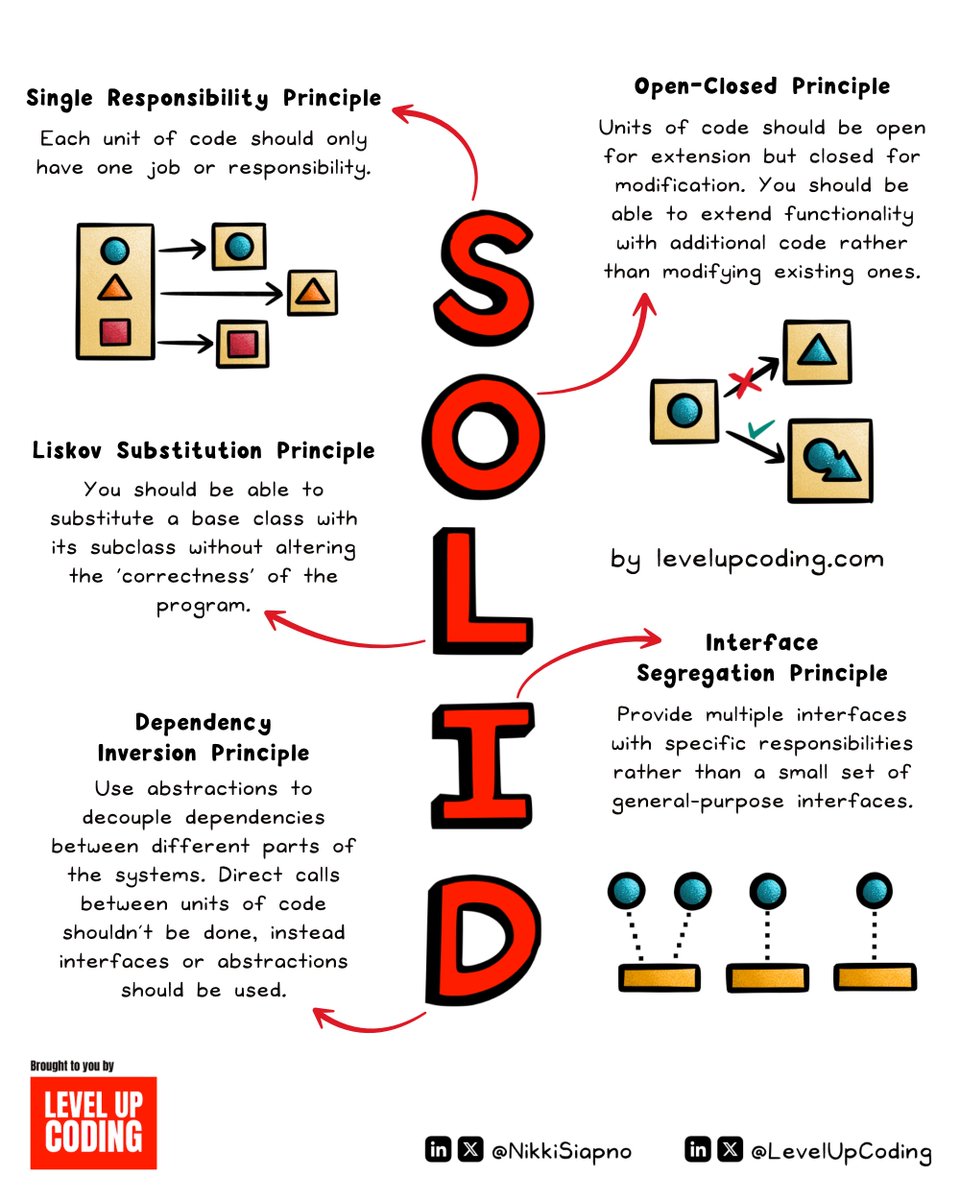
SOLID principles explained in under 2 minutes:
Whether or not you use OOP, knowing these principles gives you a lens into the foundations of clean code which can be applied to many areas of programming.
S — Single Responsibility Principle
O — Open/Closed Principle
L — Liskov Substitution Principle
I — Interface Segregation Principle
D — Dependency Inversion Principle
Let’s break down each principle ↓
1. Single Responsibility Principle (SRP)
Each unit of code should only have one job or responsibility. A unit can be a class, module, function, or component. This keeps code modular and removes the risk of tight coupling.
2. Open-Closed Principle (OCP)
Units of code should be open for extension but closed for modification. You should be able to extend functionality with additional code rather than modifying existing ones. This principle can be applied to component-based systems such as a React frontend.
3. Liskov Substitution Principle (LSP)
You should be able to substitute objects of a base class with objects of its subclass without altering the ‘correctness’ of the program.
An example of this is with a Bird base class. You might assume that it should have a ‘fly’ method. But what about the birds that can’t fly? Like a Penguin. In this example, having a ‘fly’ method in the Bird class would violate LSP.
4. Interface Segregation Principle (ISP)
Provide multiple interfaces with specific responsibilities rather than a small set of general-purpose interfaces. Clients shouldn’t need to know about the methods & properties that don't relate to their use case.
Complexity ↓
Code flexibility ↑
5. Dependency Inversion Principle (DIP)
You should depend on abstractions, not on concrete classes. Use abstractions to decouple dependencies between different parts of the systems. Direct calls between units of code shouldn’t be done, instead interfaces or abstractions should be used.
~~
Thanks to our partner FusionAuth who keeps our content free to the community.
Did you know you can have SSO, MFA, and general authentication implemented in minutes (not days or weeks)?
FusionAuth makes auth so simple and quick.
Try it for free: https://t.co/UfnLCOBBhO
🚨 BREAKING: DeepSeek Just Lost to Alibaba’s New AI!
Alibaba just launched "Qwen" another most powerful AI model.Qwen2.5 beats DeepSeek, OpenAI and Google.
Here's why it's a game-changer & why the US government should be worried:🧵
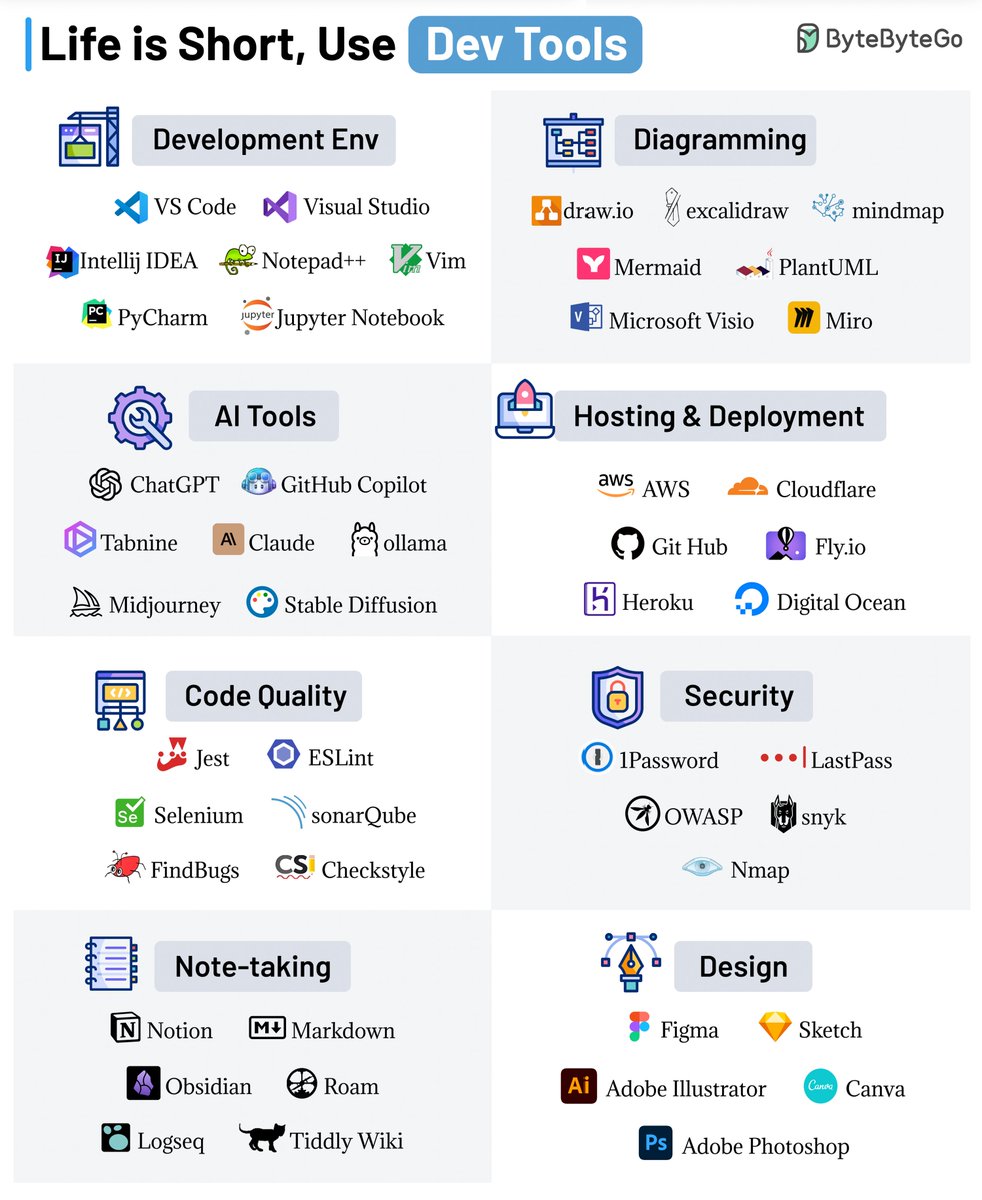
Life is Short, Use Dev Tools
The right dev tool can save you precious time, energy, and perhaps the weekend as well.
Here are our favorite dev tools:
1 - Development Environment
A good local dev environment is a force multiplier. Powerful IDEs like VSCode, IntelliJ IDEA, Notepad++, Vim, PyCharm & Jupyter Notebook can make your life easy.
2 - Diagramming
Showcase your ideas visually with diagramming tools like DrawIO, Excalidraw, mindmap, Mermaid, PlantUML, Microsoft Visio, and Miro
3 - AI Tools
AI can boost your productivity. Don’t ignore tools like ChatGPT, GitHub Copilot, Tabnine, Claude, Ollama, Midjourney, and Stable Diffusion.
4 - Hosting and Deployment
For hosting your applications, explore solutions like AWS, Cloudflare, GitHub, Fly, Heroku, and Digital Ocean.
5 - Code Quality
Quality code is a great differentiator. Leverage tools like Jest, ESLint, Selenium, SonarQube, FindBugs, and Checkstyle to ensure top-notch quality.
6 - Security
Don’t ignore the security aspects and use solutions like 1Password, LastPass, OWASP, Snyk, and Nmap.
7 - Note-taking
Your notes are a reflection of your knowledge. Streamline your note-taking with Notion, Markdown, Obsidian, Roam, Logseq, and Tiddly Wiki.
8 - Design
Elevate your visual game with design tools like Figma, Sketch, Adobe Illustrator, Canva, and Adobe Photoshop.
Over to you: Which dev tools do you use?
–
Subscribe to our weekly newsletter to get a Free System Design PDF (158 pages): https://t.co/FIzCeaWsZV