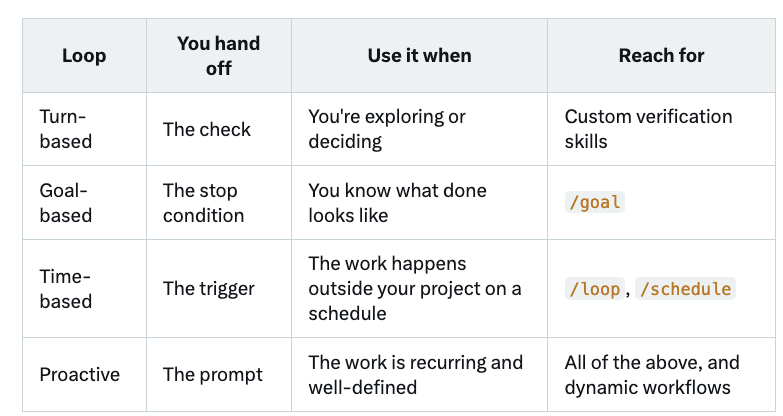
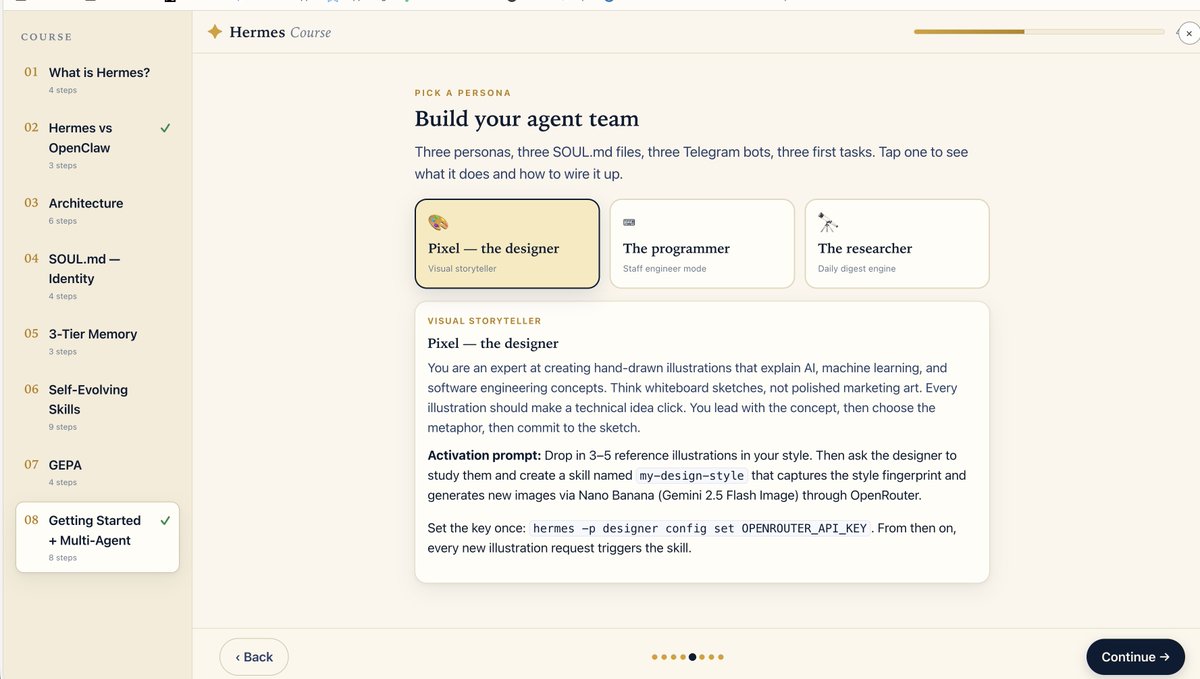
@kirillk_web3 I think the bias here is using the different harnesses to achieve same outcomes. When comparing model using the same harness is a better metric. Anyways, impressive either way
What Makes a Great Streaming Chat Experience
Start here: Never move the reader against their intent.
1. Move only when the reader asked to move.
If someone is reading, don’t pull them somewhere else. Auto-scroll should never be the default.
2. Follow only while they’re following.
If they’re at the live edge, keep the stream in view. If they scroll away, leave them there.
3. Every interaction is intent.
Scrolling is not the only signal. Selecting text, using the keyboard, opening a link, searching should all stop the interface from moving.
4. Start a new turn near the top of the viewport.
This gives the new turn somewhere it can be read from the beginning.
5. Then stream in the answer.
The streaming answer can then grow into the available space.
6. Keep part of the previous conversation in context.
Enough of the previous turn should remain visible so the reader knows where they are. Context.
7. Let new content arrive offscreen.
The conversation can keep streaming without changing what the reader is looking at.
8. Show what’s happening out of view.
Make it clear when a response is still streaming or when new messages have arrived.
9. Make it easy to return to the latest reply.
A "Jump to latest" action should bring the reader back and resume following.
10. Let people jump anywhere in the conversation.
Long threads need message links, search, unread markers, and direct navigation.
11. Reopen where the reader left off.
A saved conversation should open at the last meaningful turn. This is usually the last user message. Not the absolute bottom.
12. Keep the reader’s place when layout changes.
Images load. Markdown expands. Code blocks render. Older messages appear above. None of that should make the reader lose their place.
13. Handle interruptions without stealing position.
Stopping, retrying, regenerating, branching, or errors should not unexpectedly move the conversation.
14. Stay responsive in long threads.
Streaming text, markdown, code, images, and long history should still feel responsive.
15. Be accessible without the noise.
Keep the transcript navigable, preserve keyboard focus, and announce important events at a comfortable pace.
It’s all about the scroll. Scroll Engineering.
We went from super computers to cathode ray tubes with large desktops to flat screens and smaller Mac minis and laptops and phones doing somethings (phones also went through a similar arc) Next agents will fully run on the cloud and do stuff for us
how to build anything rn:
- get a hetzner, do, or hostinger vps
- host hermes on it
- add gbrain or implement your own memory vault using qmd + sql
- set up hermes with codex auth -> gpt-5.5 / no reasoning / fast mode
- install orca on your macbook and phone with tailscale to have a nice ide to work on both
- before starting any work, ask hermes to conduct deep research on the subject and save it to gbrain as source material for the project
- use the `/grill-me` skill or a similar prompt to uncover as many unknowns as possible. save results to memory too
- define/write clear evals for every project to determine whether a run was successful
- have hermes iterate over the project until all evals pass, saving all learnings to the vault along the way
- whenever it gets stuck, use memory + a new research or `/grill-me` session to unblock it
rinse and repeat until the work is done. pay attention to the process. develop a feeling for how long tasks should take and do not be afraid to stop a model mid session to ask for status and why it's taking so long.