🚨 Windows Users 🚨
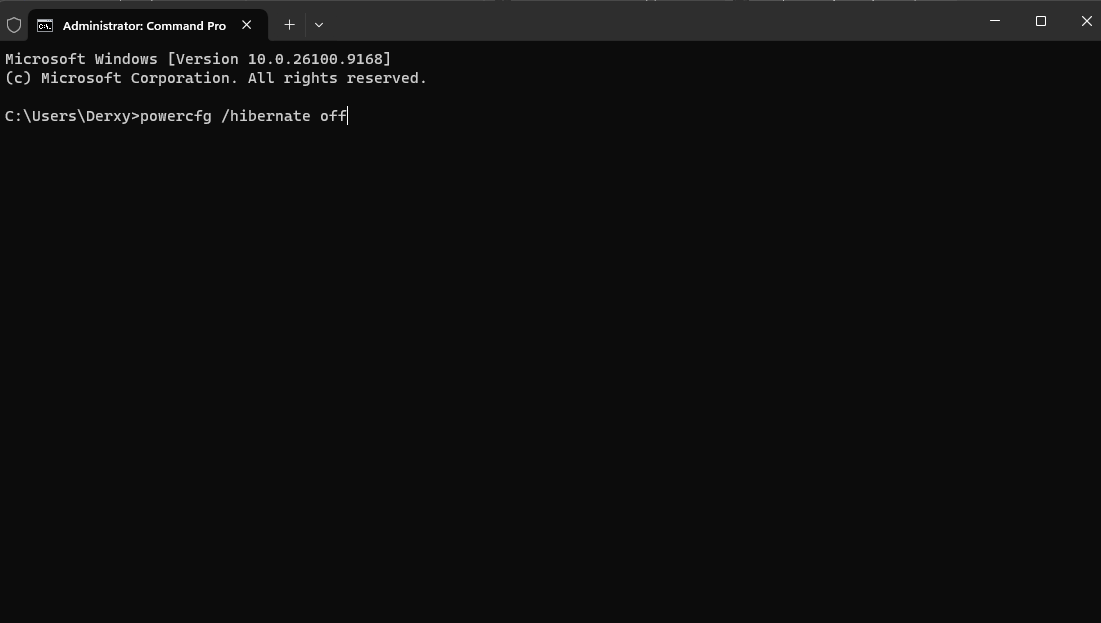
Stop letting windows steal your storage.
Hibernation is eating up gigabytes of your hard drive right now, slowing down your SSD performance.
Here's how to fix that ⬇️
1. Open Command Prompt as Administrator
2. Paste Reg Command Shown Below (In Comments)
🚨 INTEL CPU USERS 🚨
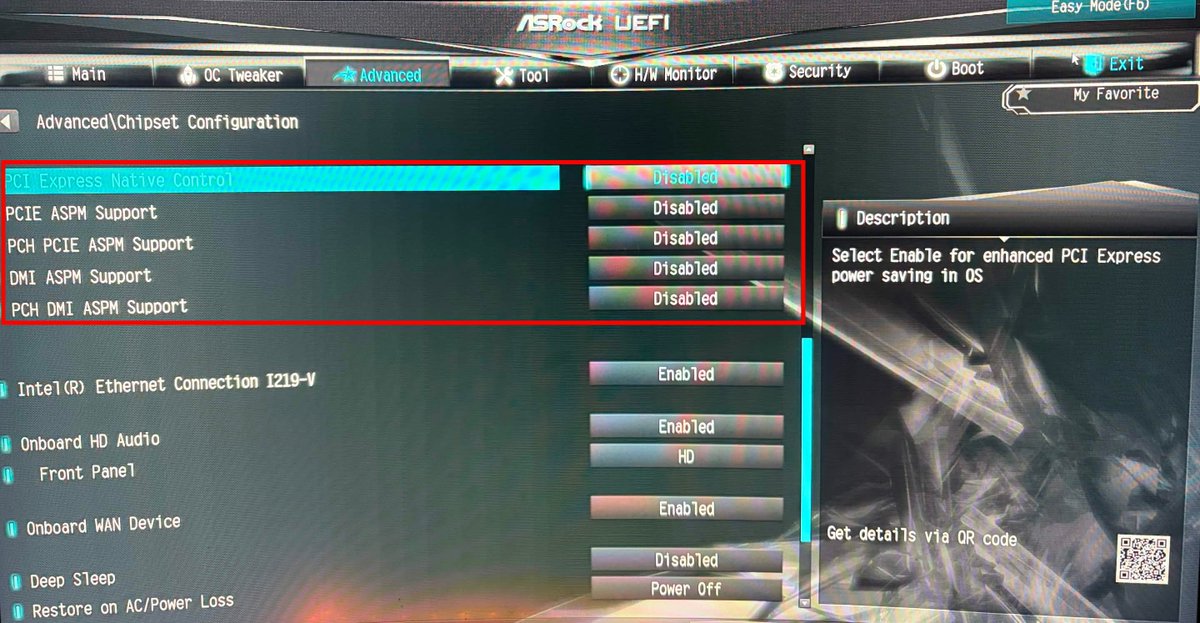
Your motherboard may be aggressively putting your PCIe lanes to sleep.
Here's how to fix it ⬇️
1. Open UEFI Mode & Locate Chipset Configuration
2. Disabled All Settings Shown Below
3. Save Changes & Exit
🎃 OCTOBER FLASH SALE 👻
Get 31% OFF throughout the ENTIRE month of October on ALL Services!
Ultimate Service: [31% OFF] $20.70
UEFI Tuner: [31% OFF] $10.35
Network Tuner: [31% OFF] $6.90
Latency Tuner: (Coming Soon...)
https://t.co/zcdlUy1hfI
🎃 OCTOBER FLASH SALE 👻
Get 31% OFF throughout the ENTIRE month of October on ALL Services!
Ultimate Service: [31% OFF] $20.70
UEFI Tuner: [31% OFF] $10.35
Network Tuner: [31% OFF] $6.90
Latency Tuner: (Coming Soon...)
https://t.co/zcdlUy1hfI
🚨 PC Gamers 🚨
Disable hidden power-saving throttles and optimize your hardware interrupts. These are the exact settings you need to change today for maximum performance.
https://t.co/GsiOQQtxOo
🚨 Windows Users 🚨
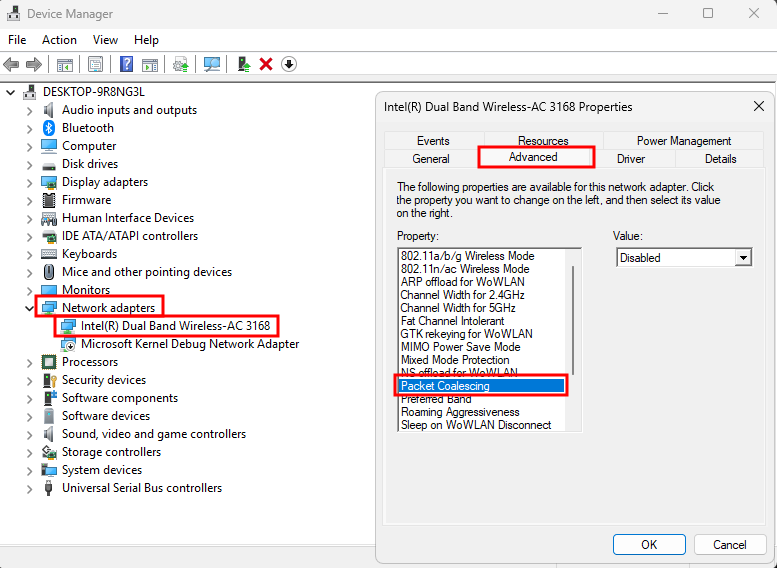
One Network Interface Card setting adds delay to every packet your receive. Disabling it takes 10 seconds.
Here's how to disable it ⬇️
1. Open Device Manager
2. Under Network Adapters, click on your adapter
3. Click Properties then Advanced Tab
4. Set Packet Coalescing to Disabled
🚨 Windows Users 🚨
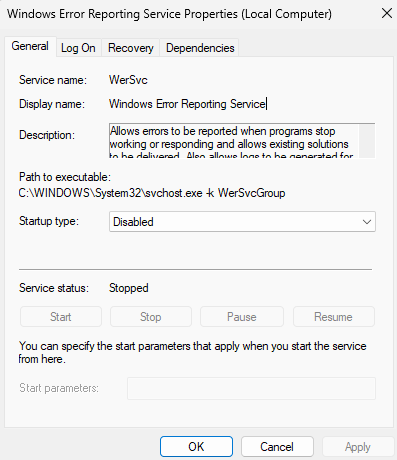
Your PC is spending resources on reporting and sending diagnostic crash reports to Microsoft potentially causing micro-stutters everytime it detects a crash.
Here's how to disable it ⬇️
1. Windows + R
2. Type services.msc And Click Enter
3. Locate Windows Error Reporting Service (WerSvc)
4. Click Properties & Set to Disable
🚨 Windows Users
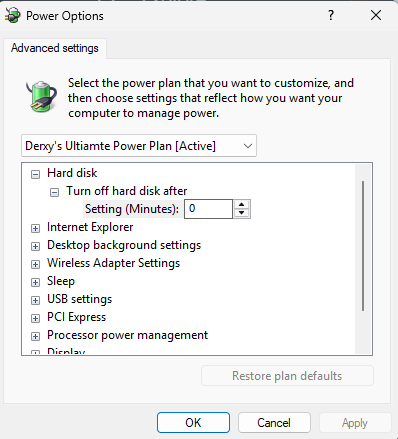
Windows may be putting your storage drivers TO SLEEP causing micro-stutters on your PC.
Here's how to fix it ⬇️
1. Search "Edit Power Plan"
2. Click Change Advanced Power Settings
3. Click the + on Hard Disk
4. Set Turn off hard disk after to 0 Minutes
🚨 Windows Users
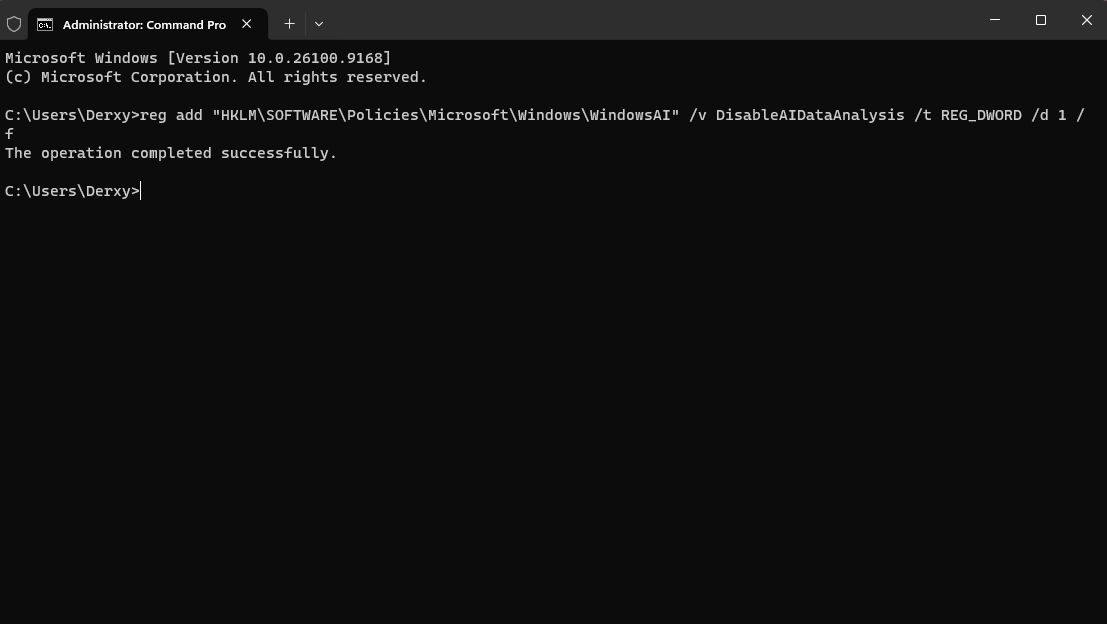
Microsoft's built in Windows AI is quietly analyzing your local data while you play games and it's eating CPU cycles.
Here's how to disable it ⬇️
1. Open Command Prompt as Administrator
2. Paste Reg Command Shown Below (In Comments)
🚨 Windows Users
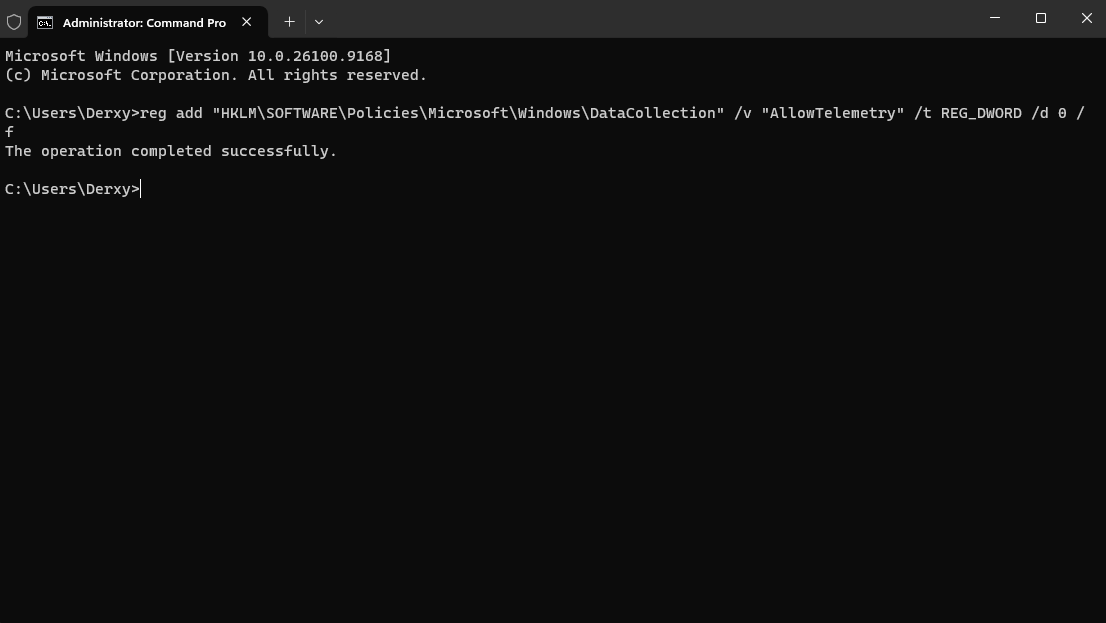
Microsoft is quietly tracking your PC usage right now. Here is the single line of code to shut it down.
Here's how to disable it ⬇️
1. Open Command Prompt as Administrator
2. Paste Reg Command Show Below (In Comments)
🚨 Windows Users
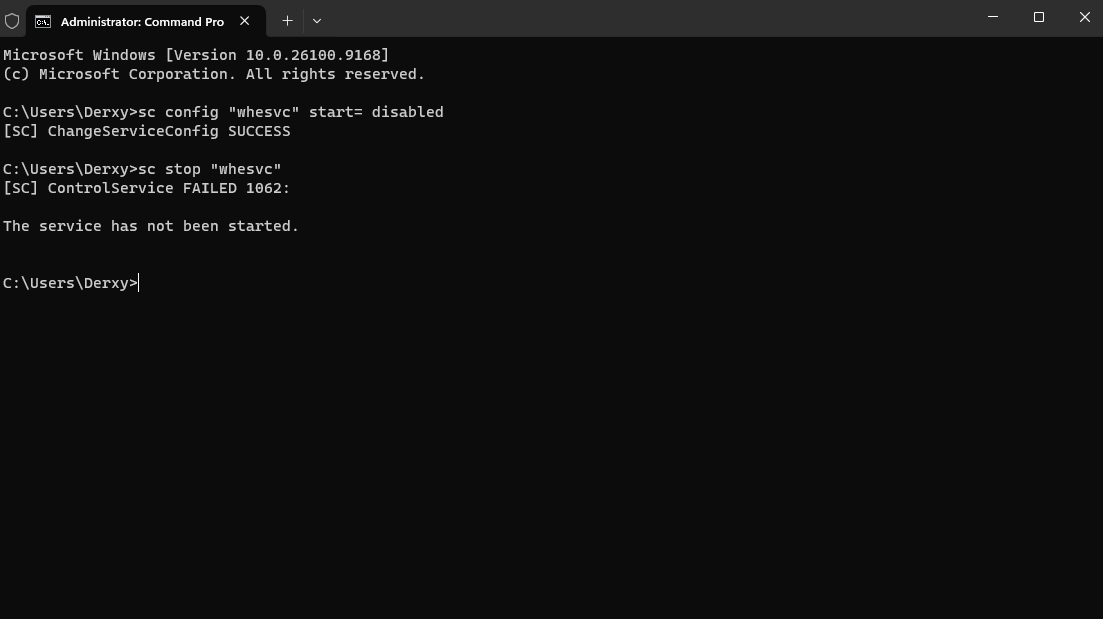
Windows 11 is wasting PC CPU resources on a laptop-battery service called "Windows Health and Optimized Experiences."
Here's how to fix it ⬇️
1. Open Command Prompt as Administrator
2. Paste Reg Command Shown Below (In Comments)
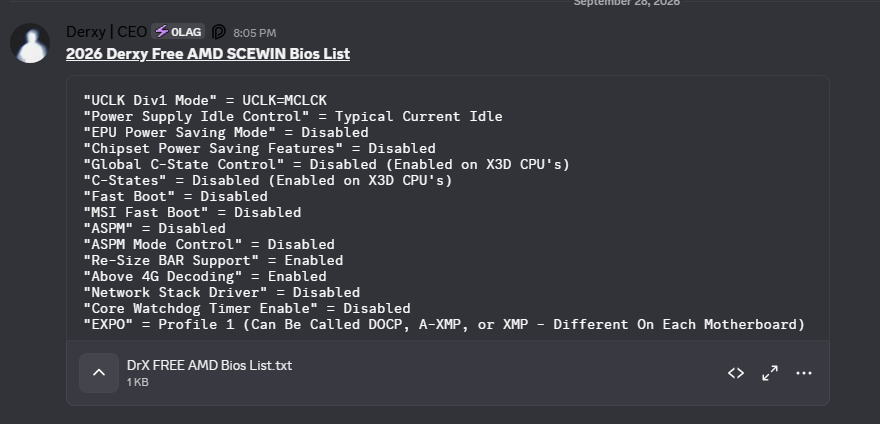
🚨 AMD CPU USERS 🚨
Change these 15 HIDDEN BIOS SETTING for Better Performance & Lower Latency!
📁File In Discord Server
This is only 15 settings out of 200+ with our UEFI Tuner!
🌐 If these helped you, checkout our UEFI Tuner on our website today!
🚨 Windows Users
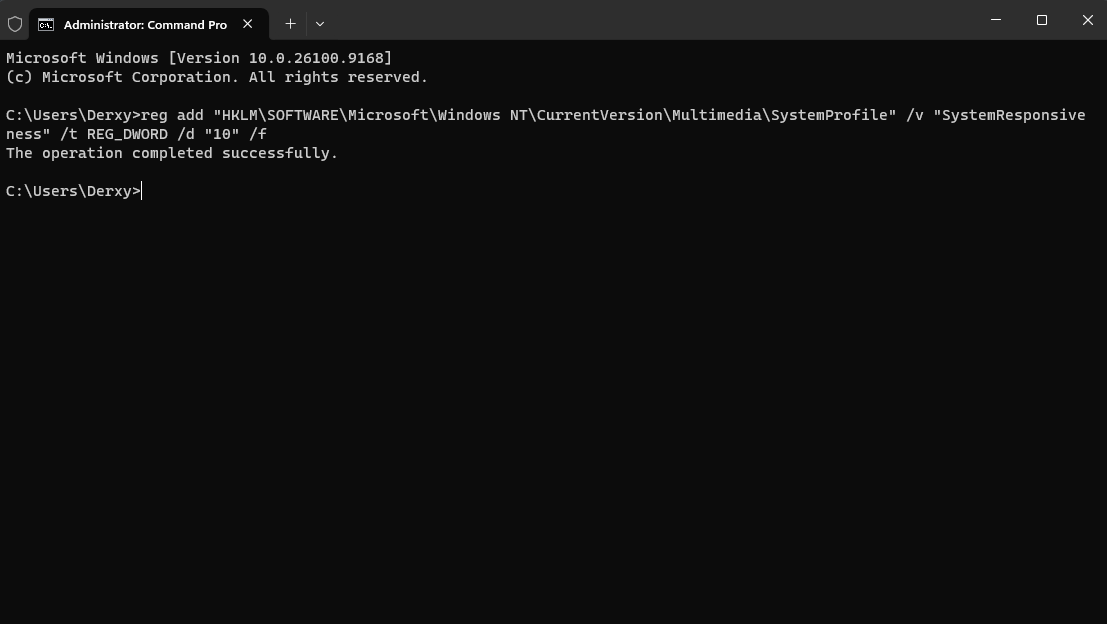
Your CPU may be giving too much proccessing power to background apps. Setting SystemResponsiveness to 10 gives games slightly higher CPU Priority.
Here's how to fix it ⬇️
1. Open Command Prompt as Administrator
2. Paste Reg Command Shown Below (In Comments)
🚨 Windows Users
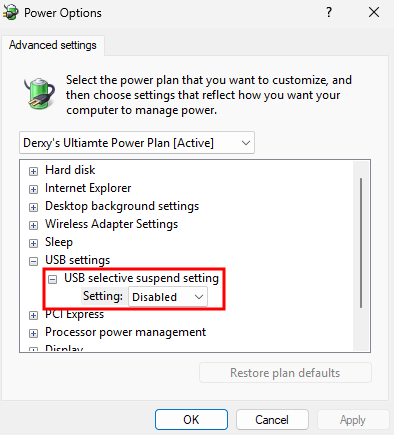
Windows may be DELAYING your USB interrup requests
Here's how to check ⬇️
1. Search "Edit Power Plan"
2. Click Change Advanced Power Settings
3. Click + on USB Settings
4. Set USB Selective Suspend Settings → Disabled