After many years I finally completed a redesign of my portfolio site. AI helped a ton in getting this developed and jamming on some ideas for simple animations. Check it out: https://t.co/1epFbXd7ZD
It's been super fun to build and work on the mechanics of the trading chart view. Still lots of nuances to explore and ways to keep people engaged but the single day challenge has been a fun exploration.
Try it out, excited to see how much money you make in a day.
Trader Rush launch on the app store. Daily stock trading simulator app. Compete against friends and the world on who can have the best day.
https://t.co/x6kivLnSJU
Coded with Claude Code, I build a little retro stock game using the last 3 years of SPY data.
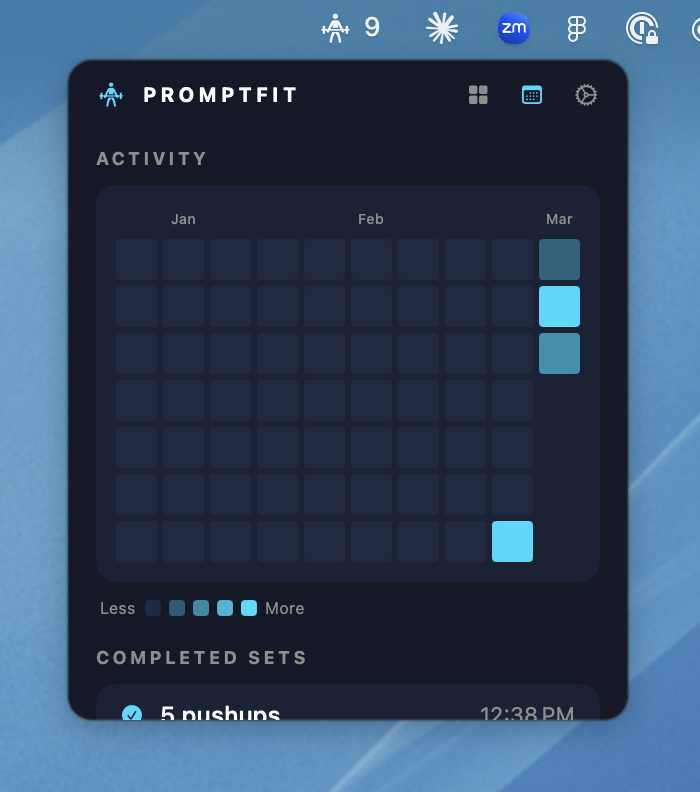
I really enjoyed building PromptFit. It's now live and available for download. Would love to hear feedback and continue improving it.
https://t.co/Y6hJXiSnEW
I have a lot of push ups to do after making the landing page.
@kayintveen Exactly. I wish you could also hook into the normal claude chats but I havent found a way. And maybe thats ok, its a safe place that I don't have to do push ups for asking questions. haha
Fun weekend experiment: I built a Mac app that tracks your Claude Code prompts & encourages you work out for each one
Every prompt = a pushup. I'm 9 sets behind from this weekend's building
I catch myself thinking twice before firing off a prompt
Might be onto something here💪
@krispuckett@read_epilogue Is that including what you might pay yourself to have built it? I’ve started loosely tracking how many hours I’ve put in to specific personal projects.
Also rebuilding the app with Electron so I can also support Windows. It's definitely different from native macOS but I think it might give me some more flexibility? I was struggling to get the titlebar to also have the tabs next to them in Swift but it was super easy in Electron
Digging into the details. Exploring animations for when a scan is triggered and sent to AI for review. Glowing outline, photobooth, and scan line.
First time adding a animation control panel to fine tuning the timing.
Any other treatments I should consider?
Had a super productive weekend. Got to hang out with some amazing people and was inspired to rethink a stock trading assistant idea. I've tried building this assistant at least 4 or 5 times.
The idea is to have AI help in reading multiple charts and managing risk.
I don't love the chat panel since thats kind of what everyone is doing right now, so I'm hoping to rethink how that interaction could work.
Let me know what you think.
So with a couple Claude code sessions (maybe 8 hours) I have a working macOS app that supports multiple tabs, custom prompts per tab, adjustable screenshot intervals, position detection, and some really fun animations that I'll share later as I get them fine tuned.
@meag_han_c Completely agree. It’s the new bootstrap. it’s so obvious. Great to concepts with and for me figuring out what’s possible. Then I work on the customization.
Fun with AI as a stock trading assistant. Previously, I had a very rigid form that I would fill out and send to AI to analyze. Then I started thinking why not have it more open ended and allow me to ask questions and get constant feedback as to how an open position is doing.
Gemini doing a decent job. Using AWS voices so that it reads it out to me while I'm working on other stuff and don't have to be watching the charts the whole time. Had a good trade today which I was unsure about but it called it.