Enterprise Systems Management, Microsoft Endpoint Manager/Configuration Manager #SCCM#MEMCM#ConfigMgr, Apple MDM #JAMF, Google Chrome, Virtual Desktop Solns.
#SCCM#MEMCM#ConfigMgr friends:
Does it bother anyone else that downloading the latest office deployment tool (version 16.0.16529.20182) doesn’t match the version (build) of the extracted setup.exe file (20164)?
Version control issues like this make me crazy!
@acjuelich That was my first thought also…so I updated the wrapper script to enter a “do loop” until the detection method criteria is fulfilled…but it still fails.
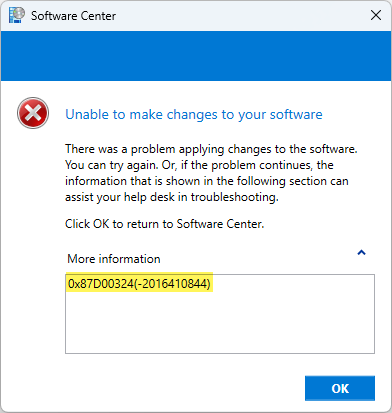
ok Twitterverse -- please help me see the ridiculous oversight I'm not seeing...an application (Authy) which runs as User in ConfigMgr will not complete the first time without failure due to detection method...but without fail, if you 'retry' it is successful? What am I missing?
@merill@acjuelich ?????? seriously... ???????
Why can't Microsoft leave well enough alone and just build on what they have rather than keep renaming everything all the time?!
@acjuelich There's no issue with the exit code -- it's exiting with exit code 0... but it appears to immediately run the application detection and returns the response that the app is NOT installed when it absolutely is...and the mechanism for detection most definitely exists (HKCU Reg key)
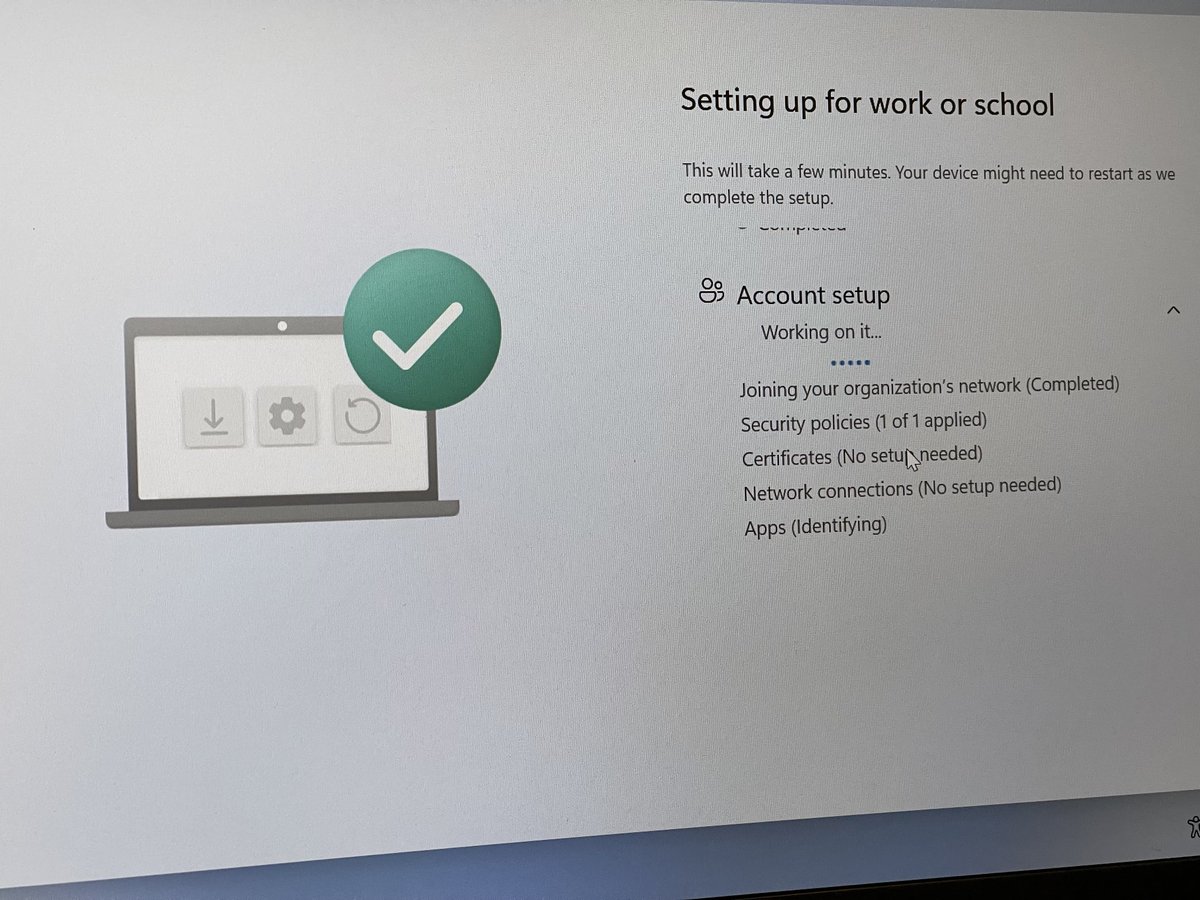
@ariaupdated I’m having a situation where the device is hanging up on the third part of ESP (Account setup) on the sub step called (detecting apps) but if you interrupt it and force a reboot, it finishes successfully…leading me to think the reboot pending is the culprit
@ariaupdated ?? I understand your statement … and technically it might be true (i.e. you have to manually restart the device to see patches installing) but is it possible that devices are waiting to install patches & preventing other things from installing b/c the OS is update-aware?
@ariaupdated Or possibly the first login, when overlaying with ESP, is creating a hung state for installing / applying applications to a client b/c it being in a “reboot pending” state?
@Mister_MDM@LaZyCrO my hunch is it might also be a timing issue because when it's hung on that step and I hit CTRL+ALT+DEL to shutdown -- it shows that patches are applying...which leads me to think that it's also trying to install patches at the same time that it's running through last step of ESP
So frustrating that I cannot identify why ESP constantly hangs on this step (Apps…Identifying). When I try to break into the process and put in elevated creds, it won’t display the MFA prompt box so I’m never able to get to the logs…and it’s not uploading them to Intune.
@Mister_MDM@LaZyCrO wasn't able to get the skip to work because doesn't the device have to be "targeted" for Autopilot? This environment I'm setting up needs to work for baremetal with no pre-populating of serial numbers, etc...
In the next 30 (or so) days, I'll be calling it a day with Fairfax County Public Schools after 30 great years... One thing I would very much like to do is establish & grow a robust #ConfigMgr#MEM#InTune User Group in the Washington DC metro area...if you're interested, DM me!
Is there a fix for this? On iPhone, if you have multiple aliases coming into iCloud inbox and you set up rules to filter them to subfolders, new messages don’t show up as “unread mail” — you have to scroll to the custom folder you’re filtering them to to notice unread messages.
GM #MEMCM -- in Intune, does Intune app assignment honor nested group memberships? What I'm seeing (or not seeing) implies that it does *not* recognize nested group memberships (for users). Haven't explored the app deployment as a device group so can't speak to that behavior.
@tweetchrism The direct groups are dynamic (based on AP enrollment ID) and a security group containing the two dynamic groups. When I was troubleshooting, I confirmed that the dynamic groups had the proper members as did the nested group but forcing sync never put the app in Company Portal.
I just have to say...one thing about Microsoft Windows that has ALWAYS annoyed me is that when it's in the middle of doing something that takes a while to complete (like installing Office), the device goes to sleep? Why the heck can't the OS know that there's an running process?