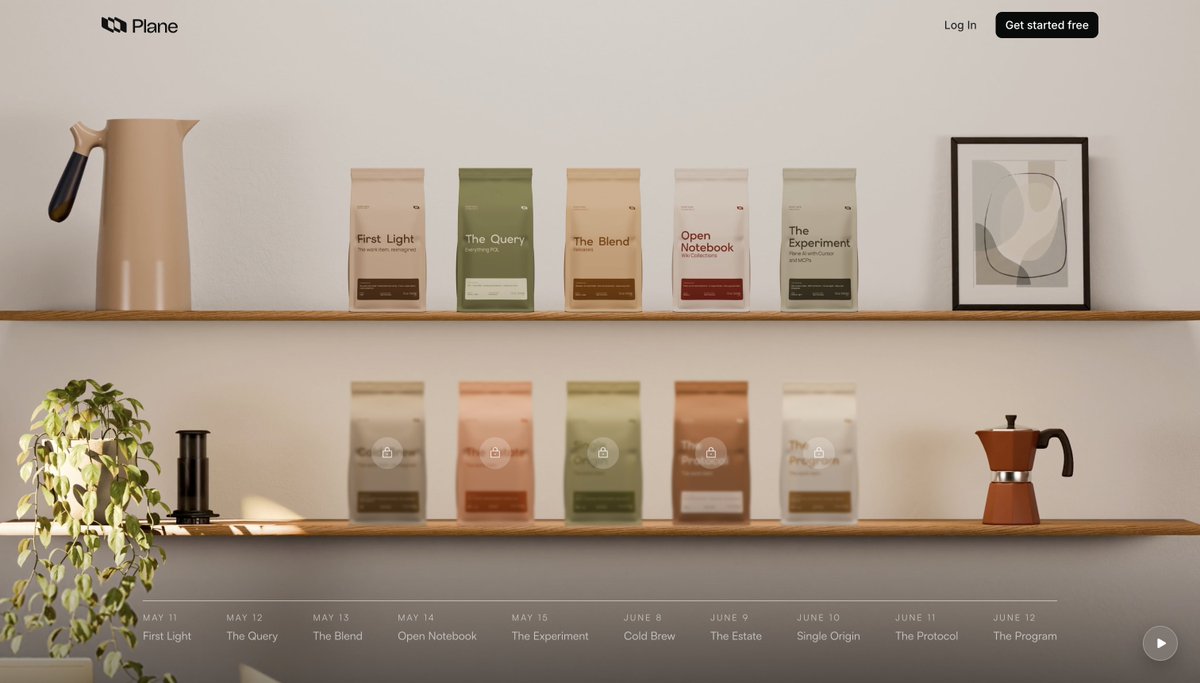
This week at @planepowers has been about shipping features that enable enterprises for better work governance.
Today, we launched Custom Workflows. Each work-item type can have its own path inside a project.
☕ Introducing Custom Workflows, Approval Flows, and Transition Conditions
Every project starts with a default workflow. These three features build on it for teams that need different rules for different kinds of work, explicit sign-off before a transition goes through, and automated actions tied to state changes
- Custom Workflows give each work item type its own workflow alongside the project default. When a work item's type has a custom workflow defined, that workflow takes precedence.
- Approval Flows add a decision point to a transition. You define one destination state for approvals, another for rejections, and the work item stays pending until someone decides.
- Transition Conditions attach Plane Runner scripts to a transition. A pre-validation script runs before the move and can block it; a post-action script runs after and starts follow-up work, such as creating a linked work item.
Read everything about today's release - https://t.co/Mmh45W1BHm
☕ Introducing Granular Access Control, LDAP Authentication, and IdP Group Sync. Access-governance now available for enterprises.
- Granular Access Control lets you define custom roles by composing reusable permission schemes instead of configuring hundreds of checkboxes individually.
- LDAP Authentication lets users sign in with existing directory credentials from Active Directory, OpenLDAP, FreeIPA, or any LDAP-compatible server.
- IdP Group Sync maps identity provider groups to Plane projects. Access is provisioned on login, synced every six hours, and revoked automatically when a user leaves a group.
Read everything about access governance - https://t.co/IsjtJ7JuZE
☕ Introducing Workspace Work Item Types and Hierarchy, to power centralized governance.
Workspace Work Item Types let you define a type and its custom properties once at the workspace level. Project admins import the types their project needs, so definitions stay consistent across the organization without each project rebuilding them by hand.
Hierarchy lets you set parent-child rules between types. A 𝐹𝑒𝑎𝑡𝑢𝑟𝑒 can contain 𝑆𝑡𝑜𝑟𝑖𝑒𝑠 and 𝐵𝑢𝑔𝑠; a 𝑇𝑎𝑠𝑘 cannot contain a 𝐹𝑒𝑎𝑡𝑢𝑟𝑒. Rules enforce the same structure across every project, every surface.
Day 7 of our launch week. ☕
Read more about it here - https://t.co/oo9YVN8XvR
☕ Introducing scheduled automations.
Define a cron schedule, attach a Plane Runner script, and it runs on a clock instead of waiting for an event.
Nightly stale-item sweeps, recurring cleanup, weekly rollups: you define the schedule, and the script will do its part.
It's day 6 of our caffeinated launch week. ☕
Read more on scheduled automations - https://t.co/fcLOHzBpkt
☕ Introducing Plane Runner
Plane Runner is a scripting environment for running JavaScript or TypeScript on Plane events, with access to workspace data through the SDK. Scripts can be triggered by workspace events, workflow transitions, and schedules.
It's day 6 of our caffeinated launch week. ☕ And we are just getting started.
Read more on Plane Runner - https://t.co/fcLOHzBpkt
@planepowers v2.6.0 is here.
Self-hosters, this is one of our biggest!
Everything from launch week is now live for self-hosted, in a single release:
- PQL - a query language for work items
- Releases as a first-class feature
- Collections in Wiki
- A rebuilt work item page
- IdP Group Sync for Enterprise
Thread 🧵
What a week.
@planepowers Launch Week is wrapped. Full recap below.
We shipped across the full surface of work:
work items, queries, dashboards, releases, docs, AI, MCP, Cursor, and Bitbucket.
☕️ AI-native documentation and Collections, now generally available.
- Collections, group related Wiki pages under a single named home, so an onboarding handbook or a security playbook isn't scattered across loose pages.
- AI block, a block you drop into a page that generates content from everything else on the page, could be a FAQ at the bottom of a long doc, a TL;DR at the top, action items pulled from a meeting note, anything
- Documentation gets AI-assistance, an agent in the Page sidecar that drafts sections in real time, proposes changes you accept or reject, and can rewrite a single selected block without touching the rest.
Day 4 of our caffeinated launch week. ☕️
☕️ Releases are now generally available in Plane.
- Group work items from any project under a named release
- Progress bar updates as work item states change
- Write and publish the changelog on the same page
- Tag items with a Release custom property
Two new custom property types ship alongside,
- Release picker, which automatically routes work items into a release's Scope tab.
- Formula field, which computes values from other properties on the work item.
Day 3, launch week. ☕️
Step inside our coffee launch week - https://t.co/gDY0a15HeR
Read more about Releases - https://t.co/w2g8dgs58h