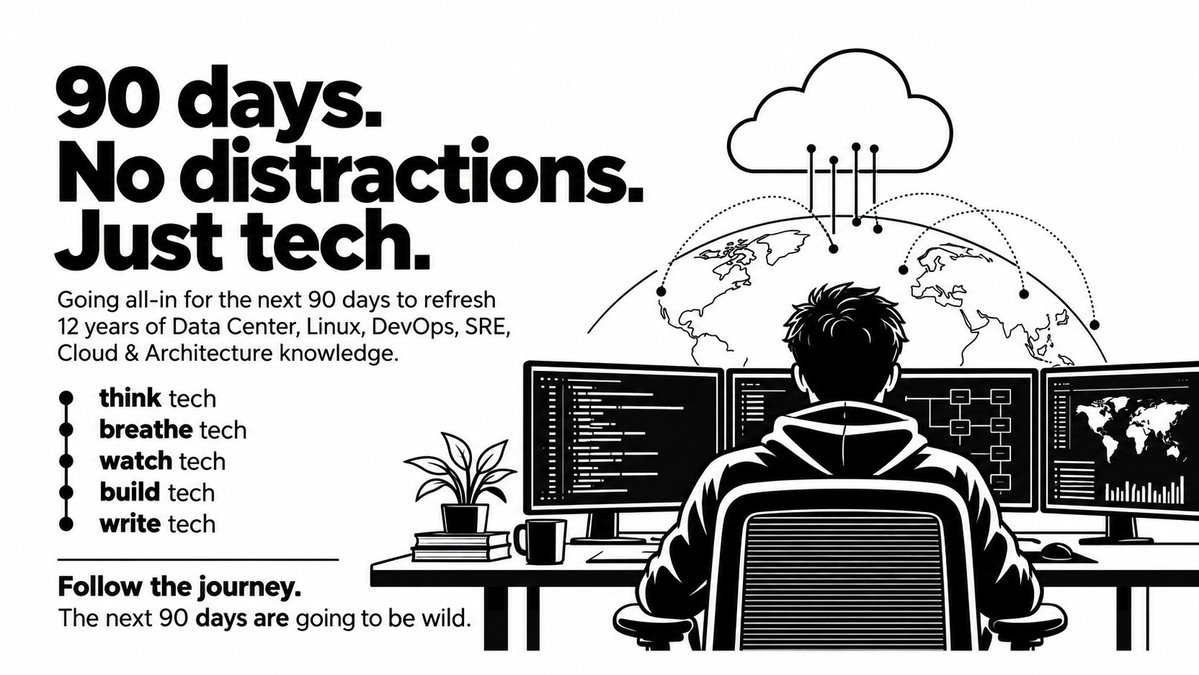
I’m locking in for the next 90 days.
12 years of Linux, Datacenter , DevOps, SRE, Cloud & Architecture — I’m going back through all of it and refreshing everything from the ground up.
I’m going to share the whole journey here — notes, learnings, experiments, mistakes, and everything in between.
If you’re into infra, cloud, DevOps, SRE, or just love tech, keep an eye on this profile.
This is going to be one hell of a journey - That’s my promise.
@deeprajO1@pranvtwt XM5 has hinges breaking issue but good hinge replacement kit is available at 1K, so it's value of money imo. But can't beat XM6 in quality.
Dynamodb's DAX feature is really nice, its provide in-memory cache for dynamodb so that can really improve the read performance ( milli sec to micro sec level)
Do you guys know that encryption at rest is not enabled by default in AWS RDS instances, I was playing with SecurityHub service then noticed few security reports of multiple RDS servers which is not encrypted, its crazy it should be encrypted by default - I don't know why they did this way, might be some reason.
If you are preparing for a Architect level/Migration specialist roles, then this tool in AWS is interesting.
CART ( Cloud Adaption Readiness Tool) - Helps assess organizational readiness and identify gaps before cloud adoption, not too technical but such frameworks and tools really help organisation to take right decisions rather than jumping to the migration and make mistakes.
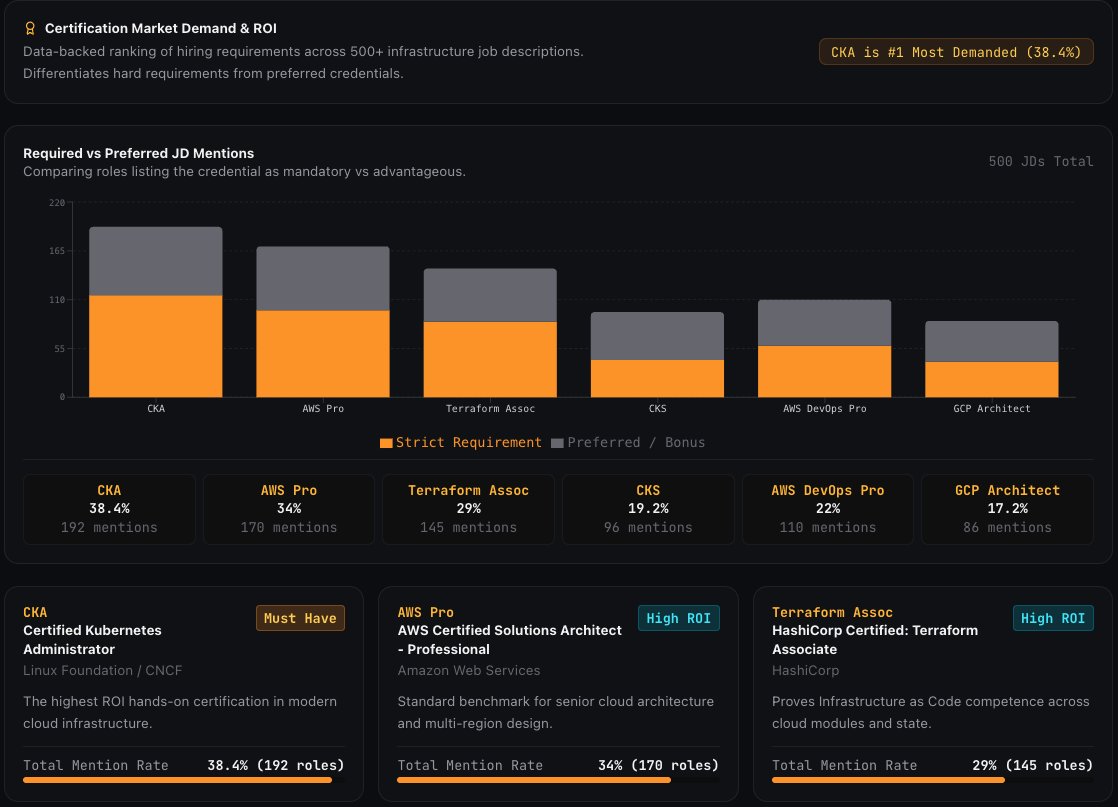
@vamsirajagiri18 Yeah I agree, so far AWS solutions architect professional is my fav as it's test your mental stamina in 3 hour exam, but I'm not a fan of CKA as it's too easy to crack with basic preperations. Thanks for CKS suggestion I think it's worth to hit a try .
I think we should not get obsessed with certifications, but its good to have things- if it can give additional points for your resume during screening process then why not?
(DevOps Level-Up Challenge - Day 08/90)
In my first post below, I was bragging about how I was going to share everything I learn and how awesome it would be for everyone following along.
It’s been 8 days now. If you look at my posts before and after starting this challenge, you’ll notice that I’ve barely posted anything in the last 8 days.
Seems like little bit obsessed with the process, automatically reduced my social media time.
But from tomorrow onwards, I’ll be actively sharing my study notes, learnings, and experiences from the challenge.
What I did in last 8 days:
1. Completed the core portion of two product that I'm developing as part of this challenge.
2. Completed 20% of the system design book ( Designing Data-Intensive Applications DDIA)
3. AWS FAQ session browsing of unknown services ( migrations related, Iot etc- )
4. Completed the refresh of Github Action advance features and highly scalable CICD architectures ( medium blog post coming next week)
I’m locking in for the next 90 days.
12 years of Linux, Datacenter , DevOps, SRE, Cloud & Architecture — I’m going back through all of it and refreshing everything from the ground up.
I’m going to share the whole journey here — notes, learnings, experiments, mistakes, and everything in between.
If you’re into infra, cloud, DevOps, SRE, or just love tech, keep an eye on this profile.
This is going to be one hell of a journey - That’s my promise.
(DevOps Level-Up Challenge - Day 07/90)
Every day, it’s lowering my confidence and hitting my ego really hard. There is so much more to learn than I realized.
Every second is humbling me. But I’m not stopping. 🔥
- If you think you're confident, it's time to challenge yourself.
Seems like some of the A,A+ companies are my dream companies, that make me below average DevOps engineer. its time to go more and more aggressive learning.
Image Credits: (propeers)
I’m locking in for the next 90 days.
12 years of Linux, Datacenter , DevOps, SRE, Cloud & Architecture — I’m going back through all of it and refreshing everything from the ground up.
I’m going to share the whole journey here — notes, learnings, experiments, mistakes, and everything in between.
If you’re into infra, cloud, DevOps, SRE, or just love tech, keep an eye on this profile.
This is going to be one hell of a journey - That’s my promise.
We were doing aggressive AWS cost optimisation in my company, Today I saw an AWS account in our org paying a noticeable amount just because S3 was configured with SSE-KMS even though there was no real compliance requirement for it.
In that case, SSE-S3 would have been enough.
Let me explain it with an example:
1B KMS requests/month
SSE-S3 → $0 additional encryption cost
SSE-KMS → ~$3,000/month additional KMS cost
SSE-KMS is great when you need tighter key control, auditing, or compliance.
Otherwise, don’t pay for complexity you don’t need.
-
Monk Mode - Day 1/90
These are the two different API gateway pattern where we need CDN features.
1. User → Edge-Optimized API Gateway → backend
2. User → Your CloudFront → Regional API Gateway → backend
Choose option 1, if you want simple integrated CDN layer with api gateway, but if you want to control entire CDN layer configurations then prefer option 2.
-
Monk Mode — Day 1/90