Windows 11's July 2026 Patch Tuesday is absolutely massive. You should immediately install today's security update.
Microsoft just patched a record-breaking 570 security flaws in one month, including 59 rated Critical.
The numbers are wild:
- 254 elevation of privilege bugs
- 145 remote code execution bugs
- 102 information disclosure bugs
- 35 denial of service bugs
- 17 security bypass bugs
- 16 spoofing bugs
And that still does not include 468 Microsoft Edge/Chromium flaws fixed by Google this month, or other Microsoft fixes shipped earlier for Azure, M365 Copilot, Exchange Online, Entra, and more.
Microsoft also patched three zero-days: two actively exploited in attacks and one publicly disclosed.
This is interesting, but I'm not really surprised because Microsoft recently warned that Patch Tuesday counts would rise as it uses AI-powered vulnerability discovery to find more bugs inside Windows before attackers do.
Microsoft also recommended that users not delay updates for more than 3 days due to a rise in AI-assisted exploitation of unpatched systems.
PDQ Connect hasn't exactly been taking it easy lately.
Over the past month, we've shipped a stack of new features.
This week on PDQ LIVE, we'll walk through what's new, why it matters, and how you can put it to work.
Join us live!
https://t.co/H6R0SLBP1N
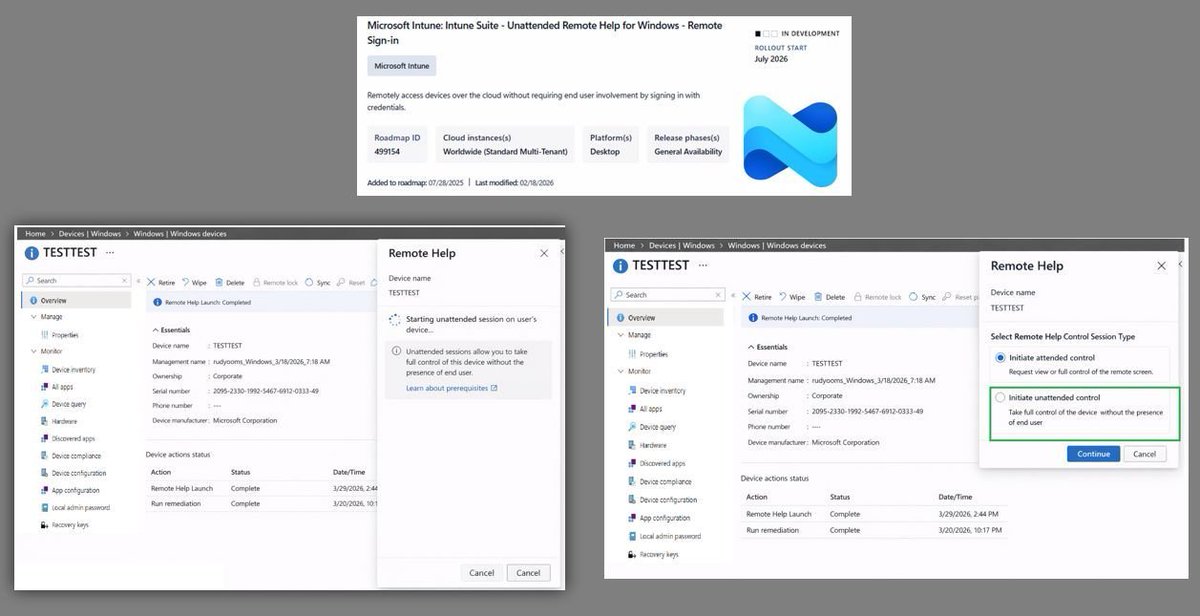
Unattended Remote Help for Windows
A lot of people have been waiting for this one, it seems.
The idea is simple: remotely connect to a Windows device without the user needing to click Accept, unlock the screen, or sit in front of the device.
It looks like Microsoft is getting closer. I started digging after spotting a new IME notification tied to unattended Remote Help, and from there, the portal, Graph calls, and device side flow started to paint a pretty interesting picture.
The feature is not there yet, but there is already a lot to see.
And as always, you will read all about new features like this first at @PatchMyPC
https://t.co/pLlAcgQkRs
#Windows11 #Windows #Intune #MSIntune
🛑 Chrome 0-day Warning!
Tracked as CVE-2026-5281, this WebGPU (Dawn) use-after-free bug allows code execution via a crafted page if the renderer is compromised.
It’s the 4th exploited Chrome browser zero-day in 2026.
🔗 Read → https://t.co/MYdqVq06jo
How to set up Claude so it never forgets you:
Prompts → Projects → Skills (explained in 3 mins)
Prompts = telling a stranger your job every morning.
Projects = giving a new hire a binder on day one.
Skills = training an employee once. For forever.
Step 1: Start with a Prompt (but don't stay there)
✦ Open Claude. Type your task. Get an answer.
✦ It works. But tomorrow? Claude forgot everything.
✦ You re-explain. Again. Every. Single. Chat.
✦ That's Level 1. Most people never leave it.
Step 2: Move to a Project
✦ Go to Claude .ai → Create a Project.
✦ Upload your voice file. Upload your instructions.
✦ Now every chat inside that Project knows you.
✦ Your context, style, and tone stick.
But you still have to open the right Project.
You still have to say "read my file first."
Step 3: Graduate to Skills
✦ Open Claude Cowork.
✦ Select Opus 4.6 + Extended Thinking.
✦ Prompt: "Use the skill-creator to help me build a skill for [your most repeated task]."
Claude interviews you. Answer extensively.
"I write reports" is useless.
"I write weekly reports that start with the headline metric, 3 sections max, next steps as bullets" is a Skill.
The specificity is the skill.
Step 4: Install and test
✦ Save the Skill folder.
✦ Go to Settings → Capabilities → Skills → Upload.
✦ Open a new chat. Type your task normally.
✦ The Skill fires on its own. No slash command.
✦ Claude just knows.
I just wrote my full Claude Skills breakdown. It covers setup, the skill-creator walkthrough, and the 7 hacks I found buried in Anthropic's docs.
Read it here: https://t.co/jT4uB5AFtY
To download all of my Claude infographics:
Step 1. Go to https://t.co/psB7XxAv8w.
Step 2. Subscribe for free. Don't pay anything.
Step 3. Open my welcome email (most skip this).
Step 4. Hit the automatic reply button inside.
Step 5. Download my infographics from my Notion.
♻️ Repost this to help someone on your team stop re-explaining themselves to Claude every morning.
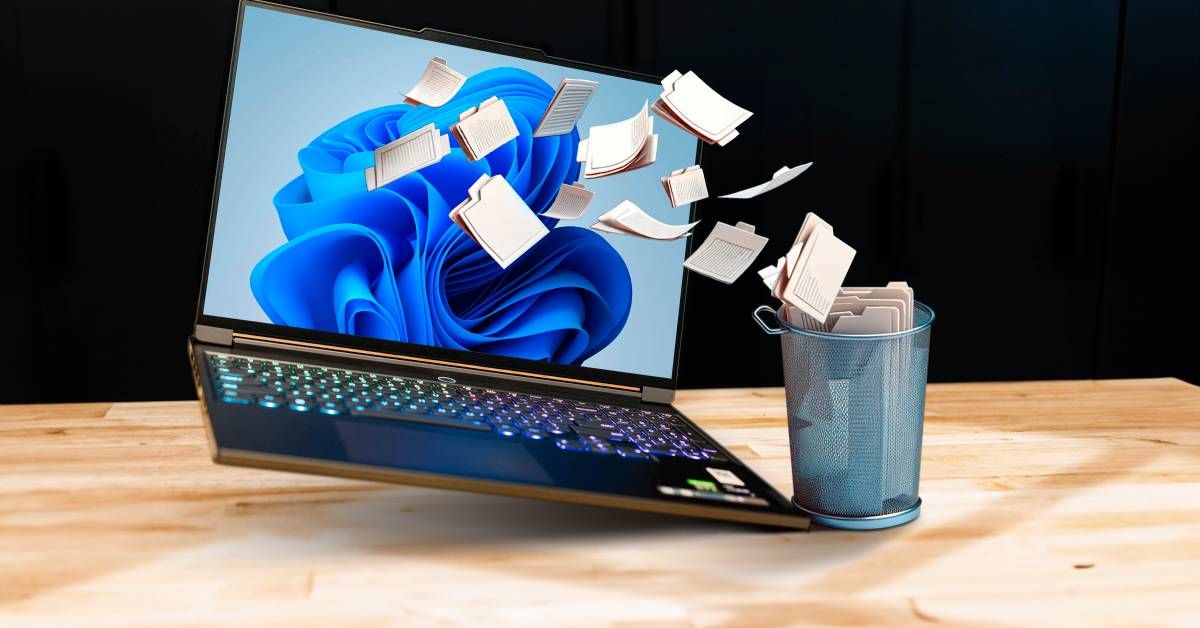
By Taras Buria - Microsoft has released a new out-of-band update for Windows 11 to fix the recently broken feature update. #Microsoft#Windows11 https://t.co/wsn98F6cbr
🦔 Microsoft confirmed a bug allowed its Copilot AI to read and summarize customers' confidential emails for weeks, even when data loss prevention policies were in place to prevent sensitive information from being ingested into the model.
The bug, active since January, meant draft and sent emails with confidential labels were being processed by Microsoft 365 Copilot Chat despite explicit protections. Microsoft began rolling out a fix earlier this month but hasn't said how many customers were affected.
Meanwhile, the European Parliament's IT department blocked built-in AI features on lawmakers' work devices this week, citing concerns about confidential correspondence being uploaded to the cloud.
My Take
This is exactly the kind of thing I've been worried about with AI integration being rushed into every product. You set up data loss prevention policies specifically to keep sensitive information contained. Then a bug bypasses all of it and feeds your confidential emails to an LLM anyway. The controls you thought you had weren't actually working.
Microsoft has been aggressive about pushing Copilot into everything, and that pace creates risk. Every new integration point is a potential security hole. Every feature rushed to market is something that might not be fully tested. When the European Parliament is blocking AI features on work devices because they don't trust where the data is going, that's a signal worth paying attention to. The more access we give these systems to sensitive information, the more damage a single bug can cause. And we're still in the early days of finding out where all the bugs are.
Hedgie🤗
Microsoft says a Copilot bug (CW1226324) let Microsoft 365 Copilot summarize confidential emails, bypassing DLP policies.
Since Jan 21, 2026, emails in Sent Items and Drafts with sensitivity labels were processed in Copilot Chat without permission.
Microsoft fixed the issue on Feb 3 but hasn’t disclosed impact.
🔗 Details → https://t.co/eK3vDIEbgj
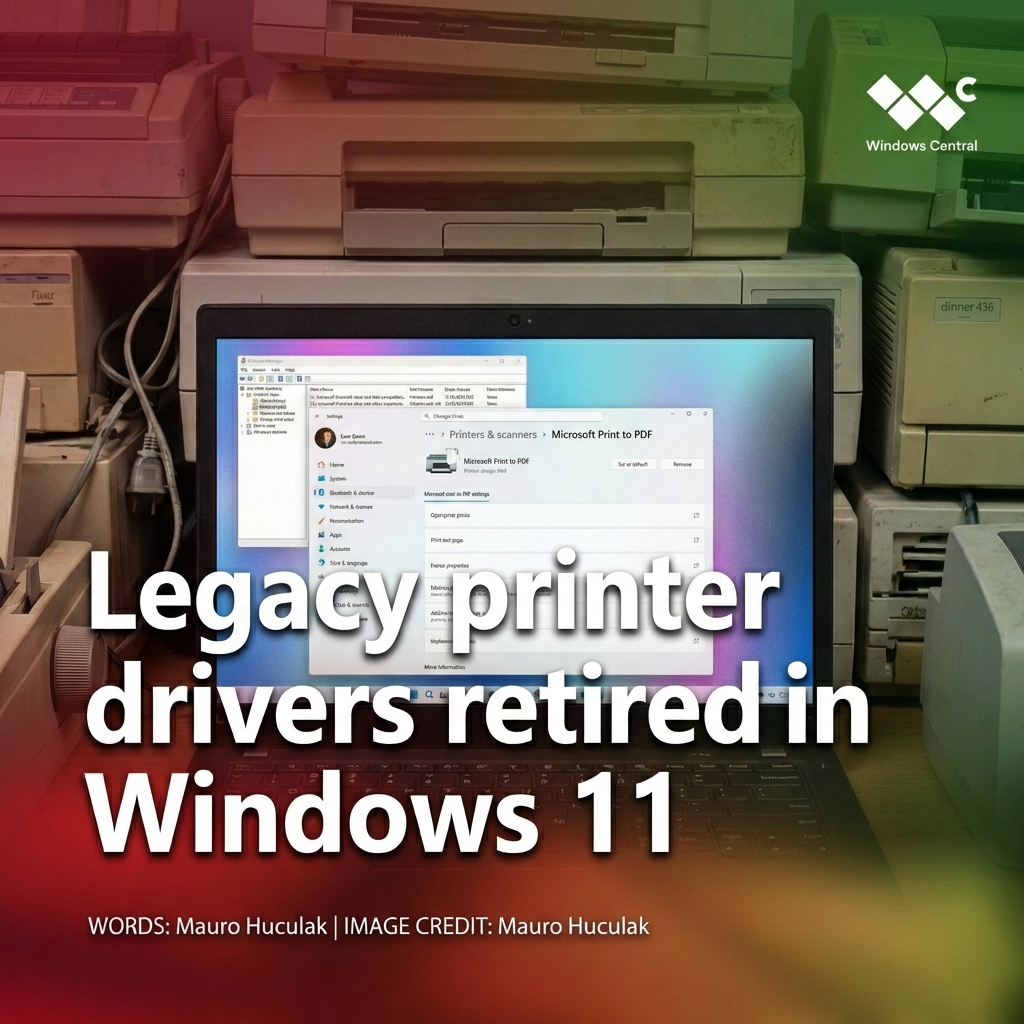
RIP your old printer
Windows 11 is finally pulling the plug on legacy printer drivers starting (last month) in January 2026.
Microsoft’s shifting fully to the modern Mopria standard, which means cleaner installs, fewer vendor bloatware packages… and potentially some older printers getting left behind.
If you’re still hanging onto decade‑old hardware, this change might sting, but it also marks the end of a messy era of printer support on Windows.
On Tuesday, February 10, Microsoft is scheduled to begin rolling out a new "Patch Tuesday" update for Windows 11.
It isn't flashy, but it'll deliver (some) meaningful changes. Here are 8 new Windows OS features expected to arrive with it ⤵️
https://t.co/hJe4sXrPLx
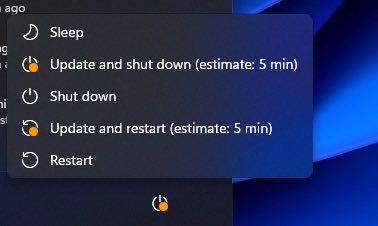
🦔 Microsoft is pulling engineers off new features to stabilize Windows 11 after months of patch failures. January brought emergency fixes for systems that couldn't shut down, OneDrive and Dropbox freezing, and machines stuck on black screens at boot. Windows chief Pavan Davuluri says reliability will be the focus for much of the year. Microsoft's stock dropped 12% this week on AI spending concerns.
My Take
I wrote about this recently. Nadella says 20-30% of Microsoft's code is now AI-written. A GitClear study found code churn doubled after AI tools became widespread. Microsoft's own researchers found developers miss 40% more bugs reviewing AI-generated code because it "looks clean." I can't prove the connection, but when the company bragging about AI-written code has to stop building new features just to fix what's broken, the question keeps asking itself.
They're still pushing Recall, which screenshots everything on your desktop. Still shoving Copilot and OneDrive prompts at users. Still overriding browser choices to route traffic through Edge. Users are dealing with broken updates and aggressive upsells at the same time. Trust erodes fast when your operating system feels like it's working against you while also failing to work at all.
Hedgie🤗
By @TarasBuria - Microsoft is reportedly working on Windows 11 version 26H1, which is a step away from the conventional version scheme. However, the update will not be available to everyone. #Windows11#Microsoft https://t.co/xvAqX7iO8H
Remove Default Microsoft Store Packages: Windows Debloat Done Right
Now available in the Intune Settings Catalog!!
The Remove Default Microsoft Store Packages policy gives admins a native and reliable way to remove built in Microsoft Store apps without the need to use fragile PowerShell scripts!
It cleans up unwanted apps automatically during provisioning and on existing enrolled devices, giving you full control over what stays on Windows.
Want to know when this policy actually activates and what happens behind the scenes? That is what the blog uncovers.
https://t.co/9UBh1lw1Ky
#Intune #MSIntune #WindowsAutopilot #MicrosoftStore #Windows11
By @ssc_combater007 - Microsoft has issued a warning to all Windows 11 25H2 and 24H2 users about USB mouse and keyboard as the recent KB5066835 update breaks an important OS feature. #Microsoft#Windows11#USB https://t.co/fHSJmETqzo
ICYMI: The @MSIntune Enrollment Status Page (ESP) now supports installing @WindowsUpdate security updates during Windows Autopilot provisioning.
📝 Blog: https://t.co/vB988G7TJ7
➡️ Docs: https://t.co/CF6jyG4PyG
#MSIntune#WindowsUpdate#IntuneInspired
BREAKING: Microsoft is investigating reports of SSD failure after the Windows 11 August 2025 Update.
Based on reports, this is a very isolated case and won't affect the majority of users.
There's a chance it only affects very high workloads when a certain % of the storage drive is used. There are several factors at play (firmware, Windows, hardware, etc). It's a complex issue, so nobody knows what's really causing it.
Most of the reports are from Japan (higher storage workload?)
The fault likely lives in the operating system's caching and buffering path. Some pattern points to a fault in the Windows I/O stack. Data loss is possible in rare cases. Again, we don't know anything for sure.


![rubenhassid's tweet photo. How to set up Claude so it never forgets you:
Prompts → Projects → Skills (explained in 3 mins)
Prompts = telling a stranger your job every morning.
Projects = giving a new hire a binder on day one.
Skills = training an employee once. For forever.
Step 1: Start with a Prompt (but don't stay there)
✦ Open Claude. Type your task. Get an answer.
✦ It works. But tomorrow? Claude forgot everything.
✦ You re-explain. Again. Every. Single. Chat.
✦ That's Level 1. Most people never leave it.
Step 2: Move to a Project
✦ Go to Claude .ai → Create a Project.
✦ Upload your voice file. Upload your instructions.
✦ Now every chat inside that Project knows you.
✦ Your context, style, and tone stick.
But you still have to open the right Project.
You still have to say "read my file first."
Step 3: Graduate to Skills
✦ Open Claude Cowork.
✦ Select Opus 4.6 + Extended Thinking.
✦ Prompt: "Use the skill-creator to help me build a skill for [your most repeated task]."
Claude interviews you. Answer extensively.
"I write reports" is useless.
"I write weekly reports that start with the headline metric, 3 sections max, next steps as bullets" is a Skill.
The specificity is the skill.
Step 4: Install and test
✦ Save the Skill folder.
✦ Go to Settings → Capabilities → Skills → Upload.
✦ Open a new chat. Type your task normally.
✦ The Skill fires on its own. No slash command.
✦ Claude just knows.
I just wrote my full Claude Skills breakdown. It covers setup, the skill-creator walkthrough, and the 7 hacks I found buried in Anthropic's docs.
Read it here: https://t.co/jT4uB5AFtY
To download all of my Claude infographics:
Step 1. Go to https://t.co/psB7XxAv8w.
Step 2. Subscribe for free. Don't pay anything.
Step 3. Open my welcome email (most skip this).
Step 4. Hit the automatic reply button inside.
Step 5. Download my infographics from my Notion.
♻️ Repost this to help someone on your team stop re-explaining themselves to Claude every morning.](https://pbs.twimg.com/media/HE0WoEnbwAAj_5O.jpg)