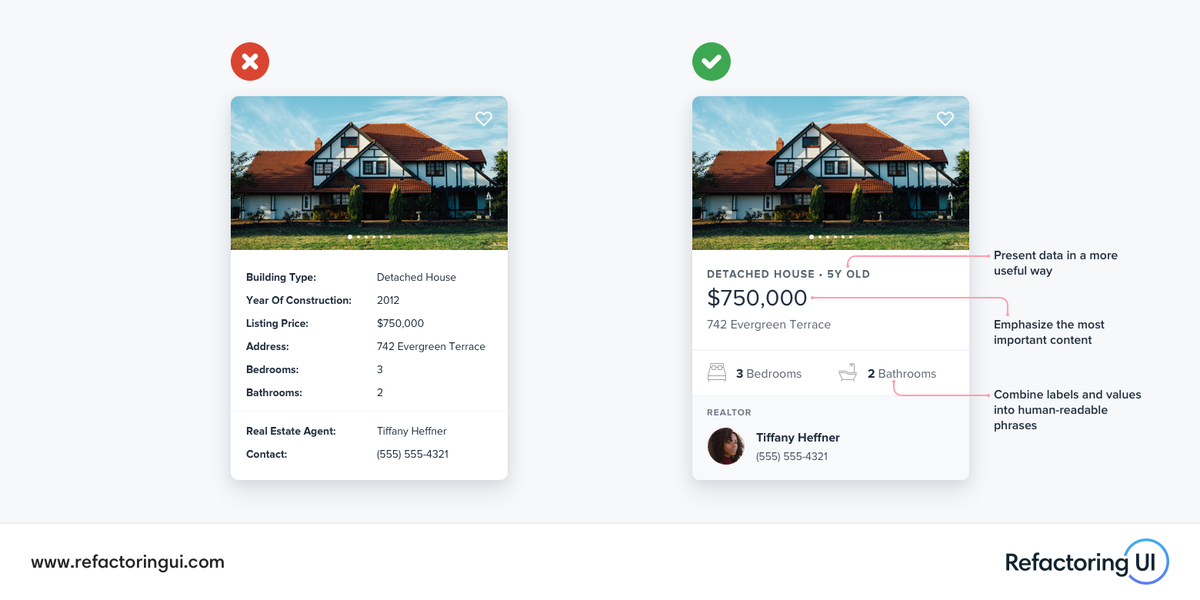
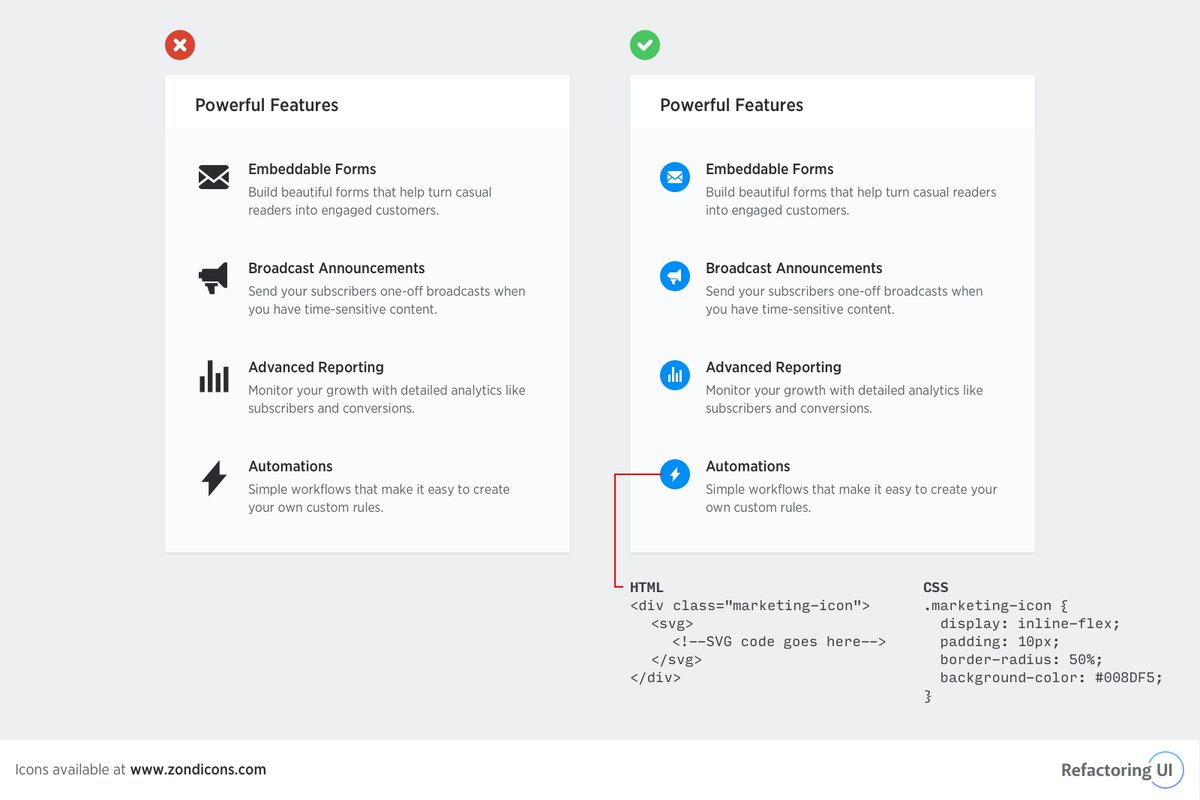
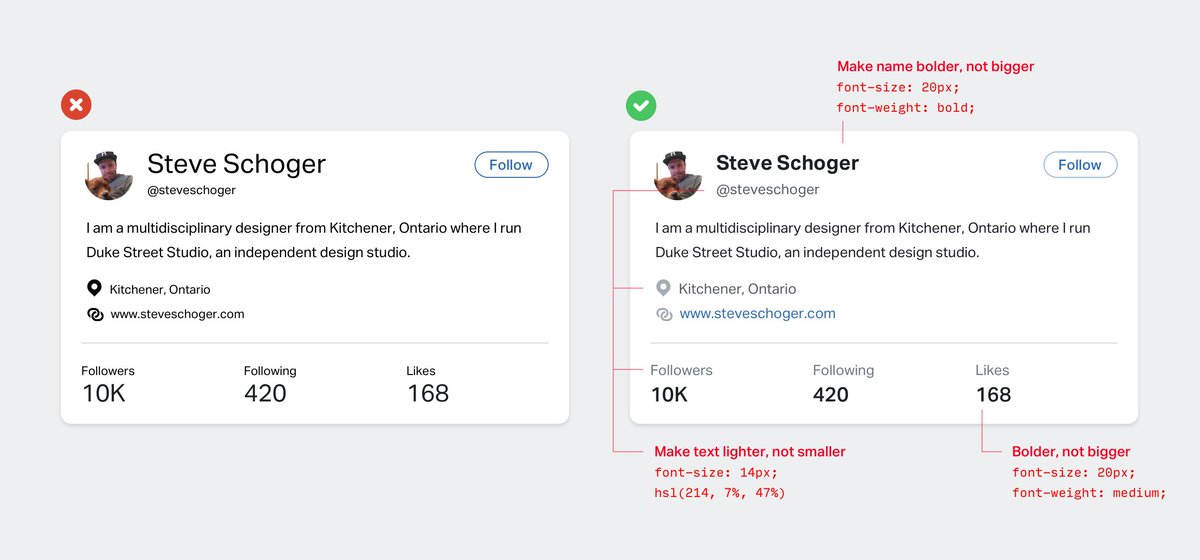
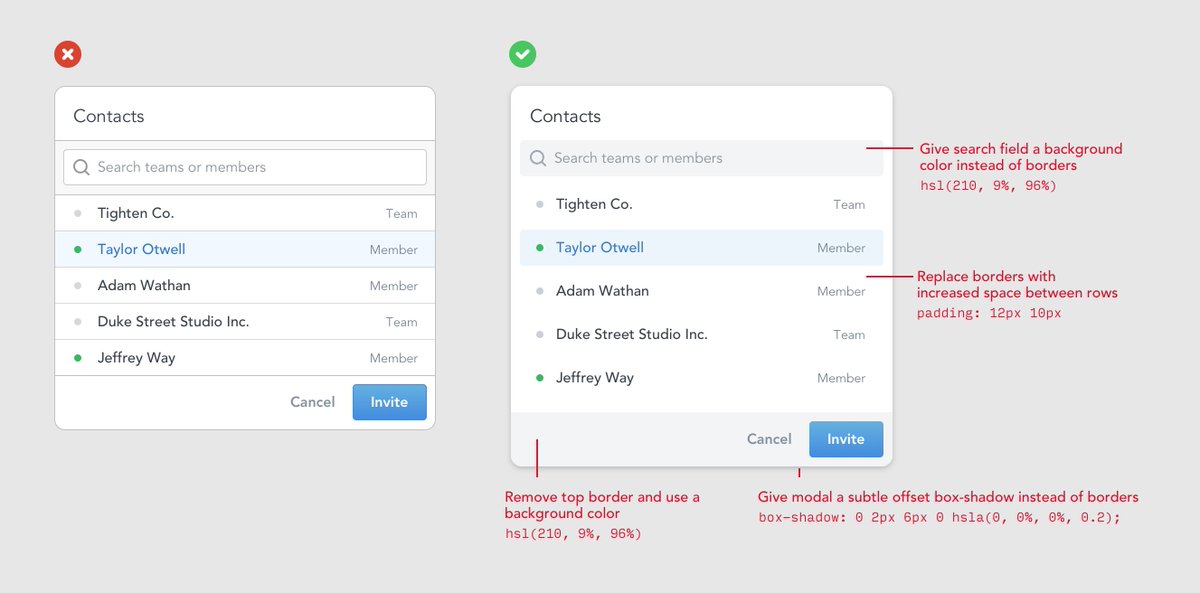
🔥 Don't be afraid to "think outside the database" — your UI doesn't need to map one-to-one with your data's fields and values.
Here are a few ideas you can use to present "field: value" data in a more interesting way:
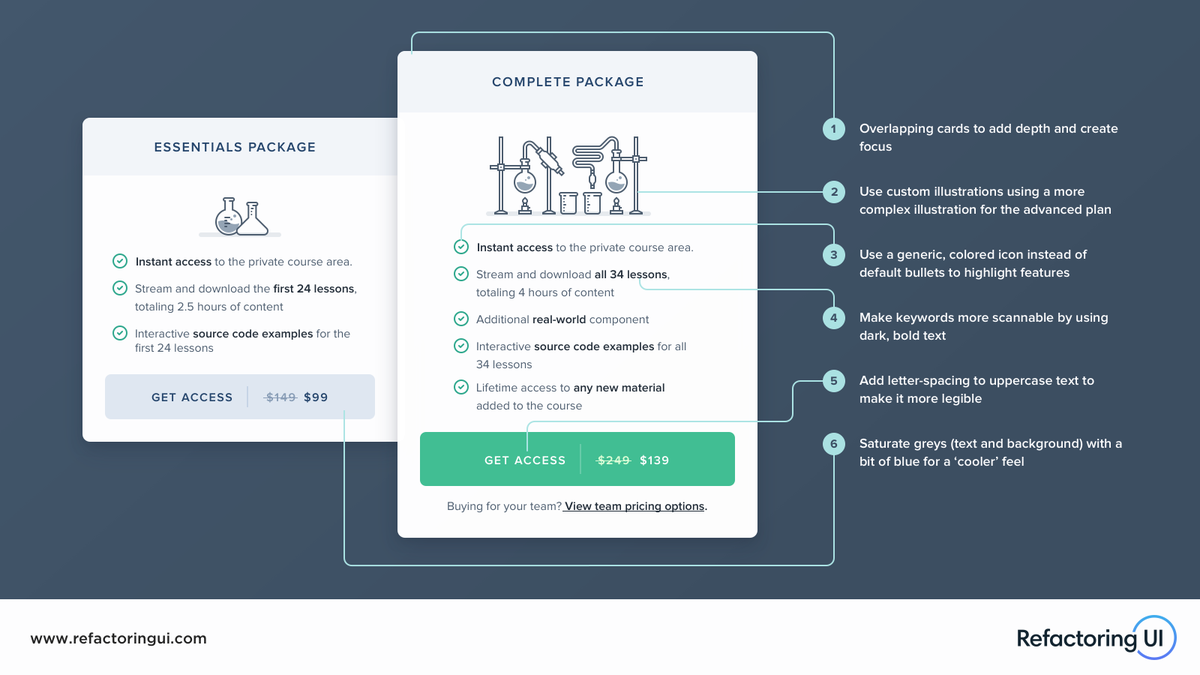
🔥 Recently had the pleasure of designing the pricing section of @adamwathan’s Advanced Vue Component Design course.
Here are a few visual design ideas I considered to give it some extra polish 💅
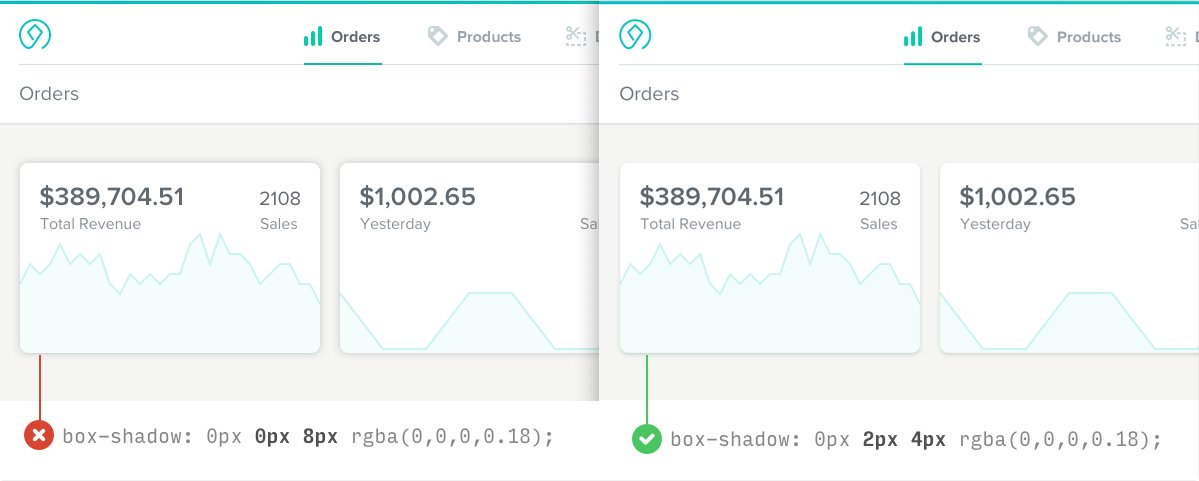
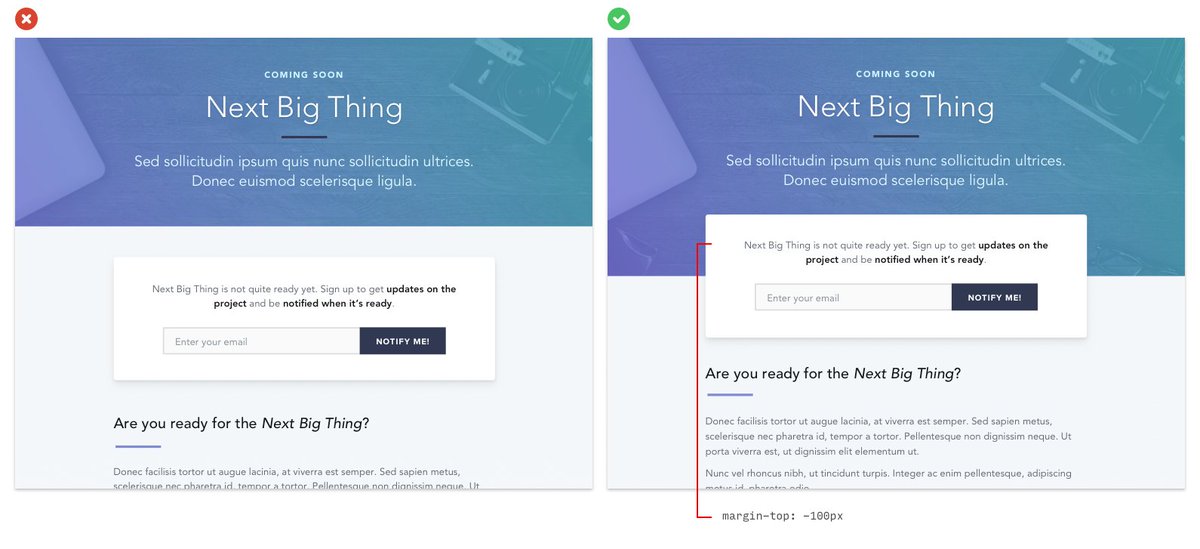
🔥 Overlapping images is a great way to add depth to an interface and make it look more “designed”.
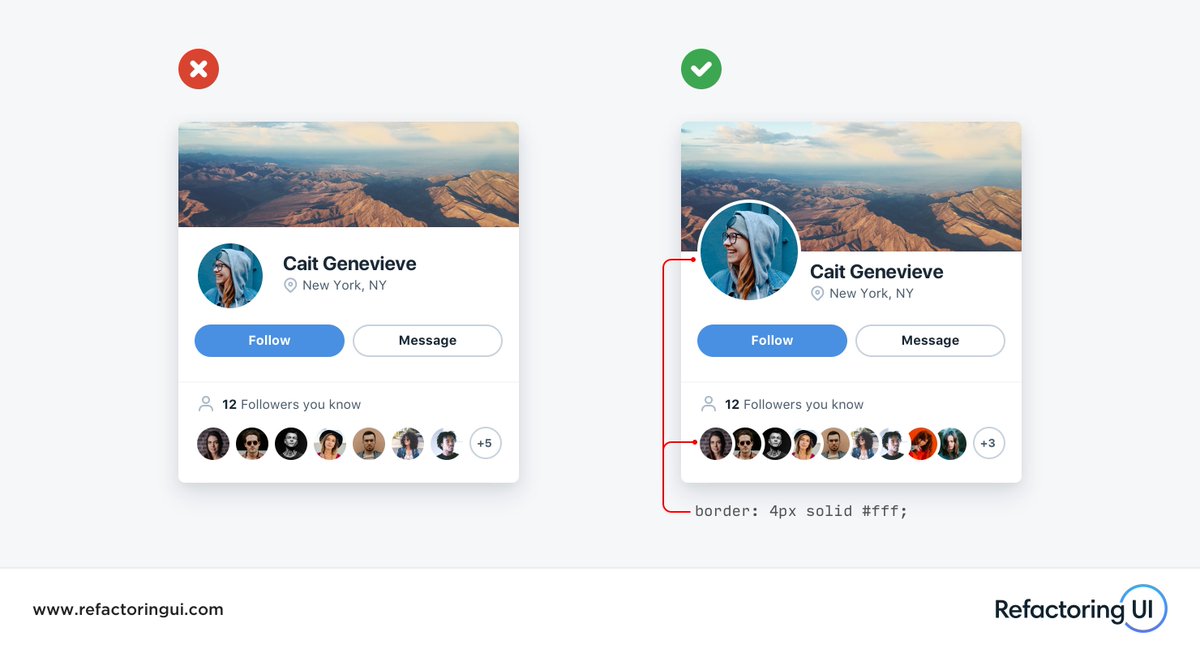
Use a border that matches the background color to create distinction and keep things looking clean 👌
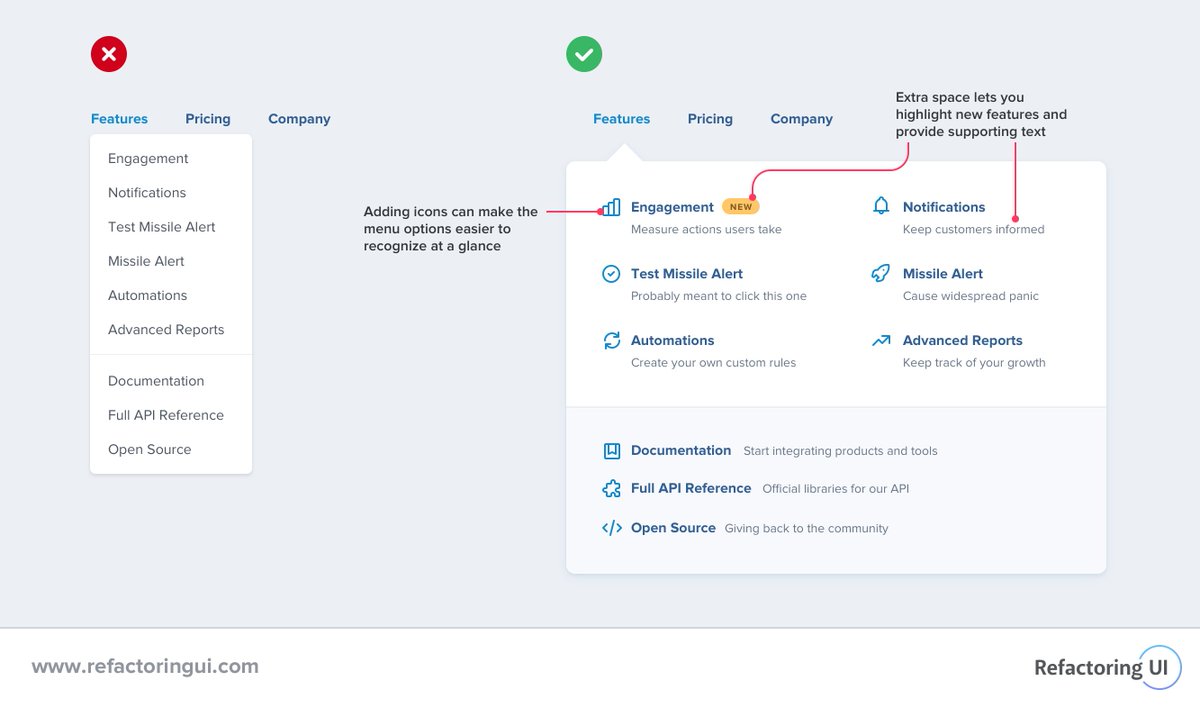
🔥 Dropdowns can be more than just a boring list of links. They're just boxes, you can do anything you want with them!
For example, this two-column layout is great when you want to add supporting text:
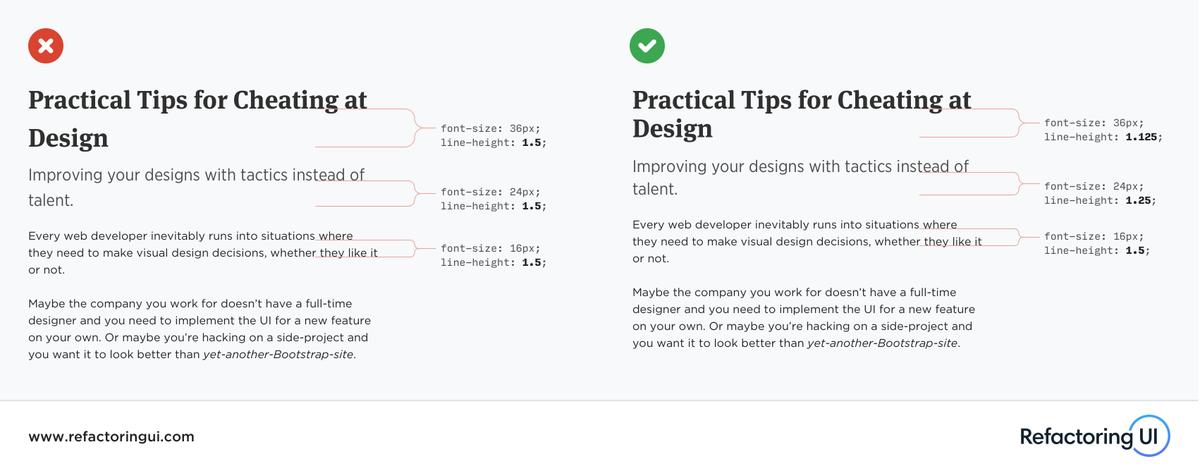
🔥 Using the same line-height for all text is a very subtle but common mistake. 1.5 may work great for body copy, but as text gets larger, your line-height should get tighter.