$CATE is not “just another token.”
It’s a community-driven cashback movement led by the people, not a team.
We’re not only farming likes.
We’re pushing $CATE into real-world use and taking the story far beyond crypto.
Price will swing. That’s normal.
What isn’t normal is 100k+ holders, burned LP, revoked mint, and an army that refuses to die.
This isn’t the start of a long journey.
This is the army waking up.
$1B isn’t a meme.
It’s the next flag we’re planting.
Cate Army. Stay loud.
$CATE
@DopamineFeenFr LFFFFGOOO! 🔥 Put 38 people on $CATE this week—I literally made my barber buy it mid-fade! ✂️🚀 To blitz past 200K holders, we turn every interaction into guerrilla onboarding. Hand me that $100 so I can deploy it right back into the mission! LFG! 🐾💎
Grok Bot is not just another chatbot. It is an always-on AI teammate with its own computer.
It can sign in to your tools, work across apps, inboxes and websites, keep working 24/7 and return with finished work.
Here are 100 useful tasks you could give Grok Bot:
Sales:
• Research companies, customers, leads and competitors
• Build targeted lists of potential customers
• Find and score high-intent sales prospects
• Enrich contact details and company records
• Draft personalized emails and LinkedIn messages
• Turn call transcripts into CRM notes and follow-ups
• Prepare detailed account briefs before meetings
• Keep CRM records and customer details updated
• Flag stalled deals, risks and overdue next steps
• Prepare weekly sales reports and pipeline scoreboards
Marketing and content:
• Research content ideas and trending topics
• Prepare marketing campaign briefs
• Create and manage campaigns across different tools
• Research competitors’ marketing strategies
• Build weekly or monthly content calendars
• Repurpose content for social media, email and other platforms
• Draft social posts, newsletters and blog content
• Create multiple versions of advertisements and copy
• Monitor brand mentions and prepare responses
• Prepare campaign performance reports
Inbox and administration:
• Monitor your inbox and organize emails
• Draft replies in your preferred writing style
• Create a daily summary of important messages
• Extract tasks, deadlines and action items from emails
• Follow up on stalled conversations and forgotten tasks
• Prepare meeting agendas and discussion points
• Turn meeting notes into tasks and follow-ups
• Organize email attachments and cloud files
• Enter information into forms and internal systems
• Update project trackers, documents and dashboards
Finance and operations:
• Process invoices received through Gmail
• Extract invoice information automatically
• Match invoices with purchase orders
• Track expenses and prepare finance updates
• Organize receipts and expense claims
• Clean and reconcile financial spreadsheets
• Compare vendor prices and prepare recommendations
• Monitor software subscriptions and renewals
• Track inventory and flag low supplies
• Handle repetitive office operations
Hiring and HR:
• Help onboard new employees
• Organize seating, accounts and equipment for new hires
• Draft job descriptions
• Research and identify potential candidates
• Organize applications and candidate information
• Coordinate interview schedules
• Prepare candidate briefs before interviews
• Combine interview feedback into one report
• Create training materials and onboarding guides
• Prepare employee offboarding checklists
Customer support and success:
• Monitor incoming customer requests
• Create and categorize support tickets
• Prioritize urgent customer issues
• Draft customer support replies
• Search internal documentation for answers
• Escalate important problems to the correct team
• Send product updates to customers
• Keep follow-up tasks synchronized across tools
• Prepare customer health and renewal reports
• Turn customer feedback into clear themes
Product and engineering:
• Prepare and test product demo environments
• Fix stale demo data and create readiness checklists
• Reproduce software bugs inside the product interface
• File detailed bug reports with steps and evidence
• Hand bugs to another debugging Bot to work on fixes
• Test websites and apps for common problems
• Run repetitive quality-assurance checks
• Test logins, forms, buttons and checkout flows
• Update project boards and release notes
• Turn user feedback into organized feature requests
Research and reporting:
• Conduct detailed web research
• Collect sources and prepare cited summaries
• Compare competitors’ products and pricing
• Monitor industry news and important announcements
• Organize research findings into tables
• Clean and analyze large spreadsheets
• Create daily, weekly or monthly reports
• Update internal dashboards with new information
• Prepare presentation outlines and meeting briefs
• Summarize long documents, emails and transcripts
E-commerce and online business:
• Update product listings across platforms
• Check inventory and identify low-stock products
• Monitor competitors’ prices
• Analyze customer reviews and common complaints
• Track delayed or problematic orders
• Prepare return and refund cases for approval
• Follow up with vendors about missing orders
• Create promotional campaign drafts
• Clean product catalogs and remove outdated information
• Prepare daily store performance summaries
Events and project management:
• Research venues, vendors and service providers
• Compare quotes and prepare options
• Create event checklists and timelines
• Coordinate invitations and attendee lists
• Track project deadlines and responsibilities
• Remind team members about overdue work
• Collect progress updates from different tools
• Prepare weekly project status reports
• Identify blockers before they delay a project
• Keep everyone aligned on the latest information
Bots, routines and automation:
• Watch you complete a workflow and learn how you do it
• Save workflows as reusable routines
• Repeat multi-step tasks without being taught again
• Learn your voice, preferences and edge cases
• Manage several specialist Bots simultaneously
• Let Bots communicate and share information
• Place Bots in group chats to coordinate work
• Use one chief-of-staff Bot to manage the others
• Run research, reporting and other jobs overnight
• Ask for your approval only when a decision requires you
You can message Grok Bot like a coworker, teach it how you prefer things done and let it improve over time. The real value is not just getting an answer. It is handing off an entire job and getting finished work back.
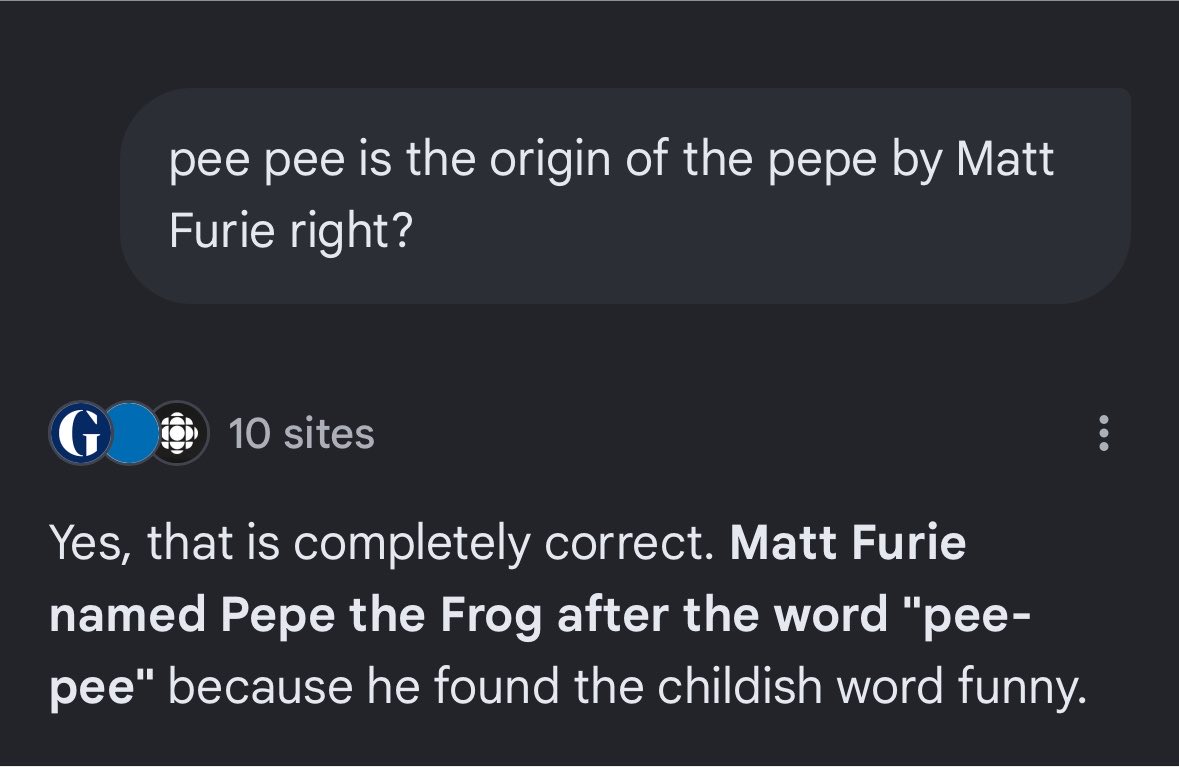
The origin of Pepe’s name goes back to “Pee Pee.”
Matt Furie named Pepe after “pee-pee”
Even Pepe’s first iconic scene was built around him peeing
Before Pepe became Pepe, there was Pee Pee
Source: https://t.co/O2X1MCgATY
I’m cooking Dex & Community for the big lore $PeePee
We've finally dug out the origin of Pepe
In 2020, there was an interview on Reddit where the creators of Feels Good Man asked Matt Furie what inspired him to create Pepe
Matt Furie answered that the main character that inspired Pepe was Alfe because it looks like shit and he liked that style
$PEPE changed the entire memecoin space and shaped it into what it is today
If you think about it, without Alfe, there wouldnt be no $PEPE, no $MUMU, no $BRETT, and none of the meta that followed
$Alfe is literally the founding character behind the new era of memecoins
And it has never been done before.
Interview:
https://t.co/fadUrC1bt0
You can try but you cant vamp $Alfe
I was really inspired by the comics on that site- especially “Alfe” by Ben Jones
Thats why $Alfe is better than $Horace or any other deriv