I can most definitely help with this!
1. Connect your headset to pc
2. Open SteamVR on pc Click hamburger menu icon click settings
3. select 'Steam Link' 'show advanced settings'
4. turn on 'osc' and 'share face tracking data' and 'share eye tracking data'
5. find 'osc port setting' and change to 9015 THEN
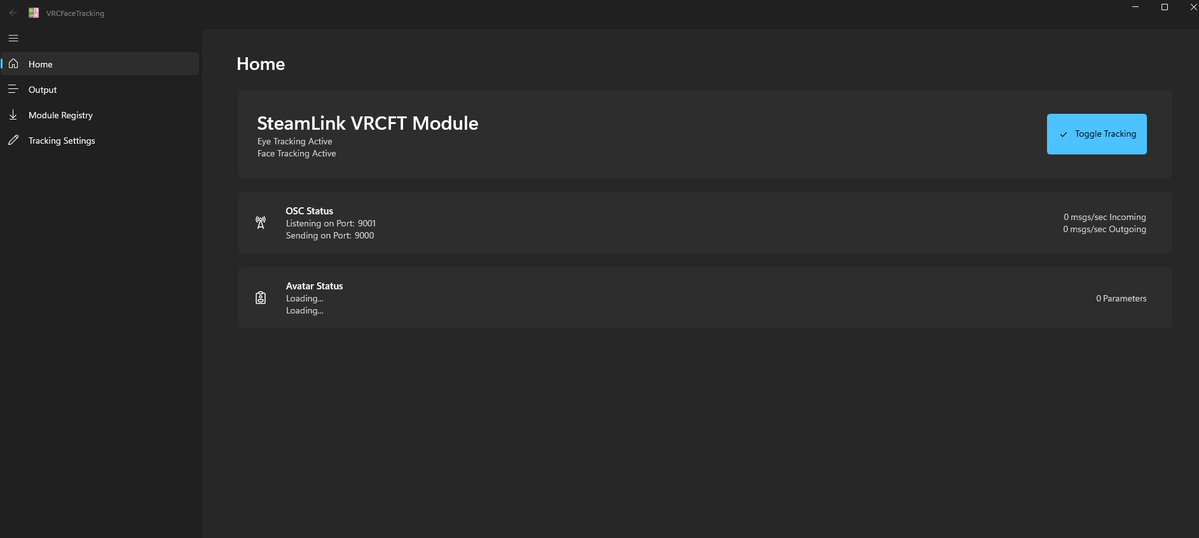
6. Go to VRCfacetracking, find 'Steamlink' in the modules and enable it
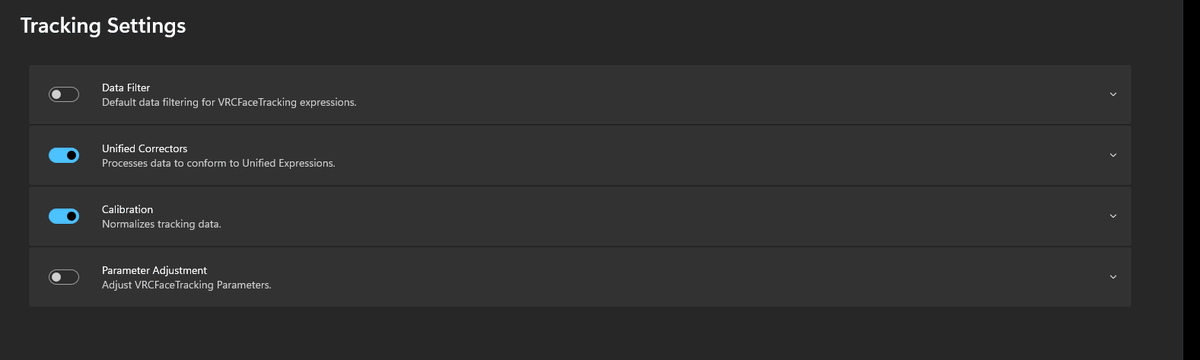
7. Go to main section of vrcfacetracking and make sure to toggle tracking




![lucavrc0's tweet photo. 𝐍𝐞𝐰 『Frolic🐻❄️ 』 𝐑𝐞𝐥𝐞𝐚𝐬𝐞
♪ ━━━🎉━━━
# RT EVENT & SALE
♬ ━━━🎁━━━
❤️https://t.co/uHIEcRYTk7
♪ RT & Follow ▷ Gifts for 5⃣!Random!
抽選で5名様に ❤️#Booth で[full set] をプレゼント!
〉結果発表 : 2026-10-03(土) 午後中
♬ Release 50% OFF SALE
【¥2,500】→【¥1,250】- Full Set
【¥1,500】→【¥750】- Single
~2026-10-07(水) 午前
18 アバター対応
しなの │ラムネ │ ミルティナ │マヌカ
愛梨 │ミルフィ │ エク │まよ
ライム │ シフォン │ ショコラ │ プラム
瑞希 │ ルルネ │輝夜
真央 │ リリカ│海咲](https://pbs.twimg.com/media/HTXo0jybMAA1aQC.jpg)
![lucavrc0's tweet photo. 𝐍𝐞𝐰 『Frolic🐻❄️ 』 𝐑𝐞𝐥𝐞𝐚𝐬𝐞
♪ ━━━🎉━━━
# RT EVENT & SALE
♬ ━━━🎁━━━
❤️https://t.co/uHIEcRYTk7
♪ RT & Follow ▷ Gifts for 5⃣!Random!
抽選で5名様に ❤️#Booth で[full set] をプレゼント!
〉結果発表 : 2026-10-03(土) 午後中
♬ Release 50% OFF SALE
【¥2,500】→【¥1,250】- Full Set
【¥1,500】→【¥750】- Single
~2026-10-07(水) 午前
18 アバター対応
しなの │ラムネ │ ミルティナ │マヌカ
愛梨 │ミルフィ │ エク │まよ
ライム │ シフォン │ ショコラ │ プラム
瑞希 │ ルルネ │輝夜
真央 │ リリカ│海咲](https://pbs.twimg.com/media/HTXoy-9aQAAs-y3.jpg)









![lucavrc0's tweet photo. 𝐍𝐞𝐰 『Frolic🐻❄️ 』 𝐑𝐞𝐥𝐞𝐚𝐬𝐞
♪ ━━━🎉━━━
# RT EVENT & SALE
♬ ━━━🎁━━━
❤️https://t.co/uHIEcRYTk7
♪ RT & Follow ▷ Gifts for 5⃣!Random!
抽選で5名様に ❤️#Booth で[full set] をプレゼント!
〉結果発表 : 2026-10-03(土) 午後中
♬ Release 50% OFF SALE
【¥2,500】→【¥1,250】- Full Set
【¥1,500】→【¥750】- Single
~2026-10-07(水) 午前
18 アバター対応
しなの │ラムネ │ ミルティナ │マヌカ
愛梨 │ミルフィ │ エク │まよ
ライム │ シフォン │ ショコラ │ プラム
瑞希 │ ルルネ │輝夜
真央 │ リリカ│海咲](https://pbs.twimg.com/media/HTXo4GgaYAAT0ah.jpg)