Software Development Manager | Agile practitioner, CSM, working on Web, Mobile & Cloud Technologies. Interests include Finance, shares, books & Tech Gadgets
How to setup your Claude code project?
TL;DR
Most developers skip the setup and just start prompting. That's the mistake.
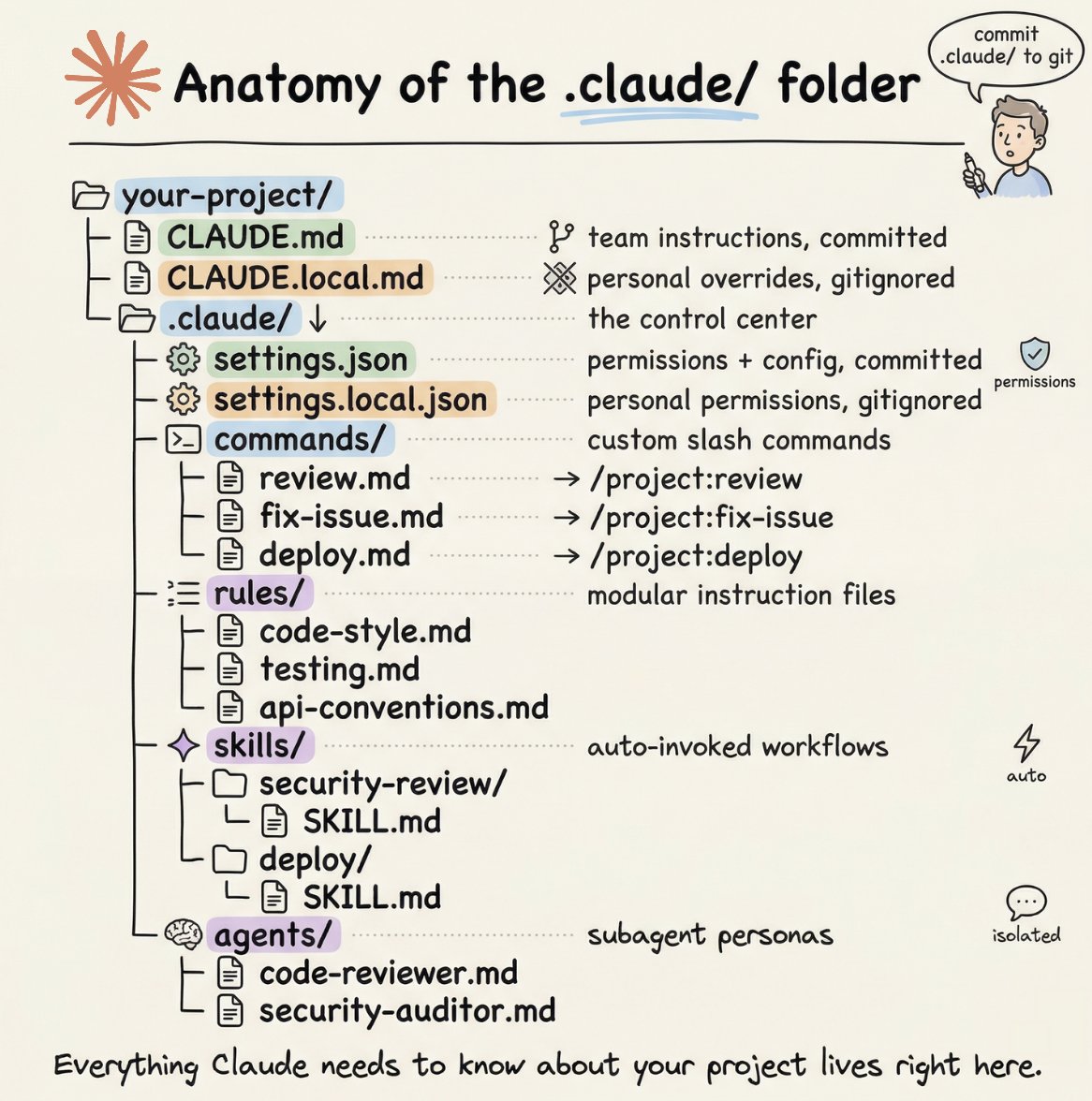
A proper Claude Code project lives inside a .𝗰𝗹𝗮𝘂𝗱𝗲/ folder. Start with 𝗖𝗟𝗔𝗨𝗗𝗘.𝗺𝗱 as Claude's instruction manual. Split it into a 𝗿𝘂𝗹𝗲𝘀/ folder as it grows. Add 𝗰𝗼𝗺𝗺𝗮𝗻𝗱𝘀/ for repeatable workflows, 𝘀𝗸𝗶𝗹𝗹𝘀/ for context-triggered automation, and 𝗮𝗴𝗲𝗻𝘁𝘀/ for isolated subagents. Lock down permissions in 𝘀𝗲𝘁𝘁𝗶𝗻𝗴𝘀.𝗷𝘀𝗼𝗻.
There are two .𝗰𝗹𝗮𝘂𝗱𝗲/ folders: one committed with your repo, one global at ~/.𝗰𝗹𝗮𝘂𝗱𝗲/ for personal preferences and auto-memory across projects.
The .𝗰𝗹𝗮𝘂𝗱𝗲/ folder is infrastructure. Treat it like one.
The article below is a complete guide to 𝗖𝗟𝗔𝗨𝗗𝗘.𝗺𝗱, custom commands, skills, agents, and permissions, and how to set them up properly.
10. Learning with Claude
A few tips from the team to use Claude Code for learning:
a. Enable the "Explanatory" or "Learning" output style in /config to have Claude explain the *why* behind its changes
b. Have Claude generate a visual HTML presentation explaining unfamiliar code. It makes surprisingly good slides!
c. Ask Claude to draw ASCII diagrams of new protocols and codebases to help you understand them
d. Build a spaced-repetition learning skill: you explain your understanding, Claude asks follow-ups to fill gaps, stores the result
1. Do more in parallel
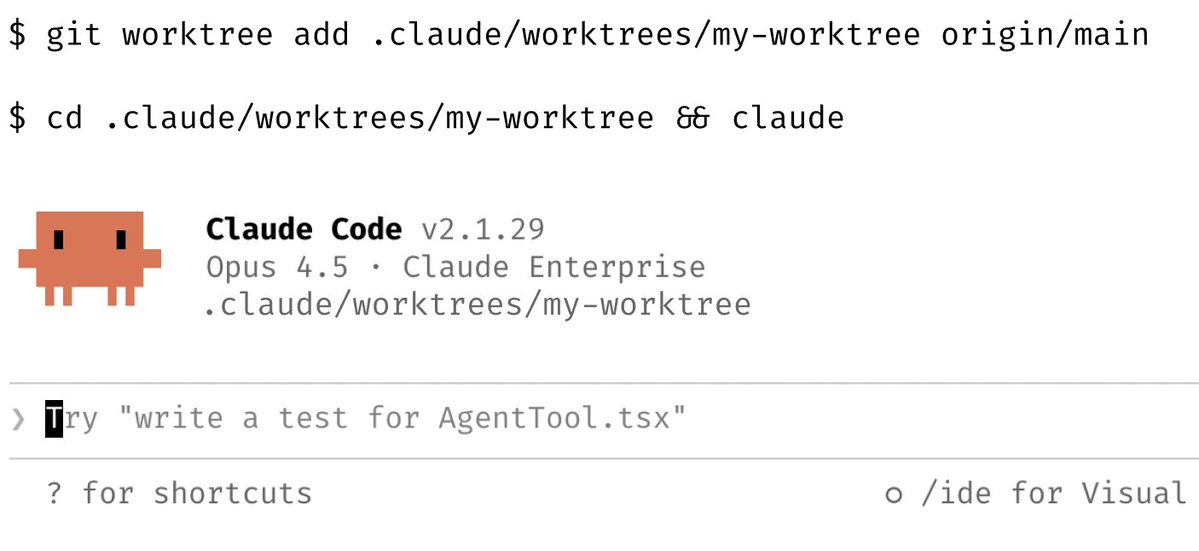
Spin up 3–5 git worktrees at once, each running its own Claude session in parallel. It's the single biggest productivity unlock, and the top tip from the team. Personally, I use multiple git checkouts, but most of the Claude Code team prefers worktrees -- it's the reason @amorriscode built native support for them into the Claude Desktop app!
Some people also name their worktrees and set up shell aliases (za, zb, zc) so they can hop between them in one keystroke. Others have a dedicated "analysis" worktree that's only for reading logs and running BigQuery
See https://t.co/yXde5dW1vZ
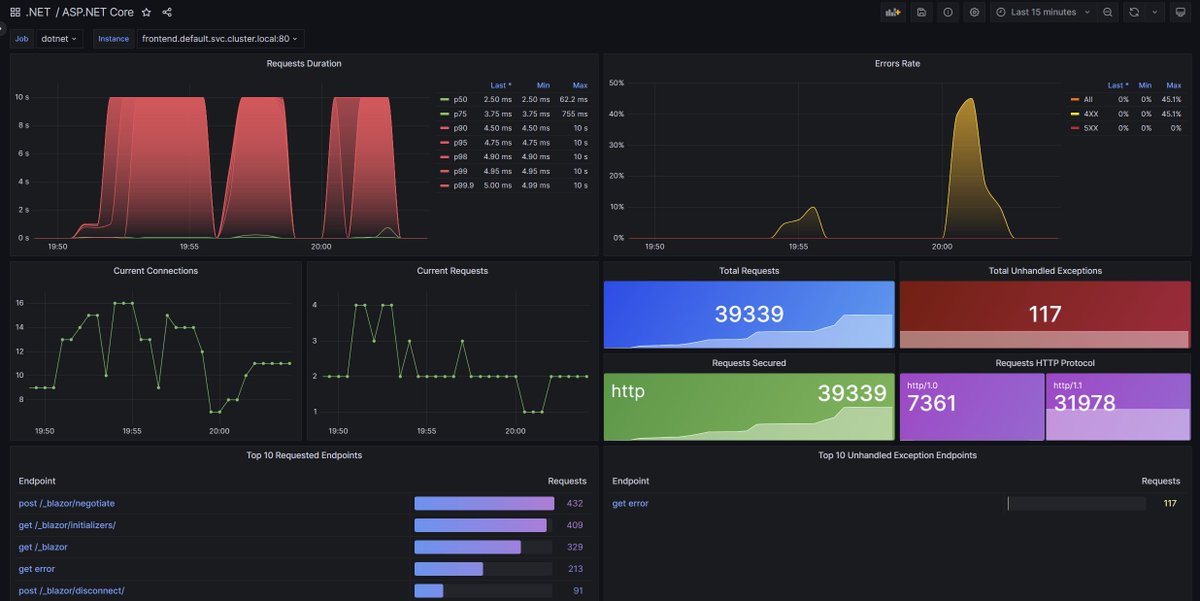
.NET 8 is going to be a bombshell of a release 🔥. There are a TON of improvements but one of the things I'm most excited about is better out of the box metrics for our http and networking stack. We're also looing to ship grafana default dashboards #dotnet
👶🤖 Introducing `gpt-engineer`
▸ One prompt generates a codebase
▸ Asks clarifying questions
▸ Generates technical spec
▸ Writes all necessary code
▸ Easy to add your own reasoning steps, modify, and experiment
▸ open source: https://t.co/NCSp8vsKA0
▸ Lets you finish a coding project in minutes.
@swyx scooped me on releasing first ❤️ – similarities to smol but many new innovations, check README.
Next, make it bootstrap. Which means:
A "gpt engineer" prompt should generate all functionality of the gpt-engineer repo itself.
11 ways ChatGPT saves me hours of work every day, and why you'll never outcompete those who use AI effectively.
A list for those who write code:
1 of 16
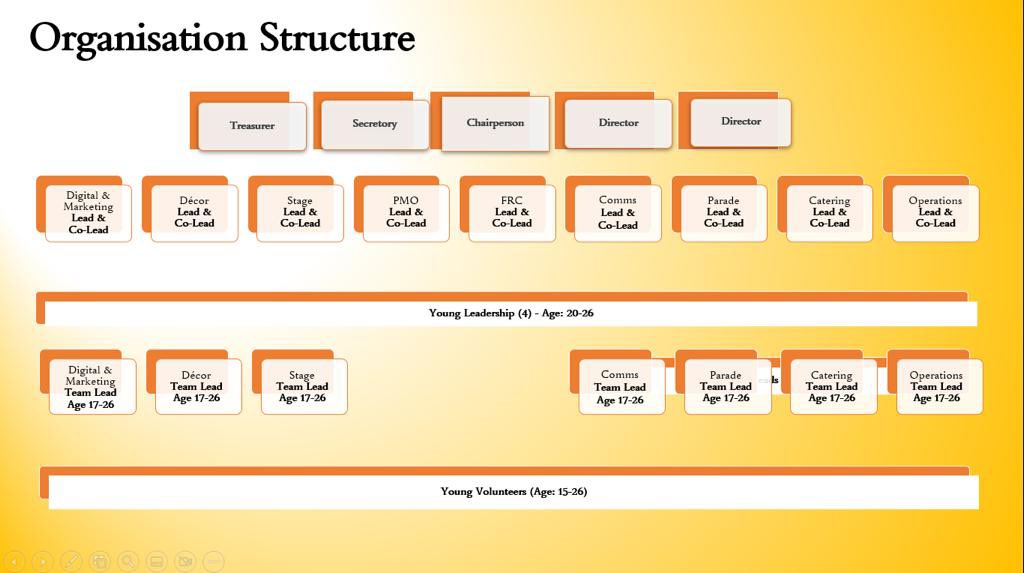
As part of constant evolution of IDMK, encourage young participation and provide Team building and leadership skills platform to youngsters. There will be a new youngster committee setup in the IDMK structure.
This will also provide opportunity for work experience.
MK Community Foundation Charity Car Draw: Supercharged is here!🏆@MKComFoundation
You could WIN a fully electric ��KODA ENYAQ iV for just £1! While supporting local charities that matter most to you.💜
📍Outside Next in Middleton Hall, until 16th October
https://t.co/exnZ4C9p99
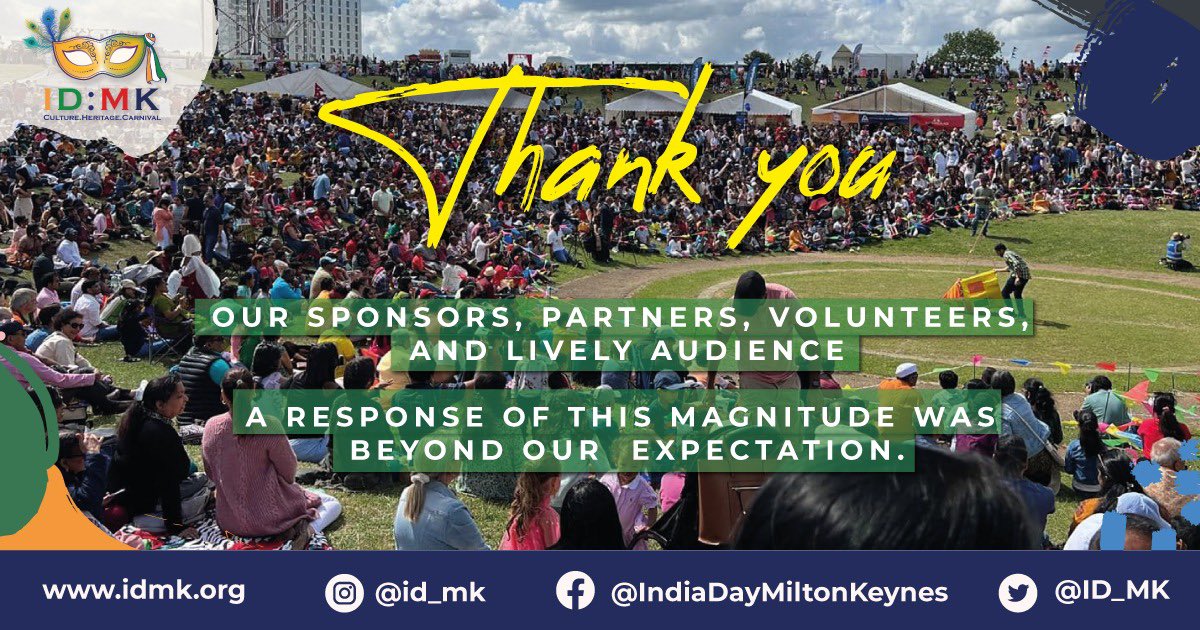
@mayor_mk@mayor_mk - On behalf of @ID_MK team - I would like to Thank You for joining us in the #celebrations at the #idmk event on 25th Jun'22. Cake cutting for celebrating the new status of #miltonkeynes as "CITY" was a gr8 honour. Sharing some memories to cherish!