Preparing for #BacktoSchool? Encourage your students to develop online skills that they can use in and out of the classroom. Learn how #AppliedDigitalSkills can help → https://t.co/rLTbHgxykI #GrowWithGoogle 🚌🚸✨
Today at #TheAnywhereSchool, we announced new features coming to #GoogleWorkspaceEdu—like picture-in-picture & live translated captions in #GoogleMeet, expanding your school’s originality reports library, & more. Check out what’s coming this school year: https://t.co/seAQegFGjY
What’s 🆕 in #GoogleClassroom? From practice sets, an adaptive learning tool, to seamless integrations with your favorite #EdTech tools —discover what was announced at #TheAnywhereSchool https://t.co/I5Yr5fNqR3
¿Quieres ganar fabulosos premios en nuestro Congreso CIEC 2022 ? Compártenos tus comentarios y aprendizajes con los numérales #SomosEscuelaCatolicaDeAmerica y #CongresoCIEC2022, los más Tweeteros serán los ganadores
Google for Education comparte las novedades para Google Classroom, Meet, Chrome y más. Los amigos de #ControlAltAchieve nos proveen una lista de 40 nuevas funcionalidades. Vamos a explorarlas. https://t.co/hQ4lAZk0Uw
Catch up on everything announced at #TheAnywhereSchool, including:
💡 Intelligent features in #GoogleDocs, Sheets & Slides
📊 Updates making #GoogleClassroom easier to use
🔒 #GoogleMeet security enhancements &
👩🏽💻 Chromebook personalization options
https://t.co/glC8tiHEwK
Catch up on the latest #GoogleMeet feature updates designed to help your class stay connected, engaged, and safe:
✅ 49-tile view
✅ Blurred background
✅ Jamboard integration
✅ Quick access
Learn more & see what’s coming next → https://t.co/CRAVALLoWK
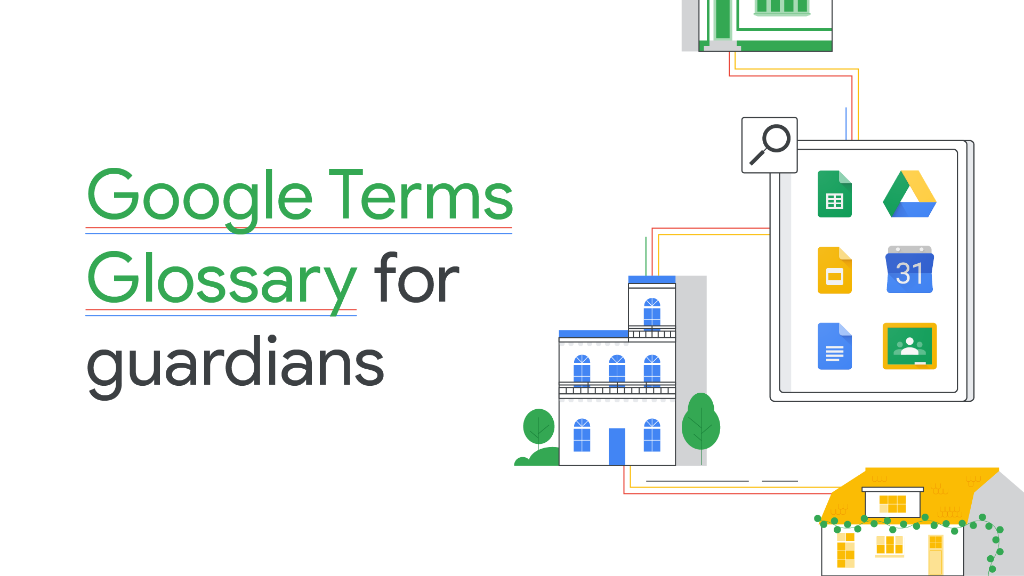
Check out this printable and easily-digestible Google Terms Glossary to help your students’ guardians better understand the #GoogleEdu technology used in your classroom. Learn more: https://t.co/uMLK6cAAZH
Here are 5 ways you can encourage virtual participation. Watch this summary video from @belecarreira & @GlobalGEG: https://t.co/BJCyV2fiia. Then dive into @CommKr8veWriter’s original article on the topic: https://t.co/yymVZX1DuJ
[Tip #7] Clean, Clean & Clean - Se recomienda que cada tres (3) meses borres archivos y desinstales programas innecesarios para mantener en óptimas condiciones tu computadora y su sistema. #10toptips#laptopcaretips#edtechpr#digitallearning#onlinelearning 💻🦾
[Tip #6] Clear Cache - Una recomendación esencial para mantener a una computadora y navegador funcionando rápido y seguro es remover el cache, cookies y el historial en Settings del Navegador o ir a help . #10toptips#laptopcaretips#edtechpr#digitallearning#onlinelearning 💻🦾
[Tip #5] Back-Up - Ahora más que nunca estamos generando mucho contenido digital. Realiza mensualmente un back-up completo. Pueden utilizar doble almacenaje: 1) Cloud drive y 2) Almacena externo. #10toptips#laptopcaretips#edtechpr#digitallearning#onlinelearning 💻🦾






![edtechpr's tweet photo. [Tip #7] Clean, Clean & Clean - Se recomienda que cada tres (3) meses borres archivos y desinstales programas innecesarios para mantener en óptimas condiciones tu computadora y su sistema. #10toptips #laptopcaretips #edtechpr #digitallearning #onlinelearning 💻🦾 https://t.co/u01ri08xzZ](https://pbs.twimg.com/media/EgDzYuaX0AYQk3z.jpg)
![edtechpr's tweet photo. [Tip #6] Clear Cache - Una recomendación esencial para mantener a una computadora y navegador funcionando rápido y seguro es remover el cache, cookies y el historial en Settings del Navegador o ir a help . #10toptips #laptopcaretips #edtechpr #digitallearning #onlinelearning 💻🦾 https://t.co/3EWbZcFUnP](https://pbs.twimg.com/media/Ef4afxuWsAEil3r.jpg)
![edtechpr's tweet photo. [Tip #5] Back-Up - Ahora más que nunca estamos generando mucho contenido digital. Realiza mensualmente un back-up completo. Pueden utilizar doble almacenaje: 1) Cloud drive y 2) Almacena externo. #10toptips #laptopcaretips #edtechpr #digitallearning #onlinelearning 💻🦾 https://t.co/eGZu4MFHhP](https://pbs.twimg.com/media/EfnhHdgWoAEY0sK.jpg)



