--- CAN YOU SOLVE THIS - EXCEL CHALLENGE 9 ---
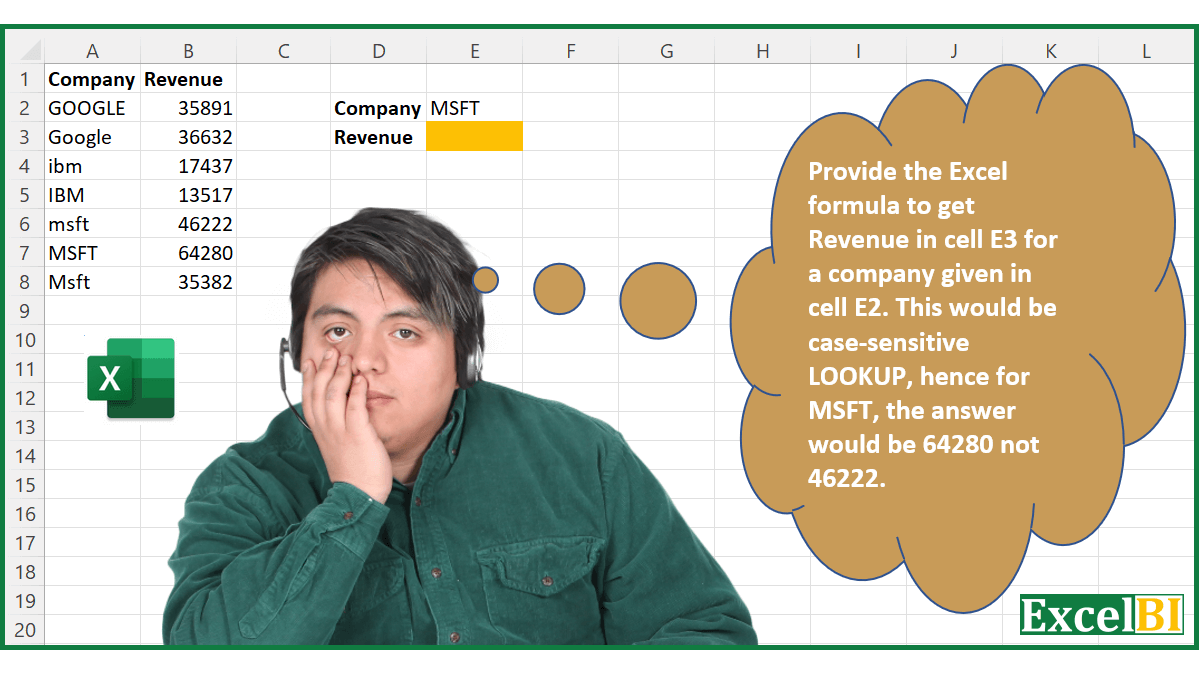
Provide the Excel formula to get Revenue in cell E3 for a company given in cell E2. This would be case-sensitive LOOKUP, hence for MSFT, the answer would be 64280 not 46222.
Download Practice File - https://t.co/3OoW8mhi3g
#excel,
--- CAN YOU SOLVE THIS - EXCEL CHALLENGE 5 ---
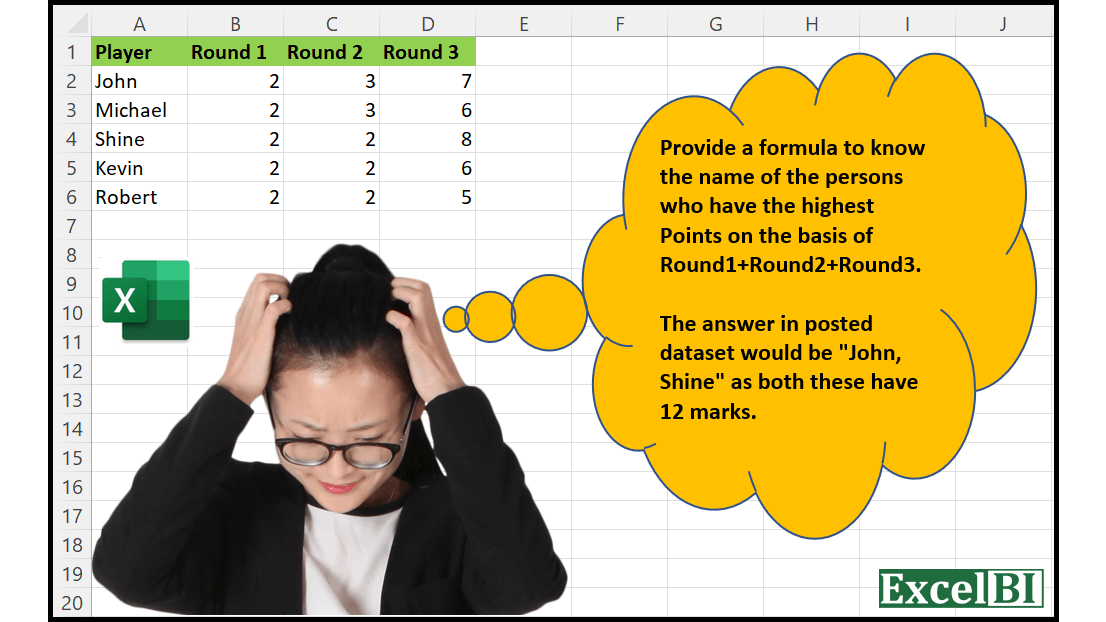
Provide a formula to know the name of the persons who have the highest Points on the basis of Round1+Round2+Round3.
(Post answers in Comment)
Download Practice File - https://t.co/1FIprpCkg8
--- CAN YOU SOLVE THIS - EXCEL CHALLENGE 4 ---
Provide a formula to Extract the Words which are all capitals (upper case). Hence if a word is "HAROLD Benison THOMAS" then answer would be "HAROLD THOMAS"
(Post answers in Comment)
Download Practice File - https://t.co/iYNePrVO37
--- CAN YOU SOLVE THIS - EXCEL CHALLENGE 3 ---
Provide a formula to reverse a given number. Hence, if number is 7834, then answer would be 4387.
(Post answers in Comment)
Download Practice file from https://t.co/dNDImjWeuF
--- CAN YOU SOLVE THIS - EXCEL CHALLENGE ---
Provide a formula to sum last 3 non-zeros values in range A2:A10.
Last 3 non-zeros values are 20, 8 and 16, hence answer should be 44.
(Post answers in Comment)
Download Practice file from https://t.co/eUN4VnQAx4
#excelchallenge
Extract Middle Name through Excel Formula (only for 3 word names)
=IFERROR(MID(A1,FIND(" ",A1)+1,FIND(" ",A1,FIND(" ",A1)+1)-(FIND(" ",A1)+1)),"")
If you are on Beta Channel of Excel Insider
=IFERROR(FILTER(TEXTSPLIT(A1," "),{0,1,0}),"")
Practice File @ https://t.co/XYGcbez0Ae
--- Excel Challenge ---
Count the number of cells having only 2 words in range A2:A20.
The answer should be 8
Name
Paul Hughes
Zachary
Alan Murphy
Ralph Gutierrez M.
Challenge File @ https://t.co/b9d5acSuBR
Post answers in comments.
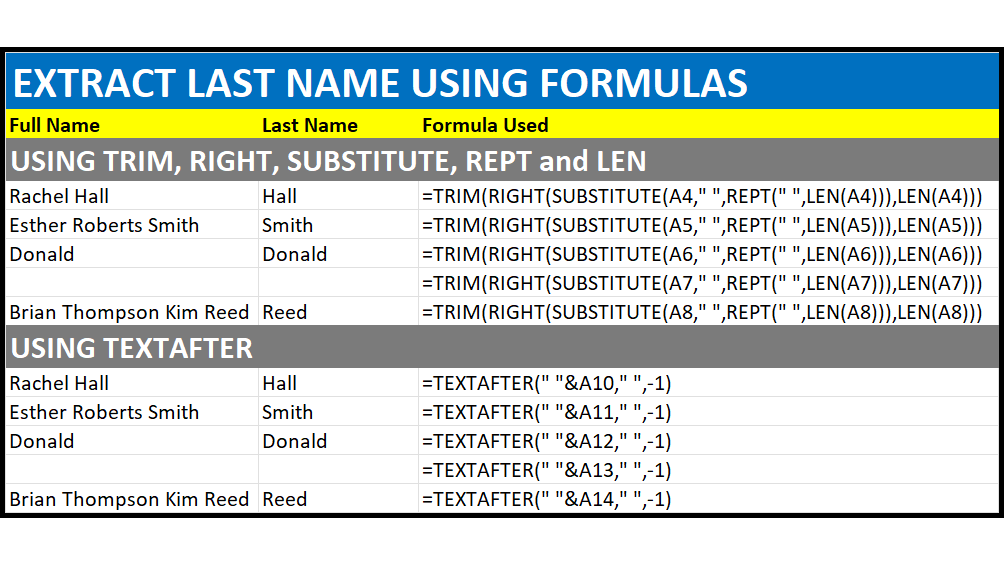
-- Extract Last Name through Formula ---
=TRIM(RIGHT(SUBSTITUTE(A1," ",REPT(" ",LEN(A1))),LEN(A1)))
If you are an Excel 365 Insider and are on beta channel, then you can use the power of TEXTAFTER
=TEXTAFTER(" "&A1," ",-1)
Practice File @ https://t.co/5GkzW4vhrs
Extract First Name through Formula
=LEFT(A1,FIND(" ",A1&" ")-1)
If you are an Excel 365 Insider and are on beta channel, then you can use the power of TEXTBEFORE
=TEXTBEFORE(A1&" "," ")
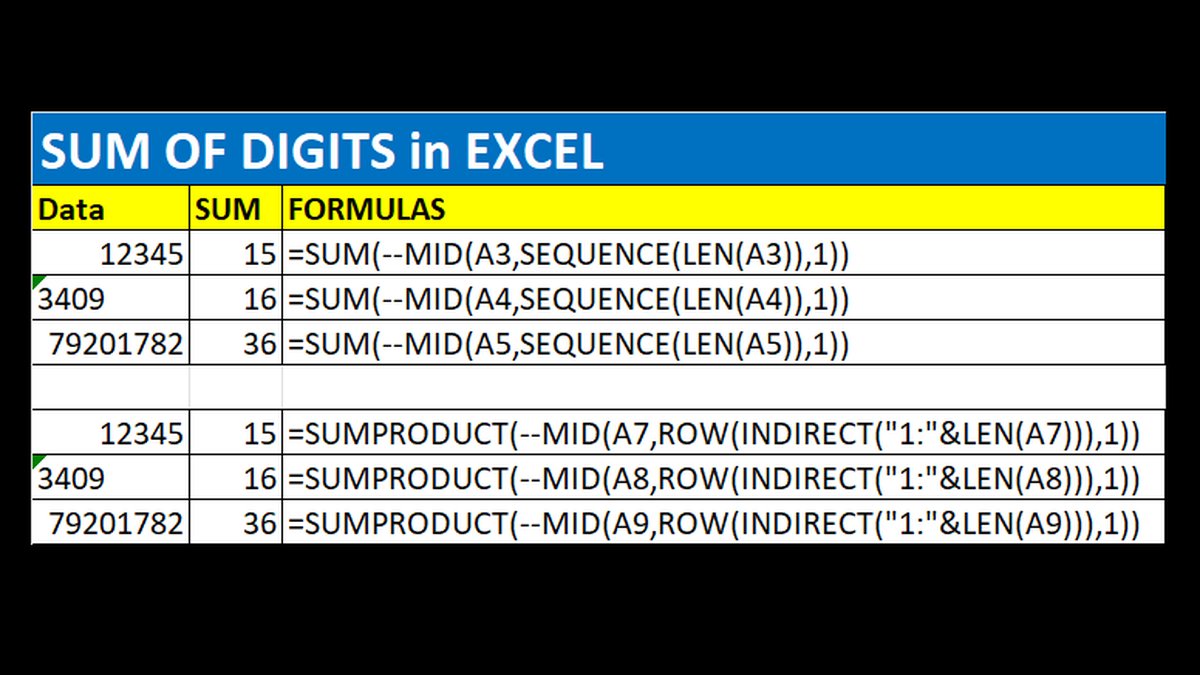
SUM of Digits when cell Contains all Numbers
If you have Dynamic Arrays
=SUM(--MID(A1,SEQUENCE(LEN(A1)),1))
If you don't have Dynamic Arrays
=SUMPRODUCT(--MID(A1,ROW(INDIRECT("1:"&LEN(A1))),1))
If A1 is blank, then to handle error, enclose above formulas into an IFERROR block.