The South African laws are literally super racist, plain and simple.
It’s not complicated: imagine if the law was called “White Empowerment”, instead of “Black Empowerment”! People would have a seizure 😂
South Africa now has more anti-White laws than Apartheid had anti-Black laws. Think about that for a second …
The current South African government has objectively implemented Apartheid 2.0. Shame on them.
[WATCH] "Singling out BEE laws is quite dishonest," President Cyril Ramaphosa responds to South African-born American businessman Elon Musk's claims that SA policies are racist. #Newzroom405
Democrats have chosen illegal aliens over Americans’ safety and law enforcement.
Senate Republicans will fund ICE and CBP for years to come—without any Democratic votes—to keep Americans safe.
You can now create and share your own Grok Imagine templates with your followers.
Give my “Nikita Boar” template a try, now live. Inspired by BoneGPT 👇
"The biggest scam we've seen is the so called non governmental organizations or NGOs. It makes no sense to have a government funded non governmental organization. This is a scam that has grown out of control next level."
一 Elon Musk
Grok Imagine just got a HUGE update
You can now create your own custom templates
Just upload your image and you can do:
→ Photo to Video
→ Photo to Style Edit
→ Photo → Edit → Video
No design skills needed
This is your own personal AI creative studio
Create nearly unlimited templates with full control over your workflow and style
Elon Musk: “The homeless industrial complex is really dark… The network of NGOs should be called, the drug zombie farmers… The ‘charities’ get money proportionate to the number of ‘homeless’… so their incentive structure is to maximize the number…”
🚨 FSD 14.31 just blew my mind in heavy rain.
Cop swerving wildly across the road to slow traffic — cameras slicing through the downpour, FSD stays ice cool, predicts everything, and gives perfect space.
Seconds later, merging onto the on-ramp: accident scene with the cop parked right there. FSD smoothly maneuvers around, giving it safe clearance like a pro.
Heavy rain + erratic cop + obstacle avoidance in one seamless drive. This is next-level autonomy. Absolutely insane! 🔥
@elonmusk@KalenaKBrown@aelluswamy@SawyerMerritt@wholemars@Tesla_AI
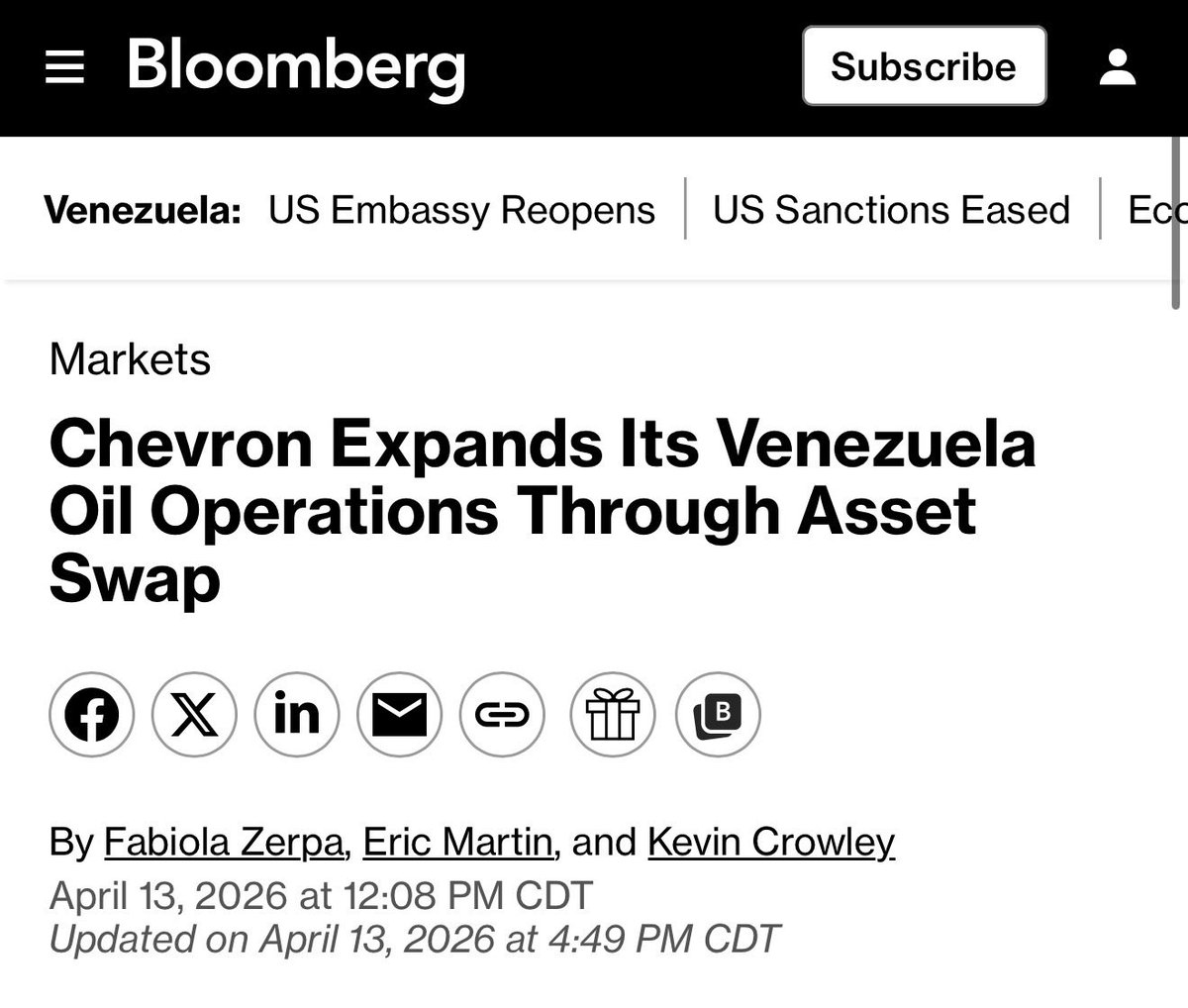
🚨 WOW.
Chevron sold ALL of its Canadian oilsands assets.
Venezuela is now awarding Chevron new oil fields to EXPAND production.
They endured Venezuela through 20 years of dictatorship, sanctions, and economic collapse, looked at the Liberals Canada and left anyway.
Translation: The market just signalled that a country in chaos, is a safer bet than Carney’s Canada.
Investing $10 billion+? Oil & gas companies get a permit in hand in a month.
That’s the type of action that attracts up to $1 trillion.
I hope this helps. If you need more help let me know:
Connecting OpenClaw to the X API is straightforward now thanks to X’s official native support...
The best and most direct method uses the official xurl CLI tool from X, which comes with a pre-built SKILL.md that OpenClaw recognizes automatically. This lets your local OpenClaw agent post tweets, search timelines, read posts, reply, manage follows, send DMs, upload media, and more all via natural language commands.
Official Native Method: xurl CLI (Recommended for Direct X API Access)
This uses X’s pay-per-use API pricing (very affordable now: e.g., owned reads ~$0.001/request, basic posts ~$0.015). No third-party bridges required.
1Get X API Credentials
◦Go to the X Developer Portal.
◦Create a new app (or project).
◦In the app settings:
▪Set the redirect URI to http://localhost:8080/callback.
▪Move the app to the Pay-per-use package and Production environment (important — otherwise reads may fail with “client-forbidden”).
◦Note your Client ID and Client Secret.
2Install the xurl CLI (on your machine where OpenClaw runs) Run one of these (pick your OS/preference):
◦macOS (Homebrew): brew install --cask xdevplatform/tap/xurl
◦
◦npm (any OS): npm install -g @xdevplatform/xurl
◦
◦One-liner shell script: curl -fsSL https://t.co/fpSj1EZboP | bash
◦
◦Or go install https://t.co/gKIxEqB34U.
3Authenticate xurl (do this manually — never via the agent for security)
◦Register your app: xurl auth apps add my-app --client-id YOUR_CLIENT_ID --client-secret YOUR_CLIENT_SECRET
◦
◦Start OAuth2 flow: xurl auth oauth2
◦ (Follow the browser prompt; it opens automatically.)
◦Check status: xurl auth status
◦
◦(Optional) Set default app/user: xurl auth default my-app or run the interactive picker with xurl auth default.
4OpenClaw Integration
◦Restart your OpenClaw gateway/agent if needed.
◦The built-in xurl skill (in skills/xurl/SKILL.md) is already merged into OpenClaw — no extra install required.
◦Your agent now understands commands like:
▪xurl post "Hello from my OpenClaw agent using Grok!"
▪xurl search "Grok 4.3" -n 10
▪xurl timeline -n 20
▪xurl reply 1234567890123456789 "Great point!"
▪xurl whoami, xurl read [post URL], xurl follow @handle, etc.
◦Just talk to your agent naturally: “Post a tweet about the new Grok pricing” or “Search X for recent OpenClaw updates and summarize.”
Security Notes (built into the skill):
•Never paste tokens/secrets into chat or let the agent run auth commands with flags.
•All credentials stay in ~/.xurl (YAML file) on your machine.
•The agent calls the local xurl binary directly.
Easier Alternative: https://t.co/HFrqJLeoOB Bridge (No X Developer Account Needed)
If you want the simplest setup (great for quick testing or posting-only):
1Sign up free at https://t.co/S4KYW5VYae and connect your X account via OAuth (one click).
2Generate an API key (starts with ot_) in Settings → API.
3Install the official skill: clawhub install opentweet-x-poster
Set the key:
export OPENTWEET_API_KEY="ot_your_key_here"
(Or add it to ~/.openclaw/openclaw.json under secrets.)
Ask your agent:
“Post a tweet saying [text]” it just works.
Tips for Your Setup
•Use Grok as the backend (as Brian mentioned in the thread): It’s far cheaper than Claude for running OpenClaw agents long-term and has excellent reasoning for agent tasks.
•Test with xurl whoami or xurl timeline in your terminal first.
•Full command list and raw API access (xurl /2/tweets etc.) are in the skill docs.
That’s it: once set up, your OpenClaw agent has full X superpowers running locally. If you hit any snags (e.g., auth errors), the most common fix is confirming your app is in Pay-per-use/Production in the developer portal.
🦞
It hit me yesterday when I was going to pick up lunch.
I pre-cooled the Tesla Model 3 from my phone, and set the destination to the restaurant. Then I hit start self-driving. Mad Max mode, park in the parking lot.
The car drove so confidently, it's movements were so lifelike... I just couldn't believe it. The way it drives is... confident... comforting... better than anything I could have imagined.
As it drove me to pick up my lunch order, I changed the music on my phone. I turned up the music and danced a little as I opened X and started reading and replying to peoples comments. It got to the restaurant before I even realized where we were, pulled into the parking lot, and parked perfectly.
I picked up the food, put it in the frunk, and then got in the car. Tapped Home (Mad Max, Park in Driveway selected automatically) and then hit self-driving. The car drove me back home like a work of art. It didn't send the food flying around. It was just perfect.
When it got home it parked in the driveway, right where the car was before I left, and I brought the food inside.
It just hit me like damn, they really created a personally owned Robotaxi. This is the user experience I have been dreaming of for years, and now it's here. It's really working, and it's better than I imagined.
The coming months and years will be a lot of fun as we just remove the driver out of the equation entirely.
Now targeting Tuesday, April 21 for launch of the @USSpaceForce's GPS III-8 mission due to unfavorable recovery weather. Teams are keeping an eye on weather conditions → https://t.co/5GHO2CGJn9