@TakeThiamine ER doctor while prescribing muscle relaxers and no antibiotics: “You can be in pain here, or you can be at pain at home. People prefer home.”
Sister: Sepsis, heart fails 24 hours later. Dead 36 hours later.
AI revolution can’t come fast enough.
@adibhanna this is cool. weird the cmd+n shortcut adds a machine. you'd think it should start a new session. is there a way to modify or add key bindings?
“Advertising builds trust.” Revolut CEO Nik Storonsky on why he had the idea to “buy whole airports.”
Revolut now has ads in half of Europe’s airports. Everywhere you walk, you feel like you’re in a cocoon of Revolut ads.
“If you’re a digital bank, you don’t have branches. People don’t see you physically. They trust you less by definition compared to HSBC, Lloyds, or JPMorgan Chase.”
“There are a lot of spaces in the physical world which also produce impressions, but at a much cheaper price compared to the digital world.”
“How many times a year do people travel? How many impressions do we produce? How much will it cost us? There is arbitrage to performance marketing.”
“Paying for impressions is much cheaper in the physical world compared to the digital world.”
“And you’re building trust as well.”
Tips for agentic CAD: tell your agent to add these checkers and run them after every model update (mine is written in Python using build123d).
1. Spec check: measure the important dimensions of the parts and make sure they reasonably agree with your spec (I maintain a YAML with all high level design/decisions).
2. Motion check: move each joint through its full range in hundreds of positions and make sure no moving part touches another part. Use simple shapes and skip pairs whose bounding boxes do not touch so the check stays fast.
3. Geometry check: find very thin faces, very small faces, very short edges, and walls that are too thin. Make sure a symmetric part is really symmetric. Measure wall thickness by casting rays through the part.
4. Edge check: make sure each edge has a radius. If an edge must stay sharp, write it in a list of permitted sharp edges.
5. Manufacturability check: for machining, make sure a cutting tool can reach all surfaces, find inside corners that are too sharp for the tool, and find walls that are too thin. For printing, measure the minimum wall thickness and the area that needs support. For powder printing, find closed spaces that trap powder.
6. Fastener check: use standard screws and inserts from a library (i use bd_warehouse, the parts library for build123d). Make sure each fastener goes through its hole with clearance, aligns with a threaded hole, and engages the thread to the correct depth.
7. Hole check: make sure each hole has a fastener in it. If a hole has no fastener, write the reason for the hole.
8. Picture check: make pictures and sections of the part after each change. Tell the agent to examine the pictures before it says the work is complete.
9. Accepted problems: give each accepted problem a name and a small area. A large area can hide new problems after the shape changes.
10. Test the checkers: give each checker a part with a known error. Use the checker only after it finds the error.
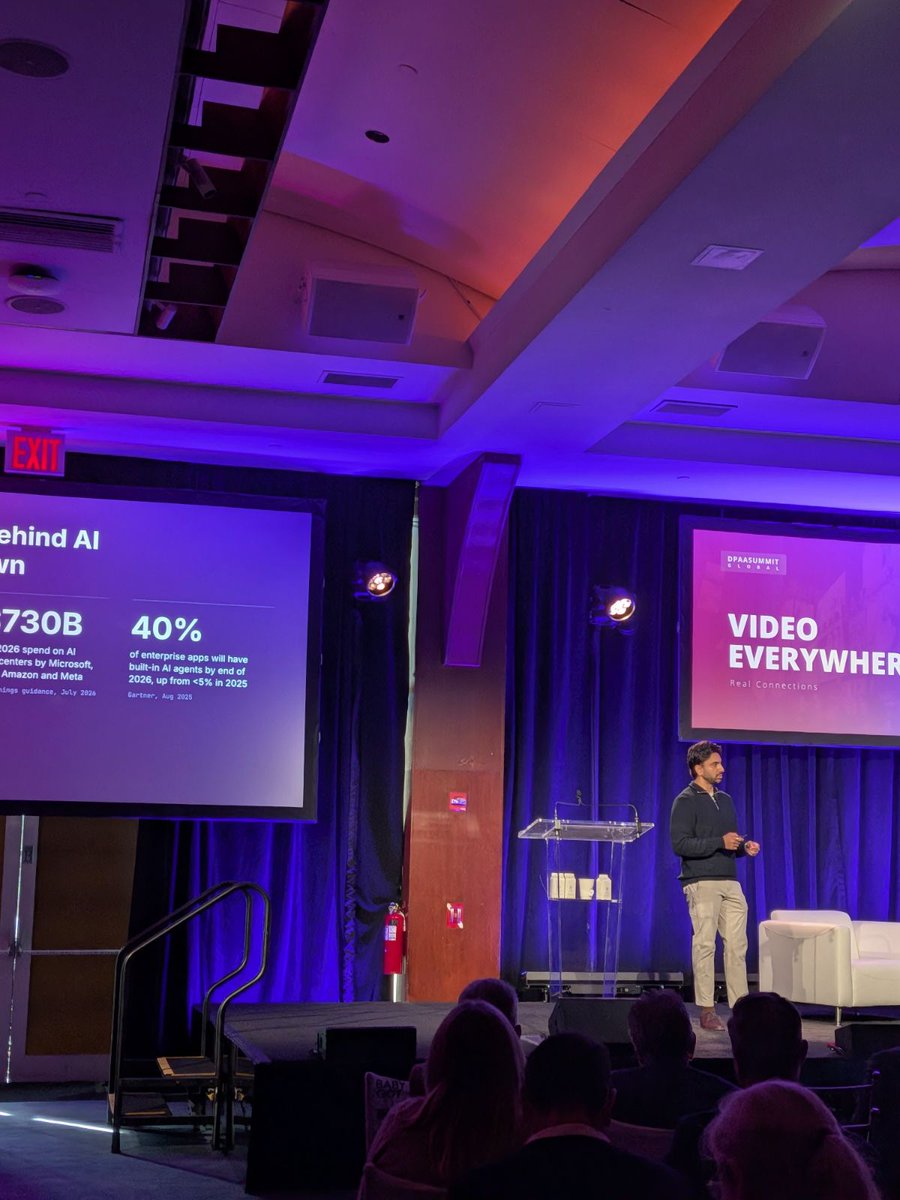
we presented adquick agent on stage today. our tool has a million switches and knobs made for power users built over nearly a decade. our agent makes it all so much easier to use.
Think of the last thing you saw online - do you know if it was written by a real person? Great food for thought from Arsalan Nasir (@AdQuick) during "The Agent Can't Close Your Eyes"! 👀🤖 @DPAAglobal#VideoEverywhereSummit
We are releasing → https://t.co/9bfbbdJZip today: AI driven embeddable CAD. If you ever enjoyed my OSS projects (zustand, react-spring, r3f, pmndrs), these all came out of CC. 🍻
A small 🇨🇭 team has been working on CAD for so many years, release seemed always out of reach. This is a huge milestone for us and i'd appreciate a RT. 🙏