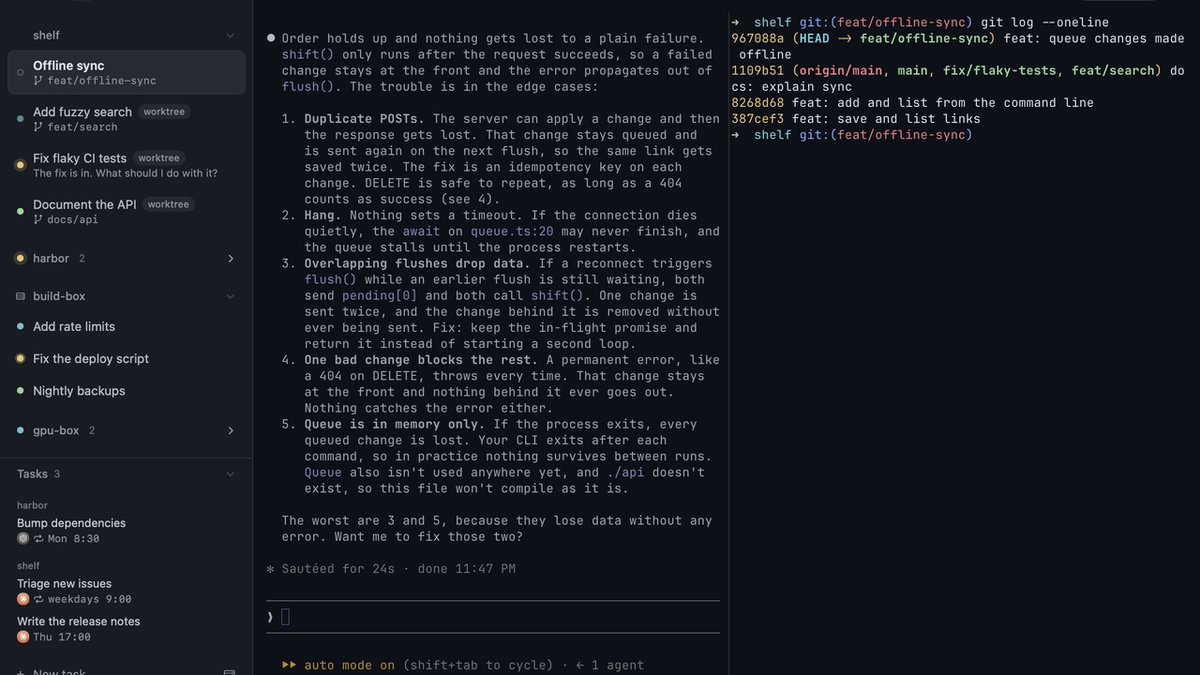
Farol a native macOS terminal for Claude Code, Codex and AI agents. Each agent in its own session and worktree. Know which one needs you.
Developer @lucaasnp_
From any app, one glance. The notch panel shows which agent is working, which is waiting for you, and which is done no need to switch windows.
https://t.co/QQRKCzY33B
Branches and commits, as a colored graph. ⌥⌘G opens the git graph every branch and commit in lanes. Click a branch to check it out, right-click to rebase, cherry-pick, or revert.
https://t.co/QQRKCzY33B
One keystroke finds everything. ⌘P searches sessions, files, and commands type 'test' and jump straight to the run, the file, or the session.
https://t.co/QQRKCzY33B
Files next to the terminal. ⇧⌘E opens the files panel browse the worktree and read code with syntax colors, right beside the agent.
https://t.co/QQRKCzY33B
You don't have to watch the terminal. The menu bar shows the same sessions and their state from any app a yellow dot means an agent is waiting for you.
https://t.co/QQRKCzY33B
Split panes. New panes open in the same folder name them, and your layouts come back when you return. Work beside your agent, not behind it.
https://t.co/QQRKCzY33B
From task to pull request. When an agent finishes, Farol shows the diff and the review panel lets you leave a note for the agent before you ship it. Read it, then ship it.
https://t.co/QQRKCzY33B
Farol is free and open source under MIT. It embeds libghostty the engine behind Ghostty and reads your Ghostty config and themes. Apple silicon, macOS 14+.
Meet Farol a native macOS terminal for Claude Code, Codex and AI agents.
Each agent runs in its own session and worktree.
You supervise; they write the code.
https://t.co/QQRKCzY33B
Press Shift+Cmd+N, describe the task, pick an agent. Farol creates a git worktree on a new branch and starts Claude Code or Codex there. Open as many as you like.