Official account for @FieldView Support. Account monitored by Support Team. Tweet us anytime- weekends & holidays may vary. 1.888.924.7475 | [email protected]
Fix Planting and Harvest Data with FieldView™
FieldView™ customers have the ability to edit their own data, including changing crop type or hybrid name as well as delete fields.
https://t.co/3PmXX4dAmi
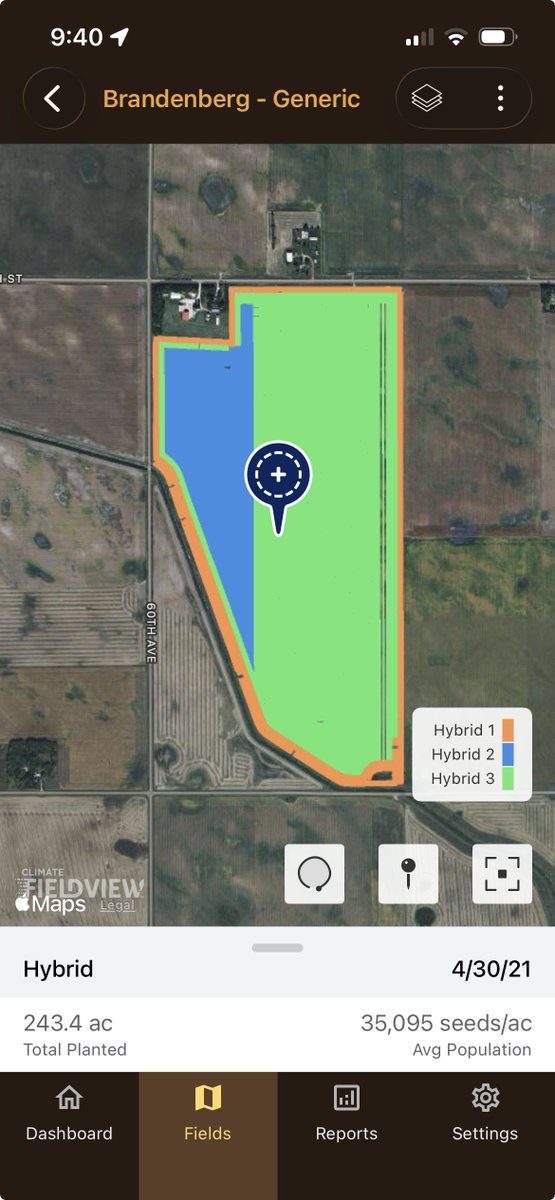
@chiefbigyield@MaxROIFarmer Hello. Yes you are. Using the FieldView App, you can view map layers using your IOS mobile device. Here is a screenshot of what you will see (This is on an iPhone 13). It is very similar to the app on the iPad. Please let me know if you have any other questions!
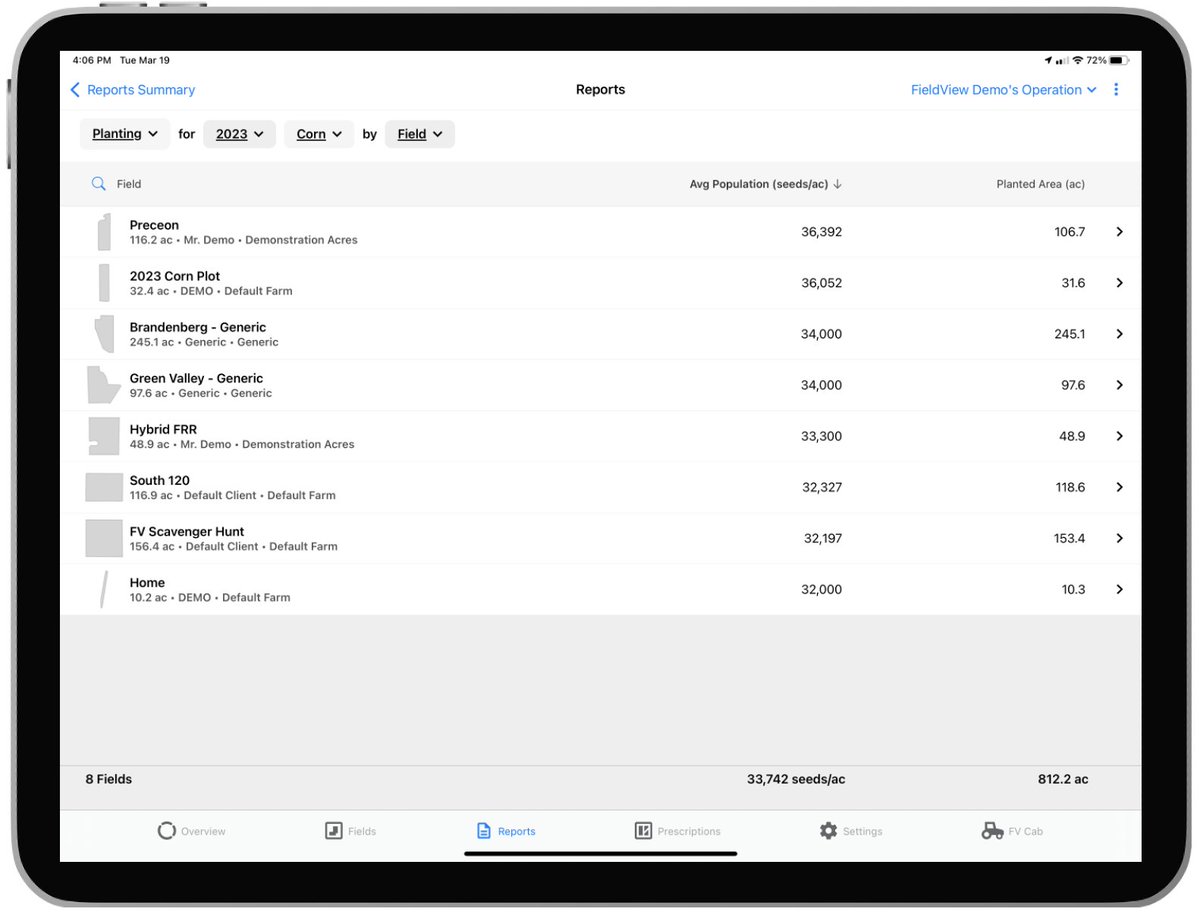
Planting and Application Reporting
View hybrid placement across fields and shared operations, application product totals, and summary information across any planting and application data a user queries.
https://t.co/zPQG2DOGcM
Climate FieldView™ Mobile Device Frequently Asked Questions
Commonly asked questions related to mobile devices with the Climate FieldView™ Platform. (FAQ)
https://t.co/Qipr6JH6h2
Using Send to Account in FieldView™ Cab
The Send to Account feature in FieldView Cab provides an easy way to send field files directly to another FieldView user's Data Inbox.
https://t.co/F7xdDyBEUM
FieldView™ Drive 2.0 - Prescription Transfer
The FieldView™ Drive 2.0 Serial/USB Adapter allows a user to perform prescription transfers from the device to the OEM display while in the field by acting as an USB.
https://t.co/cO8bOuq9TI
You don’t need to ask for updates every five minutes. FieldView’s RemoteView feature lets you get a birds-eye view of your operation with the press of a button, so you're always in the know wherever you need to be. #Plant26
Importing and Executing Prescriptions for Planting on a John Deere Gen 4 4600 CommandCenter™ Display
This document gives steps on how to import and execute prescriptions for Planting on a John Deere Gen 4 4600 CommandCenter™ Display.
https://t.co/4jF9yfQr5Q
Getting Started with a Precision Planting® Gen 3 20|20 and FieldView™ Cab App
Follow this guide to get your monitor connected with FieldView Cab app and for additional troubleshooting steps
https://t.co/6XcWmiGGpX
Checklist and General Troubleshooting for Climate Fieldview™ Drive
Utilize this guide for general troubleshooting for the FieldView Drive.
https://t.co/BE8HbvmjvA
Split Planter Configuration with FieldView™
Planting two different hybrids or seed treatments side-by-side in the same planter pass, can be an effective way to generate powerful data to confirm your seed purchase, population and placement decisions.
https://t.co/hLjX5hFY2X
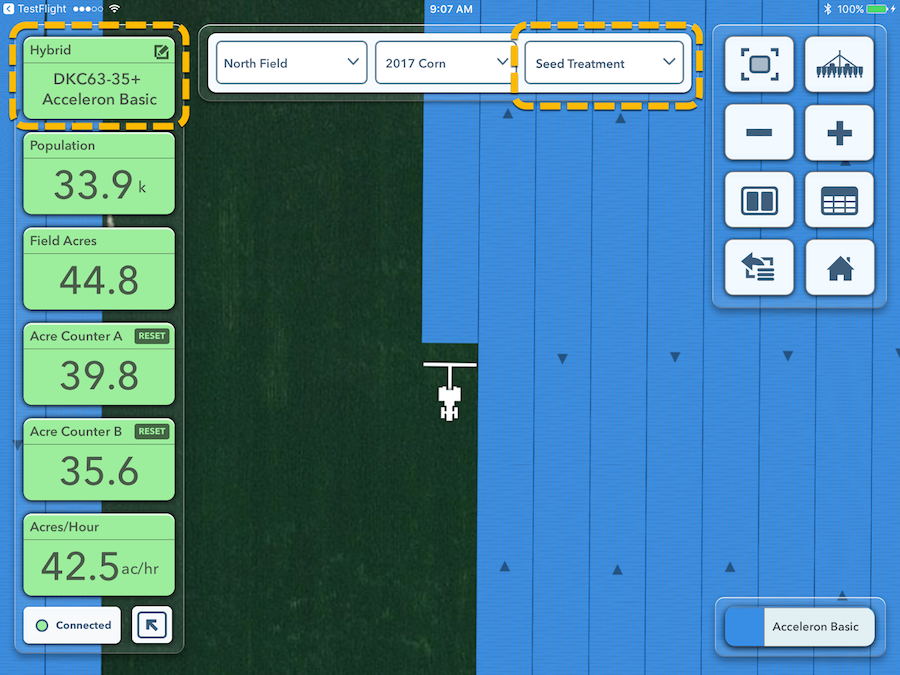
Mapping Seed Treatments While Planting with FieldView™
Easily collect seed treatment data and map layers during planting then analyze the impact that seed treatments had on yield with FieldView™.
https://t.co/hw8OidCgXv
Troubleshooting FieldView™ Drive or Precision Planting 20/20 SeedSense®/YieldSense® Display Connectivity
Utilize these steps to help solve connectivity issues
https://t.co/53MyDS8V5z
Activity Summary Reports in FieldView™ Cab App
Summary reports can be viewed on the FieldView™ Cab app which give an overview of data for the field.
https://t.co/SCjqnoedps