@netztaucher The bug should be fixed now. To finish your account setup please log into https://t.co/9rNlSYwGtr and re-authenticate Evernote there. Afterwards you should be redirected to the main site and be able to start using filters.
@SayreAmbrosio Yes @SayreAmbrosio. If you have a combined personal/business account from @evernote, a business subscription will include the personal side as well. Let me know, if you need any help regards to Filterize.
We are live on @ProductHunt today 🚀!. If you're a PH user join the discussion and give us feedback: https://t.co/VFZazWFLm9 Thanks a lot @chrismessina for hunting us. Cheers 🍸 #EvernoteCommunity
Let EvA 🤖 assist you in @Evernote 🐘. Now available at Filterize!
🚀 We are happy to announce 🎉 an #AI for Evernote that relieves you from repetitive tasks in Evernote. Read more at https://t.co/2ErknvZWgx #EvernoteCommunity
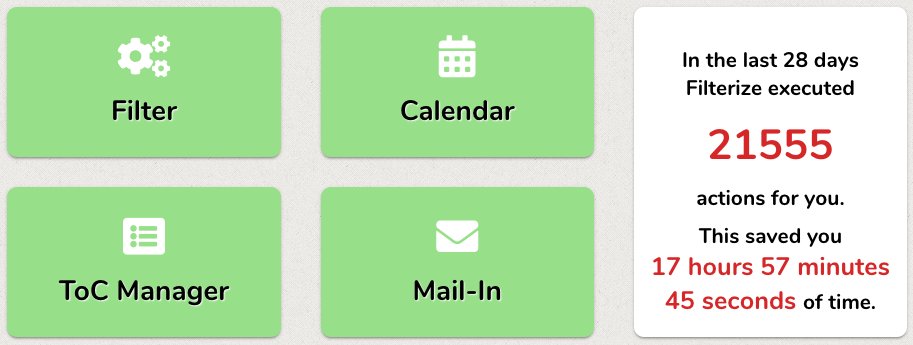
For an average active user Filterize performs about 1800 actions in @evernote per month. This saves approximately 1.5 hours of work. You wanna see how many action Filterize performs for you? Check out our new statistics in your Filterize account.
Keep productive in 2019 #HappyNewYear with our automated Eisenhower-Matrix https://t.co/5GsaNdxdzZ using @Evernote's Eisehnhower-Matrix-Template #EvernoteCommunity
@evernote@EnricoNahler Thanks @EnricoNahler 👍 for this cool hack 💎. We wrote a new blog article 📖 about your dashboard idea with a detailed step-by-step guide. Check it out at https://t.co/u3rYBeDqeB and enjoy your visual dashboard in @Evernote#EvernoteCommunity
You like to use checklists repeatedly in Evernote? Then have them automatically reset by Filterize 😃 How does it work? Have a look here: https://t.co/35YVRQonVM And it also works the other way around 😉 #EvernoteCommunity
@ScanSnapUK@FujitsuDe Thanks! 10 min setup and already scanning directly into @evernote 😎👍 Quality is awesome! Automated postprocessing via @filterize is all a #paperless heart could wish for! I guess I have to do a proper “how to” video about this setup!