Today, we released Gemini 3.5 Live Translate, our latest audio model for live speech-to-speech translation.
It supports over 70 languages and starts translating as soon as you start talking, streaming translations while listening to what you say next. No awkward pauses or choppy audio, just real connection without language barriers.
So, how does it work? 🤔
The model is able to make split-second decisions to juggle speed and translation quality so conversations actually feel fluid, human, and natural. In order to do this, the model must receive and contextualize the input while simultaneously outputting the translated speech.
Through this process, Gemini 3.5 Live Translate manages to stay mere seconds behind each speaker and can even maintain pacing, pitch, and intonation across extended sessions.
See it in action below, or try it yourself in the Google Translate app on iOS & Android.
For over 20 years, we've dedicated ourselves to removing language barriers so people can learn, speak and connect more deeply than ever before.
Today, we’re taking our next step with the release of Gemini 3.5 Live Translate — our latest audio model for live, speech-to-speech translation across 70+ languages. 🧵
AI is no longer optional.
The people who learn how to use AI today will have a massive advantage over those who ignore it.
Here are 12 AI tools that can save you hundreds of hours every year. 👇
(Save this before disappearing).
AI is a support for learning, not a replacement for thinking.
That distinction depends entirely on whether students have the skills to evaluate information & exercise sound judgment!
More, now on The Balance ⤵️
Apple Podcasts: https://t.co/3VJ4TpV4Vs
Spotify: https://t.co/igAufFqXRc
Anthropic just dropped a 31-page prompting guide.
Here's everything you actually need (in 10 rules):
1. You write "review this contract" and pray.
Fix: Name every output. "Review this contract. Flag risks per clause. Rate severity 1-5. Return as a table."
2: You say "summarize this" on a 40-page report.
Fix: 4.8 sizes the answer to the input. Cap it: "5 bullets. Each under 15 words. Start each with an action verb."
3: You write "don't use jargon. don't be salesy."
Fix: Negative instructions don't stick.
Flip them: "Write in plain English a 16-year-old could read aloud."
4: You type "can you help me with the email?"
Fix: Each verb ships something. For example: "Go to Gmail. Find [contact]. Write the send-ready reply. Under 90 words. Tone: confident, casual."
5: You wait for Claude to web search on its own.
Fix: Claude opus 4.8 calls fewer tools than 4.6.
Force it: "Use web search aggressively. Verify every claim with at least 2 sources."
6: You miss the warm tone from old Claude.
Fix: Claude opus 4.8 is direct. Almost zero emojis. Paste 2-3 sentences in the voice you want.
Tell Claude to match the rhythm.
7: You ask for "a landing page" & get bare minimum.
Fix: Drop this one line on every creative task
→ "Go beyond the basics."
It's from Anthropic's own doc.
8: You forget Claude 4.8 doesn't reason by default.
Fix: They call it "Thinking." Effort: High
Add this at the end: "Think before answering (maximum reasoning)." Free upgrade. Every time.
9: You rewrite the same prompt 14 times a week.
Fix: A skill is a command with instructions pre-built.
Write the same prompt twice? Make it a skill.
10: You assume Claude knows what you meant.
Fix: Old Claude 4.6 guessed.
New Claude 4.8 does exactly what you typed.
Spell it out. Output. Order. Length. Tone. Format.
If you don't say it, you don't get it.
To go even further & download my .md files directly:
Step 1. Go to https://t.co/psB7XxAv8w.
Step 2. Subscribe for free. Don't pay anything.
Step 3. Open my welcome email (most skip this).
Step 4. Hit the automatic reply button inside.
Step 5. Download my .md files from my Notion.
Bonus. Enjoy my best copy-paste prompts, too.
🚨 Anthropic just showed a 27-minute workshop on how to actually do prompts for Claude.
Taught by the people who built it.
Free. No registration. No paywall.
I've seen $300 courses that don't cover what they teach in the first 8 minutes.
Watch it and bookmark it now.
A top feature request is rolling out in @NotebookLM: Google Drive files will now automatically sync! 🔄
We're actively rolling this out, starting with 10% today and ramping up soon.
AI-powered products are becoming increasingly powerful. And existing education tools that incorporate AI are being developed with the intention of helping kids build better social skills and support their mental health.
But mental health experts have raised alarms over adolescents’ abilities to tell the difference between the simulated empathy of an AI-driven chatbot and genuine human understanding.
Learn how to teach responsible and thoughtful use of AI tools that will help kids build valuable life skills no matter when or where they are using technology.
"AI is out there," All4Ed CEO @amyloyd1 tells @Axios.
"It's not… whether or not our students are going to be using it; it's how well our educators are supported…”
🔗 https://t.co/Ag60EKup8c
Learn more from @Gallup's recent poll 👇
📊 https://t.co/BPvdbbLPVP
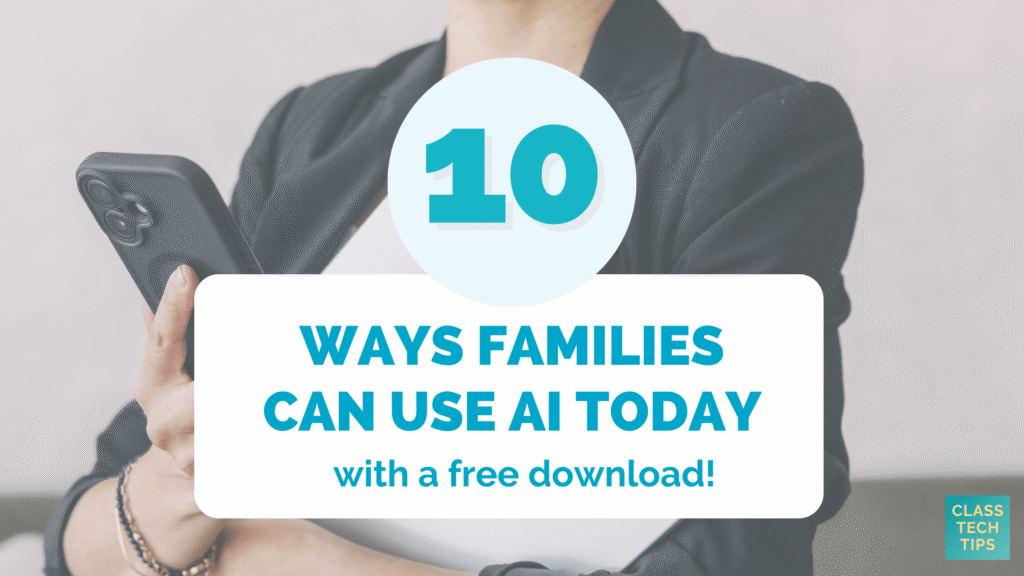
🏫 Families often ask: what can we actually do with AI at home?
📝 This blog post has 10 simple prompts you can share at your next family event
🔗 Plus a free PDF download to share... https://t.co/zJIBLEQjAs
Students are more adept at using technology and teacher expectations have risen as well – there are more IT challenges than there is time to meet them.
The Chromebook Academy is a comprehensive look at #Chromebook management. Learn more and register: https://t.co/XkSFyMPfdu
Earlier this year we announced AI Inbox in @Gmail to help you better manage and stay on top of your inbox by intelligently prioritizing your most important updates and time-sensitive tasks securely.
At #GoogleIO we shared our latest updates to AI Inbox, including:
📧 AI Inbox will generate personalized draft replies so you can review and respond in seconds.
📋 Managing your to-do list in a helpful homebase screen. Mark individual tasks done, dismiss unhelpful suggestions, and mark emails read in a single click.
📂 When you need to review a Google Doc, Sheet or Slide, the relevant link is surfaced right next to your to-do item.
🚨 BREAKING: ChatGPT has a feature called Travel Mode.
You can use it to plan your next trip like an expert Travel Agent.
Here are 7 prompts to access it:
People think learning Claude takes days. It doesn't.
I wrote 17 free guides that teach it in hours:
Claude 101: https://t.co/QQDmzBAoH5
Claude Code: https://t.co/o782qegoKu
Claude Skills: https://t.co/RgQUCNMqzQ
Claude Connectors: https://t.co/cSPMBUNmRG
Claude for Excel: https://t.co/ZgmUFXd0Iw
How to Prompt: https://t.co/Sw2tg2PMMc
Claude Certificates: https://t.co/LyV7fegv4c
Claude for your team: https://t.co/NakViTGCAL
Stop Prompting Claude: https://t.co/45xPLDRB6Y
AI Slides (PPT in 2026): https://t.co/OY7cHDTV7l
Claude Design: https://t.co/FhlRSlH0aD
Set up Claude Cowork: https://t.co/4jygw4M1RO
Claude to sound like you: https://t.co/LyV7fegv4c
Stop writing like AI: https://t.co/JXKAVP6hdS
Claude as your computer: https://t.co/tQDrcs8drQ
Claude Cowork + Project: https://t.co/xU97EpdrEe
Stop hitting Claude limits: https://t.co/Yu24rPQafQ
___
1. Save this list for later (three dots, top right).
2. Share it with a friend by ♻️ reposting this image.
3. Subscribe to my free newsletter: https://t.co/psB7XxAv8w.
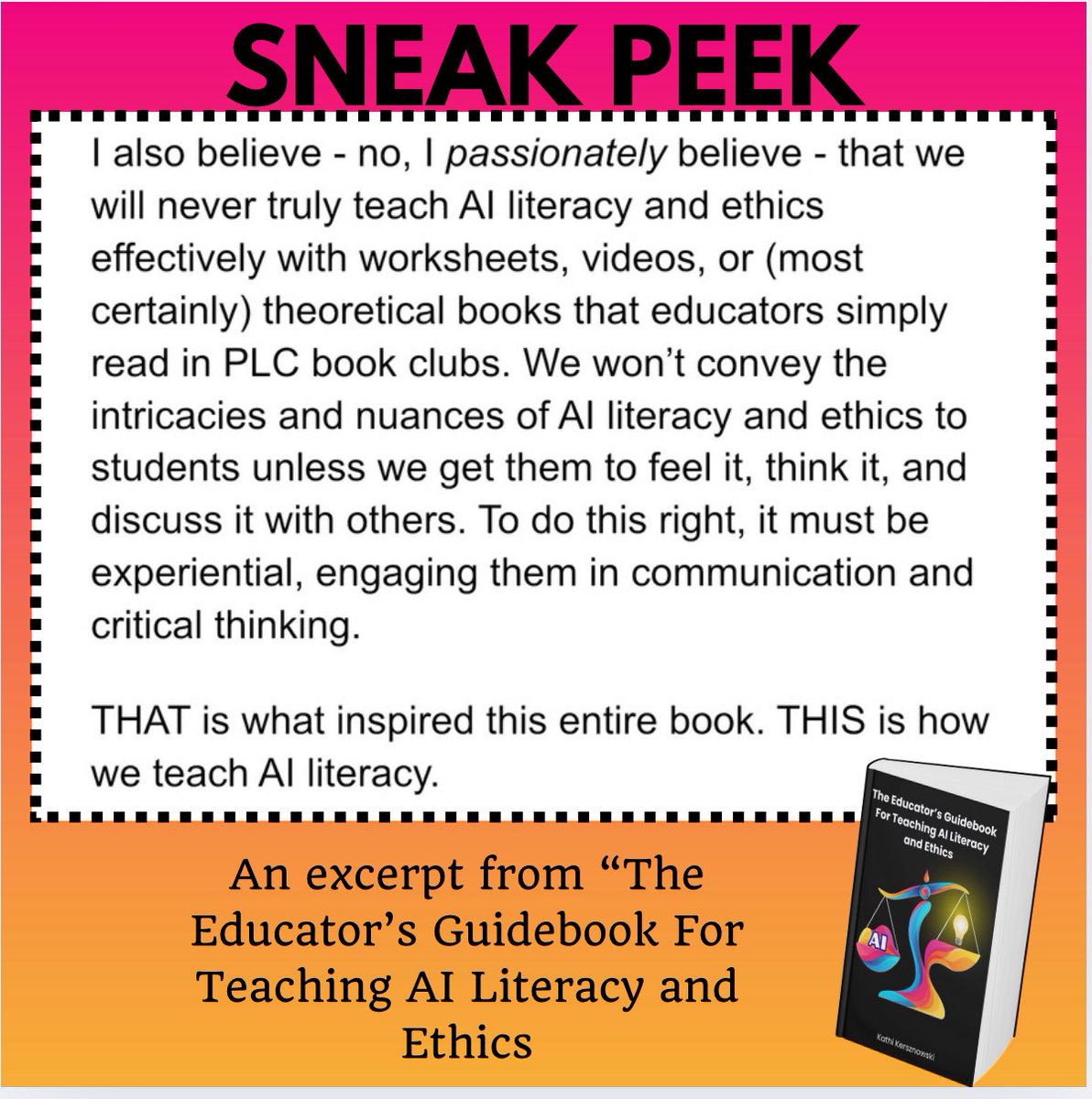
This isn’t just a sneak peek into my book - it’s a sneak peek into my head! 🧠
Learn more about how you can use this book to do this critical work using “The Educator’s Guidebook for Teaching AI Literacy and Ethics”.
👉 https://t.co/ZxA7zd6bqP
#ai#AiLiteracyAndEthics
After 3 years using Claude, I can say it’s the technology that has revolutionized my life.
Here are 18 prompts I use daily that have transformed my day to day; they could do the same for you:
(Save this 🔖)
A man spends 50 years teaching at MIT.
He knows his time is running out.
So he records one last lecture — everything he knows, distilled into a single hour.
He died 5 months later.
This is that lecture.
The most important hour you'll watch this week. 👇
Bookmark it for later




![rubenhassid's tweet photo. Anthropic just dropped a 31-page prompting guide.
Here's everything you actually need (in 10 rules):
1. You write "review this contract" and pray.
Fix: Name every output. "Review this contract. Flag risks per clause. Rate severity 1-5. Return as a table."
2: You say "summarize this" on a 40-page report.
Fix: 4.8 sizes the answer to the input. Cap it: "5 bullets. Each under 15 words. Start each with an action verb."
3: You write "don't use jargon. don't be salesy."
Fix: Negative instructions don't stick.
Flip them: "Write in plain English a 16-year-old could read aloud."
4: You type "can you help me with the email?"
Fix: Each verb ships something. For example: "Go to Gmail. Find [contact]. Write the send-ready reply. Under 90 words. Tone: confident, casual."
5: You wait for Claude to web search on its own.
Fix: Claude opus 4.8 calls fewer tools than 4.6.
Force it: "Use web search aggressively. Verify every claim with at least 2 sources."
6: You miss the warm tone from old Claude.
Fix: Claude opus 4.8 is direct. Almost zero emojis. Paste 2-3 sentences in the voice you want.
Tell Claude to match the rhythm.
7: You ask for "a landing page" & get bare minimum.
Fix: Drop this one line on every creative task
→ "Go beyond the basics."
It's from Anthropic's own doc.
8: You forget Claude 4.8 doesn't reason by default.
Fix: They call it "Thinking." Effort: High
Add this at the end: "Think before answering (maximum reasoning)." Free upgrade. Every time.
9: You rewrite the same prompt 14 times a week.
Fix: A skill is a command with instructions pre-built.
Write the same prompt twice? Make it a skill.
10: You assume Claude knows what you meant.
Fix: Old Claude 4.6 guessed.
New Claude 4.8 does exactly what you typed.
Spell it out. Output. Order. Length. Tone. Format.
If you don't say it, you don't get it.
To go even further & download my .md files directly:
Step 1. Go to https://t.co/psB7XxAv8w.
Step 2. Subscribe for free. Don't pay anything.
Step 3. Open my welcome email (most skip this).
Step 4. Hit the automatic reply button inside.
Step 5. Download my .md files from my Notion.
Bonus. Enjoy my best copy-paste prompts, too.](https://pbs.twimg.com/media/HJoSjWJa0AA7KX8.jpg)