@john49089 Ah like YouTube updated its interface and my old methods wouldn't work
For example, you used to be able to click on a deleted video without it automatically redirecting you to the next available video
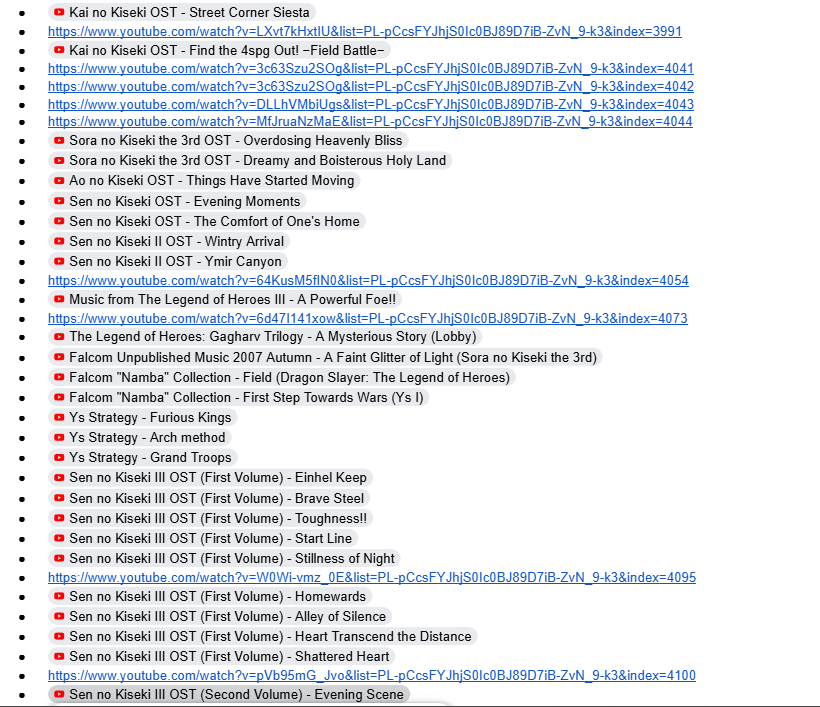
For anyone on base YouTube struggling with recently deleted videos in their playlist, try copying the video links and placing them in Google Docs. Sometimes it will let you embed them so you can see which videos you had in the playlist
@ilybonten@ssillentninja Are you able to select the "Show unavailable videos" option for the playlist? That is step 1, being able to actually see the unavailable videos in the playlist
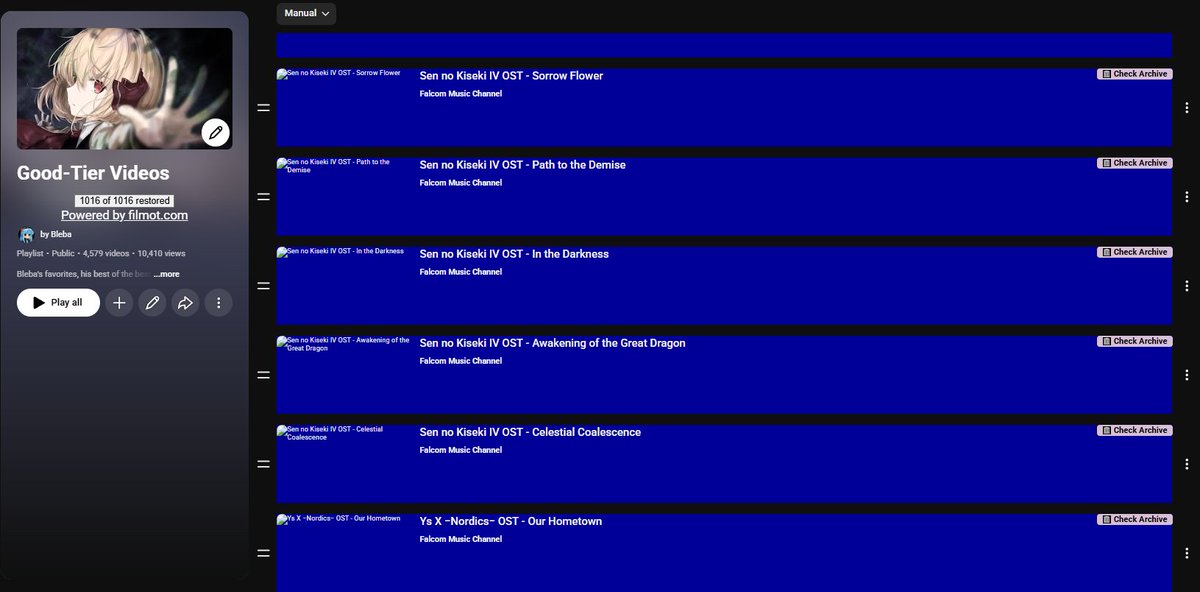
@UltimaHeart This Google Docs method probably will not work (time limit of 30 days), but another commenter showed me an extension called "Filmot Title Recoverer" that works much smoother. Please check out that reply, and I can help more if needed!
@liminallogs Thank you 🤞 if you want to use this yourself, one of the other commenters showed me the Filmot Title Restorer which was way more efficient than this method, haha
@asshole694209 This playlist in question was my music playlist, and there were over a thousand deleted videos on it 😭 luckily one of the other commenters showed me the Filmot Title Restorer and that was way more efficient 🤞
@ssillentninja Do you mean private videos? Or how to show unavailable videos on the playlist at all? I can help out with the second one if that is the case!
@SogaroFRN I used that one once to download my own video because I lost it on my hard drive. I was a little too dumb for it haha had to get my friend on the line to help out
@Themariocrafter I used this one in the past too! The reason I found this Google Doc method is actually because I could not access this website last night, maybe it was taken down? There are definitely more efficient ways to do this than Google Docs, haha
@6xbus I used this one in the past too! I made this post specifically because last night I could not access the website, maybe it was taken down? That's what got me to find this method, but others are certainly way more efficient
@john49089 It definitely is, that is why I am grateful for the others who shared better ways 😂 the Filmot Title Restorer GitHub link was the most effective for what I was hoping to gain
@Kougeru@AnonBnuuy That makes sense... I was unfamiliar with this word, but I can see what you mean now, too technologically inexperienced to tell on my own haha
Someone told me that YouTube keeps the metadata of claimed/deleted videos for 30 days, meaning this Google Docs method (which I imagine uses that metadata) may only work for a month after deletion. If you have the means to (a computer probably), the other options here are best
I didn't expect this to get so big... thank you for the suggestions everyone else in the replies! There is indeed a better way😭please read the other comments haha (I don't know Twitter etiquette)