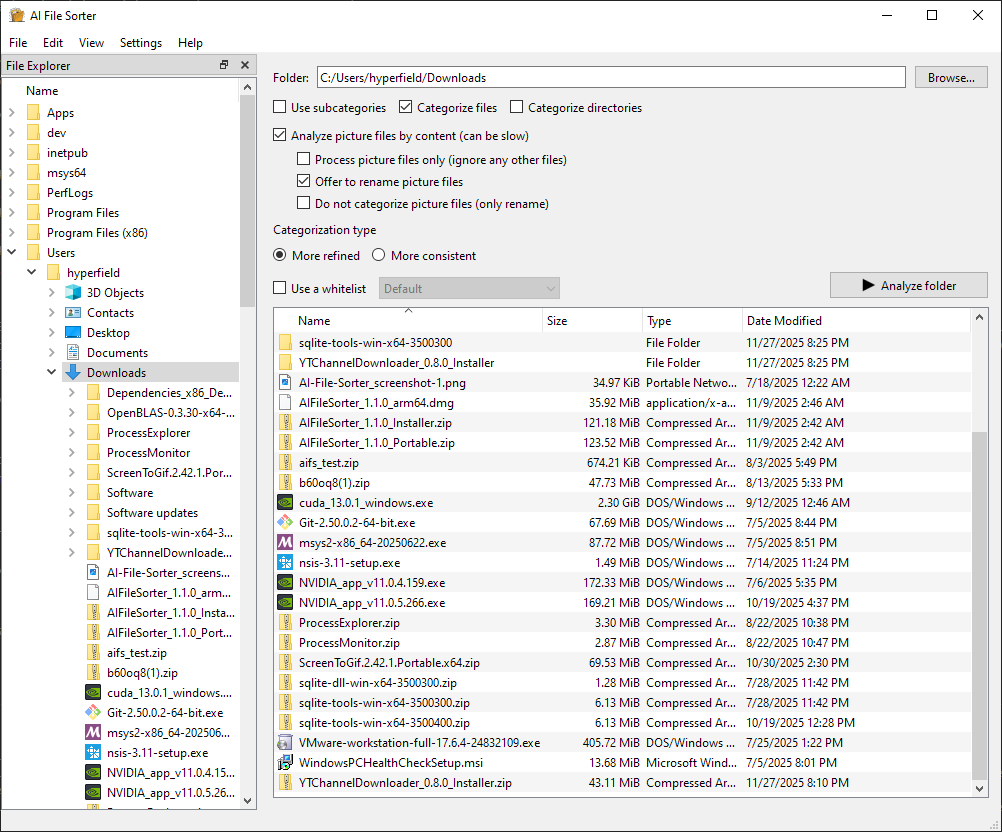
The full walkthrough is here:
https://t.co/pClYycwXit
It covers:
scanning only pictures
renaming vague image files
sorting with and without subcategories
reviewing changes before applying them
Most photo folders eventually turn into this:
IMG_3921.jpg
DSC_1048.jpg
Screenshot_2024-11-02.png
photo_final_final_2.jpg
I wrote a walkthrough on organizing photos with AI File Sorter:
https://t.co/pClYycwXit
I also compared two approaches:
Without subcategories:
Images/
With subcategories:
Images/Landscapes
Images/Screenshots
Images/Documents
Images/Food
Images/People
The second approach is usually much more useful for browsing later.
AI File Sorter 1.8.0 is also available on the Microsoft Store.
If you're on Windows and want the easiest install/update path, this is the simplest option.
The app uses AI to suggest file organization, but changes are review-first and undoable.
https://t.co/Up284fAXJf
AI File Sorter is open source.
The 1.8.0 release adds better local AI workflows, local learning from approved review decisions, improved visual analysis, backend status, cache/reset tools, and more UI languages.
Code, issues, builds, and changelog:
https://t.co/UjiIedtMiZ
AI File Sorter 1.8.0 is out.
This release focuses on better local AI workflows:
- Gemma 3 4B IT as the default visual backend
- local learning from approved review decisions
- backend status indicator
- improved GPU/backend reliability
- more UI languages
I built AI File Sorter because my Downloads/Desktop/Documents folders had years of random files, screenshots, PDFs, image dumps, and old project leftovers.
It uses local AI to suggest folders and filenames, but every change is review-first and undoable.
https://t.co/R09Tpopsu0
AI File Sorter v1.7.0 is out.
New in this release:
• stage-based progress view (see image, document, categorization steps)
• metadata-based rename suggestions for audio & video files
• and more
Organize files locally with AI
#aifilesorter#localllm#opensource#productivity
#AIFileSorter 1.6.1
This app is free and open source, and it helps organize files in a smart and entertaining way.
There are people who have large collections of files, lots of photos and documents they'd want to be renamed and sorted properly. That's what this app does!