@MicrosoftTeams#MSTeamsTips collection:
https://t.co/ecT7H1t7Z8
https://t.co/IuyvjrLbCB
https://t.co/WhnEqZrVh3
https://t.co/HTNLRGkoee
Feel free to RT or Share and thanks for following #FredO365tips.
#FredO365Tips #381:
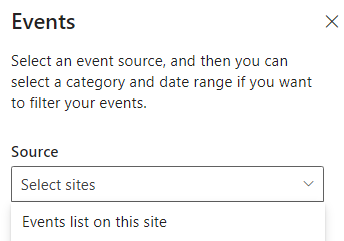
Be cautious when creating multiple #SharePoint Events list in a site that will be used in content roll-up.
Why?
Add event command may not work for certain users if you have different permissions for each source list.
#FredO365Tips #380:
#SharePoint Site owner reported Site information was continuously loading. I opened Chrome Dev Tools and found couple of 500 errors for the ff:
<siteUrl>/_api/SP.Directory.DirectorySession/Group('guid')
Cause:
M365 Group was deleted. Restore in M365 admin.
#FredO365Tips #358 update:
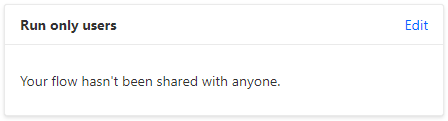
Grant "Run only users" if others need to run a #PowerAutomate with an ExecuteFlow command. This applies to manual workflow triggers for JSON formatted button in #SharePoint lists.
Otherwise, it results into downloading the SharePoint item locally.
#FredO365Tips #358:
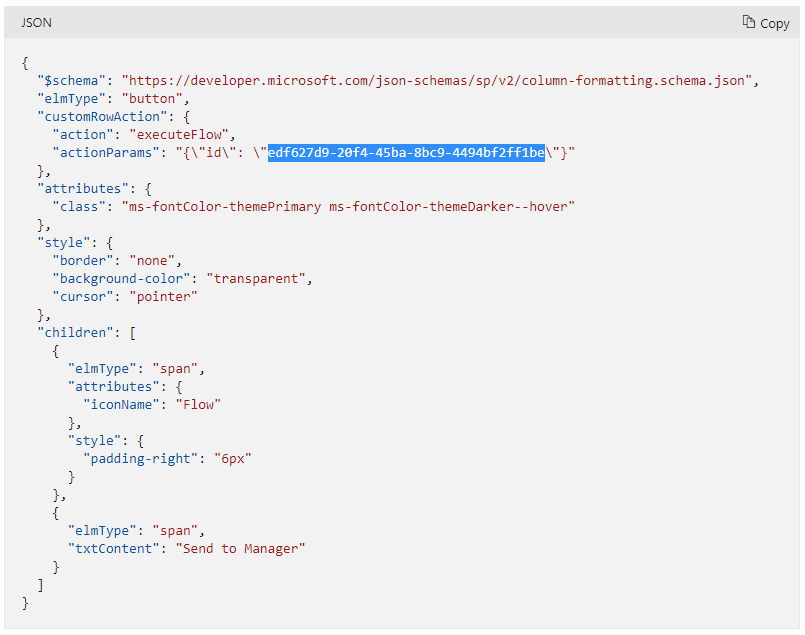
Use column formatting to launch a #PowerAutomate workflow from a #SharePoint list.
1. Create your workflow with "For a selected item" trigger.
2. Add a text column, copy the ff. JSON from MS Docs then replace GUID & txtContent values.
https://t.co/46UzE0iBEQ
#FredO365Tips #379:
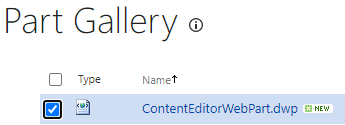
Need to add Classic web part in Modern #SharePoint?
1. Open https://<siteUrl>/_layouts/15/newdwp.aspx.
2. Select web part then click Populate Gallery.
See Web Part Gallery listing (/_catalogs/wp).
Disable custom script via PowerShell for Access Denied error.
Allow custom script when embedding JavaScript in a Classic Wiki page:
Set-PnPSite -Identity https://t.co/aAXYBw1Vnx -DenyAndAddCustomizePages:$false
https://t.co/bMe3gBDkk3
#FredO365Tips #331:
Got a request from #SharePoint Site owner to create a redirect for a specific Modern page.
WORKAROUND:
Create a Classic Wiki or Web Part page and embed the HTML/JavaScript redirect via Content/Snippet Editor, then, replace the existing Modern page. Aigoo!
#FredO365Tips #378:
Modern Events webpart not displaying entries even if there are upcoming items in the #SharePoint list. Tried to change Source which helped but root cause was corrupted index.
RESOLUTION:
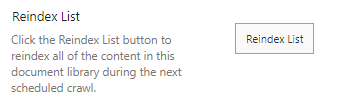
Used Reindex List under Advanced settings then refreshed affected pages.
#SharePoint Governance, anyone?
Thanks @gregoryzelfond.
Have you seen a script or 3rd party tool that would backup or store these tenant settings?
We have multiple admins in the tenant and it would be great to document governance decisions and compare for any changes.
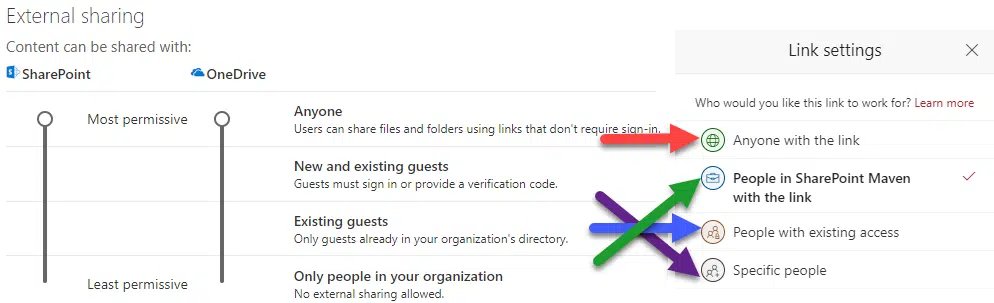
One setting you'll want to configure in the #SharePoint Admin Center is the External Sharing Settings screen. Many people tend to disable external sharing to make it more “secure.” I'd leave the external sharing on and monitor and control instead:
https://t.co/hzKZRND80P
@Worrelpa@z3019494@marijnsomers@MicrosoftLoop Couple of our users have had recent OneDrive sync issues with OneNote due to section corruption. 🤦♂️
I hope it doesn't do the same when notebook tabs in Teams are added.
Also, need to be cognizant when multiple users are updating a page concurrently.
@vesajuvonen If Robert Downey Jr. was fit for the role of Tony Stark. Not sure who else would play such role in Microsoft.
Congrats on the milestone. 👏
@SwearPointJS @gokello Disclaimer continues.
Also, I have a Support ticket on sending a Due date reminder workflow for the Work Progress Tracker list. 🫣
Worked with a @SharePoint site owner and found differences in how hyperlinks work in navigation and Quick Links webpart.
Any recommendations and best practices to add hyperlinks in #SharePoint to minimize changes when restructuring sites or files?
@DarrellaaS @Worrelpa An end-user was asking me this topic, is there a blog post that describes how end-users or admins can extract chat history in Teams?
Hi, @rimazima.
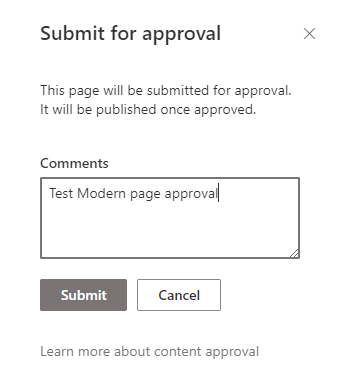
Trying out the #SharePoint Content approval feature for Modern pages in GCC. Do Site Owners or Approvers get an email notification when an author submits for approval below? Thanks.
https://t.co/V45ITdY4jE
https://t.co/muCwVzaotO
@SwearPointJS @M365CommDocs 1. Feature parity
2. Rollout timelines - cannot expect feature availability after commercial release
3. Training resources are mostly geared for commercial so users get confused when something is unavailable or uses a different URL.
4. Recently, cross Azure AD auth issues
@mkashman Depends on the org-size, structure, budget, and expediency.
Last two choices are typically for medium to large organizations that have deep pockets or specialists. Grateful to have experienced all four methods.
#FredO365Tips #377:
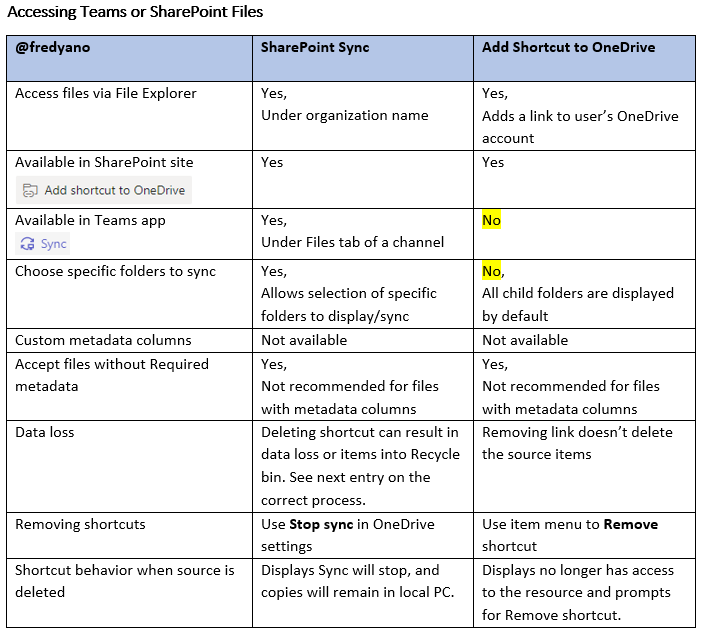
Sync #MicrosoftTeams and #SharePoint files or "Add to Shortcut to #OneDrive"? That is the question.
I was helping a colleague to identify the key differences between these two options.