Release a major firmware update for HTS Plus Pro. It mainly resolves various button issues; for details, please see the update notes in the directory.
New Version of mouse firmware is V5.30
New Version of dongle firmware is V5.03
https://t.co/cHc6JnkVXH
G-Wolves HTS Plus Pro Firmware V5.30 Update Manual
Firmware Version: V5.30|Model: G-Wolves 052|Release Date: October 2026
1. Overview
This firmware update focuses on Rapid Trigger (RT) optimization and button stability improvements, and includes 4 changes: a new release-point rule when RT is off, optimized debounce for mouse-landing false triggers, a new Long-Press Anti-Intermittent-Click feature, and disabling the USB power-on button check to prevent upgrade failures.
2. Change Details
2.1 Release Point Adjustment When RT Is Off
When the RT (Rapid Trigger) feature is turned off, the release point is automatically set as: Release Point = Actuation Point - 5. No manual configuration is required; the firmware applies this rule automatically.
2.2 False Trigger Optimization on Landing
To address false triggers caused when the mouse is lifted into the air and dropped back onto the desk, this update adds a 100ms debounce time, which effectively filters out erroneous signals generated at the moment of landing.
2.3 Long-Press Anti-Intermittent-Click (New)
This new feature prevents intermittent clicks (click drop-out) while a button is held down. Details:
●How to toggle: Long-press both side buttons to turn the feature on or off. It is disabled by default at the factory.
●LED feedback: The LED flashes green 3 times when enabled; it flashes red 3 times when disabled.
●Effective condition: Only works while the RT feature is turned on.
●Trigger logic: Takes effect after the button has been held for 1 second — if the configured actuation point is greater than 5, the release point is fixed at level 5; if the configured actuation point is 5 or less, the release point is set to the actuation point minus 1.
●Debounce time: The release debounce time is 30ms.
2.4 USB Power-On Button Check Disabled
The button check performed when USB power is applied has been disabled, preventing firmware upgrades from failing when a button is held down during the upgrade process.
3. LED Status Reference
ActionLED Feedback
Long-press both side buttons to enable Long-Press Anti-Intermittent-ClickGreen LED flashes 3 times
Long-press both side buttons to disable Long-Press Anti-Intermittent-ClickRed LED flashes 3 times
4. Important Notes
●Long-Press Anti-Intermittent-Click is disabled by default and must be enabled manually by long-pressing both side buttons.
●Long-Press Anti-Intermittent-Click only takes effect when the RT feature is on; settings are ignored when RT is off.
●Do not hold any button down while upgrading the firmware, as this may disrupt the upgrade process.
●After upgrading, it is recommended to review your actuation point and release point settings to make sure they match your preferences.
HTS Plus Pro has been updated to firmware 5.28. Welcome to download and use it. Over the next week, we will continue to optimize the firmware for button performance.
https://t.co/v3Lw7P0Nmx
order:#50795,#51737,#49617
Hello!
Due to the lack of detailed information regarding your address, the shipping company is unable to dispatch the goods. We have sent you numerous emails, but have yet to receive a response from you. I understand that you are eagerly anticipating the delivery of your gwolves mouse. Please take a moment to check your email and respond to our message as soon as possible. Thank you!🙏
G-Wolves Lupine II 8K Wireless Mouse | ~22.7g PAW3955
The new finger-gripped mouse will start early bird pre-orders after 24 hours.🙏🙏🙏😀
https://t.co/P4BiAYemYs
@DCHEN1337 If you have just received your mouse, we recommend upgrading the firmware to version 5.26. When upgrading the firmware of your mouse, make sure to unplug the receiver.
@Veekkup If you have just received your mouse, we recommend upgrading the firmware to version 5.26. When upgrading the firmware of your mouse, make sure to unplug the receiver.
https://t.co/kKfVydcYET
@narot23@review_wolves https://t.co/kKfVydcYET donwload and update firmware to 5.26,
When upgrading the firmware of your mouse, make sure to unplug the receiver.
@la1cen https://t.co/kKfVydcYET try .
If you have just received your mouse, we recommend upgrading the firmware to version 5.26. When upgrading the firmware of your mouse, make sure to unplug the receiver.
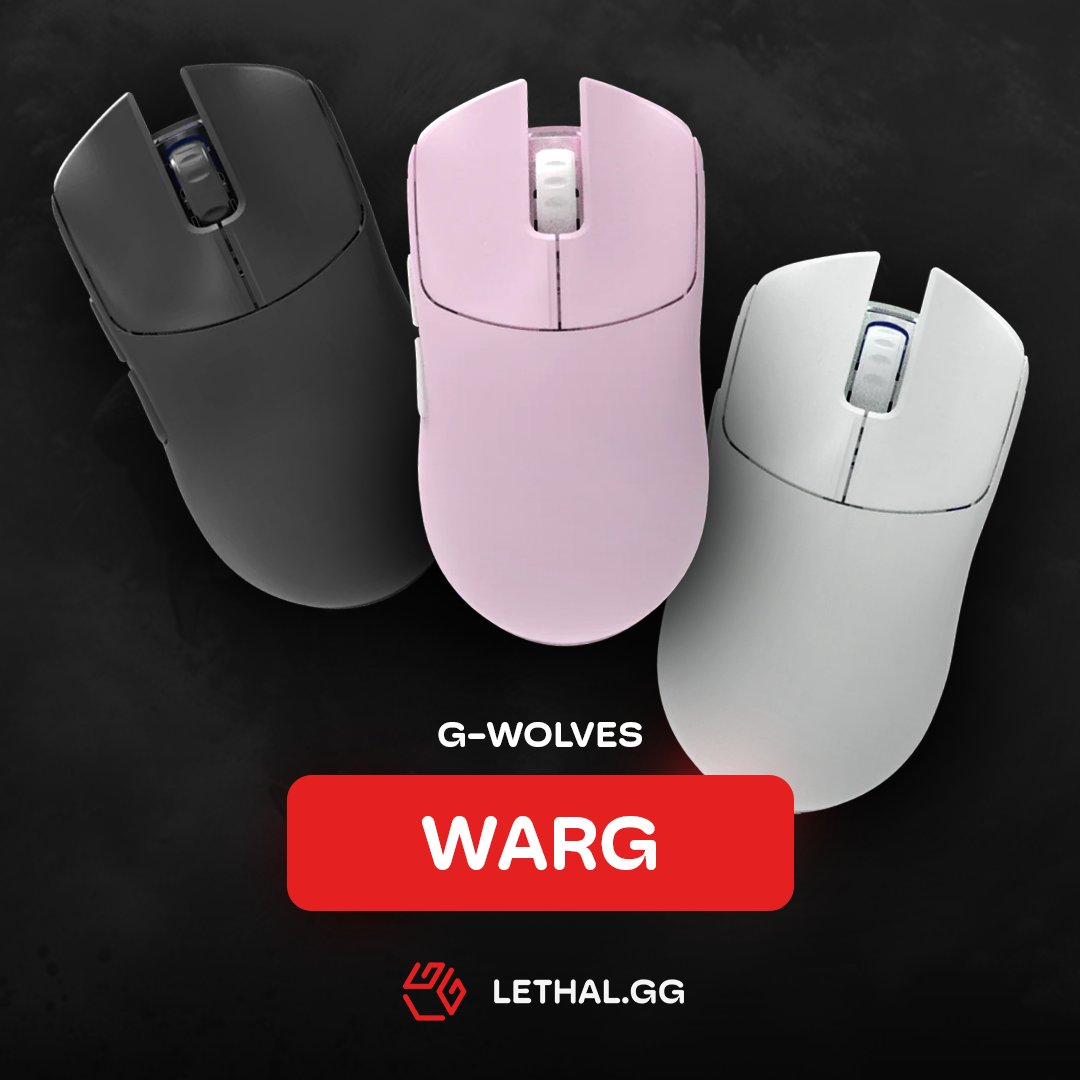
WARG is now live! 🎯
An ultralight ~28.9g single-shell wireless gaming mouse based on the HTS Plus geometry, refined for claw grip, with PixArt PAW3955, Nordic 54L, and up to 8000Hz polling — no holes, no flex, no distractions.
Shop now 👉 https://t.co/XdeQlVhAkJ
@rohit2489 hi!
If you have just received the mouse, it is recommended that you upgrade the firmware to version 5.26. When upgrading the firmware of the mouse, make sure to unplug the receiver.
@yooonicfps@review_wolves@KyomiHQ If you have just received the mouse, it is recommended that you upgrade the firmware to version 5.26. When upgrading the firmware of the mouse, make sure to unplug the receiver.
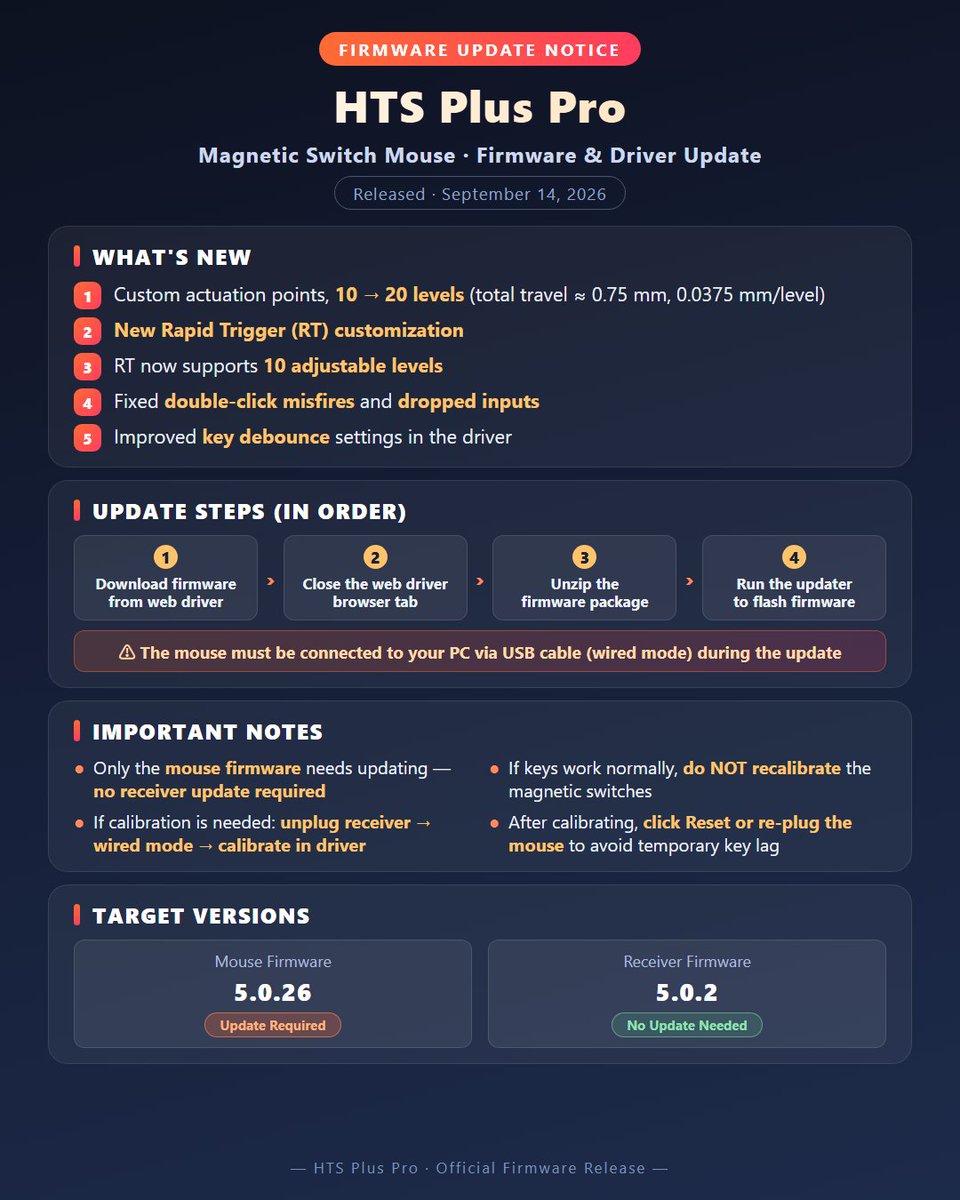
HTS Plus Pro firmware and driver have both been updated. Please update ASAP — and don't forget to hit the Reset button after updating!
https://t.co/8cKUaHOWLi
click download and run firmware.
What's new:
Magnetic switch actuation travel expanded from 10 to 20 adjustable levels — finer control than ever
Rapid Trigger (RT) settings are now fully unlocked
Improved click debounce logic tied to actuation levels to effectively prevent double-clicking. If you still experience double-clicks, try increasing the Click Debounce value or using finer levels like A/B/C/D/E/F
Thanks for all the support and feedback — let us know how it works for you! 🎉