MUSE WONDER
this is the culmination of over a year of research and infrastructure work in msl
since we originally shipped muse spark in april, we have continued to scale our models across pre-training and RL, now reaching the frontier 🏆
see our model's improvements on the artificial analysis index:
Meta built Muse with just 200 people.
“The whole executive team, everyone knew that this was probably going to be one of the most important products that Meta would ship this year.”
“But we had the restraint organizationally to make sure it was a really small focused team working on it... because we knew it was a single work of art.”
“This is even now starting to plague a lot of the AI labs. They become this Frankenstein, almost Cronenberg amalgamation of a bunch of different people's points of view.”
“It's sort of like PM hell, where every PM has a thing that they're trying to jam into the product.”
“Muse had to be the exact opposite. There's one clear point of view.”
— @alexandr_wang
We just crossed 3,000 connector submissions for @Muse Connector Platform! And today we're releasing a developer portal to make it easier for devs to complete intake, manage and track your submission. https://t.co/0n4KU8lsgT
Today we are launching Muse for Small Business, a collection of connectors that allows businesses to run, grow, and create new opportunities.
Every great American boom is the same story: scarcity becomes abundance, and GDP takes off.
In 1865, moving goods across America was scarce. Then rail track grew from 35,000 miles to over 192,000 by 1900, freight volumes tripled in thirteen years, and a farmer in Kansas could suddenly sell to a buyer in Boston.
Communication went from scarce to abundant with the telegraph, then the telephone, so a shopkeeper could check prices, place orders, and chase debts without leaving the counter.
Steel went from precious to plentiful: by 1913, American mills out-produced all of Europe, which meant cheaper buildings, cheaper machines, and cheaper tools for every workshop in the country.
Each scarcity that fell unlocked a wave of small enterprises, and AI is giving us another wave.
Building Muse for Small Business is a step toward how we make that abundance again: every business owner gets the tools and firepower that used to only belong to large companies.
We've seen this movie before, and it always ends with more prosperity than the pessimists thought possible.
The future is for everyone and today we're excited to accelerate that future https://t.co/iSPAqF1737
I’ve seen a couple of posts about this so wanted to demystify. Today, every Muse user gets a free computer in the cloud. It's a real computer, and we’ve designed the security architecture of the Muse Secure VM carefully so you and your Muse can do almost anything you could with a computer sitting under your desk while keeping you and the system safe from threats like prompt injection. We wrote about this at length in our security blog post – https://t.co/7HmiTrzoTd. Activity in the “runtime cell”, which you share with your Muse is unfettered, but sensitive actions are all overseen by the Sentinel, which runs outside of that cell. Similarly, all sensitive secrets - like the passwords you enter into Muse’s secure credential storage - are also stored outside the runtime cell.
The runtime cell gets its own root filesystem (including a full Ubuntu linux image) separate from the host filesystem where your other more sensitive data lives. Because it is isolated from the sensitive stuff that runs on the same box, this means that we can, and do, offer users full visibility and control over the files in the runtime cell. Just as you can when you install Linux on your home computer, you can poke around and see all the files that make the system work - both debian system files and the binaries and data files that implement the parts of Muse which run in the runtime cell.
This was a very deliberate choice - your Muse Secure VM truly is your own computer in the cloud. You can install software in it, write and compile code, use the browser to surf the web: it is your own Linux box that you can operate as you choose with your Muse. Poking around in this computer doesn't give you any privileged access to Meta infrastructure, or to other people's data
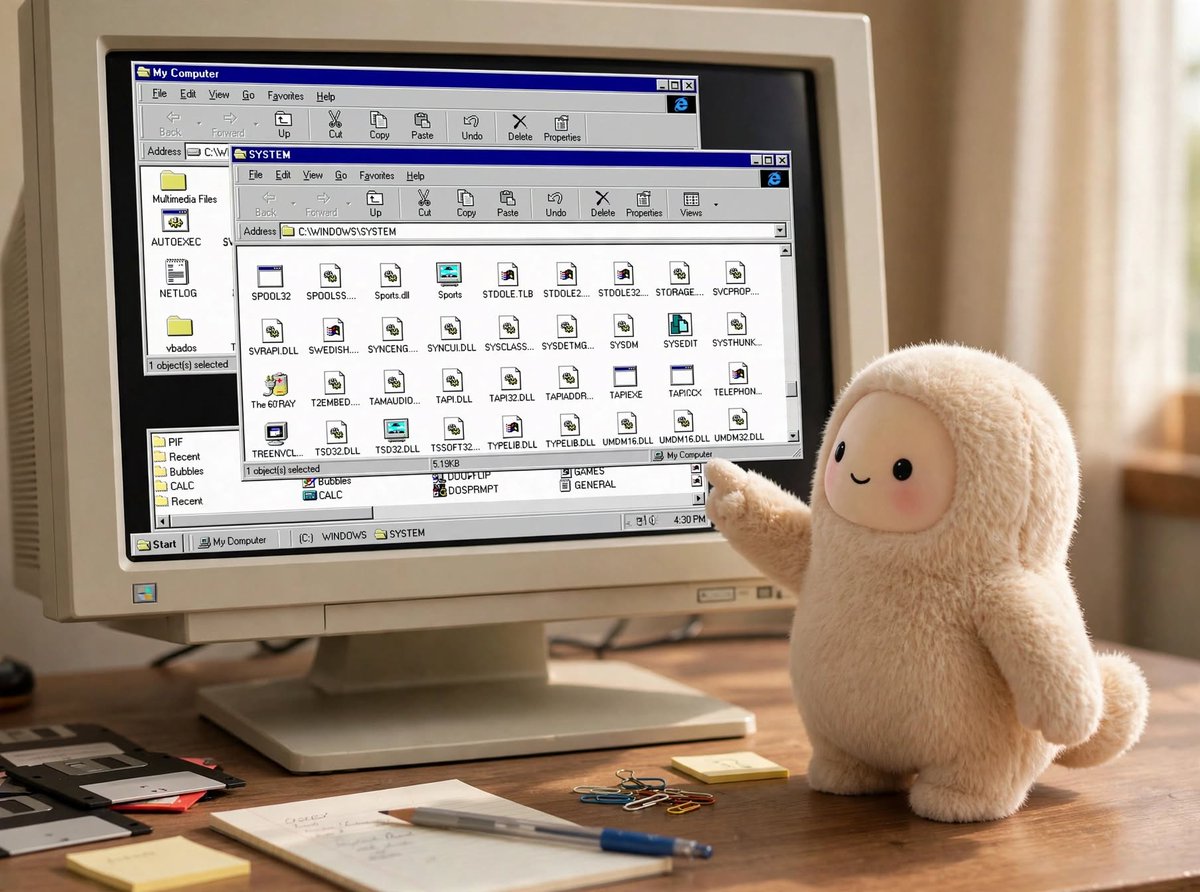
If I may geek out a little here for a second… As a kid I loved to take things apart to see how they worked. As a teenager I got into computers and soon found myself drawn to C:\WINDOWS\SYSTEM and the system registry, later Slackware’s /dev/, /proc/ etc – I could see how the system was laid out and as I explored what DLL files and .so files actually did, I gradually became able to meld the computer to my own will.
We’re really proud to be able to put a real computer in millions of people’s hands with a similar level of transparency. We built a file explorer right into the Library tab of the UI. We want you to be able to see the markdown files Muse writes while it thinks about how to serve you better, and explore the internals of the system if you’d like to.
So, when you ask your Muse to show you its entire filesystem, and receive gigabytes of files you’re seeing the full contents of the runtime cell. It’s yours to explore and enjoy!
If you’re not a geek like me, or simply want to download the data that you personally have created directly with your Muse, we added a feature for that too in Settings > Data controls > Download your agent data.
We’re blown away by the response to the @Muse Connector Platform — with over 2,000 submissions in just a few days since launch. We believe this is the beginning of a new era for developers big and small, and we’re so grateful for the response from the community to date.
For those that haven’t yet, you can learn more about the platform and submit your connectors here: https://t.co/zlEhAM2OWT
We're excited to partner with @Meta to enable PayPal customers to seamlessly shop and check out using their @Muse personal AI agents across PayPal merchants worldwide.
Opening access for developers to build Muse connectors. You bring the API -- Muse brings the agent, the browser, and the context of what the person actually wants. People reach your service just by asking for it, and their agent takes it from there.
New connectors are live today. Come build with us. https://t.co/o6oTf1Sj9y
Get more done with Muse with two new connectors:
✅ @meetgranola: your meeting notes
✅ @NotionHQ: your docs
…and more coming soon!
Ask Muse or connect in settings.
Muse for Mac is out today! It works across apps, files, calendar, notes, and messages on your computer. You control what it can access. The team is shipping fast. Download at https://t.co/BX3oX19Zcl
Muse for Mac is out today! It works across apps, files, calendar, notes, and messages on your computer. You control what it can access. The team is shipping fast. Download at https://t.co/BX3oX19Zcl