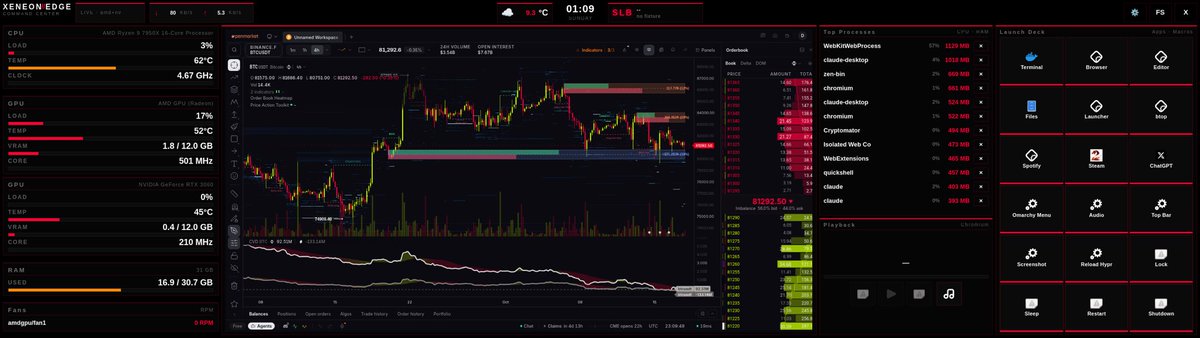
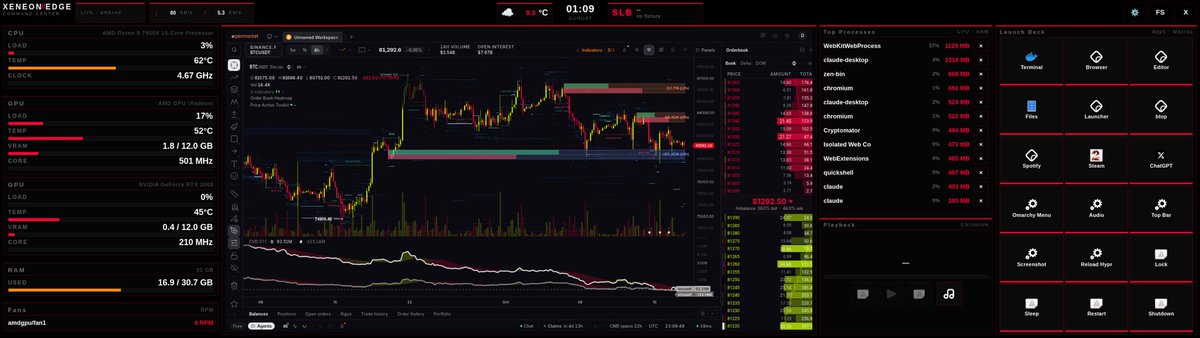
Same strip, five moods.
My GTK4 dashboard for strip monitors like the Xeneon Edge has Crimson, Ice, Nord, Matrix and Ember.
Which one would you run on your desk?
https://t.co/PBtT5Is0pB
#Linux#OpenSource
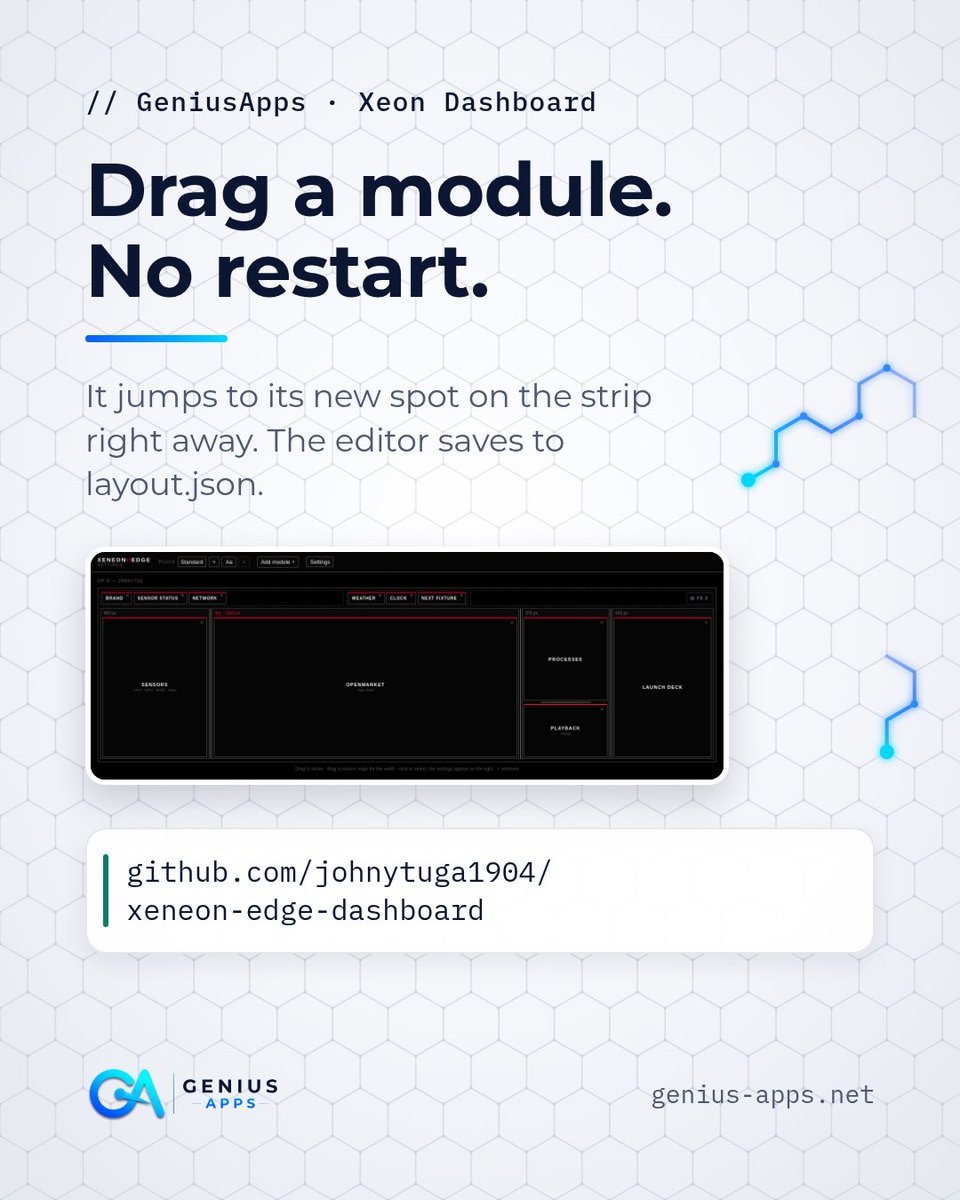
I drag a module in the editor and it jumps to its new spot on the strip right away.
No hand-written JSON, no restart. The layout editor runs on my main monitor and saves to layout.json.
The repo: https://t.co/PBtT5Isyf9
#Linux#OpenSource
Setting up a TV app shouldn't mean typing with a remote.
On https://t.co/bjusl1w4eu you connect your device with a code and manage the rest in the browser, on your phone or PC.
Built with Next.js, running on Vercel.
Need a product site like this? https://t.co/ncSpN9yVzn
#NextJS #BuildInPublic
Back from the kitchen and forgot which channel it was? GeniusTV on the TV keeps Recently watched in the sidebar, right under Favorites. One click and the last channels from your own playlist are back. Download on Google Play. #GoogleTV
Living room TV taken? Grab the tablet. GeniusTV puts the channel list from your own playlist right beside the picture, so you keep browsing while it plays. Same app on the TV and phone. Download it on Google Play. #AndroidTV
Rochela Spa in Zurich wanted a website they could update without calling me every time new photos came in.
So https://t.co/mZkYjPSeaJ got a small admin area. Upload, done. The gallery updates itself.
Want one for your business? I'm at https://t.co/DKo0H3gpWc
Rochela Spa in Zurich wanted a website they could update without calling me every time new photos came in.
So https://t.co/mZkYjPSeaJ got a small admin area. Upload, done. The gallery updates itself.
Want one for your business? I'm at https://t.co/DKo0H3gpWc
I just open-sourced the dashboard that runs on my Corsair Xeneon Edge.
No daemon, no Electron. Sensors come straight from /proc and /sys, and AMD and NVIDIA GPUs sit side by side on one 2560x720 strip.
MIT: https://t.co/PBtT5Is0pB #Linux#OpenSource
What a small business site needs. I learned it building https://t.co/958lq0PjDH:
1. Services on one page
2. Contact the way people already talk to you, which for a salon in Zurich means WhatsApp
3. A light, modern design that works on a phone first
That's it. https://t.co/ncSpN9yVzn
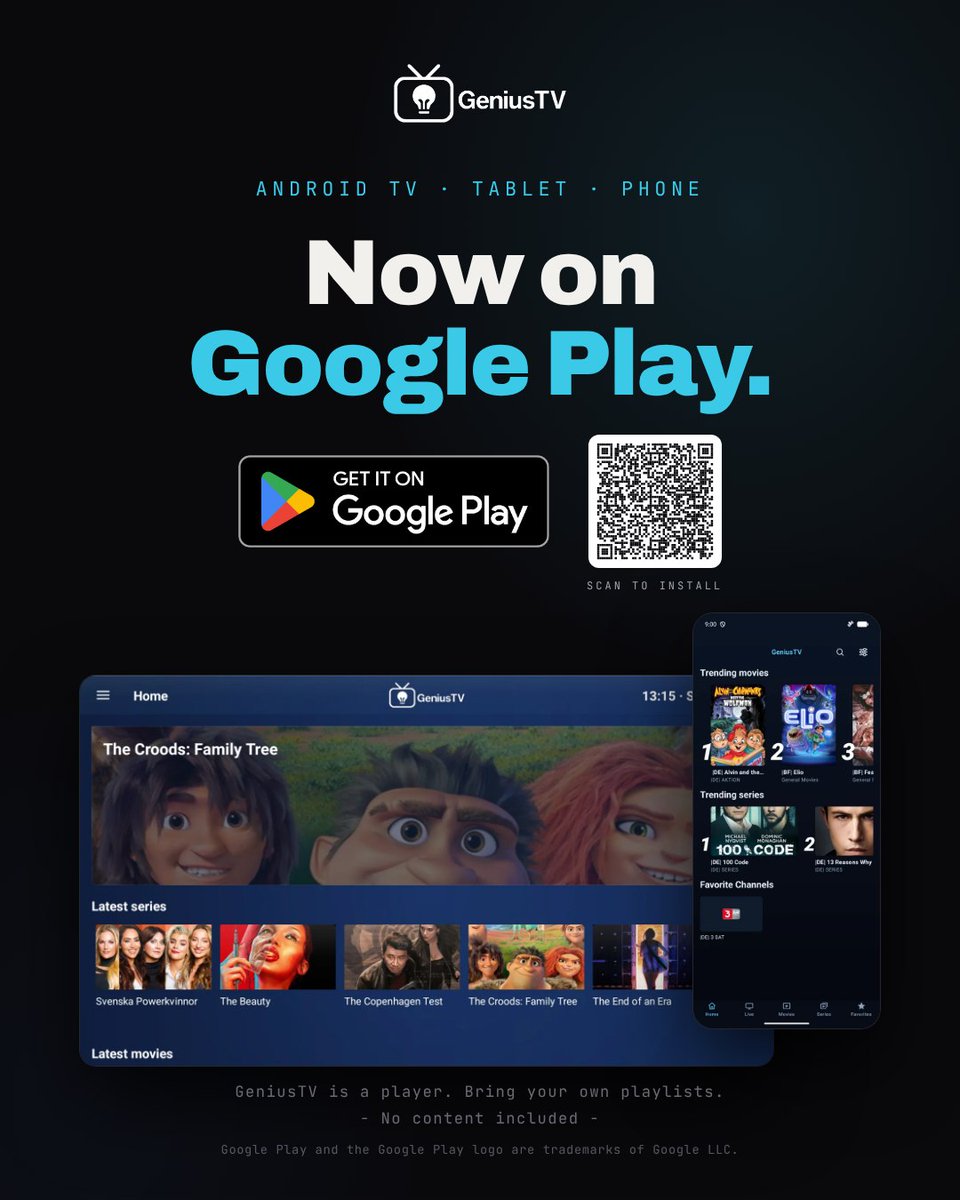
Phone screenshot from my own setup. GeniusTV keeps live, movies and series in the bottom bar, so one thumb switches between them. Favourite channels sit on the home screen with the poster rows underneath, your own playlist behind all of it. #IPTVPlayer
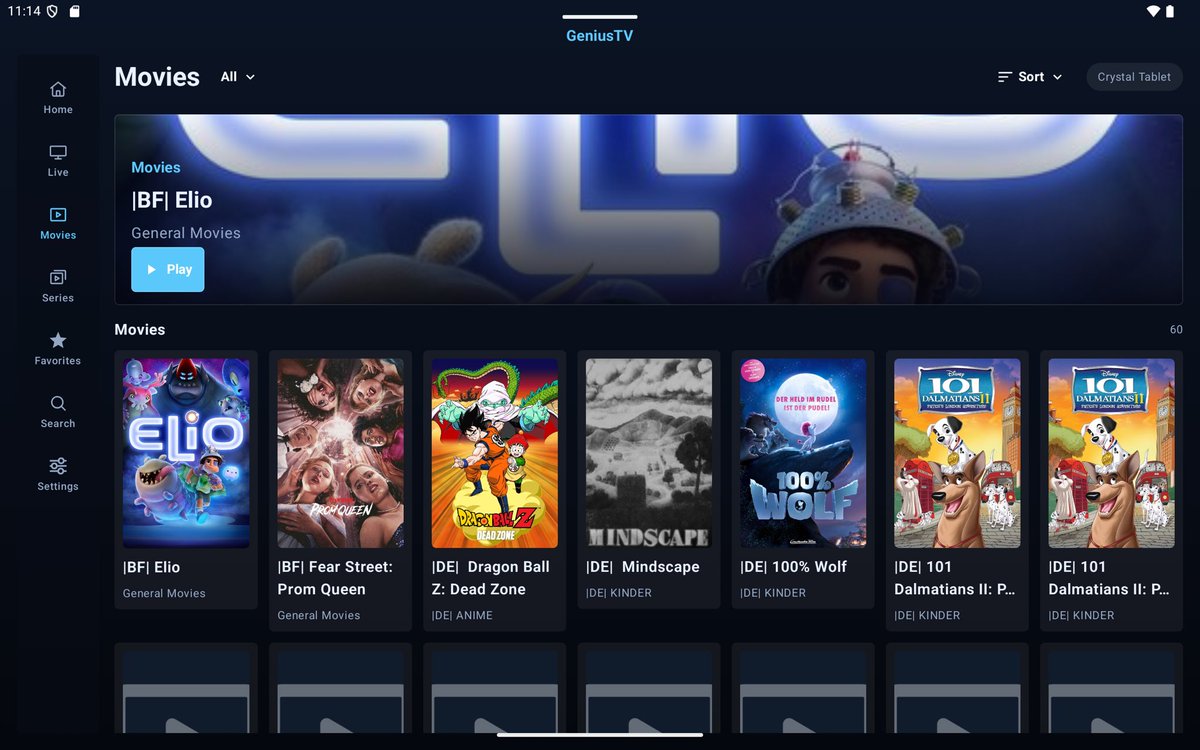
Open GeniusTV on the tablet and the first thing you see is a big Play button, not a menu. The poster row sits right underneath when you feel like looking around. Your own playlist, nothing else to set up. Free download on Google Play. #AndroidTV
What a small business site needs. I learned it building https://t.co/958lq0PjDH:
1. Services on one page
2. Contact the way people already talk to you, which for a salon in Zurich means WhatsApp
3. A light, modern design that works on a phone first
That's it. https://t.co/ncSpN9yVzn
Out of hundreds of channels you probably watch five. Mark them in GeniusTV and they sit in the Favorites category, right at the top of the sidebar. Two clicks on the remote and you are in. Free download on Google Play. #AndroidTV
I wanted GPU stats on Linux without running a daemon. Turns out it's simple.
AMD: /sys/class/drm.
NVIDIA: NVML, or nvidia-smi when the library isn't installed.
Both sit side by side on my Xeneon Edge dashboard. Borrow it:
https://t.co/PBtT5Is0pB
A long playlist stops being a problem the moment you can search it. In GeniusTV you type a few letters or sort A to Z, on the TV, on the tablet, on the phone. Same list, same app, three screens. Free download on Google Play. #IPTV
Your phone is the small screen that goes everywhere. In GeniusTV the player sits on top, your channel list with what runs right now underneath. Scroll the list, tap, the picture switches. Same playlist as on the TV. #iptv#iptvplayer#androidtv#googletv#firetv#m3u#smarttv #cordcutting
Typing a playlist URL with a TV remote is no fun. In GeniusTV you scan the QR code on the TV screen, finish on your phone, and the playlist is on the big screen. Player only, bring your own playlist.
https://t.co/lXho9ASD5h
#IPTV#IPTVPlayer#Streaming#AndroidTV#GoogleTV#M3U #CordCutting #GeniusTV
One player for the playlists you already have. Live TV with a proper guide, movies and series neatly sorted, on your TV, tablet and phone.
Scan the QR code at the end of the video or grab it on Google Play:
https://t.co/lXho9ASD5h
#IPTV#IPTVPlayer#Streaming#AndroidTV #GoogleTV #M3U #FireTV #CordCutting #GeniusTV
Your favourite channels in one row, numbered poster rows underneath. Thumb scroll, tap, it plays. Same playlist as on the TV, nothing to set up twice. #IPTV
https://t.co/obmtkQw7NY
Typing a playlist URL with a TV remote is the worst part of any setup. In GeniusTV you skip it.
1. Install GeniusTV on the TV and open it.
2. The app shows a QR code. Scan it with your phone.
3. On the phone, paste your own M3U or Xtream playlist. Typing is easy there.
4. Back on the TV the playlist loads, and the sidebar gives you All, Favorites and Recently watched.
Fire TV works the same way, the app comes in over Downloader with code 3042963.
GeniusTV is a player. Bring your own playlist.