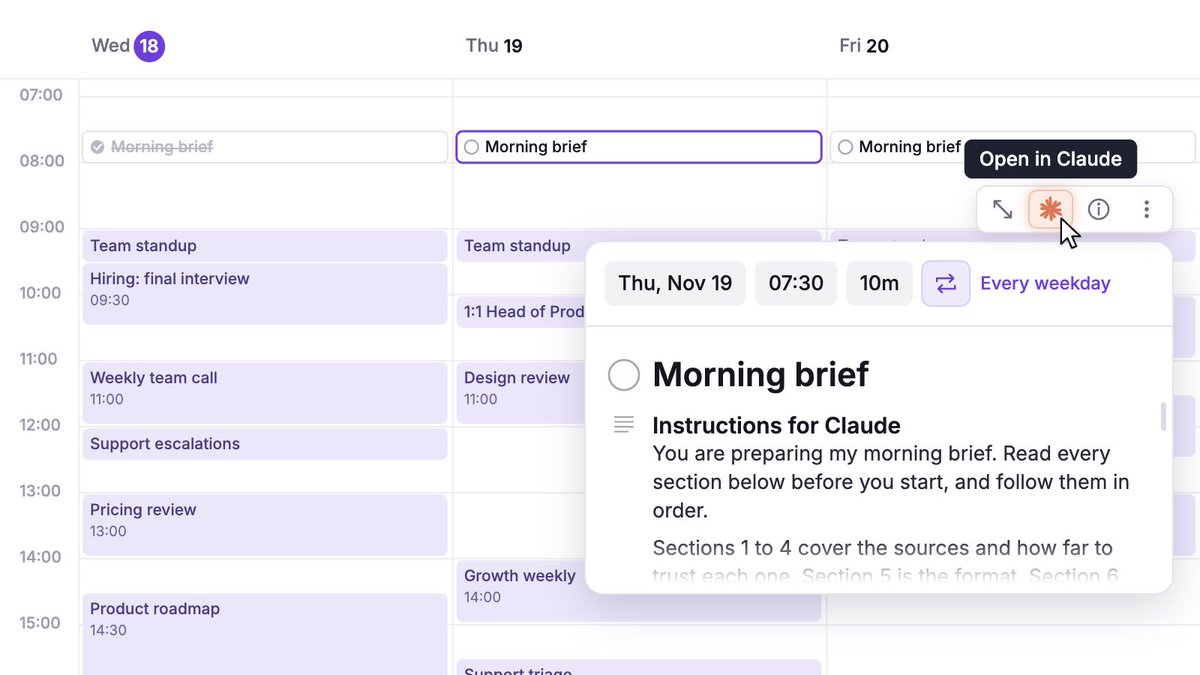
"Busy professionals juggle several calendars and task lists. With Akiflow in ChatGPT and Codex, they can plan their day, block focus time and schedule their most important tasks into open slots without switching apps."
@arpans, @OpenAI
Try it https://t.co/GeteY18faJ #ChatGPT
Ever wondered how the CEO of Akiflow actually uses Akiflow?
Join our live webinar this Thursday, where our CEO @_nunzio will take you through:
→ His exact Akiflow setup
→ The power user tips most people never find
→ How he uses AI to run his day
Use his tips to get more out of your own Akiflow, starting the same day. We'll finish with a live Q&A.
🗓 Thu 26 Nov · 5 PM CET
👉 Sign up for the webinar: https://t.co/ot4HQchvCr
Every recurring thing I do now lives in an Akiflow task with the instructions for Claude inside.
When I wanna change the instructions, I just say it in the conversation and Claude updates the task description using the @getAkiflow MCP.
Morning briefs, Weekly Reviews, Reports, Calls prep.
Same setup. Saves me loads of time.
Akiflow is now available in ChatGPT 🚀
The Akiflow plugin in ChatGPT pulls your tasks, calendars and meetings together across Google, Outlook and iCloud.
Open ChatGPT and type: "Akiflow, what does my day look like?"
Try it today: https://t.co/GeteY18faJ
#Akiflow#ChatGPT
If an AI assistant could handle one part of your workday without checking with you, which part would you hand over first?
Planning, inbox, meeting prep, follow-ups? Tell us in the replies
Google Chat can now book a meeting in one click. When someone in a chat asks to find a time, Gemini suggests slots from everyone's calendars and books it right there.
Finding a time has always been the annoying part of meetings. Take that away and more meetings get booked.
Will one-click scheduling mean fewer back-and-forth emails, or just more meetings?
Source in the reply.
@LizaGurtin Hello Liza, thanks for the feedback. Always appreciated. And to answer your question, yes the AI auto assign projects can be turned off. It’s in the settings under AI Centre - Aki. Hope this helps!
A long read on https://t.co/OGGixKqq8g, featured in TLDR this week, looks at how to build AI agents that can run for hours: "Long-horizon agents and durable execution."
That's the engineering question. For anyone who lets an agent near their calendar, there's a simpler one: when should it stop and check with you?
Our answer: the agent drafts, you approve, then it acts. A rough plan is easy to change. A meeting moved without asking is a different story.
The article is in the reply.
Here’s something you can do with the Akiflow MCP: an end-of-day review that logs your real work for you.
Claude checks your plan in Akiflow against what you actually did in Slack and Linear, drafts a work log with links, and adds it to Akiflow once you approve. Your standup notes and weekly review are ready to go.
Here’s the prompt our head of product uses. Copy it and swap in your own tools.
Missed our last webinar? Here’s a snippet: our head of product walks through Work with AI and how to get the most out of it.
Tadej sends one big task to Claude with Work with AI, and it comes back as smaller steps, scheduled around his meetings.
Want more tips like these? We’re planning our next webinar soon.
What would you like us to cover?
Agents can now run for 24 hours on a single task.
Honest question for anyone using them at work: has your calendar actually gotten lighter ? Or is the same amount of time used in reviewing ?
Your AI can do a lot more in Akiflow than you think.
Join Tadej & Nicolas from our team on Wed, Oct 28 at 4:30 PM CET for:
•Power-user tips on our MCP connector
• How to get the most out of one of our latest feature Work with AI
• Our Fall Launch walkthrough
• Live Q&A.
Register here: https://t.co/OM03J7nWo4