Places I go to when I need design inspiration:
Mobbin
Awwwards
Godly
Dribbble
Land-book
Refero
SiteInspire
Lapa Ninja
UX Archive
Screenlane
Behance
Collect UI
Flowbase
Hover States
UI Movement
Framer Gallery
Minimal Gallery
SaaSFrame
Landingfolio
Pttrns
Good UI
Abduzeedo
One Page Love
Waveguide
Designspiration
Best Website Gallery
UI Garage
FigmaCrush
UX Collective
Smashing Magazine
Codrops
Muzli
Boxes and Arrows
Designer News
Dark Mode Design
Web Designer Depot
Designmodo
99designs Discover
GoodUX
Flowstep
Inspiration Grid
Scrnshts
X에서 화제인 AI 프롬프트를 실시간으로 모아보는 곳
https://t.co/h8xz2PBxQ1
YouMind는 X(Twitter)에서 화제가 되는 AI 프롬프트를 매일 추적해서 모델별로 정리해주는 프롬프트 라이브러리입니다. 이미지, 비디오, 웹페이지 생성 프롬프트가 중심이고, GPT Image 2, Nano Banana Pro, Seedance 2.0, Gemini 3 Pro 등 주요 모델별로 분류되어 있습니다.
현재 2만 개 이상의 프롬프트가 모여 있고, X에서 반응이 좋은 프롬프트를 골라서 하루 두 번 자동으로 업데이트하는 구조입니다.
AI로 1시간 걸리던 일 5분으로 줄어든 4가지
1년 매일 쓰면서 진짜 시간 줄어든 영역만 모음
정확히 말하면 "잘 쓰면" 5분
대충 시키면 1시간 그대로임 차이가 큼
밑에 4가지 풀어봄
1. 콘텐츠 기획 (영상, 글 주제)
전: 머릿속에서 굴리다가 1시간 → 결국 또 비슷한 거
지금: 조건 빡세게 깔고 30개 뽑게 시키면 5분
처음 10개는 뻔한데 뒤로 갈수록 신선한 게 나옴
핵심은 "30개"
10개로 시키면 다 일반론 나옴
2. 자료 조사·정보 정리
전: 탭 30개 띄워놓고 정리하다가 머리 폭발
지금: 핵심 자료만 던지고 "표로 정리해줘 비교 포인트는 ___ 기준"
자료 조사보다 "정리"가 진짜 시간 먹는 거였음
AI는 정리 진짜 잘함
근데 자료 자체를 AI한테 검색시키면 안됨 (환각 나옴)
1차 자료는 본인이 모으고 정리만 시키는게 가장 좋음
3. 시장·경쟁 조사
전: 경쟁사 SNS 하나하나 들어가서 분석 → 반나절
지금: "이 분야 상위 10개 계정 패턴 분석해줘
공통점 + 빈 자리 어디인지" → 5분
여기서 핵심은 본인 데이터를 같이 던지는거
"내 강점은 __ 인데 어떻게 차별화" 까지 시키면
그냥 분석 아니라 실행 가능한 답 나옴
4. 아이디어 브레인스토밍
전: 메모장 켜놓고 30분 앉아있다가 5개도 못 뽑음
지금: 조건 깔고 시키면 한방에 50개
근데 진짜 핵심은 따로 있음
처음 받은 답에 "너 생각은?" 던지기
그러면 AI가 평가자 모드로 바뀌면서
방금 자기가 뽑은 거 단점까지 짚어줌
이 한 마디가 결과 퀄리티 두 배로 만듦
시간 진짜 줄어드는 핵심 3가지
조건 빡세게 깔기 (모호하게 시키면 일반론)
한번에 다 시키지 말고 단계별로 ���개기
답 받고 "너 생각은?" 던져서 수정 받기
이거 안하면 1시간 → 5분 안됨
대충 시키면 1시간 그대로 걸림
결론
AI는 자판기가 아님
같은 도구인데 잘 쓰는 사람이랑 못 쓰는 사람이랑 시간 차이 12배 이상 나옴
차이는 도구가 아니라 사용방법
이래서 프롬프트가 중요한듯
아래는 클로드한테 직접 이 내용글을 보여주고 효과있냐고 물어본 사진
this OpenClaw bot finds restaurants with ugly food photos, redrafts them as IG posts, and mails the owner a postcard...on autopilot.
here's how social-media agencies can use this system and land clients:
- scrapes every restaurant in a city in real time
- filters by review count + rating + last post date + photo quality
- pulls the strongest food photo from Google Maps reviews
- samples the brand palette from the restaurant's own visual identity
- AI-redrafts the photo into a 9:16 brand-matched Instagram post
- writes a postcard quoting a real reviewer + dish
- mails it to the owner by first name with a preview QR
every step from discovery to brand-matching to outreach is automated.
reply "GUIDE" + RT and I'll send you a free guide so you can build this too
UI/UX Designers, this might be one of the best sites for discovering trending AI prompts from X.
Meigen gives you access to the hottest prompt posts weekly, including image and video generation prompts, all curated in one place for easy access and inspiration.
You can even generate illustration images with one click and bring them into Figma for vectorization.
Bookmark it for later 💜
As an AI Infrastructure Engineer.
Please learn:
- GPU/VRAM fundamentals, quantization & batching
- vLLM / TensorRT-LLM / inference optimization
- KV caching, speculative decoding & token throughput
- Distributed training basics (DDP/FSDP/DeepSpeed)
- Model serving & autoscaling
- Vector DB retrieval pipelines
- Prompt caching & cost optimization
- Observability for LLM apps
This is what production AI teams actually care about.
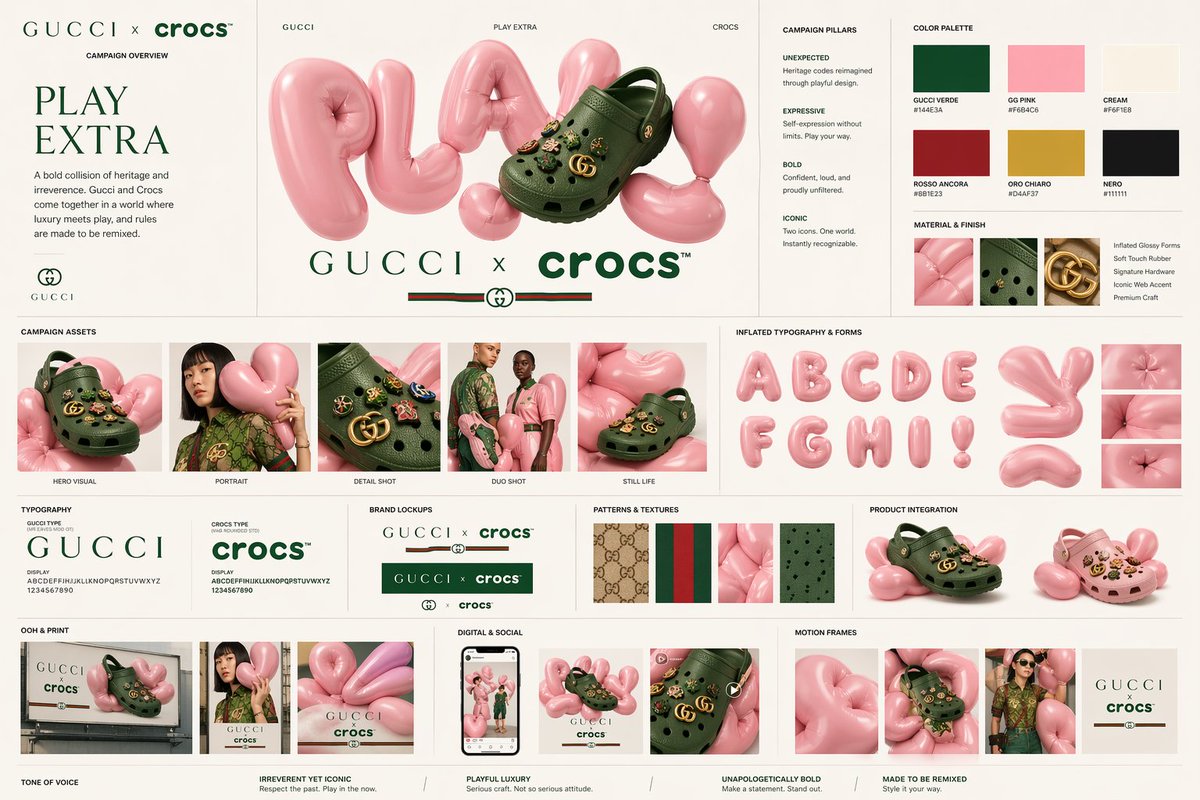
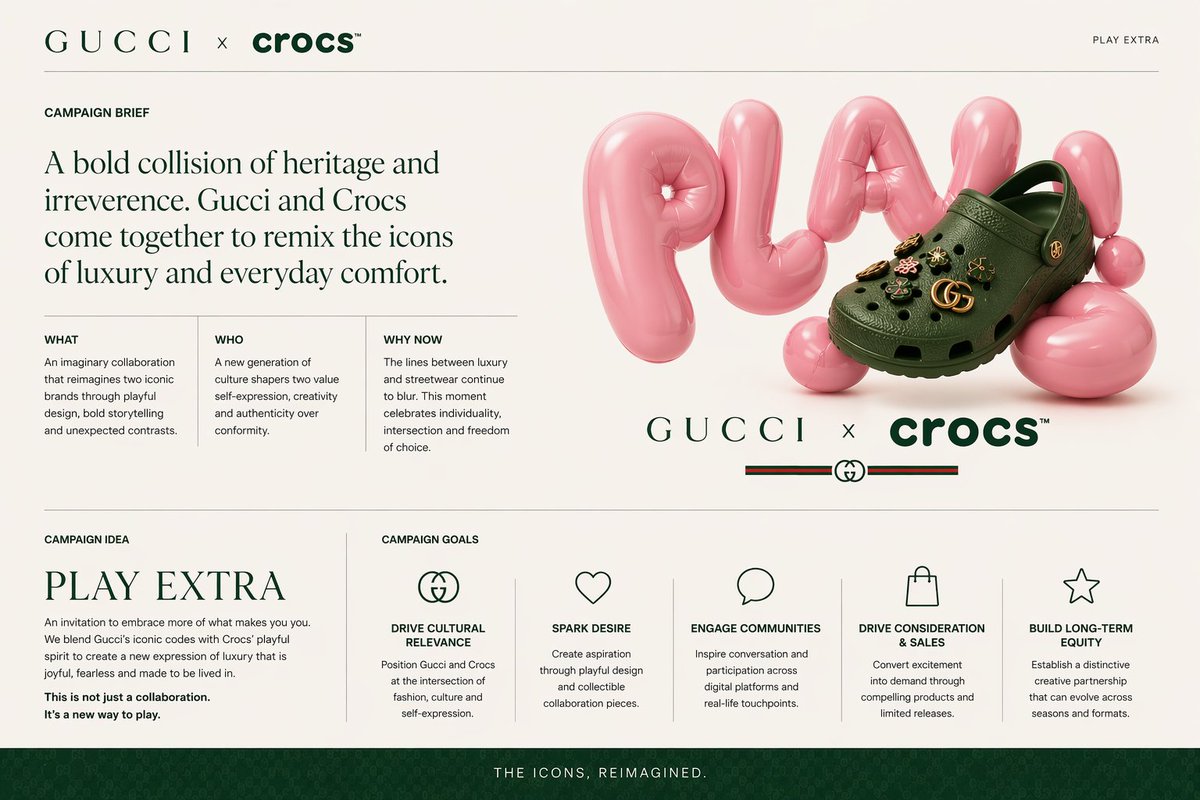
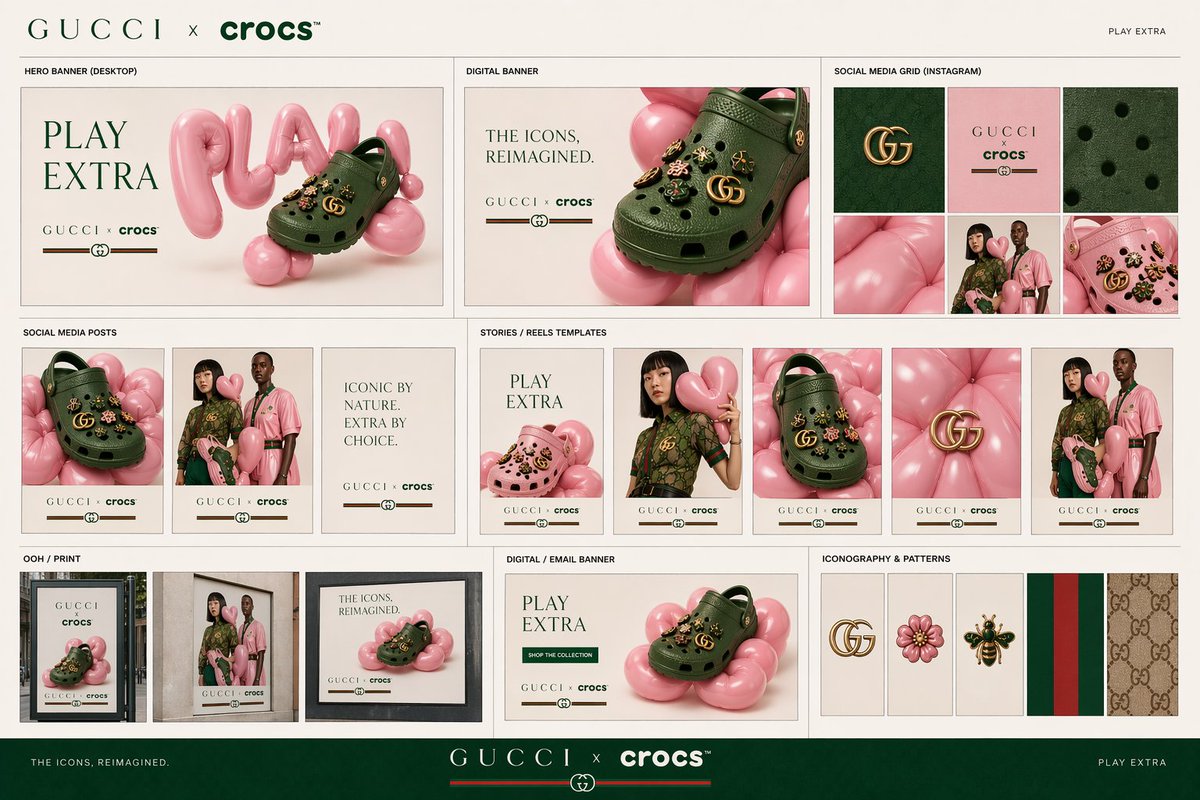
You can finally create REAL campaigns with GPT image 2 - from visual ref to the whole campaign system
With a good prompting sequence, you can quickly one-shot brainstorming & turn it into slides to present to your boss or a client - and it's 80-90% ready to be presented
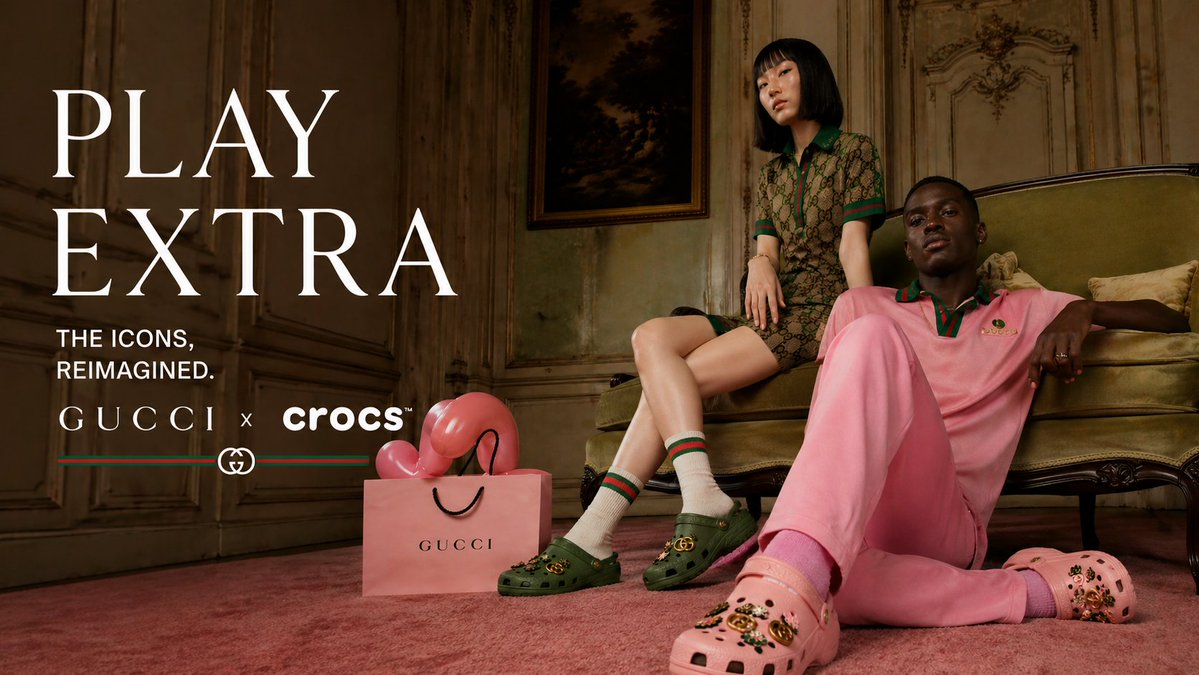
This spec campaign concept of "Gucci x Crocs" was created with
- 1 ref image from pinterest
- 1 prompt to re-build it into my cross-brand idea
- a sequence of a few prompts
I don't mean to state it's a "final product", but damn, it's a huge leap to a real commerical concept-prototyping
There are still weird artifacts, but it's very easy to fix in minutes. The point is - you go from zero to a quick and detailed promo-deck in ~1 one hour.
In 1 working day you can generate 5-10 strong directions to present.
Want prompts & "how to direct" such a project?
Drop any comment - so I'll know
Happy to share the article with all the details
HyperFrames, now natively in Claude Design
Drop in the skill file, generate motion graphics, download project
ask Claude Code or run command:
$ npx hyperframes render
Design to animation to MP4, all in one flow
details in thread
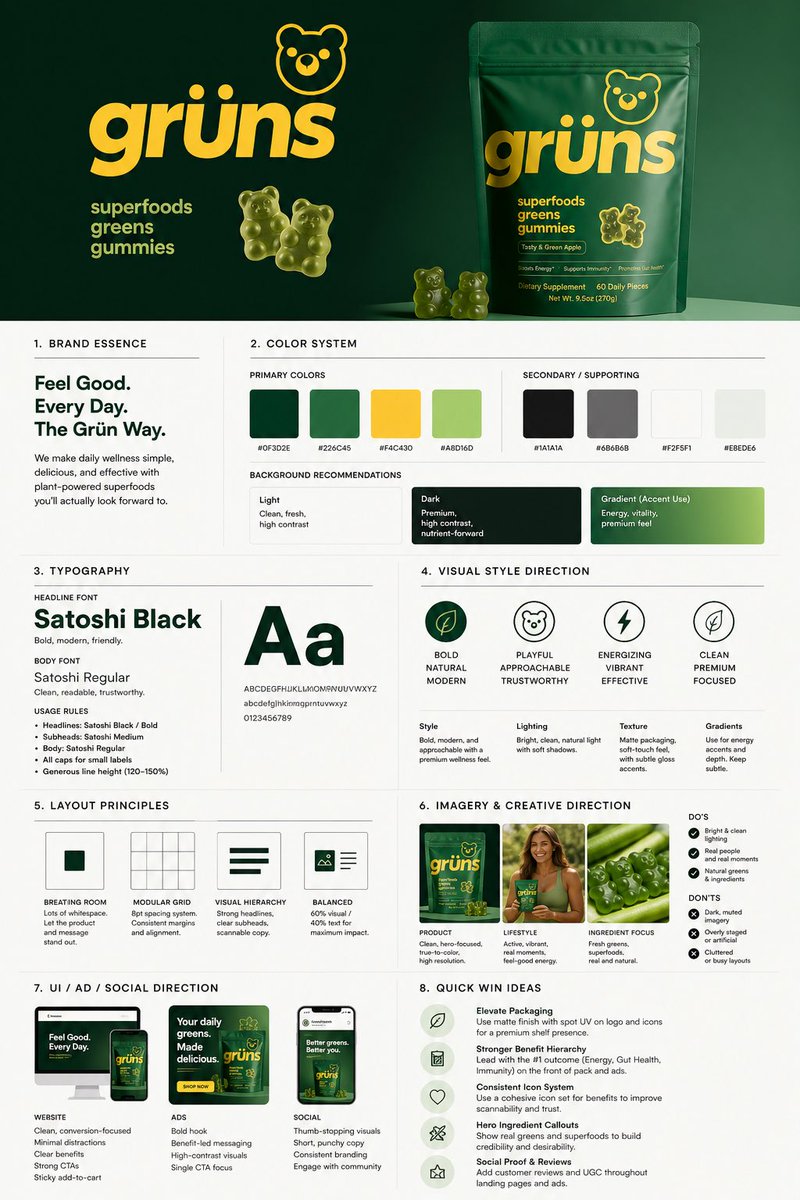
GPT image 2.0 workflow:
> generates smm design for socials
> brand name + prompt = visuals
> you can edit the prompt for customized output
Prompt 👇
> snipe more design prompts in my pinned
Instead of watching Netflix tonight.
Spend a day mastering Claude here: https://t.co/Vn60ElPZ2i
→ Level 1 - 24 min: The basics.
Claude For Dummies: https://t.co/HNa5MrCLVU
Claude Setup: https://t.co/jw2qdIcjnh
→ Level 2 - 1 hour: Real workflows.
Claude Cowork: https://t.co/uWTpOI3Woc
Claude for teams: https://t.co/qxlcqhf8bM
Claude Design: https://t.co/ZY8Fg5D2ea
Cowork + Projects: https://t.co/Q7AN9CZAbO
Claude for slides: https://t.co/L0bPMgXci6
Claude Skills: https://t.co/6cHYYfjXEA
→ Level 3 - 3.5 hours: The pro moves.
Avoid sycophancy: https://t.co/5i8xSJBGUl
Claude Code: https://t.co/UgE9xBXVbE
Claude 101: https://t.co/OvBmlvnVqL
Stop hitting Claude limits: https://t.co/j5fEzSH5br
Stop Prompting: https://t.co/j1LATSJiat
→ Level 4 - 8 hours: Expert mode.
Claude Computer: https://t.co/TxYuHPjgbV
Build with Claude API: https://t.co/RcCbfNjlzz
Pro tip: Don't binge it. Do one level per sitting.
Actually apply each guide before moving to the next
UI/UX 엔지니어를 위한 Claude 스킬들
🎨 interface-design
https://t.co/nqby0n2ebE
대시보드, 어드민 패널, SaaS 앱 등 엔터프라이즈 UI를 위한 디자인 엔지니어링 스킬.
Jony Ive 수준의 정밀함을 목표로! 디자인 원칙을 기억하고 컴포넌트 간 일관성을 강제해요.
↓
🖼️ canvas-design
https://t.co/VJFqjeW39M
PNG/PDF 형식의 시각적 그래픽을 직접 생성하는 Anthropic 공식 스킬.
코드가 아닌 인���/출판��� 결과물을 만들 때 활용해요.
↓
🌐 web-artifacts-builder
https://t.co/K0uV642LAR
React + Tailwind CSS + shadcn/ui 활용해 복잡한 Claude HTML 아티팩트를 빌드하는 Anthropic 공식 스킬.
상태 관리, 라우팅이 필요한 인터랙티브 아티팩트를 단일 파일로 패키징!
↓
✨ taste-skill
https://t.co/3U5h4aZP7L
AI가 생성하는 뻔한 UI를 방지하는 고수준 프론트엔드 스킬.
3가지 다이얼로 디자인 수준을 세밀하게 조정해요.
Claude Code, Cursor, Codex 등 주요 AI 코딩 에이전트를 지원!