Kimi K3 vs Opus 4.8 vs GPT-5.6 Sol
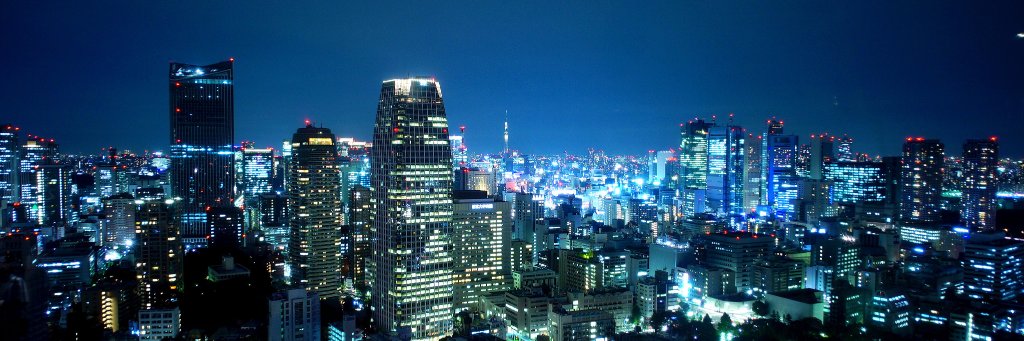
One Fruit Ninja prompt. One generation per model.
Claude Opus 4.8:3m46s · $0.554
GPT-5.6 Sol :12m01s · $0.392
Kimi K3 : 42m21s · $1.131
K3 used ~77K tokens, including ~54K reasoning tokens.
This is only one sample, primarily visual comparison.
Google engineer explained how to fine-tune a tiny LLM from 46% to 90% accuracy on your phone in 21 minutes - better than $1500 on-device AI bootcamps.
pick Gemma 270M -> generate synthetic task data -> fine-tune with LoRA -> quantize to int4 -> deploy to Pixel and hit 2000 tokens per second.
That loop is how a 270M model beats a 70B one on your task, running fully offline in your pocket.
Gemma 270M + synthetic data + LoRA + int4 quantization + on-device runtime - that's the stack.
Watch and save it, then fine-tune your own tiny agent tonight.
Kimi K3 is here:Built on Kimi Delta Attention and Attention Residuals, this 2.8T-parameter model pairs native vision capabilities with a 1 Million Context, making it the world's first open 3T-class model!
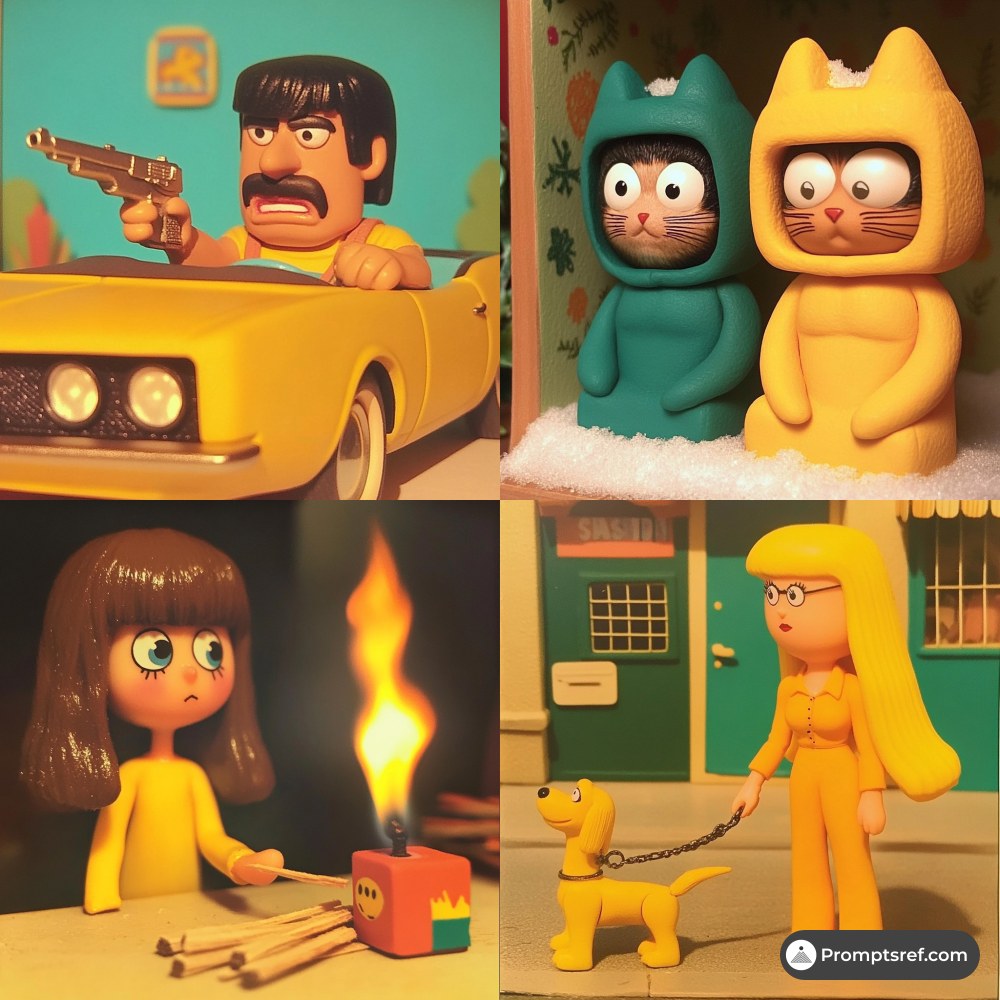
This SREF turns your Midjourney images into tiny stop-motion worlds.
Think claymation + toy photography:
plastic shine, soft rubber textures, rounded characters, expressive faces, saturated colors, and that nostalgic “Wallace & Gromit” feeling, but rendered with clean digital precision.
It works especially well for:
children’s book illustrations
brand mascots
toy packaging
mobile game characters
social stickers
animated short concepts
cute product ads
miniature storytelling scenes
The magic is in the tactile look. Everything feels handmade, collectible, and almost touchable, while still looking polished enough for modern commercial work.
Best keywords to pair with it:
Toy Photography
Vibrant Colors
Macro Details
If you want to create warm, funny, memorable visuals that feel like a tiny handcrafted universe, try this style:
--sref 3611125414 --v 6.1 --sv4
I’ll drop the full prompt examples in the comments so you can copy the exact setup and recreate this look.
#midjourney #sref
AI 视频生成领域,这个开源项目把“写提示词”升级成了“导戏”。
Seedance 2.0 Skill OS 不是一个简单的提示词模板,而是一套完整的影视级工作流。镜头、运镜、节奏、分镜、场景、动作、风格全拆解好了,你可以像一个导演一样去指挥模型,而不是堆砌形容词。
它内置了 33 种不同题材的完整推导案例,还支持中文、英文、日文等多语言提示词。无论你想做产品广告、音乐视频,还是长故事序列,都能找到对应的生产流程。
对于已经玩腻了随便写两句 AI 视频、想真正系统化产出内容的创作者来说,这个 Skill OS 相当于一本可以直接照着执行的导演手册。
🔗 GitHub: https://t.co/lHUif6ZFGF
Midjourney + Seedance 2.0 - Prompt Share
Contemporary dance performance.
Character generated with Midjourney v8.2 preview, storyboard generated with GPT Image 2 and the video generated with Seedance 2.0
You can find the sref and prompts below.
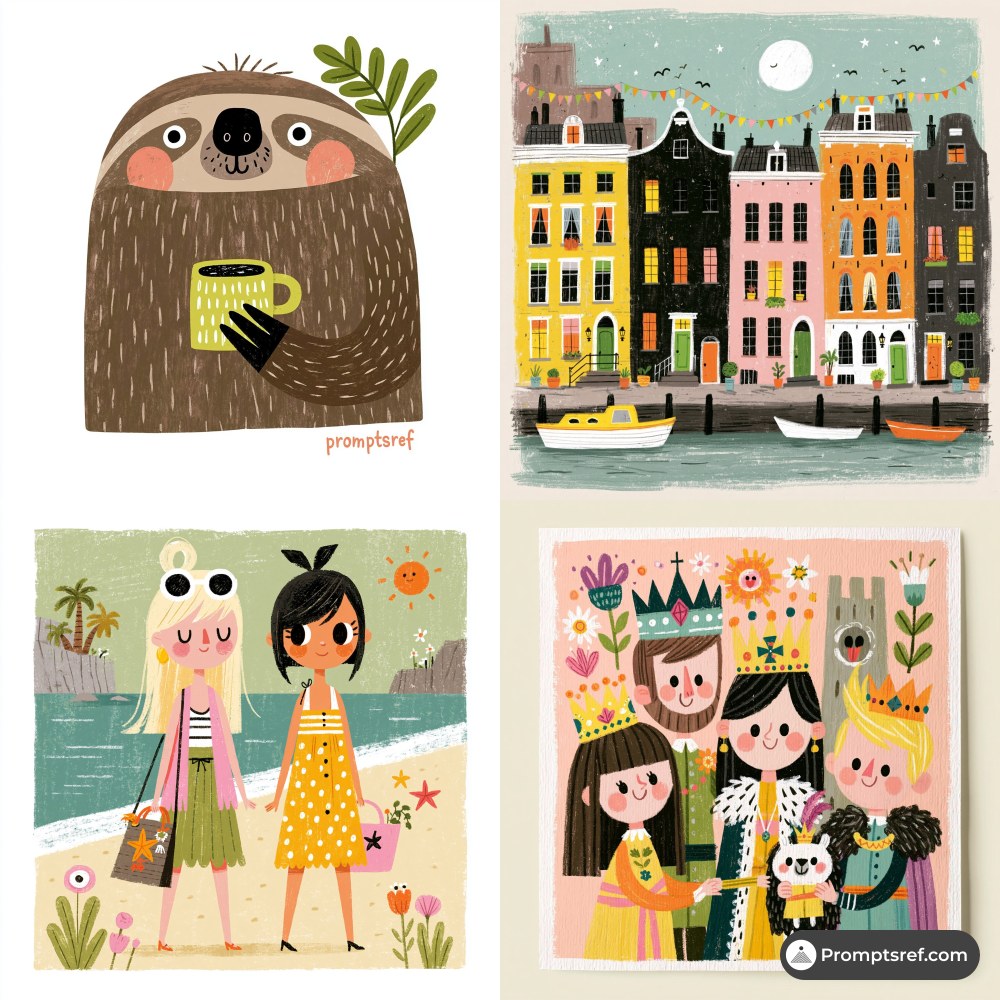
This SREF feels like opening an old children’s book you found in a quiet little bookstore.
Style code: --sref 2679783063 --v 8.1 --sv6
It creates a retro children’s book collage illustration style: warm paper textures, simple rounded shapes, grainy print details, soft vintage colors, and that handmade imperfection that makes everything feel gentle and alive.
The look is not realistic, and that is exactly the charm.
Think:
storybook animals
family picnic scenes
cozy town posters
children’s event visuals
holiday cards
parent-child brand illustrations
cute travel memories
warm cafe promotions
educational posters
healing game art
picture-book-style characters
It has a mid-century storybook feeling, a little folk art, a little handmade paper collage, and a very soft nostalgic mood. Perfect when you want your Midjourney images to feel friendly, innocent, warm, and easy to love.
Prompt direction:
retro children’s book illustration, handmade paper collage, warm pastel color blocks, grainy print texture, cute simplified characters, playful flat composition, charming imperfect lines, cozy nostalgic mood
I put the full prompt set and application examples in the comments so you can copy the style directly and remix it for your own scenes.
#midjourney #sref
TIPS for better SREF BLENDING in MJ:
🧶THE BASE
Start with this baseline: random --sref random --sw 300 --s 300 --c 20--exp 10 --preview --draft
Pick your favorite result and run a Vary (Subtle).
🥗THE BLEND
Look for an image driven by its style, pick what works best, or even select contrasting colors to introduce more variety.
Copy and paste the new --sref code into your previous prompt.
.... 🔂Continue adding --srefs as many times as you like, following the same process.
Midjourney's new Draft Mode is fantastic for character creation.
It generates 24 low-resolution variations in a single run, making it incredibly easy to explore different character directions and quickly find designs you like.
Once you find a promising result, you can use those images directly in GPT Image 2 to generate character sheets.
You can also fix generation errors, modify outfits and accessories and change the visual medium or art style.
GPT Image 2 Character Sheet Prompt:
Create an artistic 16:9 CHARACTER IDENTITY BOARD.
Use Image A as the subject and the visual medium. Name: Clara. Fix headphones. (just change this line as your needs.)
Soft off-white background. No environment, no logo, no watermark.
DESIGN DIRECTION:
Do not create a standard character reference sheet.
Create a cinematic identity board that feels like a high-end animation studio character study mixed with an artbook layout.
The layout should be asymmetrical, elegant and visually memorable.
Use large empty space, varied image scale and intentional imbalance.
Avoid grids, blueprint design, catalog layout and repetitive turnaround presentation.
IMPORTANT LAYOUT RULE:
Do not overlap any character images.
Every view must have clear separation and breathing room.
Keep all bodies, portraits, silhouettes and detail studies visually distinct.
No cropped faces, no hidden limbs, no stacked figures, no merged poses.
MAIN COMPOSITION:
Place one large hero full-body view slightly off-center as the visual anchor.
Around it, arrange smaller supporting studies with clean spacing:
neutral full-body view, back view, profile view, seated pose, leaning pose, crouching pose, top-down body angle, low-angle body angle, expressive portrait studies.
Each view should feel like a separate clean character study, not a frame from one scene.
IDENTITY LOCK:
Preserve strict identity consistency across all views:
same face, same facial proportions, same hairstyle, same outfit, same body proportions, same posture language, same visual personality.
USEFUL REFERENCE DETAILS:
Make the character readable for future image and video generation:
clear face shape, clear hair silhouette, clear outfit silhouette, clear body shape, clear hands, clear posture, clear expression range.
ARTISTIC SECTIONS:
Include a small silhouette study area with 2-3 simplified black character silhouettes.
Include a small expression study area with subtle emotional variations.
Include a small detail study area showing key visual features of the face, hair and outfit.
TEXT DESIGN:
Add one stylish CHARACTER ID block.
Keep it minimal, bold and art-directed.
Use only:
NAME
ROLE
CORE MOOD
VISUAL SIGNATURE
Use small handwritten-style labels only where helpful.
Subtle editorial arrows and annotation marks are allowed, but keep them minimal and elegant.
STYLE:
minimal, cinematic, premium, artbook-like, clean, expressive, useful for production.
The final image should feel like an artistic character identity board designed to help an AI model understand the character’s face, silhouette, outfit, posture and emotional range.
This SREF turns any character into a bold little personality bomb.
Try this in Midjourney:
--sref 1612582939 --v 7 --sv 4
The look feels like pop art colliding with modern cartoon illustration: thick hand-drawn lines, punchy primary colors, exaggerated faces, and flat shapes with just enough texture to keep it from feeling too clean.
It works especially well when you want characters that instantly feel expressive, friendly, and memorable.
Best use cases:
children’s book characters, brand mascots, sticker packs, emoji sets, educational app avatars, social media reaction images, playful ad visuals, and anything that needs strong emotional impact at first glance.
If your prompt feels too plain, this SREF gives it color, attitude, and a much stronger visual hook.
Full prompt examples are in the comments so you can copy the style directly.
#midjourney #sref
AI anime storytelling is ridiculous now
I used ChatGPT Image 2.0 to build a complete anime storyboard.
Then Seedance 2.0 brought it to life with cinematic animation in minutes.
full tutorial with prompts: 👇