I’m giving myself 15 days to learn GoHighLevel. 👀
I’ve wanted to properly learn it for a while, but honestly… GoHighLevel is BIG.
CRM, funnels, websites, workflows, automation, email, SMS, pipelines, calendars… 😵💫
So I’m breaking it down into 15 days.
Day 1 starts .... 🧵👇
I also learned about surveys and the importance of collecting the right information, not just asking for everything.
My takeaway:
Good lead capture makes it easier for an interested person to take the next step and easier for the business to follow up.
Day 4 ✅
#GoHighLevel
A website visitor isn't automatically a lead.
But what if you could give them a simple way to say:
“I'm interested. Here's my information.”
That was my focus for Day 4 of learning GoHighLevel — Forms & Lead Capture.
🧵👇
A business can create a form to collect useful information like:
• Name
• Email
• Phone
• What they're interested in
Once submitted, that information can be captured in GoHighLevel and used for follow-up.
The process:
Visitor → Form → Lead → CRM → Follow-up
What I found interesting is that opportunities can be moved through pipeline stages manually or automatically.
And now I’m seeing how the pieces connect:
Contacts → Conversations → Opportunities → Pipelines → Automation
Day 3 done. ✅
#GoHighLevel#LearningInPublic
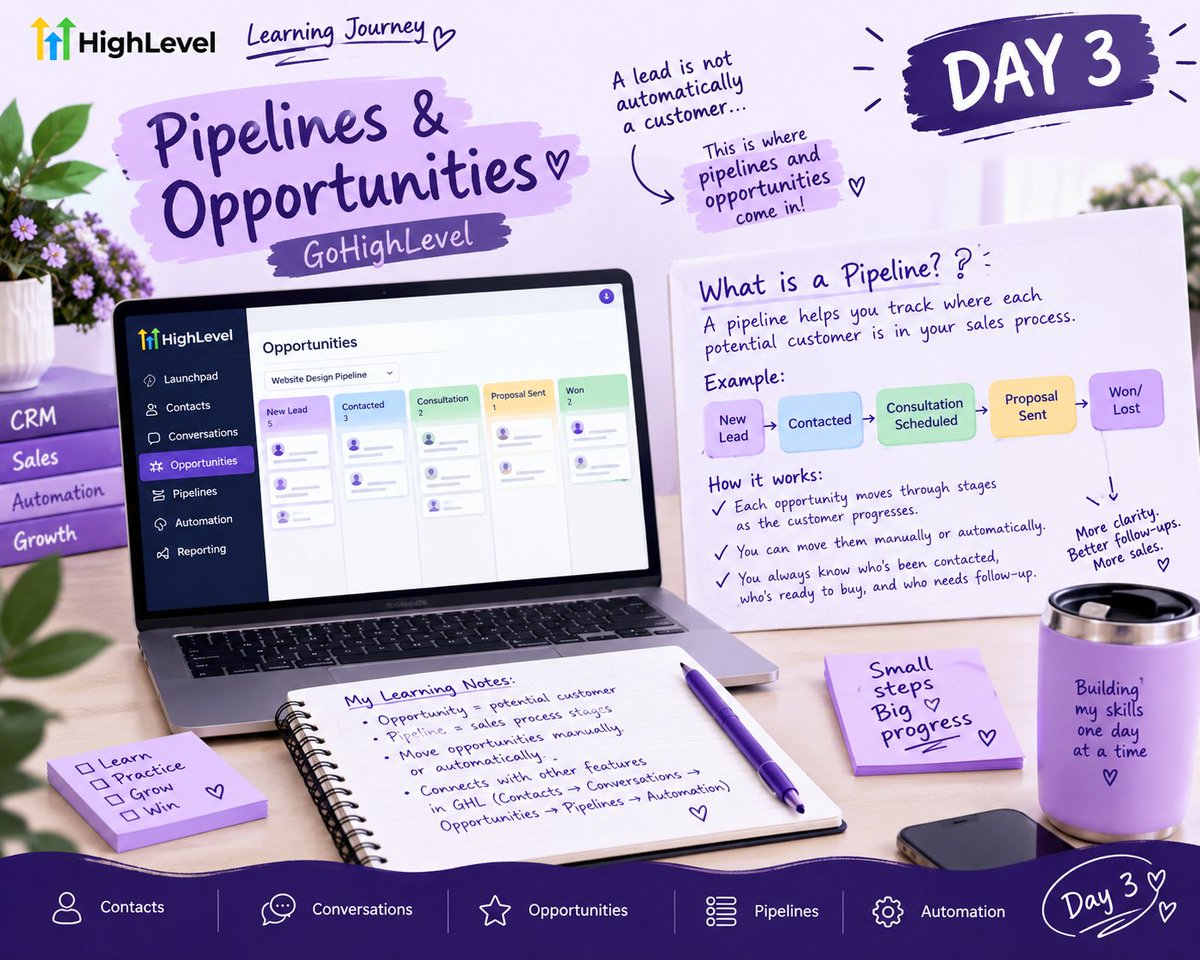
A lead is not automatically a customer.
So what happens between someone showing interest and actually buying?
That’s what I started understanding today while learning about Pipelines & Opportunities in GoHighLevel.
🧵 Day 3 👇
An opportunity is basically a potential customer you’re trying to convert.
A pipeline helps you track where that person is in your sales process.
For example:
New Lead → Contacted → Consultation → Proposal Sent → Won/Lost
So you can actually see what’s happening in each stage
What happens after a lead enters your CRM?
You still need to communicate with them.
That was my focus for Day 2 of learning GoHighLevel — understanding how businesses can manage conversations with leads through one platform.
Here’s what I learned 🧵👇
One thing I’m starting to understand about GHL is that these features aren't really separate.
Contacts help you organize people.
Conversations help you communicate with them.
And later, automation can help you follow up without doing everything manually.
GoHighLevel has a Conversations section where businesses can manage communication with their contacts.
Instead of jumping between different places to check messages, conversations can be managed from one place.
The idea is simple:
Lead → Conversation → Follow-up
And this is where it gets interesting.
You don't have to send the same message to everyone.
A frequent customer might get:
“Thanks for always choosing us! We just launched something new…”
While a new lead might receive a message explaining why they should try your product/servic
Imagine having 500 contacts in your CRM…
But you only want to send a message to 50 of them.
You probably don't want to scroll through 500 names one by one. 😭
That’s where I started understanding the importance of organizing contacts in GoHighLevel.
Day 1 of learning GHL 🧵👇
One way to do that is with Tags.
For example, you could have:
🔥 Hot Lead
🆕 New Lead
👀 Prospect
⭐ Frequent Customer
This makes it easier to identify who you're dealing with and communicate with different groups.
First: Contacts.
GoHighLevel allows you to store your leads/customers and keep information about them in one place.
But having a list of contacts isn't enough.
The real value comes from being able to organize and group them properly.
Day 3
One thing I've learned: I don't always start designing immediately.
Before opening Squarespace, I need to understand the goal of the website, who it's for, and what action visitors should take.
A website shouldn't just look good. It should have a purpose.
#WebDesign