Field Friday 🦊
When building tables in Gridfox, choose from a range of customisable field types - just like columns in a spreadsheet.
This week: The Formula field takes the manual work out of calculations - automate derived values so your data always stays accurate. 🧮
Most property teams think they're stuck choosing between an off-the-shelf tool that no longer fits or an expensive enterprise system.
With Gridfox create a platform that holds the structure your operation needs, without locking your workflow in place.
https://t.co/hqtFYbfdYu
Plan your marketing content in one place.
Gridfox's Content Calendar template gives your whole team visibility over every content item, from blog posts to press releases.
Use the template ➡️ https://t.co/0QTuO2pIkl
Field Friday 🦊
When building tables in Gridfox, choose from a range of customisable field types - just like columns in a spreadsheet.
This week: The User field makes ownership crystal clear - assign a single user to any record so nothing falls through the cracks. 👤
You can't manage what you can't see.
Gridfox Global Timeline gives you full visibility of your team's capacity, enabling fewer missed deadlines, less burnout, better utilisation and faster response to changes.
Read more ➡️ https://t.co/nQZ4toxJ45
Field Friday 🦊
When building tables in Gridfox, choose from a range of customisable field types - just like columns in a spreadsheet.
This week: The List field keeps your data consistent - choose from a predefined set of options so everyone's working from the same page. 📋
Your project plan can be perfect and you'll still miss every deadline.
The latest Gridfox blog breaks down why you need to stop managing tasks and start managing capacity ➡️ https://t.co/nQZ4toxJ45
Build your sales process the way you actually work.
Gridfox's Sales CRM template gives you full pipeline visibility - track leads by stage, manage meetings on a calendar and trigger real-time notifications when a lead needs action.
Use the template ➡️https://t.co/HjOTbm3fOV
Field Friday 🦊
When building tables in Gridfox, choose from a range of customisable field types - just like columns in a spreadsheet.
🔤 This week: the Text field is simple but essential - built for names, titles, labels or any short piece of text.
Don't let your software limit your growth.
In Gridfox, tables can be created and extended over time, fields can be added, views can be configured by role, and workflows can be layered on as the operating model becomes more defined.
Read more: https://t.co/Ln4w1DF5es
You can't squeeze a process into a system it no longer fits.
The strongest operations systems need to be both structured and flexible to absorb change without losing clarity.
The latest Gridfox blog breaks down how to get this balance right ➡️https://t.co/Ln4w1DF5es
Avoid pushing complexity into corners you can't manage.
Gridfox’s property workflow is built around custom data structures, drill-down views and purpose-built property interfaces - giving you one operational system without workarounds.
Get started today: https://t.co/EBwfWFAxvH
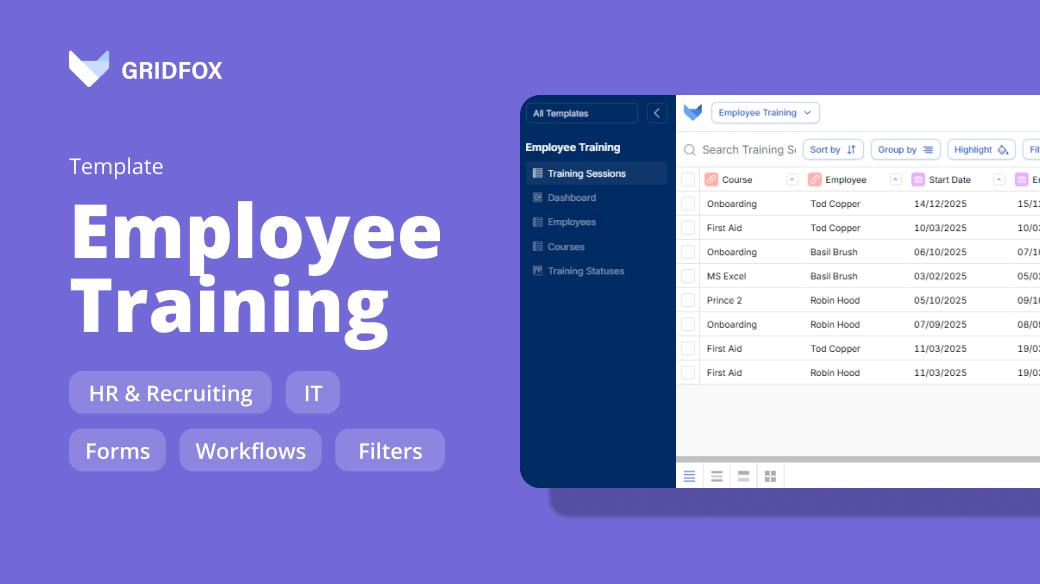
With Gridfox's Employee Training template, you can create programmes, assign them to staff, monitor progress, and automate the process - whether you're onboarding a new hire or developing your existing team.
Download for free ➡️https://t.co/bqrzvbnApl
Growing teams need software that grows with them.
The latest Gridfox blog breaks down why rigid systems fail and what a more flexible setup looks like ➡️https://t.co/d1DZxqid4M
A pivot lets you cut across data and answer project questions without scrolling through every record.
Read our blog for the exact Rows / Columns / Values setup to use in Gridfox Pivot View to answer common questions: https://t.co/tk9VWfGq3N
A to-do list is not a task management system.
Gridfox's Task Manager template gives you one place to track everything - with a Kanban board, Calendar view, and Dashboard built in.
Download for free ➡️https://t.co/KS6q0q4Iwg