Using the right communication tool helps you: 🔹 Stay organized.
🔹 Improve client relationships.
🔹 Increase productivity.
If you could only keep ONE communication tool for your work, which would it be and why?
As a Virtual Assistant, your communication tools can either make your work easier or create unnecessary stress.
The key is not using every tool available, but knowing which tools work best for each task.
Communication is one of the most underrated skills for Virtual Assistants.
You can know every tool, but if you can't communicate clearly with clients, opportunities can slip away.
One of the fastest ways to improve productivity as a Virtual Assistant is to automate appointment scheduling.
These tools help automate bookings, reduce scheduling conflicts, send reminders, and enhance the client experience.
A business owner may struggle to focus on more income producing activities when overwhelmed with repetitive daily tasks.
This is where virtual assistants provide value to the business.
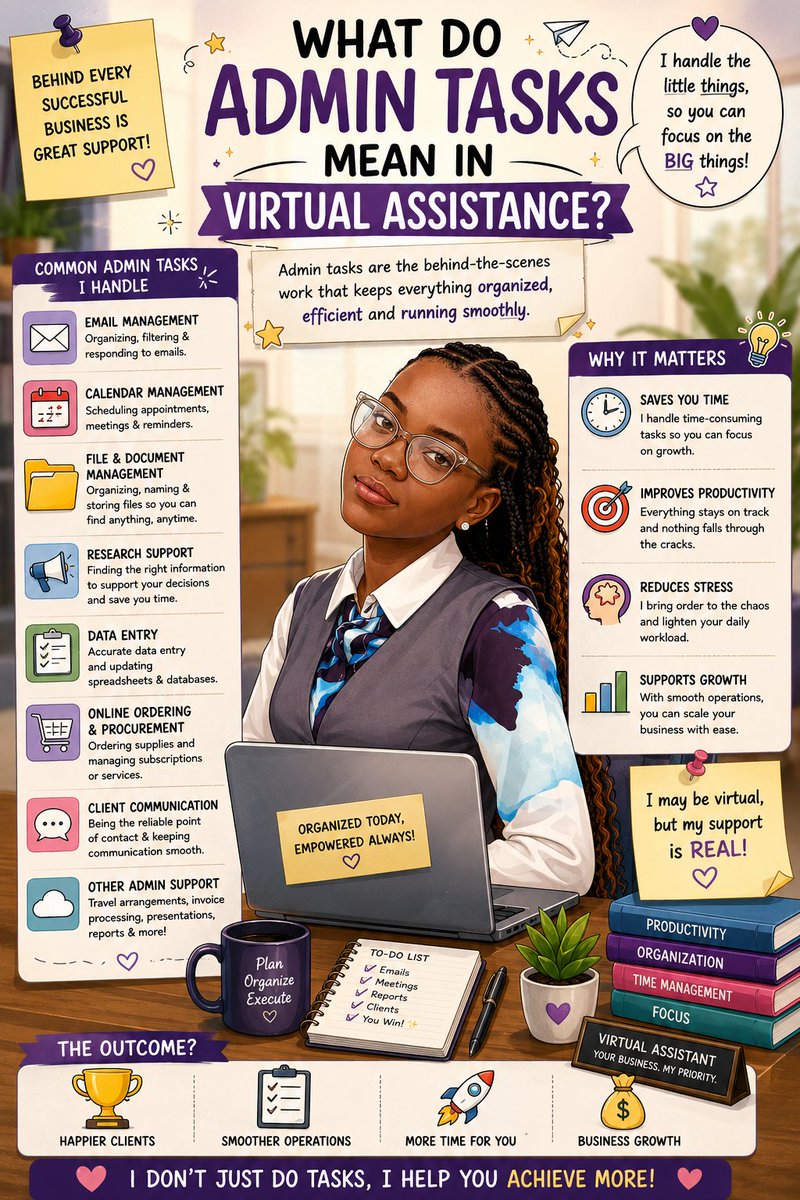
Strong administrative support help businesses run efficiently.
Admin tasks in virtual assistance include: 🔹Managing emails.
🔹Scheduling meetings.
🔹 Organizing documents.
🔹 Calendar management.
🔹 Data entry.
🔹 Client follow-ups. and more.
These responsibilities help businesses stay organised, improve productivity, and save time.
Email scheduling is one of the simple productivity habits that professionals can adopt.
Tools like the ones listed help professionals: 🔹 Send emails at optimal times.
🔹 Automate follow-ups.
🔹 Improve communication consistency.
🔹 Manage workflows more efficiently.
🔹 Less distraction.
🔹 Better focus.
🔹 Faster learning.
🔹 More productivity.
Instead of saying, "I want to study today," say, "I want to finish 2 topics and answer 15 questions before 4 PM."
Clear goals make studying easier and more effective.
If you have been studying for hours without results, the problem might be your lack of clear study goals.
The moment you stop "just reading" and start studying with specific targets, everything will change.
Are you still sending emails manually?
Here's a Gmail productivity trick that can save you time and make you look more organized professionally.
You can schedule emails in Gmail and send them automatically at any time you choose.
Regular revision improves memory retention, reduces exam stress, and helps you remember information faster during tests and assessments.
Even 10-15 minutes of daily review can make a huge difference.
Study smarter, review regularly, and stay prepared.
You're not bad at studying.
Your brain just forgets what you don't review.
One of the biggest study mistakes we make is learning new topics every day without revising old ones.
Professional communication goes beyond writing good emails.
Even your file format matters.
Converting images into PDF documents before sending emails improves readability, organization, and professionalism.
Study for hours but still forget everything later.
Try this: After studying, write a short summary in your own words.
This simple habit trains your brain to remember information faster and longer.
It's small habits that bring big differences.
However, maintaining transparency is equally important. Including phrases like "Sent by [Your Name], Virtual Assistant" helps maintain professionalism and trust.
Clear communication builds stronger client relationships and protects brand credibility.
If you manage a client's emails as a Virtual Assistant, here is one small detail you should never ignore:
When managing a client's inbox, your signature should typically reflect the client's brand identity since you are communicating on behalf of the business.