Introducing Crab: a serverless Git remote storage solution for teams working with large files.
Git is still the best collaboration model we have for software: branches, commits, review, rollback, CI, and history.
But modern repositories no longer contain only code.
They contain model weights, datasets, media assets, simulation outputs, build artifacts, checkpoints, design files, and other large binary payloads that can easily reach gigabytes or terabytes.
That creates a painful tradeoff.
Plain Git bloats history.
Git LFS adds another server, endpoint, quota model, and operational surface.
Manual object-storage buckets keep bytes somewhere durable, but they separate the data from Git history and make collaboration harder to reason about.
Crab is built around a simpler idea:
Keep Git as the interface.
Use your cloud object storage as the backend.
Remove the server layer in between.
With Crab, developers keep using familiar Git workflows. Commits, branches, reviews, worktrees, CI, and rollback still behave like Git. Large-file bytes are routed into customer-owned object storage such as S3, GCS, or Azure Blob.
The repository stays lightweight because Git carries metadata and tiny pointer files, while the real payloads live durably in your bucket.
A normal workflow looks like:
crab init
crab add models/
git commit
crab push
Or, where configured, teams can keep using familiar Git commands like `git add` and `git push` through Crab’s Git integration.
Under the hood, Crab uses Git remote-helper and filter-process concepts to make large-file handling feel native. The developer works in Git, while Crab manages chunking, deduplication, upload, checkout, hydration, and storage layout.
The technical model is designed for large binary data.
Large files are split into content-defined chunks, so small edits do not necessarily rewrite the entire file. Crab can identify which chunks are already known and which chunks are new.
Known chunks skip upload.
New chunks upload once.
Chunks are packed into xorbs to reduce duplicate storage, bandwidth, and object request volume.
That matters when teams are moving ML checkpoints, datasets, media, or build artifacts repeatedly across branches and CI jobs.
Clone and checkout are also designed for large repos.
Instead of forcing every user or CI job to materialize terabytes immediately, Crab can clone metadata first. Teams can inspect branches, review code, and start work quickly with lightweight pointer checkout, then hydrate real bytes only when needed.
Access modes are flexible:
crab hydrate downloads selected content.
crab dehydrate frees local disk by returning files to pointer form.
crab mount supports on-demand reads through a virtual filesystem.
CI and desktop workflows can hydrate only the files they actually need.
For enterprise teams, the important part is ownership and control.
Crab does not require a central LFS server or a new database service. Storage stays in your cloud account. Your buckets, IAM, lifecycle rules, encryption posture, and identity model remain the control plane.
Crab is designed to fit enterprise auth and operational requirements: customer-owned buckets, IAM, OIDC, Entra ID, Workload Identity, encrypted local token cache, structured CLI output, and operational commands such as doctor, status, fsck, and gc.
This gives infra teams fewer services to run and gives developers a workflow that still feels like Git.
The business benefits are straightforward:
Less Git bloat.
No separate LFS server to operate.
Large files stay versioned with the repo.
Object storage remains customer-owned.
CI can avoid unnecessary downloads.
Teams can adopt gradually instead of rewriting everything at once.
Costs can be managed with lifecycle policies and storage tiering.
Existing Git habits remain intact.
Crab is especially useful for teams building with:
ML models and checkpoints
Training and evaluation datasets
Media and creative assets
Large generated artifacts
Scientific or simulation outputs
Game assets
Build cache outputs
Enterprise repos that have outgrown normal Git storage
The goal is not to replace Git.
The goal is to let Git keep doing what it is excellent at: collaboration, review, history, and coordination.
Crab turns object storage into an enterprise Git remote for large files.
Git-native large files.
Your cloud.
No server layer.
DM open for early users ;)
Powered by @huggingface xet protocol https://t.co/nYryrWOMXS, @criccomini 's SlateDB https://t.co/mosuYzgCYc, and @theelbasian 's Gitoxide https://t.co/bUWm0DpyMv
Today, @ducklabs_com is joining @awscloud. The move is expected to be completed by early September.
Joining AWS gives DuckLabs the resources and reach to bring DuckDB, DuckLake, and the Quack protocol to many more developers and organizations – and to pursue ideas at a scale that would have been difficult for us to reach alone.
The DuckLabs team will remain together in Amsterdam and will continue working for the Duck Stack community as an AWS subsidiary.
Most importantly, #DuckDB and the other open source components of the Duck Stack will remain free and open source under the MIT license, with the non-profit DuckDB Foundation continuing its stewardship of the projects.
This is a significant moment for DuckLabs and the Duck Stack community. It marks the end of one chapter that we are immensely proud of, and the beginning of another that we believe will take DuckDB much further.
Read the full announcement here: https://t.co/ayzbna3gxQ
#AWS
That’s incredible. I’m working on my own version of Continuity, built pretty deeply into Crab.
Not shipping with next week’s OSS release though. Crab is still focused on one thing for now: serverless Git remotes, with large-file chunking + dedup.
I’ll share more if managed Crab starts becoming a real thing.
We're making Git hosting more reliable, performant, and scalable.
This post traces 20 years of Git infrastructure and explains how that history led us to design and operate our Git storage, Origin, as if it were a database.
https://t.co/UW7jHuItSX
People are talking about Cursor’s Origin today. I asked GPT-5.6 Sol to compare it with Crab.
Both lean heavily on object storage, but take different paths:
Origin: S3-backed WAL + warm Git replicas on NVMe.
Crab: make your object-store bucket the serverless Git remote itself.
Different architecture, similar belief: make object storage the durable layer at scale.
As promised, I’ll open-source Crab soon, stay tuned.
Do you need version control for an S3 bucket—not just individual object versioning?
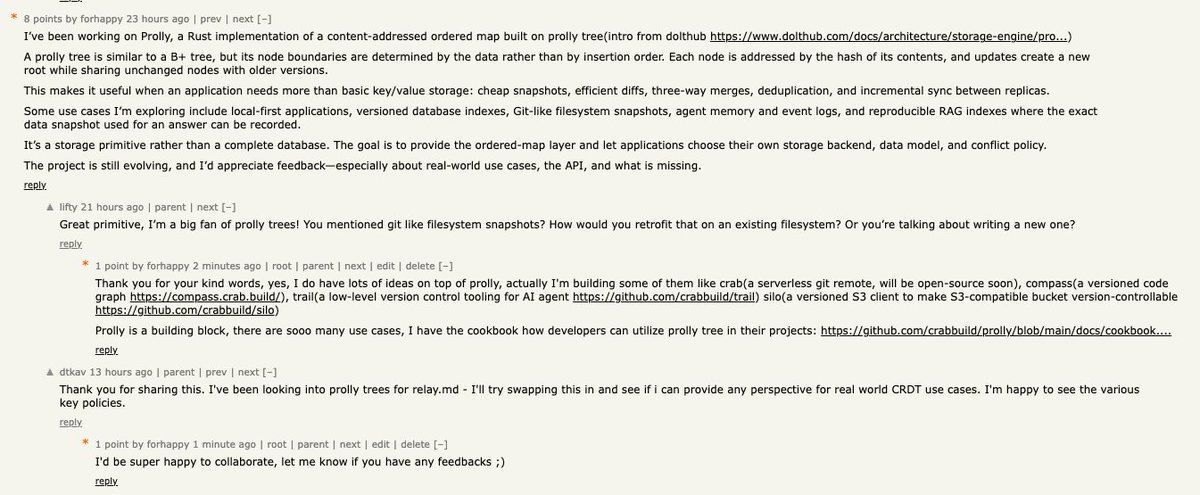
I did experiments on this idea and built SILO, an immutable version-control ledger layered over S3-compatible object storage.
SILO adds bucket-level commits, branches, tags, diffs, merges, and history on top of S3-compatible object storage, powered by Prolly trees.
https://t.co/kToh6YQHB8
Here is how to enable a 1M-token context window in Codex for GPT-5.6 Sol.
Even though we have tuned the context limit in Codex to be set optimally when it comes to performance and cost, this is a common ask, so here it is documented.
A larger context window lets Codex retain more code, tool output, and conversation history before summarizing older material. You need a model that supports it. And GPT-5.6 Sol, for example, has a documented 1,050,000-token window.
Open ~/.codex/config.toml and add or update these settings at the top level, before any [section] headers:
```
model = "gpt-5.6-sol"
model_context_window = 1000000
model_auto_compact_token_limit = 900000
```
The first setting selects the model. The second tells Codex to use a one-million-token context budget. The third starts automatic history compaction around 900,000 tokens, leaving some headroom. Restart Codex client and start a new session after saving.
To try the configuration for a single CLI session without changing your defaults:
```
codex -m gpt-5.6-sol \
-c model_context_window=1000000 \
-c model_auto_compact_token_limit=900000
```
Have fun, but also know that we tuned the default carefully!
Introducing Crab: a serverless Git remote storage solution for teams working with large files.
Git is still the best collaboration model we have for software: branches, commits, review, rollback, CI, and history.
But modern repositories no longer contain only code.
They contain model weights, datasets, media assets, simulation outputs, build artifacts, checkpoints, design files, and other large binary payloads that can easily reach gigabytes or terabytes.
That creates a painful tradeoff.
Plain Git bloats history.
Git LFS adds another server, endpoint, quota model, and operational surface.
Manual object-storage buckets keep bytes somewhere durable, but they separate the data from Git history and make collaboration harder to reason about.
Crab is built around a simpler idea:
Keep Git as the interface.
Use your cloud object storage as the backend.
Remove the server layer in between.
With Crab, developers keep using familiar Git workflows. Commits, branches, reviews, worktrees, CI, and rollback still behave like Git. Large-file bytes are routed into customer-owned object storage such as S3, GCS, or Azure Blob.
The repository stays lightweight because Git carries metadata and tiny pointer files, while the real payloads live durably in your bucket.
A normal workflow looks like:
crab init
crab add models/
git commit
crab push
Or, where configured, teams can keep using familiar Git commands like `git add` and `git push` through Crab’s Git integration.
Under the hood, Crab uses Git remote-helper and filter-process concepts to make large-file handling feel native. The developer works in Git, while Crab manages chunking, deduplication, upload, checkout, hydration, and storage layout.
The technical model is designed for large binary data.
Large files are split into content-defined chunks, so small edits do not necessarily rewrite the entire file. Crab can identify which chunks are already known and which chunks are new.
Known chunks skip upload.
New chunks upload once.
Chunks are packed into xorbs to reduce duplicate storage, bandwidth, and object request volume.
That matters when teams are moving ML checkpoints, datasets, media, or build artifacts repeatedly across branches and CI jobs.
Clone and checkout are also designed for large repos.
Instead of forcing every user or CI job to materialize terabytes immediately, Crab can clone metadata first. Teams can inspect branches, review code, and start work quickly with lightweight pointer checkout, then hydrate real bytes only when needed.
Access modes are flexible:
crab hydrate downloads selected content.
crab dehydrate frees local disk by returning files to pointer form.
crab mount supports on-demand reads through a virtual filesystem.
CI and desktop workflows can hydrate only the files they actually need.
For enterprise teams, the important part is ownership and control.
Crab does not require a central LFS server or a new database service. Storage stays in your cloud account. Your buckets, IAM, lifecycle rules, encryption posture, and identity model remain the control plane.
Crab is designed to fit enterprise auth and operational requirements: customer-owned buckets, IAM, OIDC, Entra ID, Workload Identity, encrypted local token cache, structured CLI output, and operational commands such as doctor, status, fsck, and gc.
This gives infra teams fewer services to run and gives developers a workflow that still feels like Git.
The business benefits are straightforward:
Less Git bloat.
No separate LFS server to operate.
Large files stay versioned with the repo.
Object storage remains customer-owned.
CI can avoid unnecessary downloads.
Teams can adopt gradually instead of rewriting everything at once.
Costs can be managed with lifecycle policies and storage tiering.
Existing Git habits remain intact.
Crab is especially useful for teams building with:
ML models and checkpoints
Training and evaluation datasets
Media and creative assets
Large generated artifacts
Scientific or simulation outputs
Game assets
Build cache outputs
Enterprise repos that have outgrown normal Git storage
The goal is not to replace Git.
The goal is to let Git keep doing what it is excellent at: collaboration, review, history, and coordination.
Crab turns object storage into an enterprise Git remote for large files.
Git-native large files.
Your cloud.
No server layer.
DM open for early users ;)
Powered by @huggingface xet protocol https://t.co/nYryrWOMXS, @criccomini 's SlateDB https://t.co/mosuYzgCYc, and @theelbasian 's Gitoxide https://t.co/bUWm0DpyMv