What is an "agentic" terminal? You can test an experimental fork of Window's Terminal - "Intelligent Terminal" now that supports all your agents https://t.co/QWf8udvegx
@StevenTCramer@shanselman@StevenTCramer we have wsl agent detection built in. I’m curious what agent you’re running as it might be it isn’t getting picked up by pur auto-detect
Love seeing Scott dig into Intelligent Terminal! 🙌
It’s still an experiment, and that’s the point. We want to learn what developers actually need from a #terminal as coding #agents become part of their everyday workflow.
Would love your feedback! cc: @hamzaonwindows
Check it out and our new release of Intelligent Terminal with the sidebar + vertical tabs. rich metadata, headless mode, pinning, and way more!
https://t.co/zzNyWvWmKp
.@ClintRutkas and Hamza Usmani have a @surface Laptop Ultra and a Surface RTX Spark Dev Box, and they're pushing both to the limits. 💪
See how Intelligent Terminal runs a 120B-parameter model completely locally, with no cloud needed. https://t.co/sS1TfeGIrk
Intelligent terminal 0.3 just shipped. New rich vertical tabs, pinning, searching, filtering, headless, and much more. We’d love your feedback to make an amazing experience for everyone.
https://t.co/SD8va8kCiD
I hate when agents steal desktop focus to do UI automation.
The next winapp CLI release will add Windows Sandbox support so agents can run and automate apps while I keep working.
winapp run --on sandbox
winapp ui invoke button --on sandbox
Would you find this useful?
Here's what happens when we improve the brain behind your terminal (with your favorite agent), including fixing shell issues automatically, spinning up subagents to debug code, working with wsl, or ollama locally!
An agent that can’t see your shell can’t really help. 👀
Intelligent Terminal gives your favorite agents the context they need to debug errors, understand commands, and stay in your workflow.
Less context switching. More building.
https://t.co/vH1B4GrYaQ
The new version of Intelligent Terminal gets a ton of performance improvements! It's snappier, and works even better with both cloud & local agents
Intelligent Terminal just got an upgrade.
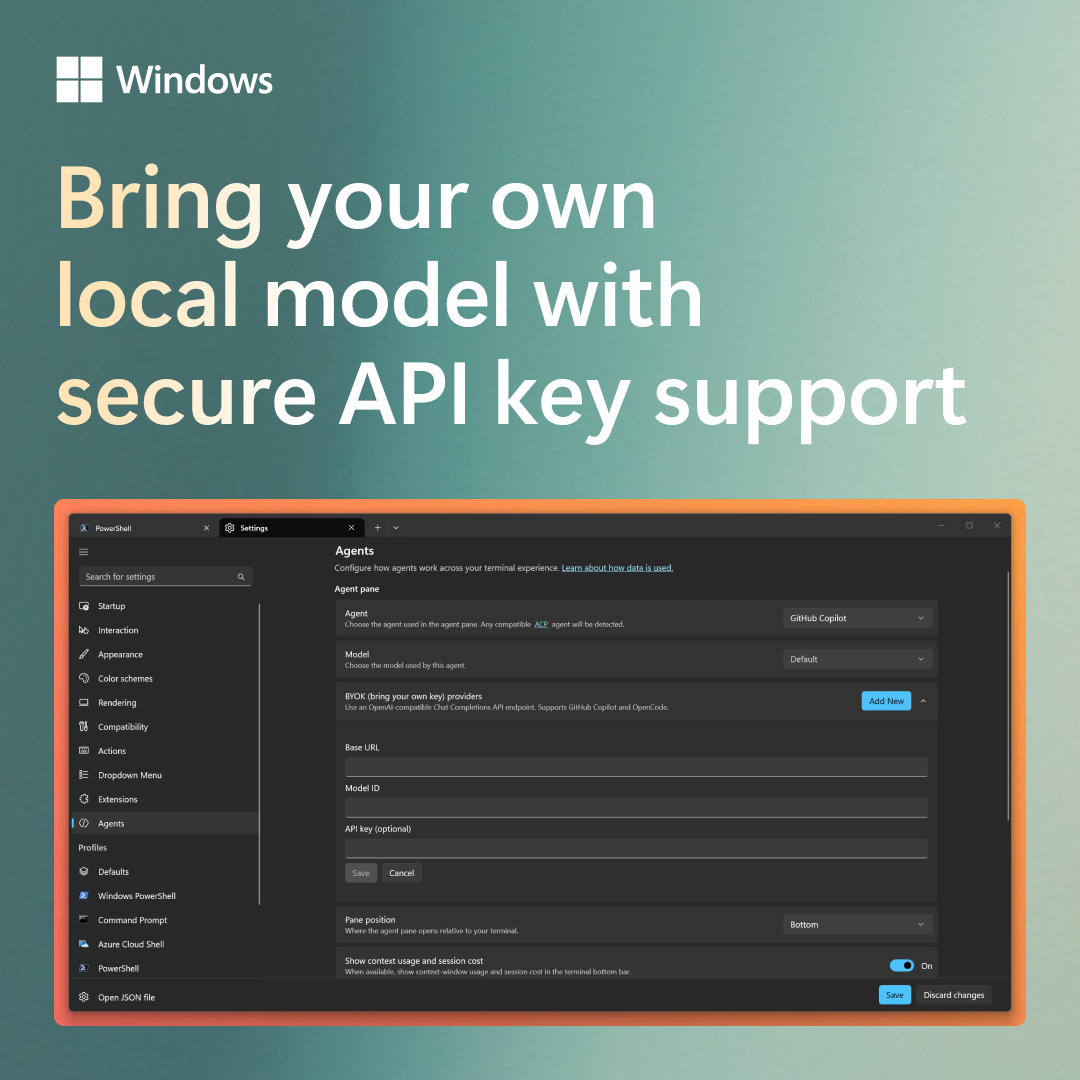
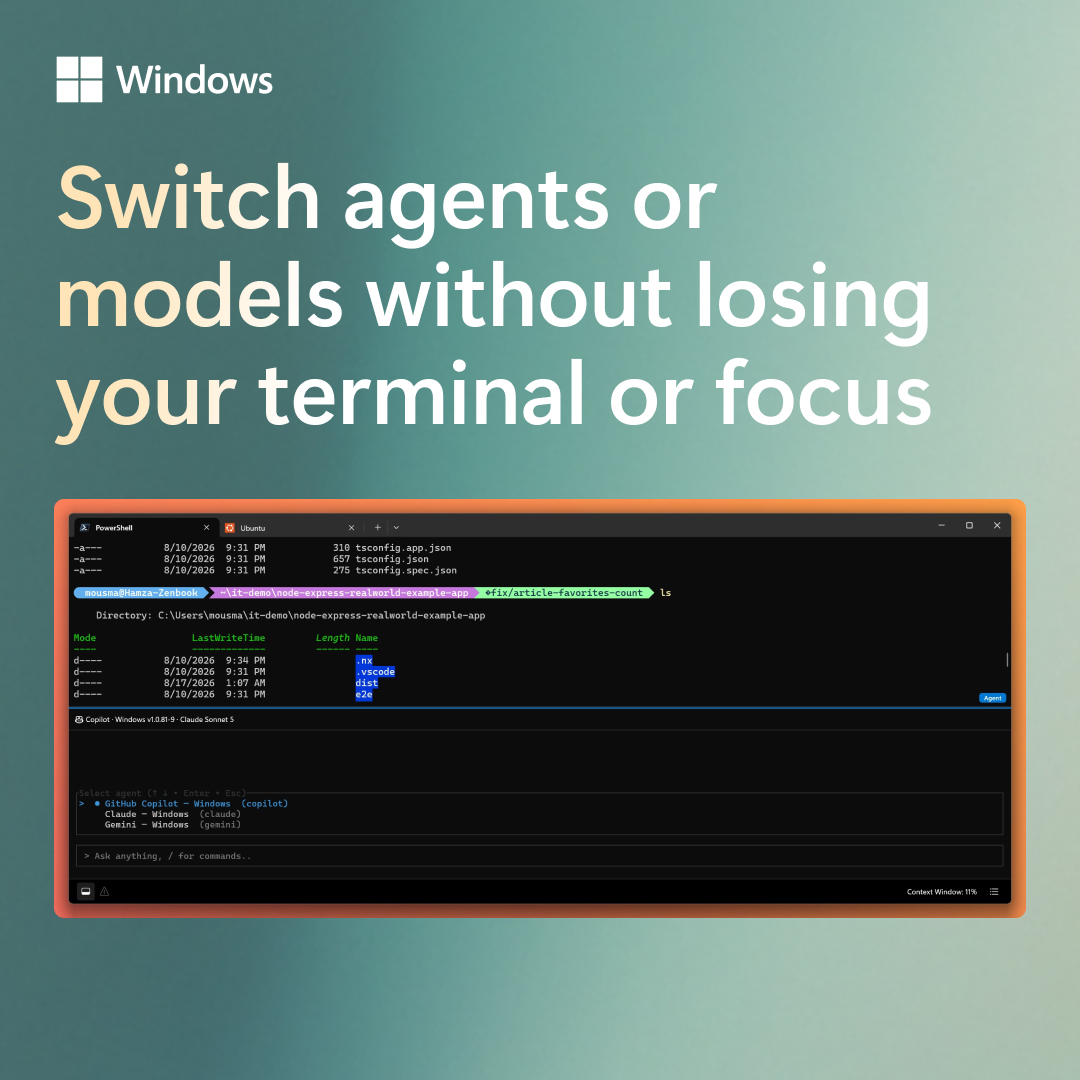
With the latest release, developers can securely connect local or cloud-based models using API keys, use Autofix to troubleshoot multi-step failures, and switch models without interrupting their workflow.
👀https://t.co/EgNPigKsNC
Intelligent Terminal 0.2 unlocks more ways to run, customize, and scale your agent workflows.
Local model support ✅
Run a different agent in each tab ✅
Bring your agent into WSL ✅
Get all the details from product manager Hamza Usmani here: https://t.co/qBAblRGlrn
Calling all developers 📢
Help us develop the Intelligent Terminal navigation.
Vote here on GitHub on whether you want to access the new "tab restore + history" feature through a dropdown menu or the Windows toolbar: https://t.co/qC2EXvixWy