

Top Tweets for #100DaysofUI

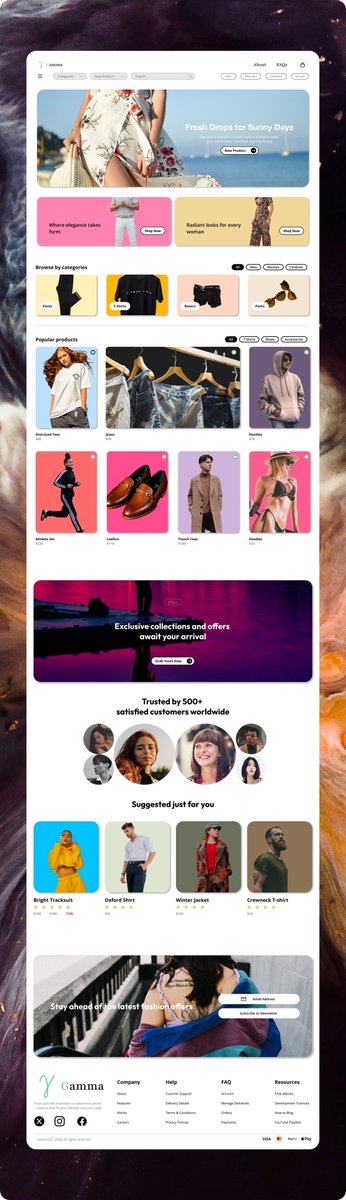
Day 12/100 🚀 E-commerce UI 🛍️
A shop so smooth I almost checked out my own mock product 😭✨
UI/UX Designer creating clean, conversion-focused web experiences.
🖥️ https://t.co/VRkbGn9AX2
📩 [email protected]
#100DaysOfUI #UIDesign
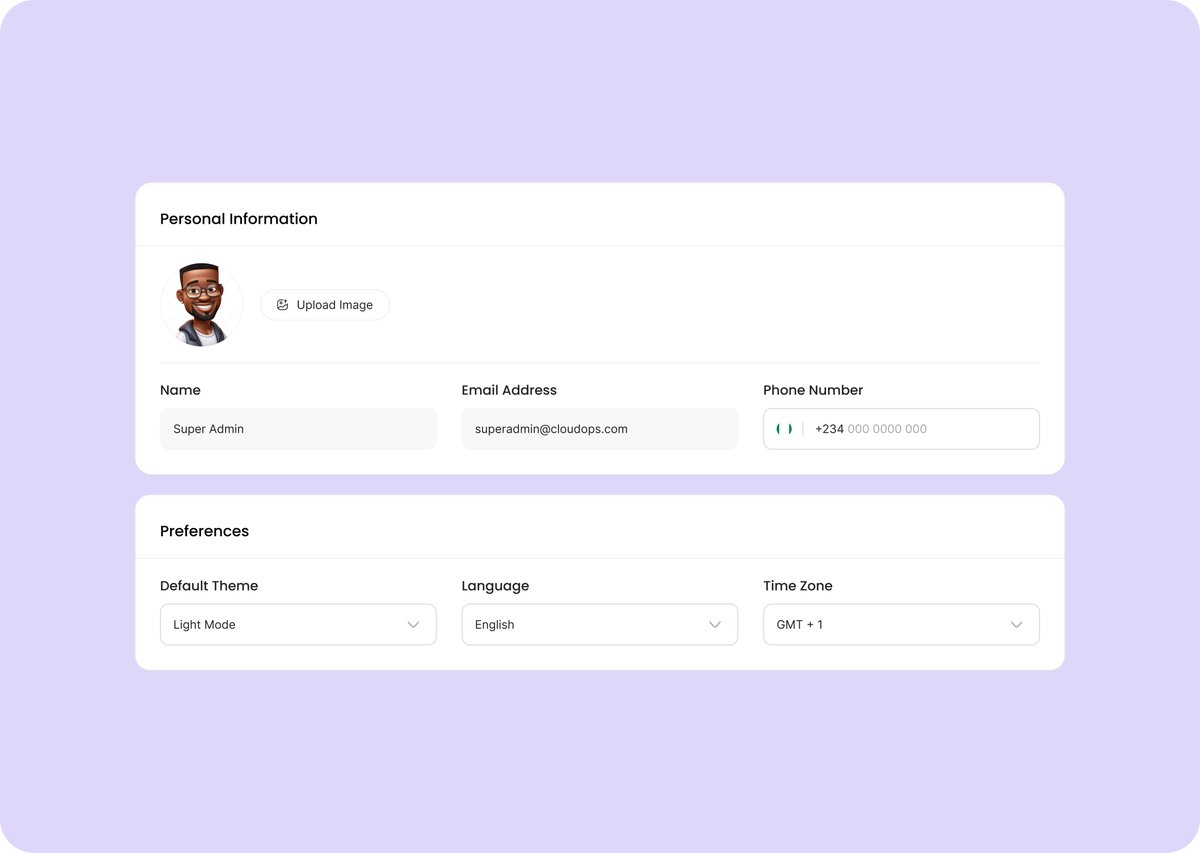
Day 7/100 🚀 Account Settings UI ⚙️
Built a settings page so organized even “change password later” people might finally do it 😭✨
UI/UX Designer available for freelance & creative projects.
🖥️ https://t.co/VRkbGn9AX2
📩 [email protected]
#100DaysOfUI #UIDesign

@Victor_Webflow Day 3/100 🚀
Landing page concept for Gamma, a creator community platform ✨
Focused on clean UI and a modern creator-first experience.
Web designer open to freelance projects & partnerships.
📩 [email protected]
🖥️ https://t.co/VRkbGn9AX2
#100DaysOfUI #UIDesign


Music Player Prototype 🎧
Exploring smooth navigation & interactions across discovery and settings.
@TechSphereAcad
#100DaysOfUI #DailyUI #UIUX #Figma #InteractionDesign
Day 8/100 #DailyUI — Music Player 🎧
Clean, personalized music experience with focus on discovery & smooth navigation.
Feedback welcome 🙌
@TechSphereAcad
#100DaysOfUI #UIUX #DesignTwitter #Figma #MusicApp


Day 31/100 — Designed a simple subscribe screen.
Subscriptions work better when they feel easy, not overwhelming.
Clear message. Friendly visual. One obvious action.
Reduce friction → increase trust → improve conversions.
Small details matter more than we think.
#100DaysOfUI




Day 19 of #100DaysOfUI/UX
[ 6 Hour Session ]
Today I built an animating design of Prime Drink.
Honestly animation makes even simple design feel alive.
Any tips to improve Prototyping in Figma? 😀
#UI #uxdesign #motiondesign #figmadesign
Day 18 of #100DaysofUIUX
[ 4 hour session ]
Today I worked on the next page of my RAHI travel project 🚍.
Focused on improving navigation flow and making the user journey smoother for first-time users.
Love to hear new ideas.
#UI #UXDesign #BuildInPublic #ProductDesign #Figma
![_LakshayChandel's tweet photo. Day 18 of #100DaysofUIUX
[ 4 hour session ]
Today I worked on the next page of my RAHI travel project 🚍.
Focused on improving navigation flow and making the user journey smoother for first-time users.
Love to hear new ideas.
#UI #UXDesign #BuildInPublic #ProductDesign #Figma https://t.co/EW63z75Yk0](https://pbs.twimg.com/media/G6nFAOObAAAfnuY.jpg)

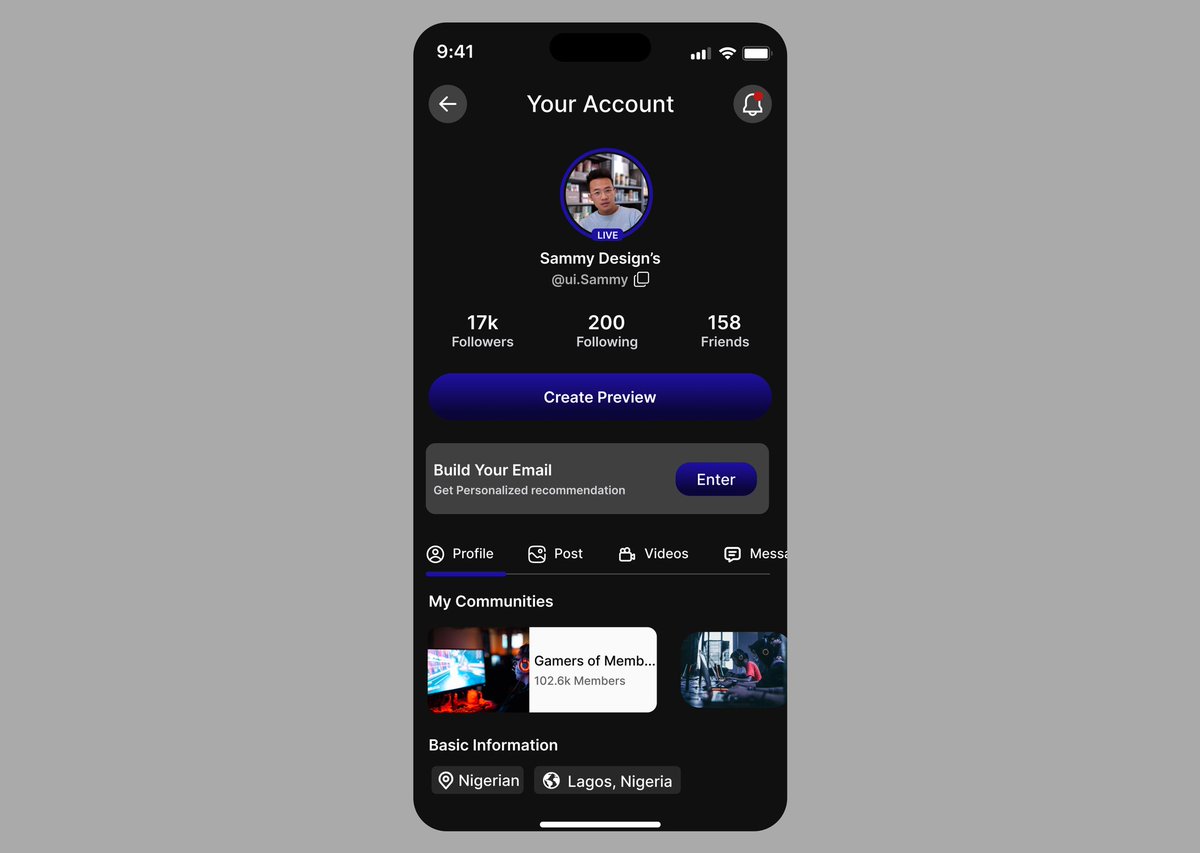
Day 91/100 — DailyUI
Prompt: Curated for You
Designed a personalized account dashboard that delivers only what the user truly needs—profile insights, community suggestions, and tailored actions.
Clean. Simple. Smart.
Feedback is welcome 🔥
#DailyUI #UXDesign #100DaysOfUI
Day 89/100 — Daily UI
Prompt: Agree to Terms
Designed a clean, simple, and readable terms screen to make onboarding smoother.
Every tiny UX detail matters. 💡
#UIDesign #DailyUI #100DaysOfUI #ProductDesign #UX

Day 15 of #100DaysofUI/UX
[ 4 hours session]
A learning design is 😀 :
2D design seems so boring and not attractive always try to add shadows, effects and color gradient which make it more 3D and Aesthetic.
Make some good designs. Tell me in comments if you like it or not!
![_LakshayChandel's tweet photo. Day 15 of #100DaysofUI/UX
[ 4 hours session]
A learning design is 😀 :
2D design seems so boring and not attractive always try to add shadows, effects and color gradient which make it more 3D and Aesthetic.
Make some good designs. Tell me in comments if you like it or not! https://t.co/jBGVR3igUd](https://pbs.twimg.com/media/G5Z-ccDbwAANEzn.jpg)
![_LakshayChandel's tweet photo. Day 15 of #100DaysofUI/UX
[ 4 hours session]
A learning design is 😀 :
2D design seems so boring and not attractive always try to add shadows, effects and color gradient which make it more 3D and Aesthetic.
Make some good designs. Tell me in comments if you like it or not! https://t.co/jBGVR3igUd](https://pbs.twimg.com/media/G5Z-ca2akAANEhQ.jpg)
Day 14 of #100DaysofUI/UX
[4:30 hours session]
In the morning I finished my previous design.Which have unique shapes.
That design has very good colors and some unique shapes.
Then in the evening I began to design a Nike sneaker UI. Still unfinished
#UIDesign
#figmadesign
![_LakshayChandel's tweet photo. Day 14 of #100DaysofUI/UX
[4:30 hours session]
In the morning I finished my previous design.Which have unique shapes.
That design has very good colors and some unique shapes.
Then in the evening I began to design a Nike sneaker UI. Still unfinished
#UIDesign
#figmadesign https://t.co/6ZYafZHTdb](https://pbs.twimg.com/media/G5PiawcbIAEadCN.jpg)
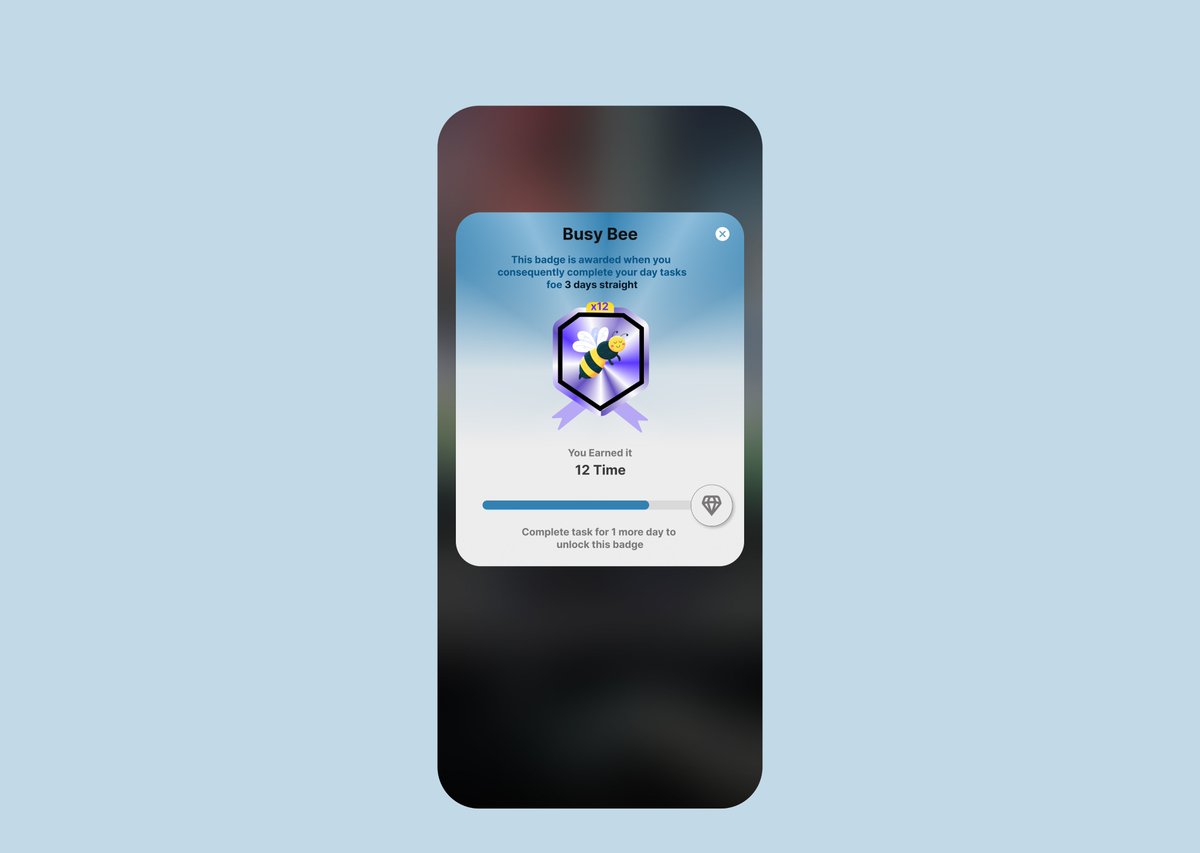
Day 84/100 – Badge Design 🐝
Designed a “Busy Bee” badge for users who complete tasks 3 days in a row.
Clean, cheerful, and motivating — small rewards that build big habits 💪
#DailyUI #UIDesign #ProductDesign #100DaysOfUI

Day 12 of #100DaysofUI/UX
[ 4:30 hour of session ]
As today was holiday A good day at work.
Today I made two designs one for practice and other for my college.
Today design was about @LogitechG
Headphone. I redesign the UI page of it.
Tell me if u like it? 😀
#UIUXDesign
![_LakshayChandel's tweet photo. Day 12 of #100DaysofUI/UX
[ 4:30 hour of session ]
As today was holiday A good day at work.
Today I made two designs one for practice and other for my college.
Today design was about @LogitechG
Headphone. I redesign the UI page of it.
Tell me if u like it? 😀
#UIUXDesign https://t.co/WwA7PzCDfF](https://pbs.twimg.com/media/G4_7zYdawAAG4jk.jpg)
Day 11 of #100DaysOfUI
[ 5 Hour Session]
>Made a Macbook 13 buying UI page.
>Learn how stroke and other effects work in figma.
>Also make cool modern 3D design.
>Explore figma too.
:Tell me in comment section how it's look!
#UIDesign #figmadesign
![_LakshayChandel's tweet photo. Day 11 of #100DaysOfUI
[ 5 Hour Session]
>Made a Macbook 13 buying UI page.
>Learn how stroke and other effects work in figma.
>Also make cool modern 3D design.
>Explore figma too.
:Tell me in comment section how it's look!
#UIDesign #figmadesign https://t.co/CPDvVNKTg2](https://pbs.twimg.com/media/G4wnLhEXQAAZYi_.jpg)
![_LakshayChandel's tweet photo. Day 11 of #100DaysOfUI
[ 5 Hour Session]
>Made a Macbook 13 buying UI page.
>Learn how stroke and other effects work in figma.
>Also make cool modern 3D design.
>Explore figma too.
:Tell me in comment section how it's look!
#UIDesign #figmadesign https://t.co/CPDvVNKTg2](https://pbs.twimg.com/media/G4wnLJBXYAAJTvc.jpg)
Day 11 of #100DaysOfUI
[ 5 Hour Session]
>Made a Macbook 13 buying UI page.
>Learn how stroke and other effects work in figma.
>Also make cool modern 3D design.
>Explore figma too.
:Tell me in comment section how it's look!
#UIDesign #figmadesign
Day 10 of #100DaysofUI
[ 3 Hour session ]
>Learn glass morphism of icon.
>Use blur and some more effect to create.
>2 icons with glass effect.
:Should increase learning speed.
![_LakshayChandel's tweet photo. Day 10 of #100DaysofUI
[ 3 Hour session ]
>Learn glass morphism of icon.
>Use blur and some more effect to create.
>2 icons with glass effect.
:Should increase learning speed. https://t.co/Y2G4boXjMd](https://pbs.twimg.com/media/G4rcc6PWEAAc6X-.jpg)
![_LakshayChandel's tweet photo. Day 10 of #100DaysofUI
[ 3 Hour session ]
>Learn glass morphism of icon.
>Use blur and some more effect to create.
>2 icons with glass effect.
:Should increase learning speed. https://t.co/Y2G4boXjMd](https://pbs.twimg.com/media/G4rcc3zWoAEmo-0.jpg)
Day 9 of #100DaysOfUi
[ 3 Hour session ]
As I have completed python so now UI and UX challenge.
>Make my first design.
>Exploring and learning new feature of figma.
>Also experiment with new text style.
#buildinpublic #UIDesign
:My first design, give me feedback!
![_LakshayChandel's tweet photo. Day 9 of #100DaysOfUi
[ 3 Hour session ]
As I have completed python so now UI and UX challenge.
>Make my first design.
>Exploring and learning new feature of figma.
>Also experiment with new text style.
#buildinpublic #UIDesign
:My first design, give me feedback! https://t.co/i5PVhnHZS3](https://pbs.twimg.com/media/G4l-iXmasAAN9yS.jpg)
Day 8 of #100DaysOfCode
[ 3 Hour Session]
This post is bit different as I was doing my python project I came that a better UI/ UX can increase the level of your website.
So when I explore more I found about
"Figma" then I got hooked as I already completed my python.
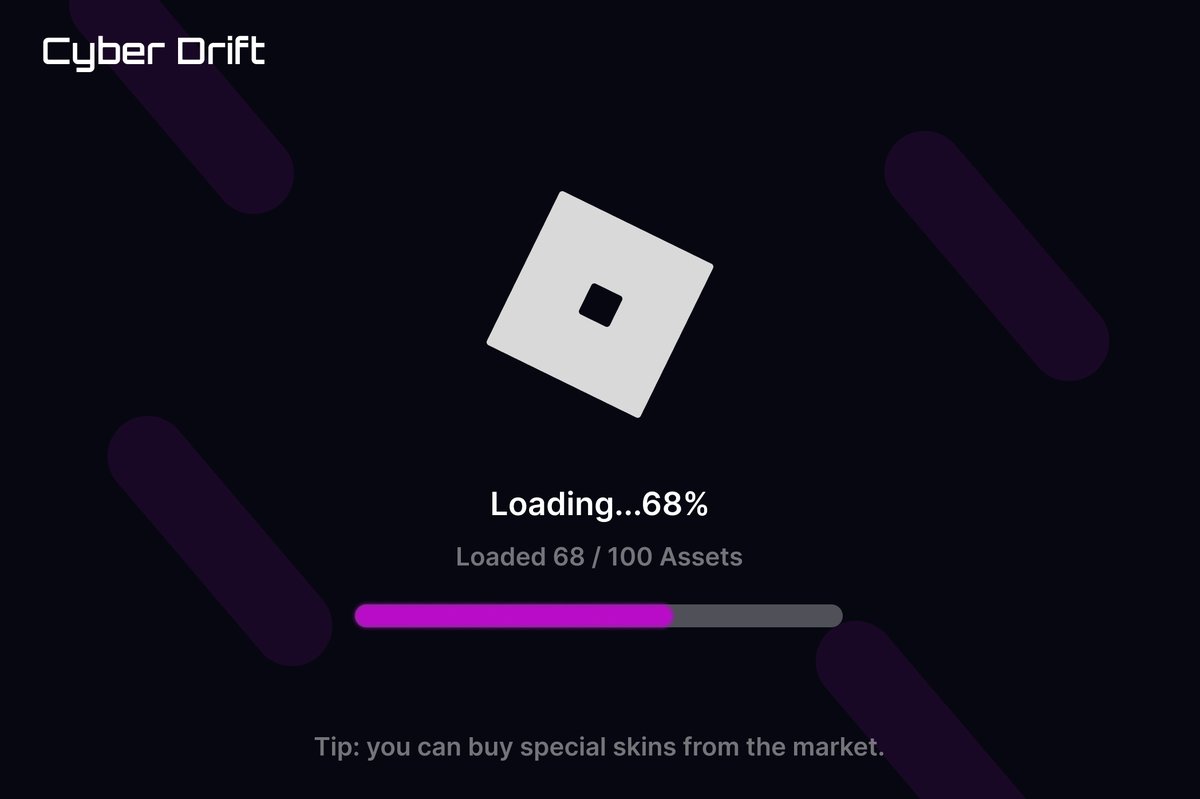
Day 76/100 — Loading Screen ⚙
Today’s challenge was to design a loading screen — so I went with a game-style concept.
Clean dark UI, progress bar, and a tip to keep players engaged while waiting to load assets.
Game title: Cyber Drift
#DailyUI #UXDesign #100DaysOfUI

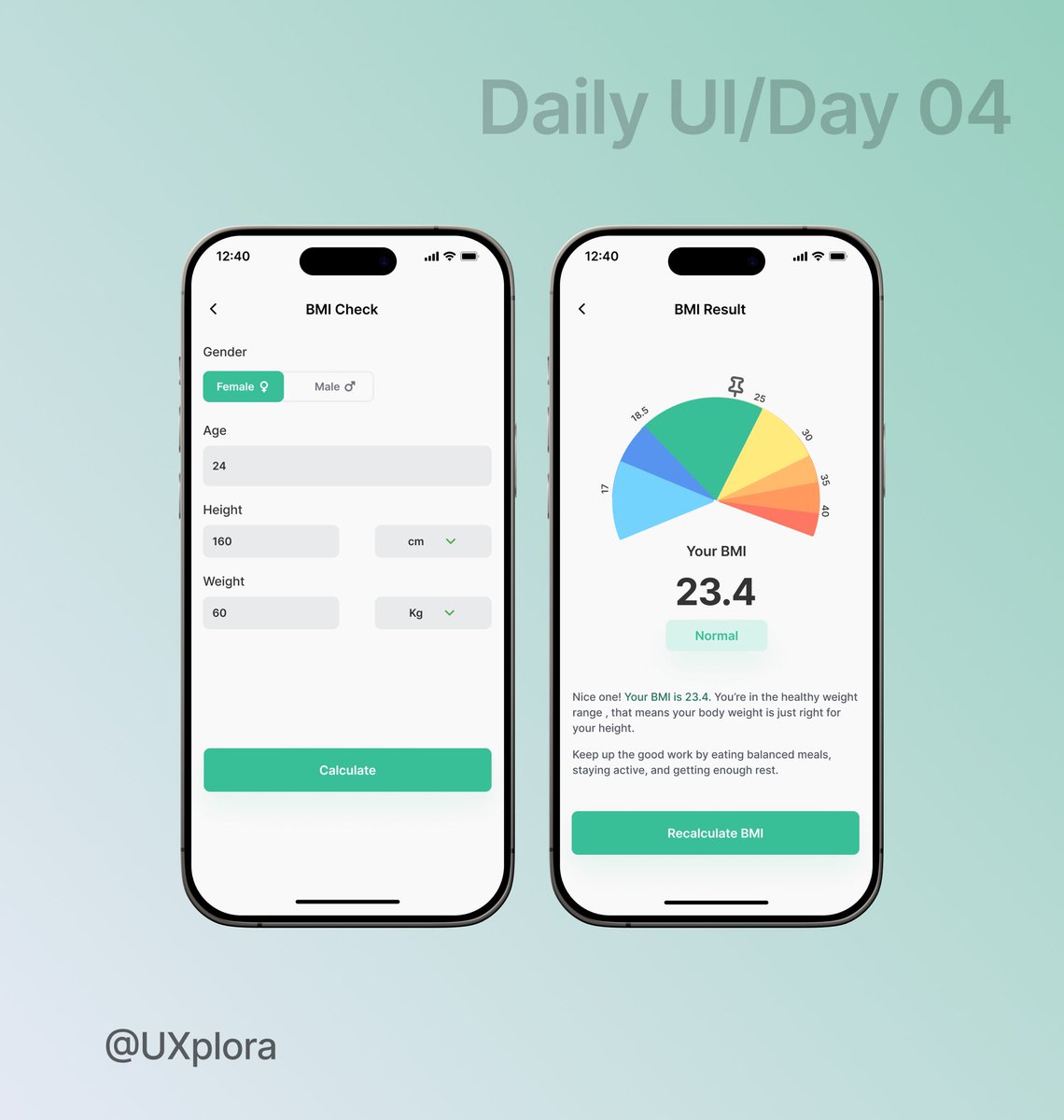
While designing a simple calculator for day 4 of my design challenge, i decided to experiment with this Mini BMI calculator UI.
#UIUXDesign #100daysofui
For the next 100 days, I’ll be challenging myself to design every single day exploring layouts, interactions, and creativity without limits.
I’m doing this to sharpen my craft, experiment with new ideas, and grow as a designer
#100DaysOfUIDesign #DailyDesignChallenge #UXplorer

Day 025,
Designed a clean, interactive UI for customizing sneakers. Comfort meets creativity in every click. #UIDesign #UXDesign #DailyUI #ProductCustomization #FigmaDesign #UIChallenge #DesignInspiration #UXDesigner #UIDesigner #Sneakerheads #100DaysOfUI #BuildInPublic


Day 02 – Music App Home 🎶
Most platforms feel cluttered.
I kept it simple:
✔ Personalized hero
✔ Easy categories
✔ Mini-player
✔ Clean full player"
Hashtags:
#DailyUI #UIDesign #UX #MusicApp #100DaysOfUI


🚀 Daily UI #001
Prompt: Sign Up
I designed a Level Up promotion screen where signing up feels like an achievement 🎖️. Badges, exclusivity & a clear CTA make the process fun instead of boring.
Would you sign up? 👇
#DailyUI #UIDesign #100DaysOfUI

Last Seen Hashtags on Sotwe
extreme #bnwo
Seen from Turkey
Nexe
Seen from United States
HARAHARA
Seen from Japan
ميقا
Seen from Germany
BreastCancerAwareness
Seen from Korea
นัดเย็ดหี
Seen from Singapore
momson() +filter:native_video
Seen from United States
BUNDAAWARDS
Seen from Netherlands
mssethi
นวดเทพารักษ์
Seen from Thailand
Trends for you
Most Popular Users

Elon Musk 
@elonmusk
240.2M followers

Barack Obama
@barackobama
119.3M followers

Donald J. Trump
@realdonaldtrump
111.6M followers

Cristiano Ronaldo
@cristiano
109.4M followers

Narendra Modi
@narendramodi
106.9M followers

Rihanna
@rihanna
97.4M followers

NASA
@nasa
92.1M followers

Justin Bieber
@justinbieber
90.7M followers

KATY PERRY
@katyperry
87.1M followers

Taylor Swift
@taylorswift13
80.9M followers

Lady Gaga
@ladygaga
72.4M followers

Kim Kardashian
@kimkardashian
69.5M followers

Virat Kohli
@imvkohli
69M followers

YouTube
@youtube
68.6M followers

Bill Gates
@billgates
63.5M followers

The Ellen Show
@theellenshow
62.5M followers

CNN
@cnn
61.9M followers

Neymar Jr
@neymarjr
61.6M followers

X
@x
60.9M followers

Selena Gomez
@selenagomez
60.2M followers