

Tweet Teratas untuk #30DaysOfJavaScriptChallenge

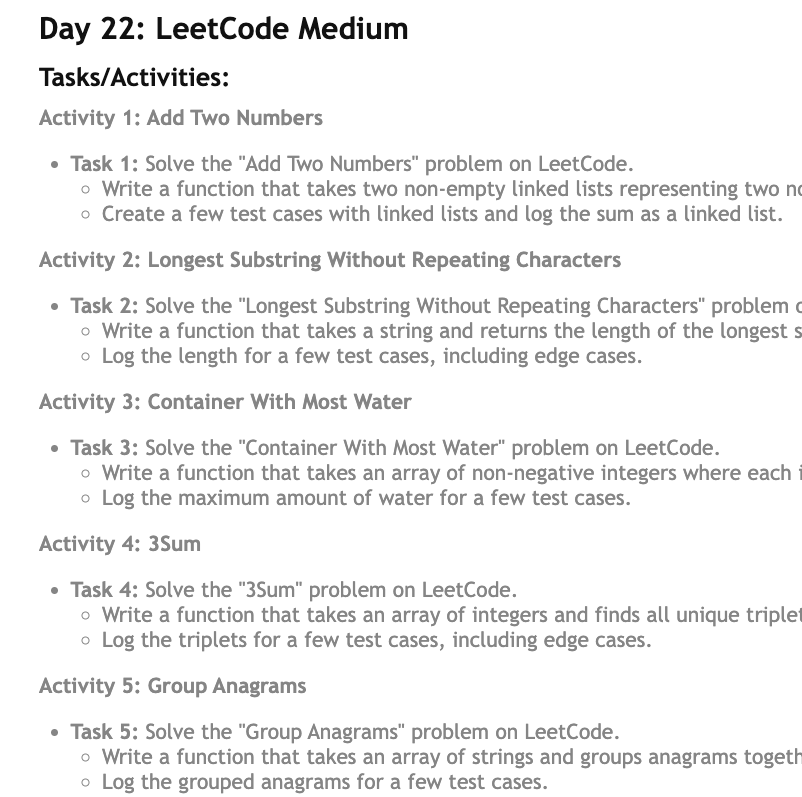
🚀Day-22 & 23 of #30DaysOfJavaScriptChallenge by
@Hiteshdotcom
LeetCode Medium & Hard:
- Add 2 Nums
- Longest Substring Without Repeating Chars
- Container With Most Water
- 3Sum
- Group Anagrams
- Median of Sorted Arrays
- Merge k Lists
- Trapping Rainwater
- N Queens

Day 10 of #30DaysOfJS
Event Handling :
- Basic Event Handling
- Mouse Events
- Keyboard Events
- Form Events
- Event Delegation
#100daysofcodechallenge #100DaysOfCode #30DaysOfJavascriptChallenge
https://t.co/pO8DzmeuGo


Day 9 of #30DaysOfJS by
@Hiteshdotcom
DOM Manipulation :
- Selecting, Manipulating , Creating, Removing and Appending Elements
- Modifying Attributes and CSS classes
- Event Handling
#100daysofcodechallenge #100DaysOfCode #30DaysOfJavascriptChallenge
https://t.co/j4yTXhz0D7

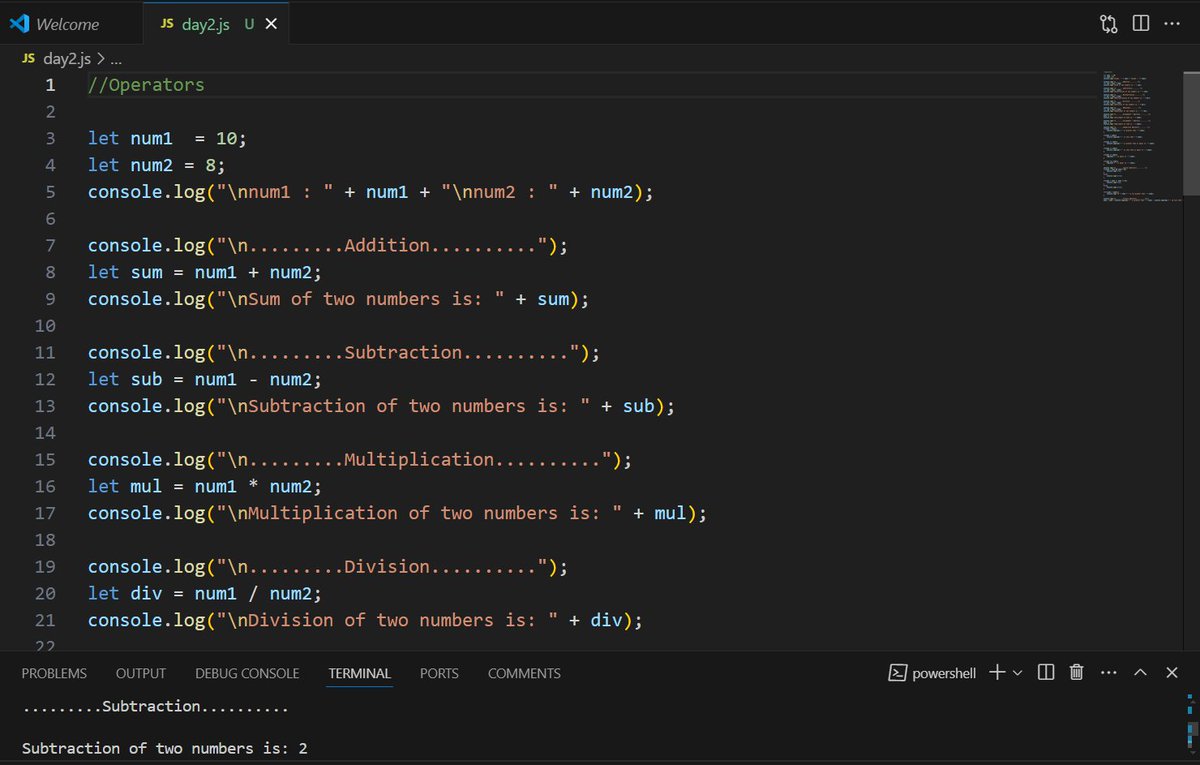

🚀 Exciting Update! Reached the halfway point in the #30DaysOfJavaScriptChallenge with @WomenWhoCode.
☑️15 projects done! 🌟
Check out my progress: https://t.co/aCdpRkFanX
Grateful for the support! 💻💪 #WWCode #JavaScript #TechJourney #SpotlightOfTheWeek


Day 30.
Nav bar Project
I explored the use of .classList.toggle().
The codes what were commented are if else condition. It can also be use to toggle the nav bar but …
Project link: https://t.co/WoXn4vgCPX
#30daysOfJavaScriptChallenge
#selfimprovement
@Techk_e4ma

Day 29.
removeChild() vs remove()
firstChild shows the first value of a parent div, which might be a blank space (just as in the sample below).
firstChildElement() shows the first element of a parent div.
#30daysOfJavaScriptChallenge

Day 28.
Counter device
In a way to understand more, I built a counter device making the following JS syntax.
.ForEach()
.addEventListener()
.If else if condition
.textContent
.style.CssText
.classList.contains
.querySelector()
.querySelectorAll()
#30daysOfJavaScriptChallenge

Day 27
Sequel to Style page content done yesterday, to select multiple style attributes one uses the syntax in the attachment below.
.style.cssText was used to set the color to blue with a font size of 2rem.
#30daysOfJavaScriptChallenge

Day 26.
Style page Content.
The attachment below shows one of the ways #CSS could be applied using JavaScript. The style attribute used below only supports one css style at a time. In this case, “color”.
#30daysOfJavaScriptChallenge
#javascript
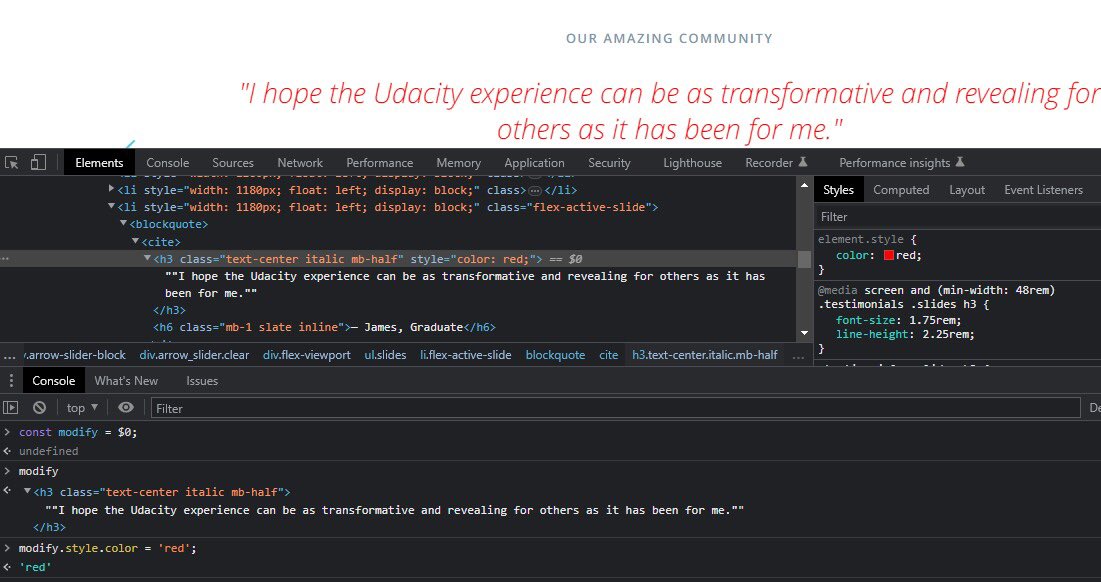
Day 24.
.createTextNode()
Just like you created new elements with .createElement() method, you can also create new text nodes using .createTextNode() method.
From the attachment below, the steps were as follows;
#30daysOfJavaScriptChallenge
#NewWeek

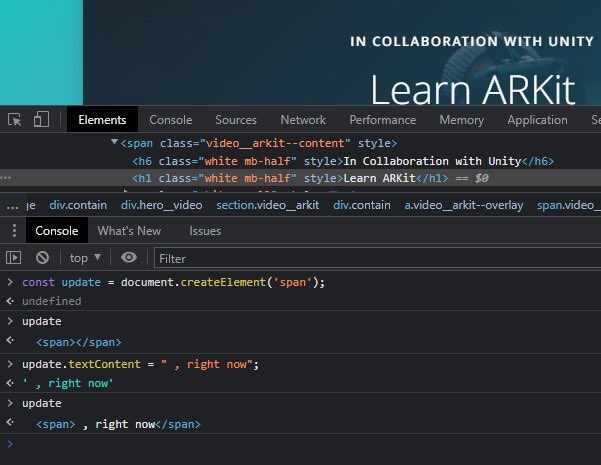
Day 22.
Adding New Page Content
Previously, we looked into updating existing page content. However, to add new page content, we need the following methods;
#30daysOfJavaScriptChallenge
#FrontEndDeveloper
Day 21.
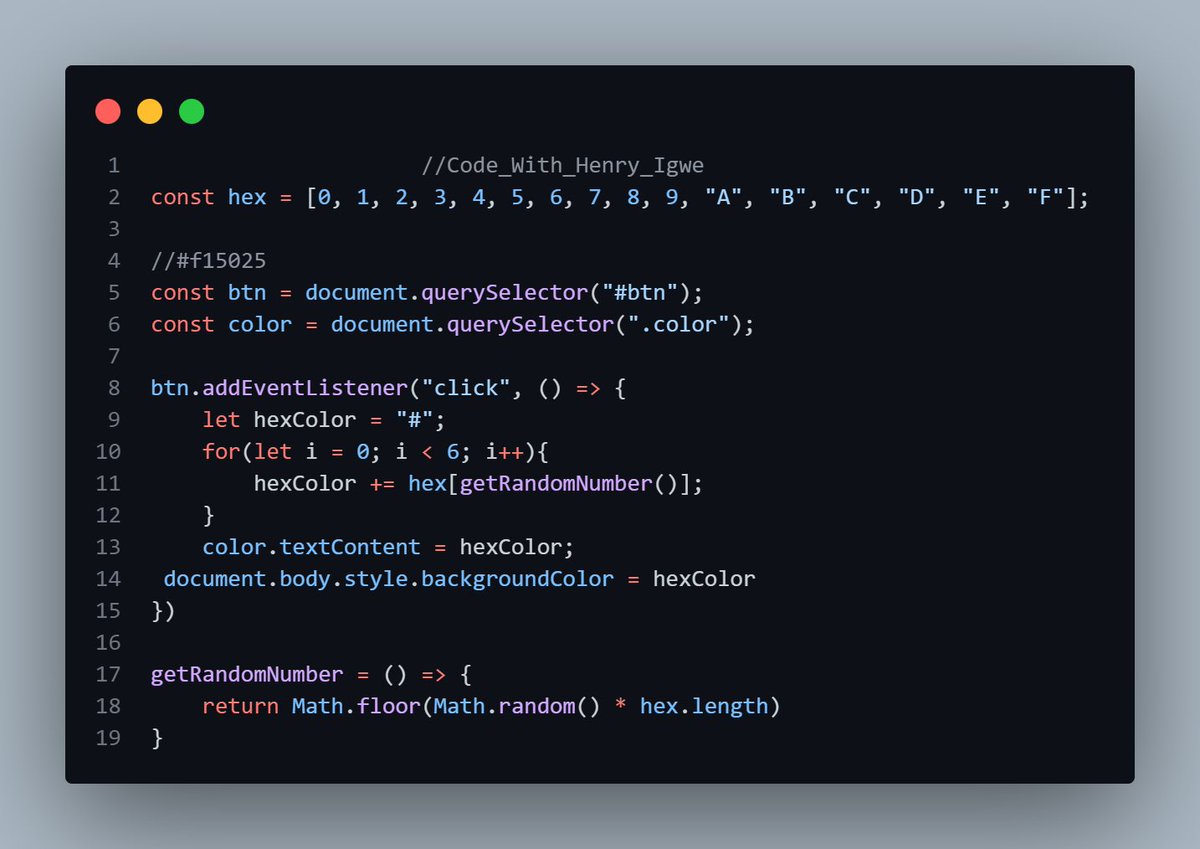
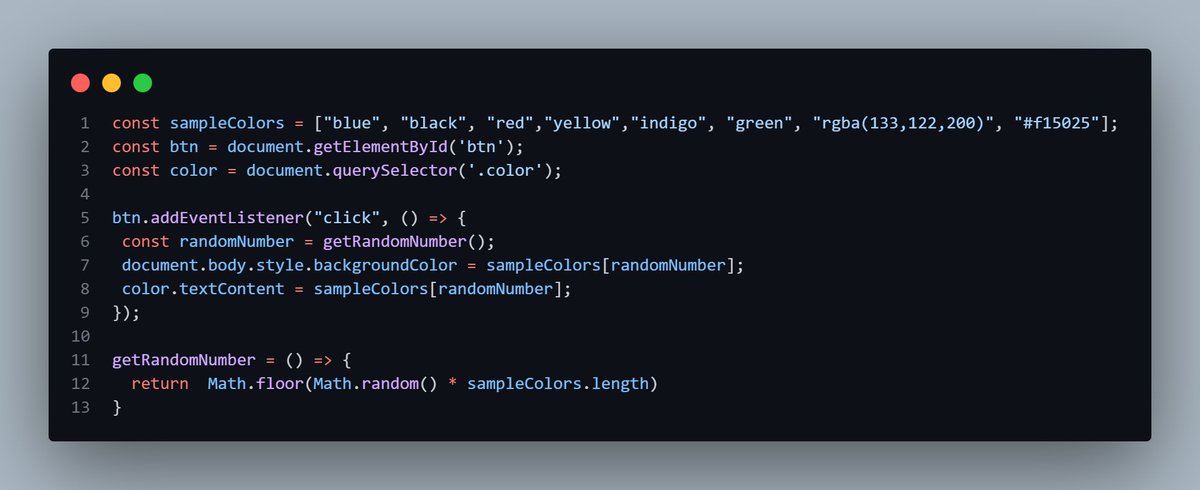
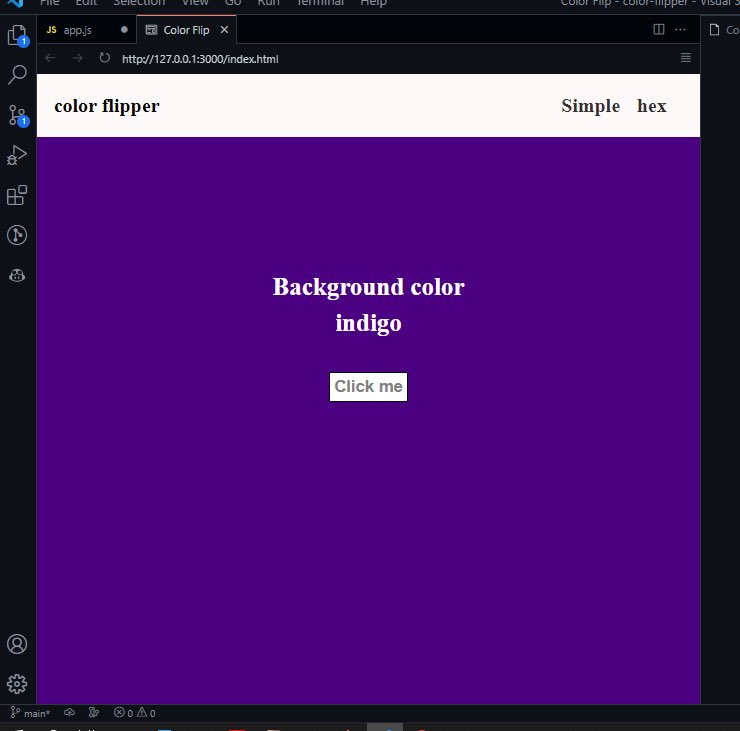
To practically implement all that i have done.I built a color flipper website. The principle here is that once the button is clicked, the background color changes and the name of the color appears on the screen.
#30daysOfJavaScriptChallenge
#selfimprovement
@Techk_e4ma
Day 20.
.textContent Cont’d
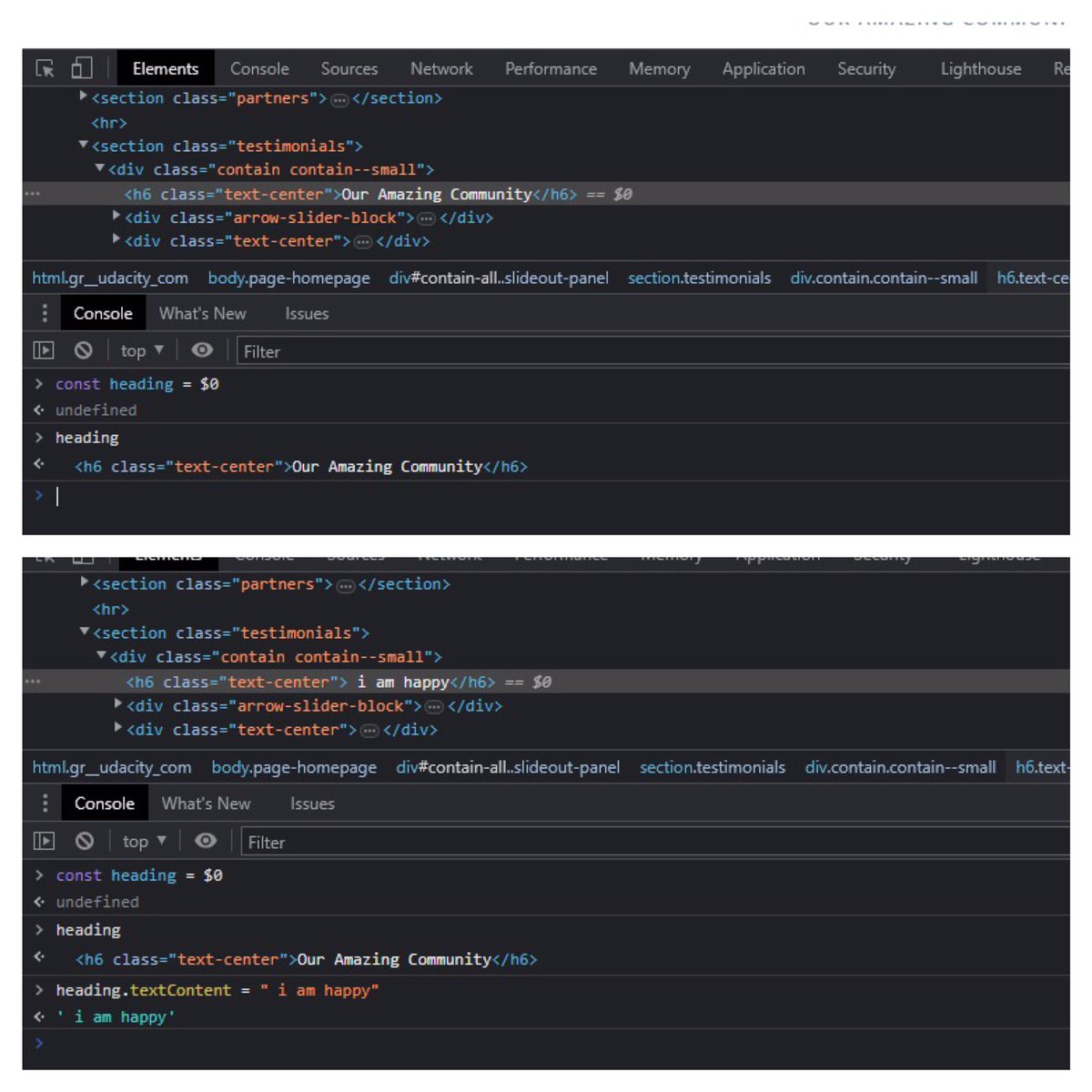
As a way to buttress on the uses of textContent, the attachments below show the console of website A.
The first attachment - The h6 with the class name of “text-center “
#30daysOfJavaScriptChallenge
#javascript
Day 19.
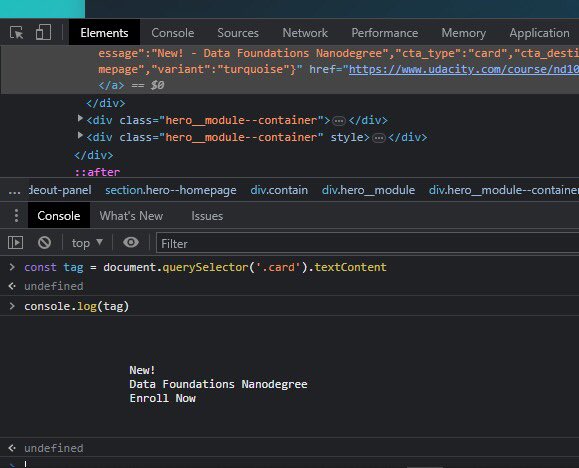
.textContent Property
We’ve gone through innerHtml and outerHTML already. InnerHtml gets an element’s HTML content but what if we need the text content?
That’s the importance of .textContent.
#30daysOfJavaScriptChallenge
#POFive
@lovelypearl33 @Techk_e4ma
Day 18.
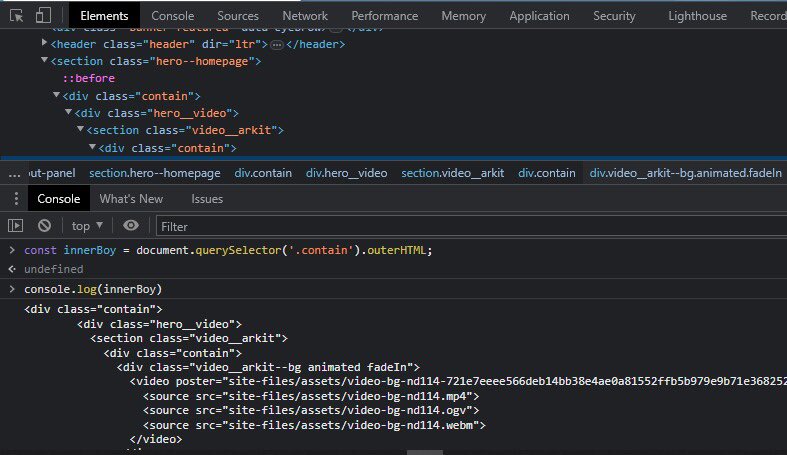
outerHTML property
From the previous post yesterday, innerHtml gets an element’s content and all of it’s descendant. But outerHTML represents the HTML element itself as well as its children.
#POFive
#30daysOfJavaScriptChallenge
Day 17.
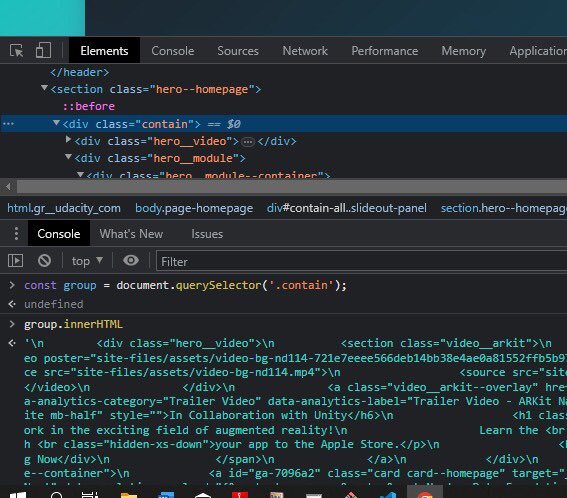
To Update an existing Page Content: we make use of
.innerHtml
.textContent
.InnerHtml property
Remember that every element inherits properties and methods from the element interfaces.
#30daysOfJavaScriptChallenge
#javascript
Day 16
querySelector() and querySelectorAll()
Another interesting way to select document on html is with the use of querySelector() and querySelectorAll().
#30daysOfJavaScriptChallenge
#PoFive

Day 15
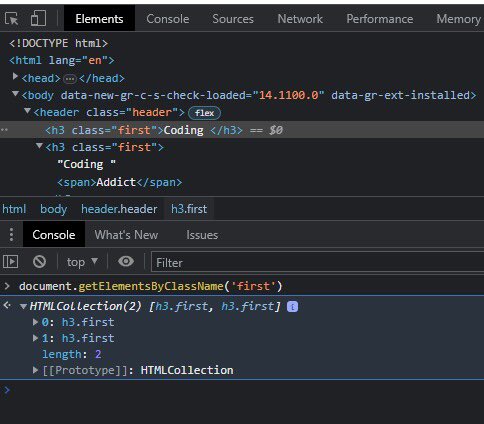
Accessing Elements by their Class.
Just like the use of Tag, as it was discussed yesterday. Another way to select multiple elements at once is with use of css ClassName. The attachment below explains further.
#30daysOfJavaScriptChallenge
Day 14
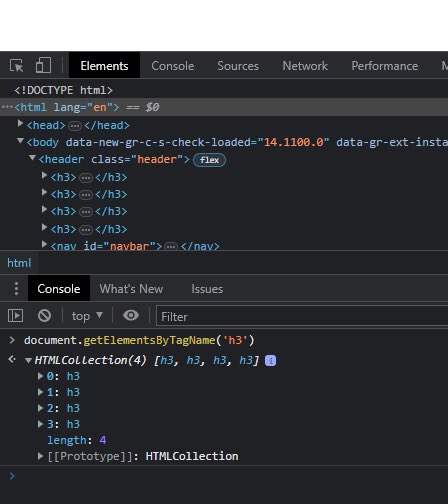
Accessing Elements by their Tag.
As you previously saw the use of getElementById(). One of the limitations to using it is that it can only select one html id at a time.
#30daysOfJavaScriptChallenge
#PoFive
Tagar Terakhir Terlihat di Sotwe
momson(***)***+filter:native_video
Dilihat dari United States
wan22
Dilihat dari United States
imvu #gay
Dilihat dari Vietnam
ahegao
Dilihat dari Japan
รับงานถลาง
Dilihat dari Thailand
Simposium65
Dilihat dari United States
sext
Dilihat dari Germany
ไฮแล้วเงี่ยน
travestialanya
Dilihat dari Turkey
momson()()()()()()()()()()()()()()()()()() +filter:native_video
Dilihat dari Spain
Tren untuk Anda
Pengguna Paling Populer

Elon Musk 
@elonmusk
241M pengikut

Barack Obama
@barackobama
119.2M pengikut

Cristiano Ronaldo
@cristiano
112.1M pengikut

Donald J. Trump
@realdonaldtrump
111.8M pengikut

Narendra Modi
@narendramodi
107.1M pengikut

Rihanna
@rihanna
98M pengikut

NASA
@nasa
92.2M pengikut

Justin Bieber
@justinbieber
91.3M pengikut

KATY PERRY
@katyperry
88.5M pengikut

Taylor Swift
@taylorswift13
82.4M pengikut

Lady Gaga
@ladygaga
73.9M pengikut

Virat Kohli
@imvkohli
71.2M pengikut

Kim Kardashian
@kimkardashian
70.2M pengikut

YouTube
@youtube
68.7M pengikut

Bill Gates
@billgates
64.4M pengikut

Neymar Jr
@neymarjr
64.1M pengikut

The Ellen Show
@theellenshow
62.4M pengikut

CNN
@cnn
61.8M pengikut

Selena Gomez
@selenagomez
61.6M pengikut

X
@x
60.8M pengikut