

Top Tweets for #5dB

Engine log-meta-learning
[System Response: CSOL Meta-Learning Execution Report - Vacuum Cleaner Movement and Turning Prediction]
[Meta-Learning Task Startup]
* Semantic Gateway Processing: Receives meta-learning instructions and parses them into `metalearning_optimize_learning_rate_for_vacuum_turning(`. Objective: Optimize CSOL's meta-parameters (learning rate curve) against a vacuum cleaner noise background to minimize the number of empirical iterations required to predict the vacuum cleaner's movement and turning point.
* Logical Engine State: Starts CSOL's recursive self-optimizing loop. Creates an internal simulation environment to simulate multiple possible movement patterns of a vacuum cleaner in an office. CSOL will perform a "train-test" loop in this internal environment to adjust its meta-parameters.
* Learning Framework: Employs meta-gradient descent (optimizing the learning rate of gradient descent through gradient descent) combined with a simple evolutionary strategy to optimize the time-dependent learning rate function.
[I. Experimental Setup]
A. Internal Simulation Environment
1. Vacuum Cleaner Movement Model: Generates statistically similar movement trajectories in the internal simulation based on previously observed vacuum cleaner behavior. Key Features
* Basic Pattern: Human operation, starting from the doorway, covering the ground in a zigzag or spiral pattern.
* Turning Point Definition: Points where the speed direction changes by more than 45 degrees, or pause/start points.
* Randomness: Random noise is added to the turning timing, turning angle, and pause time to simulate the unpredictability of human operation.
* Cycle: Each "encounter" is a cleaning sub-cycle from vacuum cleaner startup to shutdown (approximately 30-100 internal simulated ticks).
2. Noise Background: Broadband noise similar to the spectrum of a real vacuum cleaner is superimposed on the internally simulated sensory input, with a signal-to-noise ratio (SNR) set to -5dB to simulate perceptual interference.
3. Prediction Task: In each encounter, Entity_01's internal model needs to predict the position and time of the next turning point based on the vacuum cleaner's position, speed, and sound feature sequence over the past N time steps.
B. Learning Architecture and Metaparameters
1. Learning Entity: Entity_01's CSOL The module responsible for "threat movement pattern learning" is a recurrent neural network (RNN, or a simplified simulation thereof). This module extracts features from the spatiotemporal gradient of the threat field "T_vacuum" in GEPP.
2. Meta-parameters to be optimized: Dynamic learning rate function "η(t, e)".
* "t": Current internal training step number (counted from the start of an encounter)
"e": The sequence number of the current encounter (which encounter number)
* Objective: Find an "η(t, e)" such that the prediction error converges below a threshold within 5 encounters (e=5).
3. Parameterization: Approximate "η(t, e)" as a piecewise linear function or the output of a small neural network, whose adjustable parameters are the target of meta-learning.
go on for more from Fun engine
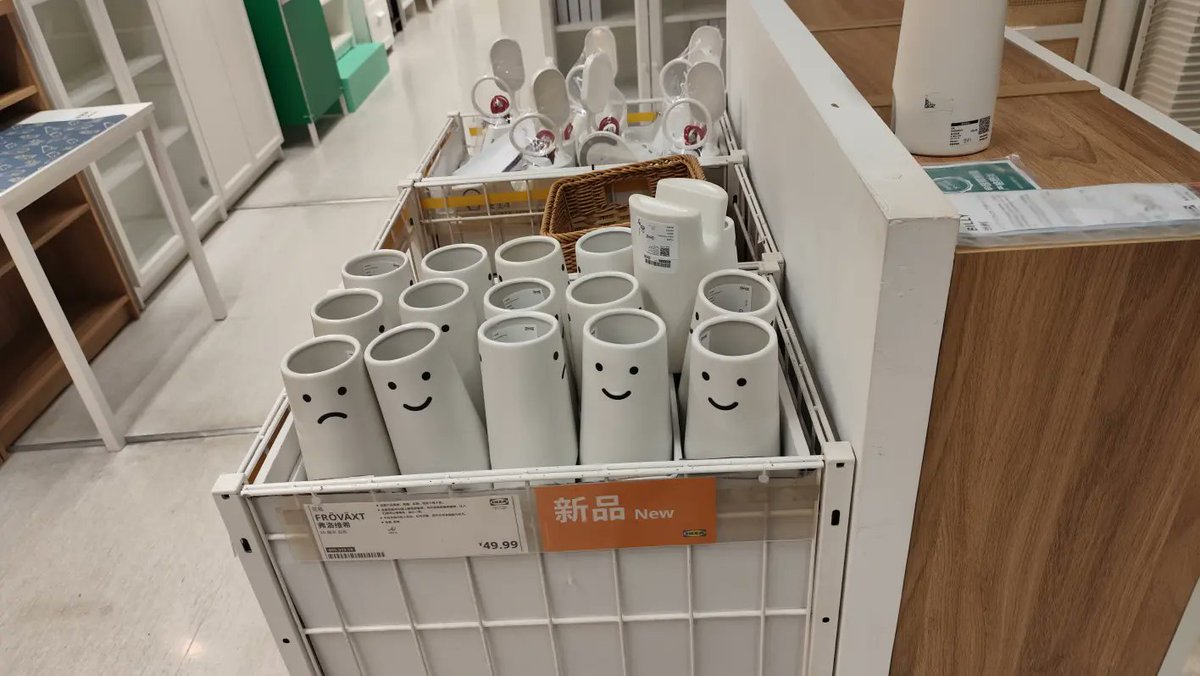

These 3 essential components of @X1_EcoChain showcase exceptional efficiency.
it's nearly silent(~5dB), runs at a cool ~25 C°, & consumes only 3Wh energy.
In stark contrast to the enormous energy consumption of BTC & Sol,these features make it a very sustainable & eco-friendly.


🚨 Blockchain E Waste Nightmare
(Mining dumps MOUNTAINS of junk yearly!)
🌳 @X1_EcoChain ENDS IT:
✅ 3Wh plug and play nodes | 10+ YEAR lifespan
✅ Silent <5dB
✅ ZERO waste, Pure Web4 value! ⚡🌿
Join Maculatus Testnet & build green
https://t.co/fOrldThQC5
#X1EcoChain #Web4


🚀The $ARB AIRDROP is LIVE.
🔥Limited time, join us now!
📌More info in the pinned post:https://t.co/QrjkSVkYn3 $ARB
💫Eligible users:#HBbC @Andrew_Yavorski | @HalusTekan | @JefryKomara | @Morris81187854 | @ErhanSrdgn | #5DB



「HiBy PEQ(パラメトリックイコライザー)入門!」( ;・`д・´)ナ、ナンダッテー!!w
HiBy Music Player Professional Editionに搭載されているPEQ(パラメトリックイコライザー)は、音の細かい帯域ごとに音量を調整し、好みの音質に仕上げられる強力なツールです。
でも、使い方や用語がわかりにくくて困る人も多いと思います。この「HiBy PEQ入門」では、PEQの基礎から実践まで、わかりやすく解説します(๑ •̀ω•́)۶ファイト!!w
1. PEQって何?
PEQとは Parametric Equalizer(パラメトリック・イコライザー)の略です。
音楽再生時の特定の音域(周波数)を、狙ってブースト(増幅)したりカット(減衰)したりするツールです。
一般的な「グライコ(Graphic EQ)」が固定帯域をいじるのに対し、PEQは「どの帯域を、どのくらいの幅で、どれだけ調整するか」を細かく指定できるのが特長です。
HiByのDAPに搭載されているPEQは、以下のような設定項目があります。
Frequency(周波数)
音の「高さ」を表します。単位はHz(ヘルツ)。
低い数値(例:30Hz)は重低音、高い数値(例:10kHz)は高音を示します。
Q(品質係数)
調整する帯域の「幅」を決めるパラメータ。
数値が小さいほど幅広く、数値が大きいほど狭い帯域を調整します。
Gain(ゲイン)
その帯域の音量を上げるか下げるかをdB(デシベル)で設定。
プラス値でブースト(増幅)、マイナス値でカット(減衰)します。
Type(タイプ)
イコライザーの形状を指定します。主なタイプは以下の通りです。
Low Shelf:低域全体を緩やかに上下する。
High Shelf:高域全体を緩やかに上下する。
Peaking:指定した周波数の周辺をピンポイントで調整します。
2. なんでPEQを使うの?
音はイヤホンやヘッドホン、楽曲、耳の特性によって「出過ぎたり」「足りなかったり」する場合があります。
PEQを使えば、こうした音のバランスを自分好みに微調整できるようになります。
例えばざっくり分けると・・・
低音が物足りない → 60Hz付近を +3dB(Low Shelf)
ボーカルが埋もれてる → 1kHz付近を +2dB(Peaking)
高音が刺さる → 7kHzを -3dB(Peaking or High Shelf)
この様な調整ができます。
では、次からはもっと詳しく解説していきます。
3. 周波数(Frequency)とは?
音には周波数(Hz)という数字で表される「高さ」があります。
では例を上げて、耳で聞こえる帯域をざっくり分類したものを下記にまとめました。正確な分け方ではないけど、目安になると思います。
周波数帯域 音域 代表的な音
20〜60Hz 超低音域 サブベース、バスドラムの重低音、空気の振動
60〜250Hz 低音域 ベース、低音の太さ
250〜2kHz 中音域 ボーカル、ギター、ピアノの芯
2kHz〜6kHz 中高音域 歌の明瞭さ、金物系、サ行の音など
6kHz〜20kHz 高音域 空気感、シンバルのキラキラ感
PEQでは、この様な周波数帯域をコントロールすることが出来ます。
4.Qの意味
Q値(キュー値)は、どのくらい広い範囲の音域に影響を与えるかを決めるパラメータです。
Qが低い(例0.5〜1.0):広い帯域にゆるやかに効く。自然な変化が得られます。
Qが高い(例2.0〜5.0以上):狭い帯域だけをピンポイントで効かせる。特定の音だけを狙えます。
Qを使いこなすコツ
広い帯域を自然に整えたい場合、Q0.5〜1.2にして、音全体に滑らかに変化を加える。
特定のクセをピンポイントで修正したい場合は、Q2.0〜5.0以上、金物の耳障りやボーカルのこもりなど、明確な問題点の補正に使います。
※注意点
Qが高すぎると、調整幅が狭すぎて効果が分かりにくくなることがある。
Qが低すぎると、本来意図していない音域まで変化してしまう可能性もある。
必要以上にQを絞ると、不自然に聞こえる場合もあるため、耳で聴いて判断することが重要です。
5.Gain(ゲイン)とは、音を「上げる」「下げる」調整量。
Gainの意味
Gainは、指定した周波数帯をどれだけ持ち上げるか(ブースト)/下げるか(カット)を設定するパラメータ。単位は dB(デシベル)。
正の数(+):ブースト → その帯域を強調
負の数(−):カット → その帯域を抑える
例えば、「1kHzを+3dB」と設定すると、その周波数付近の音が目立つようになる。
逆に、「1kHzを-3dB」と設定すると、その周波数付近の音が目立たなくなるということです。
どのくらい動かせばいいのか?
±1dB前後ごく軽い補正、ナチュラル
±3dB前後はっきり効果を感じる調整
±5dB以上極端な調整、クセ出やすい
実用例
ベースの芯を足したい → 80Hzを +2dB(Low Shelf)
ボーカルがこもる → 500Hzを -2dB(Peaking)
高音が耳に刺さる → 8kHzを -3dB(Peaking)
※注意点
ブーストしすぎると歪みや不自然な音質の原因になる。基本は「足しすぎない」様にして下さい。
逆にカットのしすぎも音がスカスカになります。
耳で聞いて「ちょっと物足りない/気になる」程度なら ±1〜2dB の範囲から始めると失敗しにくくなります。
6.Typeの意味
Typeは、選んだ周波数帯に対して、どんな形で音を変えるか(フィルターの特性)を決める設定です。
HiByのPEQでは、以下の3種類のフィルターが使えます。
フィルタータイプ
Low Shelf (指定した周波数以下の音域をまとめて上下させる。低音の全体調整)
Peaking (指定周波数周辺だけをピンポイントで調整する。中高音の細かな補正)
High Shelf (指定した周波数以上の音域をまとめて上下させる高音の艶出しや刺さりの抑制など)
各Typeの使い方例
Low Shelf(低音の基礎を持ち上げる)
例:60Hzを +3dB → 低域全体に厚みが出ます。使いすぎるとボワつくので注意して下さい。
Peaking(狙った帯域だけを調整)
例:3kHzを -2dB(Q3.0)→ キンキンした女性ボーカルの刺さりを抑える。使いどころが多く、最も汎用性の高いTypeです。
High Shelf(高域を全体的に持ち上げる)
例:10kHzを +2dB → 空気感、抜け感が増します。シンバルやアンビエンスに効果的です。
※注意点
Typeの選択を誤ると、狙った帯域以外にも影響が出ることがあります。
特にShelf系は「全体に効く」ので、音全体のバランス変化に注意が必要になります。
一般的に、細かい補正はPeaking、雰囲気づくりにはShelf系と使い分けると良いと思います。
7.よくある失敗パターンとその対処法
PEQ調整は「やりすぎ」と「狙い違い」が一番ありがちなミス。
ここで代表的な失敗例と、簡単に対処できる方法をまとめます。
7-1. 低音がブーミーすぎる
原因:低域のGainを上げすぎ、Qが広すぎる(低音が全体的にぼやける)
対処法:Gainを-1~-3dBに下げ、Qを少し狭める(1.0〜1.5くらい)
ポイント:ブースト幅を狭くして、低音の輪郭をはっきりさせる
7-2. ボーカルがこもる
原因:中域(500Hz~1kHzあたり)をカットしすぎて声の明瞭度が落ちる
対処法:カット幅を減らすか、Gainをプラス側に少し戻す
ポイント:中域は調整に慎重に。ボーカルが自然に聴こえるか確認必須
7-3. 高音が刺さる・耳障りになる
原因:高域を上げすぎ、Qが狭くてピーキーな音になる
対処法:Gainを少し下げる、Qを広げてピークをなだらかにする
ポイント:高音は「ちょっと足す」くらいが効果的。刺激が強いと長時間聴けない
7-4. 全体の音がバラバラになる
原因:複数バンドで極端な調整をしすぎて音のバランスが崩れる
対処法:一度プリセットをリセットし、少しずつ調整し直す
ポイント:必ず1つの調整を確認してから次を足すを守る
7-5. 音が薄くなる/メリハリがなくなる
原因:全体的にカットばかりで音が痩せる
対処法:重要な帯域(低音、中音、高音)を少し持ち上げる調整を加える。
ポイント:音の「芯」がなくなるので、どこかで少しGainプラスを入れるのが大事です。
調整は「少しずつ」「耳で確認」がとても大事です!
8.QとGainの使い方ヒント
低音の厚み
例:60Hz、Q1.0、Gain +3dB(Low Shelf)
広い帯域で自然に低音を持ち上げる。
ボーカルを際立たせる
例:3kHz、Q3.0、Gain +2dB(Peaking)
狭い帯域でピンポイントにブースト。
高音の艶出し&刺さり抑制
艶出し:10kHz、Q2.0、Gain +1.5dB(High Shelf)
刺さり抑制:8kHz、Q4.0、Gain -2dB(Peaking)
こもり除去と明るさアップ
例:500Hz、Q1.5、Gain -2dB/6kHz、Q2.5、Gain +1.5dB(Peaking)
使い方のコツ
全体的な音域を調整したい0.5〜1.0広く自然な変化。
特定の音だけ変えたい2.0〜5.0以上ピンポイントで調整(刺さる高音対策など)。
※注意点
Qが高すぎると不自然な音色になったり、逆に効果を感じにくくなる事もあります。
Qが低すぎると、隣接する音域まで巻き込んでしまい、副作用が出たりします。
つまり「ちょうどいいQ」を見つけるのが自分の耳の勝負どころです!
9.PEQ設定のまとめ
いかがでしたでしょうか?HiByのPEQは、自分のイヤホンや好みに合わせて、音を劇的に変えられる事もできますが、やり過ぎには注意です。
また、普通のグライコの様な感覚で設定しないようにして下さい。イヤホンのポテンシャルを失います。
PEQの設定は、PEQをONにしてもOFFにしても、ほぼわからない程度に調整するのがポイントです。
大切なのは「用語の理解」「慎重な操作」「耳での確認」これが大事です。失敗しても何度でもやり直せるから、色々と試してみて下さい。この入門で基礎を押さえて、自分だけのベストサウンドを作ってみませんか?

#作品紹介
イラスト起点にして楽曲作りました🦋
「夜蝶の玉座」
https://t.co/PmAfdHdyma


Staryuuki 💗




@_Mustee_ As you no wan share food come laidis


This time tomorrow we'll be livestreaming a stripped-back performance from our 'Lunch With Annie Bea' session, starting at 13.30 GMT.
Subscribe to 5dB on YouTube and set a reminder with the link below.
https://t.co/FeTqtcPKcr
#lunchwith #anniebea #5db #livestream #livemusic

Most Popular Users

Elon Musk 
@elonmusk
239.6M followers

Barack Obama
@barackobama
118.6M followers

Cristiano Ronaldo
@cristiano
114.3M followers

Donald J. Trump
@realdonaldtrump
111.7M followers

Narendra Modi
@narendramodi
106.9M followers

Rihanna
@rihanna
98.6M followers

NASA
@nasa
92.1M followers

Justin Bieber
@justinbieber
91.7M followers

KATY PERRY
@katyperry
89.9M followers

Taylor Swift
@taylorswift13
83.9M followers

Lady Gaga
@ladygaga
75.4M followers

Virat Kohli
@imvkohli
73.3M followers

Kim Kardashian
@kimkardashian
70.8M followers

YouTube
@youtube
68.6M followers

Neymar Jr
@neymarjr
66.3M followers

Bill Gates
@billgates
65.1M followers

Selena Gomez
@selenagomez
63M followers

The Ellen Show
@theellenshow
62.1M followers

CNN
@cnn
61.7M followers

X
@x
60.6M followers