

Top Tweets for #ClickTip

🟣 #ClickTip: Use ClickUp AI as your writing assistant!🦾
Out of inspiration? ClickUp AI can help you generate blog titles and ideas quickly. The possibilities are endless!🙌
🟣 #ClickTip: Don't close it, minimize it!
Use the task tray to keep your tasks in focus all day.😉 If you're busy, just minimize it and return later. Not sure what's next? Check your Tray!
🟣 #ClickTip: Save time with /Slash commands!
By pressing slash on your keyboard (/), you can quickly change text formatting, trigger new task actions, and so much more—cutting out all those extra clicks from your workflow.😉
🟣 #ClickTip: Give your tasks (and team) the transparency they deserve.
By toggling on Task locations and Subtask parent names, your team can quickly visualize and jump to a new location in your Workspace!
🟣 #ClickTip: Enhance your writing with ClickUp AI!
Simply select the text you wish to enhance and ClickUp AI will generate an improved version for you in seconds! You can also prompt it to generate a summary of the text, create action items, or perform other useful tasks.🦾
🟣 #ClickTip: Record Voice Clips in task comments to send quick audio notes to your team!
Click on the microphone icon in the comment section of a task, and start recording.🎙️ Once you hit stop, your voice note will be automatically attached to the task!
🟣 #ClickTip: Send quick and clear messages with screen recordings! Instantly capture your entire screen, app window, or browser tab—without time limits.
Additionally, you can simultaneously record your voice over the clip for a touch of intimacy when working remote.😉
🟣 #ClickTip: Pin your favorite tools for quick access!
To create a streamlined workflow, pin your most frequently used tools for quick and easy access.
🟣 #ClickTip: Create a Space from a template!
With +1,000 options, templates allow you to dive right in. You can also create and save your own templates for future use!
🟣 #ClickTip: Eliminate repetitive steps by managing your tasks in bulk!
Select multiple tasks and make changes to all of them at once with the Bulk Action Toolbar. This way, you set the same start date, due date, or priority for a handful of tasks... all at once!
🟣 #ClickTip: Use Custom Fields to customize your Workspace with different types of data.
Different Custom Fields types allow you to capture and use different types of information to organize tasks and maintain consistency.🥳
Learn more:
https://t.co/vMN6r9MUJY
🟣 #ClickTip: Bookmark the Workspace locations you use the most with the Favorite setting!
Your Favorites are unique to you. They can be displayed in your Sidebar or pinned to the top of your Workspace!
Learn more:
https://t.co/cnVcxrFpNV
🟣 #ClickTip: Improve your writing in seconds!
Transform complex documents into clean and concise summaries with ClickUp AI.🦾
Learn more:
https://t.co/p0Cu8Ir3ee
🟣 #ClickTip: Add a new Task view for a unique perspective of all your tasks!
You'll start with List view and Board view to keep things simple, but you can add a view at any time! You can even customize how they're built by default.😉
🟣 #ClickTip: Reach a larger audience with text translation!
Use ClickUp AI to effortlessly translate text into +10 languages, unlocking global opportunities for you and your team.🥳
Learn more:
https://t.co/DtKZU51OE1
🟣 #ClickTip: Automate, automate, automate!
Use Automations with personalized Actions and Triggers to automate repetitive tasks, like setting a new due date when a status changes.🦾
Learn more:
https://t.co/HQlD3Lfv9p
#ClickTip of the Day: Do you find yourself asking, "What should I work on next"? Try out our LineUp feature!✔️ Simply click the ellipsis in the task you need to prioritize, choose "Add to LineUp", and it will show up at the top of your Home page. BOOM!💥
#ClickTip of the Day: Accidentally delete a task or Doc!? Recover it within 30 days from the trash! Just click your avatar in the bottom left corner of your Workspace, click “trash” to locate the deleted item, then hit "Restore."🙌 PHEWF!😅
#ClickTip of the Day: Have you ever tried using Me Mode? It switches your view to only show work you're directly involved in, like assigned tasks, comments, and subtasks!🚀

#ClickTip #GEGCDMX
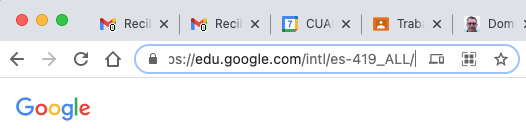
"¡Con un clic genera un código QR para compartir una página web! Ve a Chrome y abre tu página web, luego al lado derecho de la barra del navegador aparecerá el icono de QR, toca el icono para descargar el QR y compartir!"
Compartido por @MxGeg
#innovarparamí

#ClickTip #GEGCDMX
¡Con un clic genera un código QR para compartir una página web!💡 Ve a Chrome y abre tu página web, luego al lado derecho de la barra del navegador aparecerá el icono de QR, toca el icono para descargar el QR y compartir! #innovarparamí #educación #tecnología
Last Seen Hashtags on Sotwe
UniversalnosPresidios
Seen from United States
nolimit() +filter:media()
Seen from Dominican Republic
freaky plug
Seen from Italy
baitrequest
Seen from Italy
IPNAS
Seen from Netherlands
izmitpasif
Seen from Turkey
iQOONeo11Series
Seen from Greece
formulaDriftJapan2
Seen from United States
afyontravesti
Seen from Turkey
awektudung
Trends for you
Most Popular Users

Elon Musk 
@elonmusk
240.2M followers

Barack Obama
@barackobama
119.3M followers

Donald J. Trump
@realdonaldtrump
111.6M followers

Cristiano Ronaldo
@cristiano
108.9M followers

Narendra Modi
@narendramodi
107M followers

Rihanna
@rihanna
97.3M followers

NASA
@nasa
92.1M followers

Justin Bieber
@justinbieber
90.6M followers

KATY PERRY
@katyperry
86.8M followers

Taylor Swift
@taylorswift13
80.6M followers

Lady Gaga
@ladygaga
72.2M followers

Kim Kardashian
@kimkardashian
69.4M followers

YouTube
@youtube
68.6M followers

Virat Kohli
@imvkohli
68.6M followers

Bill Gates
@billgates
63.4M followers

The Ellen Show
@theellenshow
62.5M followers

CNN
@cnn
61.9M followers

Neymar Jr
@neymarjr
61.1M followers

X
@x
60.9M followers

Selena Gomez
@selenagomez
59.9M followers