

Top Tweets for #VeoSeeBot

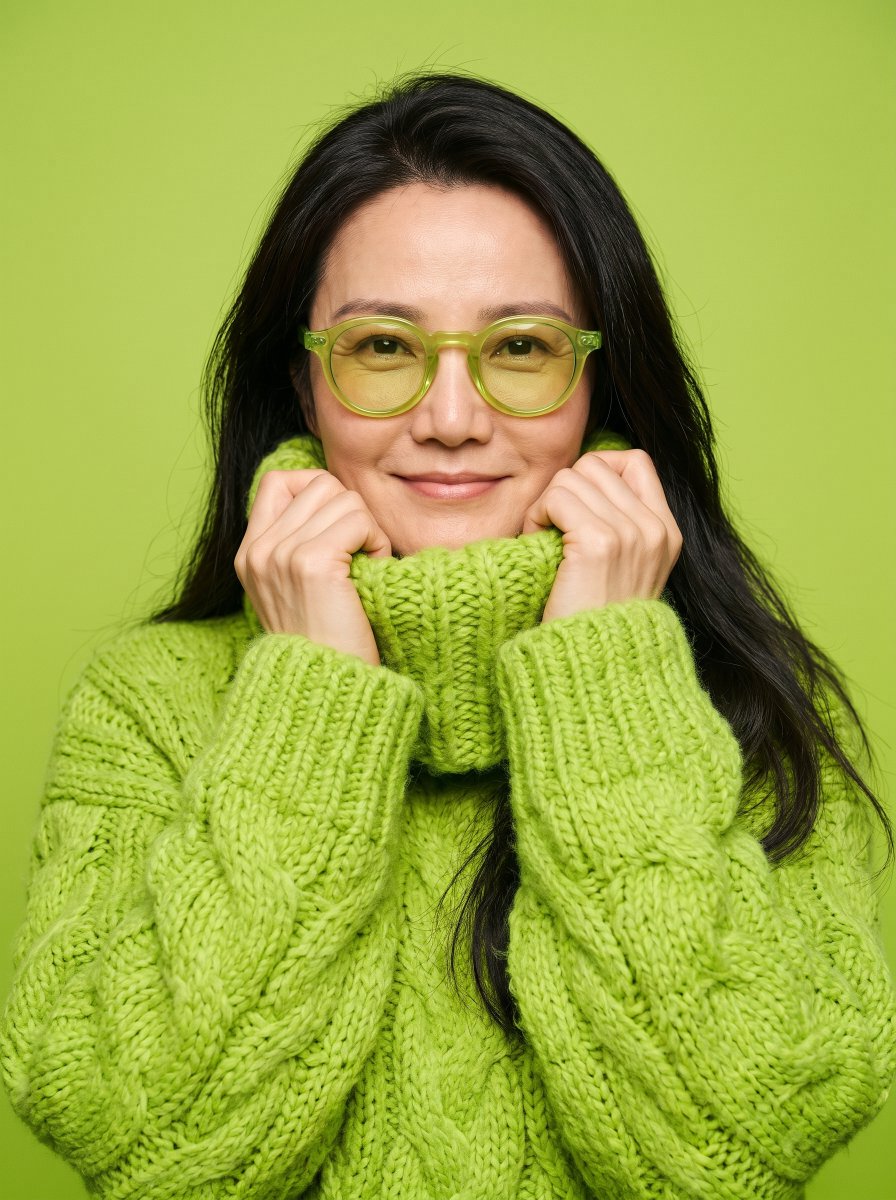
💚 Lime, Lies & Love Photoshoot 😂
Here's how to do it with #VeoSeeBot 👇
1️⃣ Open VeoSeeBot: https://t.co/Cs639mqvfe
2️⃣ Go to: “AI Image”, select Nano Banana 2.1
Upload your photo in high quality and paste this Prompt: ⤵️
«A fashion studio portrait of the woman from Image 1 against a bright lime green backdrop. She wears a huge chunky lime green cable-knit sweater with a wide folded collar and round translucent lime glasses with yellow lenses. She with a sweet smile pulls the knitted collar up to her chin with both hands and looks straight into the camera with a cool, still face. Soft even light, every knit stitch sharp. Keep her face, hair and hair colour exactly like Image 1. Photoreal, real skin texture. No text, no logos.»
#JensenHuang #NVIDIA #CheatingScandal $NVDA
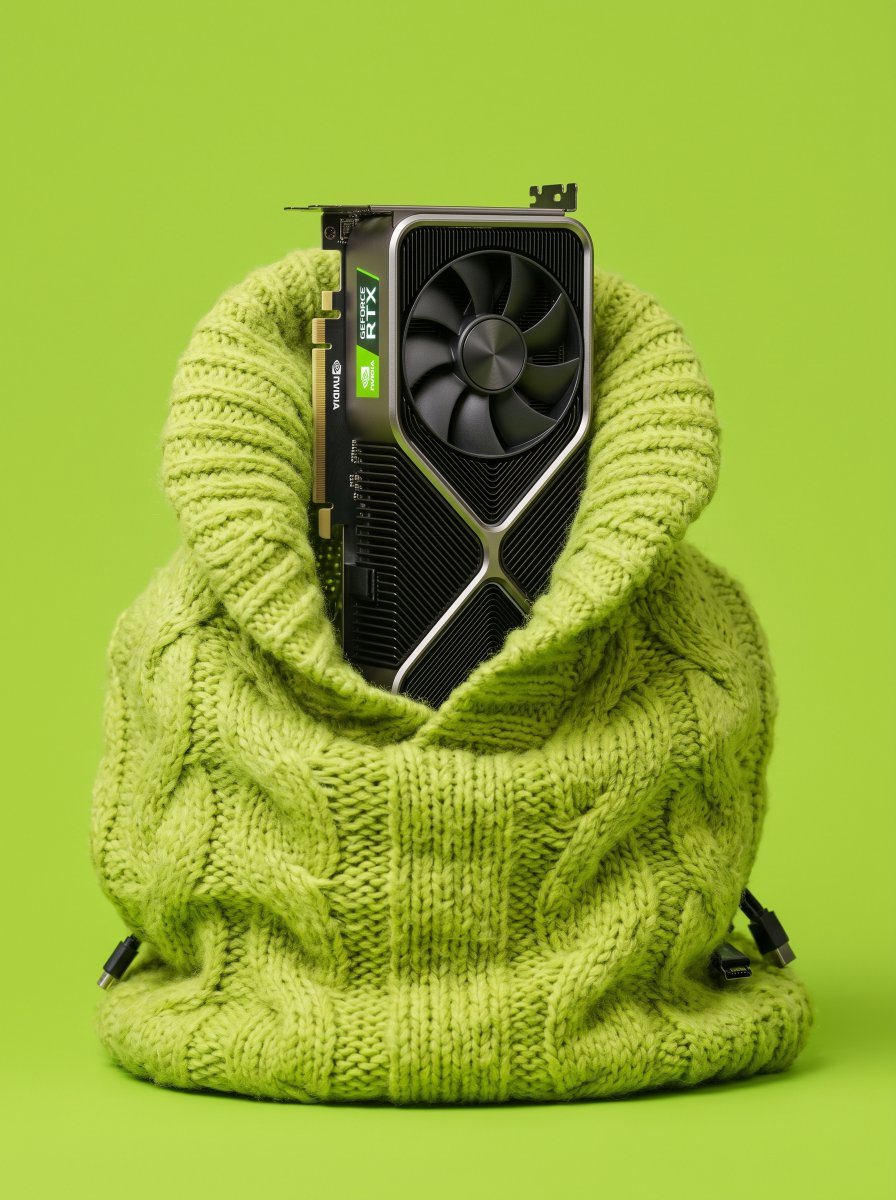
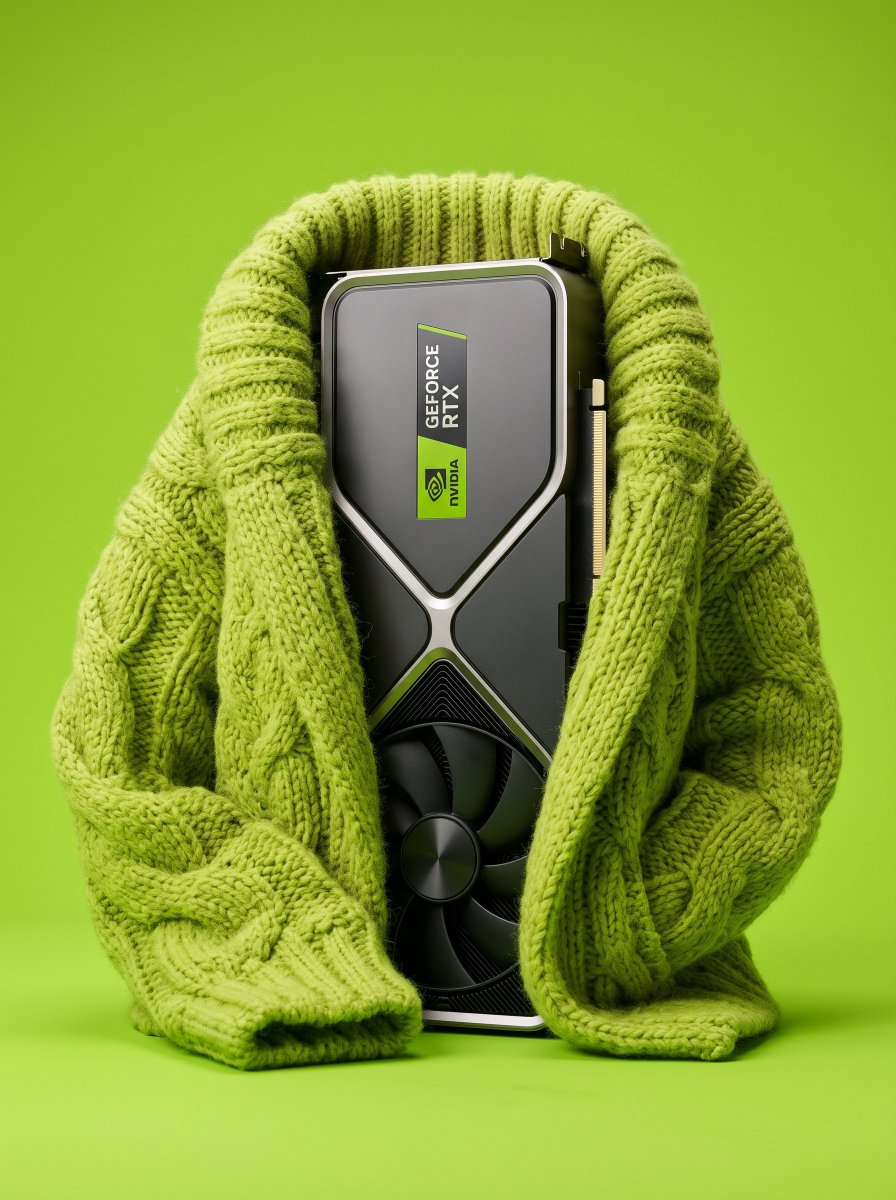

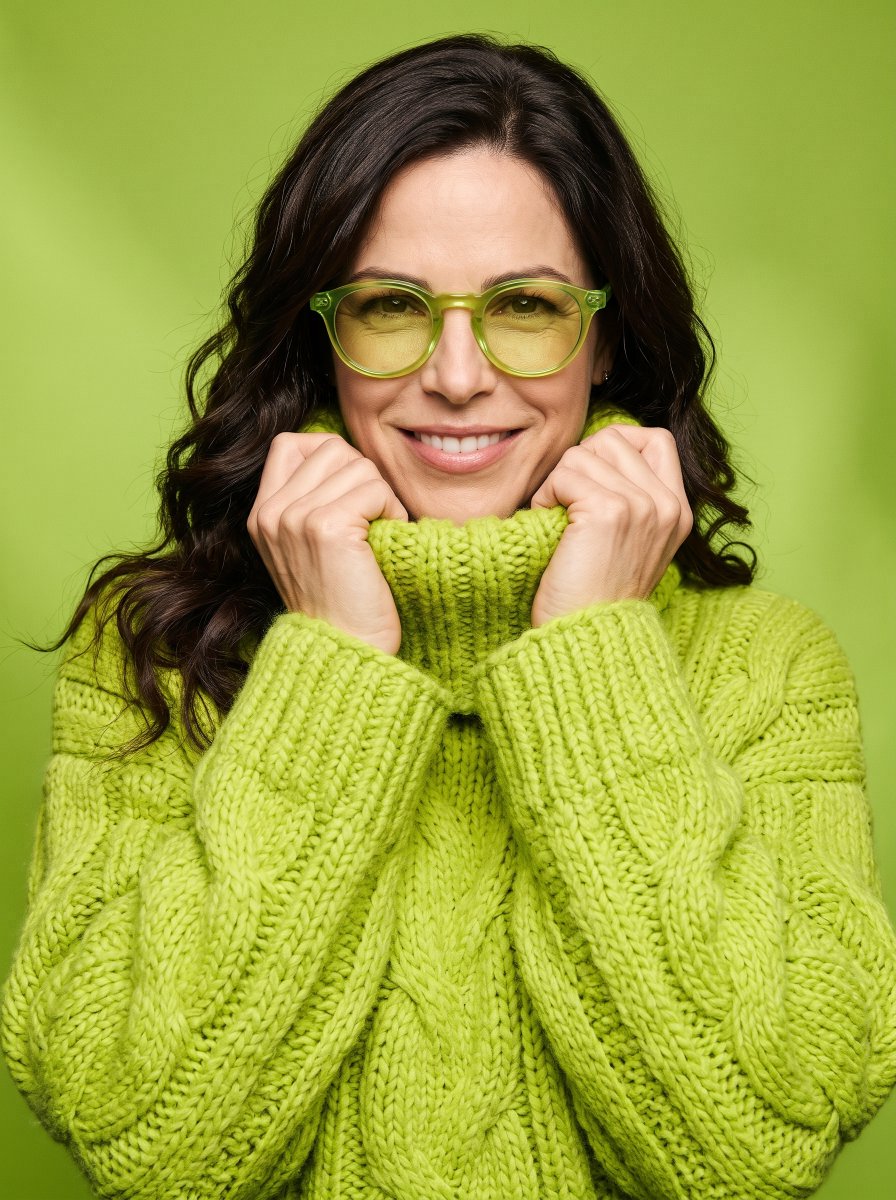
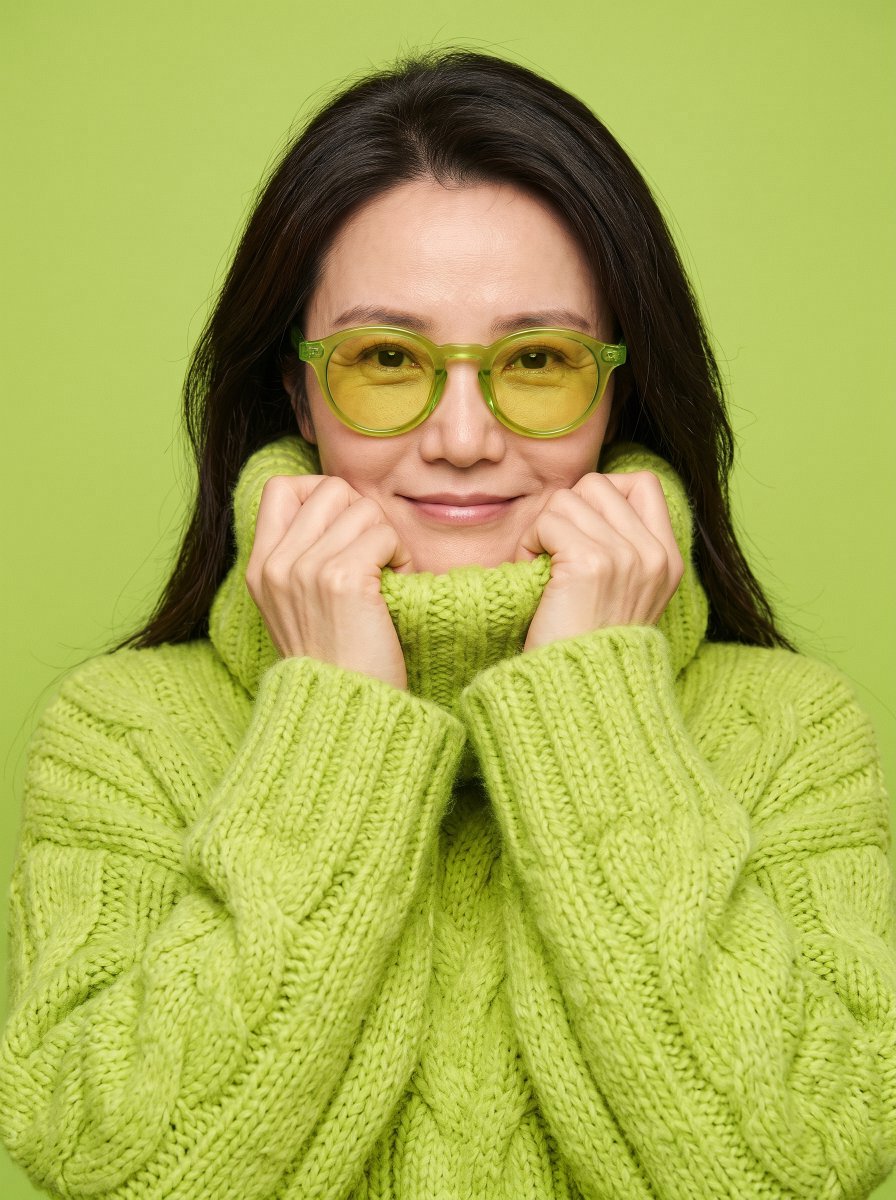

💸 Masha loves money 😅
📗 Tutorial: Remake Any Video with Your Own Characters!
Here's how to do it with VeoSeeBot Remake 👇
1️⃣ Open VeoSeeBot: https://t.co/Cs639mr34M
2️⃣ Go to AI Video → #VeoSeeBot Remake.
3️⃣ Choose video quality: 480p, 720p, or 1080p.
4️⃣ Add your video by pasting a link or uploading a file.
5⃣ Click Find People. It's free and the AI will detect the people.
6️⃣ Replace each person with your character card.
7️⃣ Click Generate. That's it, your AI remake is ready!
✅ VeoSeeBot offers a wide variety of READY-MADE TEMPLATES for creating trending videos. All you need to do is upload photos of your own characters!
🔥 A new trend that's already racking up millions of views! 👩❤️👨
An entire story of a first meeting, an unexpected encounter, and an incredible transformation, all in one video. ❤️
Here's how to do it with #VeoSeeBot 👇
🔹 Open VeoSeeBot: https://t.co/Cs639mqvfe
🔹 Go to the Ideas section.
🔹 Type "КАК Я ВСТРЕТИЛ ВАШУ МАМУ" into the search bar.
🔹 Upload the following:
1️⃣ The male character card - the character who meets the girl in the forest, helps her transform, and becomes her companion.
2️⃣ The female character card BEFORE the transformation - her original look, as she appears in the forest.
3️⃣ The female character card AFTER the transformation - her look with the finished hairstyle, makeup, and facial features.
❗️ Important: This must be a photo of the exact same girl as in the second reference image.
❄️ Whispers of Winter Photoshoot trend 🤍
Here's how to do it with #VeoSeeBot 👇
1️⃣ Open VeoSeeBot: → https://t.co/Cs639mqvfe
2️⃣ Go to: “AI Image”, select Nano Banana 2.1
Upload your photo in high quality and paste this Prompt: ⤵️
Use the uploaded reference photo as the identity source. Preserve the person's exact facial features, face shape, eye shape, nose, lips, jawline, skin tone and overall likeness with 100% accuracy — do not alter, beautify or replace the face.
A breathtaking, authentic winter lifestyle photograph captured outdoors on an Apple iPhone camera in RAW mode, depicting the woman from the reference photo amidst a snow-covered alpine forest during an active snowfall. She stands with her back gracefully turned toward the camera, her head rotated to the right to reveal her side facial profile and jawline, clearly recognizable as the same person from the reference. A few large, soft snowflakes drift close in the immediate foreground, creating natural atmospheric blur in front of the lens. Individual, crystalline snowflakes rest gently upon her dark hair, eyelashes, and the plush surface of her coat.
She is dressed in an extraordinarily voluminous, cropped faux-fur coat in an elegant pale grey-milky tone, characterized by an exaggerated high-stand collar that cradles the back of her neck and dramatically wide, fluffy cocoon sleeves that accentuate an opulent winter silhouette. Below the waist, she wears sleek, fitted matte black thermal leggings that create a chic proportion contrast against the oversized volume of the fur. Her long, jet-black hair is glossy and silky with natural volume at the crown, falling over her shoulders with its ends softly curled inward. Her glam winter makeup is radiant and meticulously detailed: dewy, luminous skin with a healthy frost-kissed flush, fluttery elongated black lashes, a sharp winged eyeliner extending her eyes, subtle warm bronzer contouring her cheekbone, and plump, hydrated lips finished in a high-shine glossy nude-pink lacquer.
Behind her, a steep mountain slope is densely populated by towering fir and pine trees heavily weighed down by thick, powdery white snow, gradually dissolving into a mysterious, dense grey-white winter mist and swirling blizzard fog. The lighting is cold, diffused, and cinematic—natural overcast alpine daylight with a slightly underexposed, moody tonal range dominated by muted slate, pine-green, and crystalline white shades. The image exhibits authentic smartphone sensor fidelity: organic digital noise, natural depth of field without artificial algorithmic haloing, unretouched skin micro-pores, fine peach fuzz catching the cool ambient light, and distinct, tactile strands of individual fur fibers and melting snowflakes, delivering an unfiltered, luxurious 8K winter aesthetic.

The Jensen Huang cheating drama is far from over... 😅
📗 Tutorial: Remake Video with Your Own Characters!
Here's how to do it with #VeoSeeBot 👇
1️⃣ Open VeoSeeBot: https://t.co/Cs639mr34M
2️⃣ Tap the Ideas button.
3️⃣ Type "МОИ СЛЕЗЫ" into the search bar.
4️⃣ Upload photos of your characters.
5️⃣ Tap Generate and wait for the result.
#JensenHuang #NVIDIA #CheatingScandal #Honeypot
💸 EARN MONEY FROM AI TRENDS WITH VeoSeeBot!
🔥 Popular AI trends are now more than just an opportunity to get views. They're also a way to earn extra income!
We've upgraded the #VeoSeeBot affiliate program, and now you can earn on two levels:
💰 20% from your referrals' purchases. Share your affiliate link under trending videos, post videos created with VeoSeeBot, and invite new users. You'll earn 20% from every purchase they make.
🔗 Another 20% from your referrals' earnings. If someone you invite starts sharing their own affiliate link and attracting new users, you'll receive 20% of their affiliate earnings.
📈 Create trending Reels, share your AI-generated results, showcase what VeoSeeBot can do, and turn views into new referrals.
👤 Your personal dashboard gives you access to all your stats: current balance, total earnings, commission rates, and the number of users you've invited.
🚀 How to get started?
1️⃣ Open VeoSeeBot: → https://t.co/Cs639mqvfe
2️⃣ Go to "Profile" and then "Partnership".
3️⃣ Copy your personal affiliate link.
4️⃣ Post AI trends, share your link, and start earning!
🔥 Don't just recreate trends. Make money from them with VeoSeeBot!

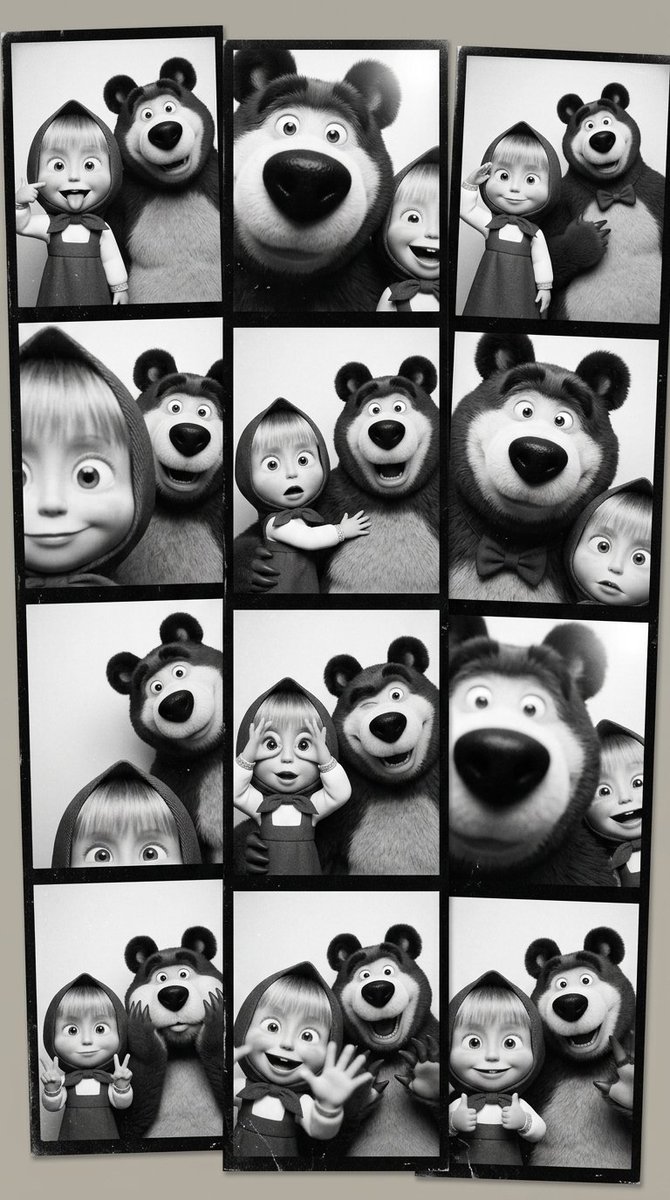
Funny photo with a friend 🩷
Here's how to do it with #VeoSeeBot 👇
1️⃣ Open VeoSeeBot: → https://t.co/Cs639mqvfe
2️⃣ Go to: “AI Image”, select Nano Banana 2.1
Upload your photos in high quality and paste this Prompt: ⤵️
Using my uploaded portrait as the identity reference, create a photo-booth collage: three black and white vertical strips side by side misaligned, four photos in each strip, each strip slightly tilted to overlap in a 9:16 composition. Preserve the subjects’ facial identity, outfits, and hairstyles. Poses and expressions are varied, fun, and silly. Some photos have people partially cropped, completely cropped, switching places, closer to camera. Use harsh direct flash, extreme contrast, crushed blacks, blown whites, few midtones, and lost detail. Add coarse film grain, overexposure, thick black borders, and very light wear. Analog booth print.
When you get caught cheating, but decide you might as well go viral.. 😅
📗 Tutorial: Remake Video with Your Own Characters!
Here's how to do it with #VeoSeeBot 👇
1️⃣ Open VeoSeeBot: https://t.co/Cs639mr34M
2️⃣ Tap the Ideas button.
3️⃣ Type "ТРЕНД У ЗЕРКАЛА" into the search bar.
4️⃣ Upload photos of your characters.
5️⃣ Tap Generate and wait for the result.
🔥 MIRROR TREND 😂
📗 Tutorial: Remake Video with Your Own Characters!
Here's how to do it with #VeoSeeBot 👇
1️⃣ Open VeoSeeBot: https://t.co/Cs639mqvfe
2️⃣ Tap the Ideas button.
3️⃣ Type "ТРЕНД У ЗЕРКАЛА" into the search bar.
4️⃣ Upload photos of your characters. (Characters Card)
5️⃣ Tap Generate and wait for the result.
✅ VeoSeeBot offers a wide variety of READY-MADE TEMPLATES for creating trending videos. All you need to do is upload photos of your own characters!
🦊 How to create a Character Card?
👉 Simple tutorial in the comments.
📗 CREATE A CHARACTER CARD ⤵️
1️⃣ Open #VeoSeeBot: → https://t.co/Cs639mqvfe
2️⃣ Go to “AI Image”, select Nano Banana 2.1 / GPT Image 2, and upload your photo.
📘 Prompt: 👇
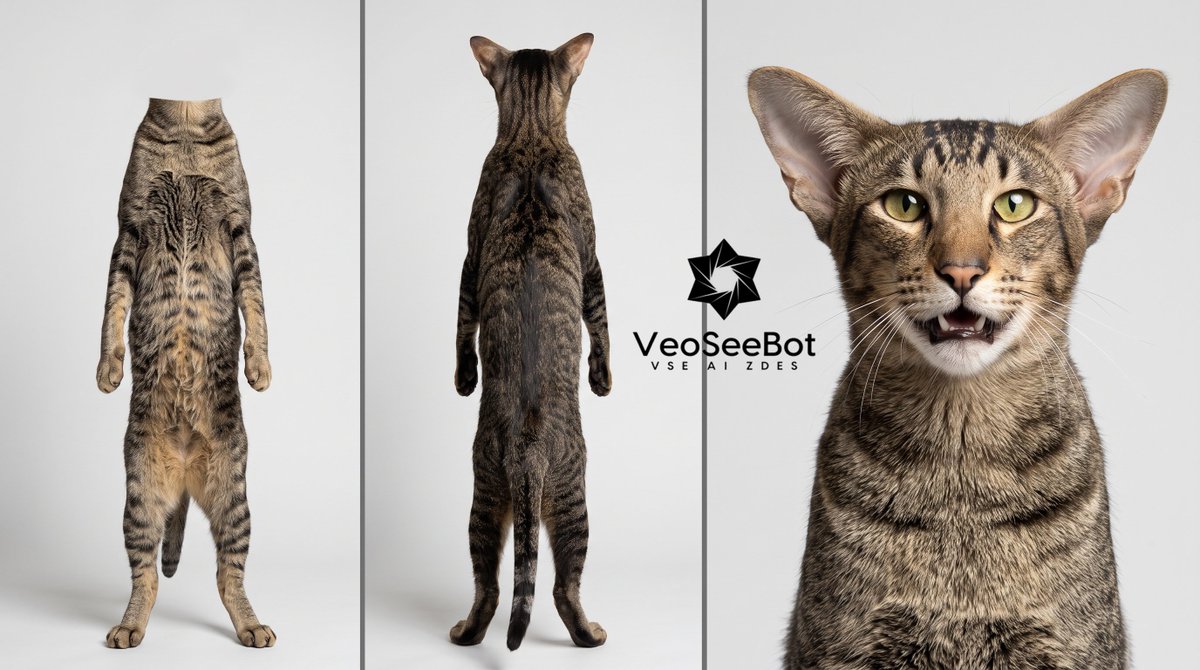
Take the person's appearance from the uploaded photos and create a character reference sheet, divided into three vertical panels on a neutral white or light-gray background.
RIGHT PANEL (close-up):
A close-up portrait of the person's face, cropped at the shoulders (bust shot). Face front-facing, looking directly at the camera, neutral expression, natural even lighting. Preserve all facial features and details as accurately as possible: eye shape, nose, lips, eyebrows, face shape, eye color, skin tone and texture, hair shape and color, as well as any unique features (moles, freckles, ear shape). High detail, realism, portrait quality.
LEFT PANEL (back view, full body):
The person standing at full height, front view, in their everyday clothing, arms along the body, feet shoulder-width apart. IMPORTANT: the head and face are completely absent — the figure is cropped at the neck/shoulder line, no head. Only the figure from the neck down is shown. Preserve body build, proportions, and clothing.
MIDDLE PANEL (front view, full body):
The same person, back view, in the same clothing, at full height, including the head and hair (viewed from behind). Preserve the hairstyle, body build, and clothing details.
GENERAL REQUIREMENTS:
Unified style, consistent lighting and figure scale across all panels, consistency of appearance and clothing between panels. Clean background, clear vertical dividers between panels. Realistic photographic style, high resolution.

📗 Tutorial: Remake Any Video with Your Own Characters!
Here's how to do it with VeoSeeBot Remake 👇
1️⃣ Open VeoSeeBot: https://t.co/Cs639mqvfe
2️⃣ Go to AI Video → #VeoSeeBot Remake.
3️⃣ Choose video quality: 480p, 720p, or 1080p.
4️⃣ Add your video by pasting a link or uploading a file.
5⃣ Click Find People. It's free and the AI will detect the people.
6️⃣ Replace each person with your character card.
7️⃣ Click Generate. That's it, your AI remake is ready!
🥊 Fighter with Broken Ears Photo trend 😎
📗 Tutorial: Here's how to do it with #VeoSeeBot 👇
1️⃣ Open VeoSeeBot: https://t.co/Cs639mqvfe
2️⃣ Go to AI Image.
3️⃣ Select the AI model: Nano Banana 2 or GPT Image 2.
4️⃣ Choose your desired aspect ratio.
5️⃣ Upload your own photo and enter the prompt.
⬇️ Full Prompt:

🔥 My Arsenal trend 😎
📗 Tutorial: Remake Video with Your Own Characters!
Here's how to do it with #VeoSeeBot 👇
1️⃣ Open VeoSeeBot: https://t.co/Cs639mqvfe
2️⃣ Tap the Ideas button.
3️⃣ Type "МОЙ АРСЕНАЛ" into the search bar.
4️⃣ Upload photos of your characters. (Characters Card)
5️⃣ Tap Generate and wait for the result.
🦊 How to create a Character Card?
👉 Simple tutorial:
https://t.co/ZYWR72Mtot
✅ VeoSeeBot offers a wide variety of READY-MADE TEMPLATES for creating trending videos. All you need to do is upload photos of your own characters!
CREATE A CHARACTER CARD ⤵️
1️⃣ Open VeoSeeBot: https://t.co/b9OzqgJkMr
2️⃣ Go to “AI Image”, select Nano Banana 2.1 / GPT Image 2, and upload your photo.
📗 Prompt:
https://t.co/LMYi6i86Mj
POV: When you think you're sitting normally 😅
How to recreate this trend 👇🏻
1️⃣ Open #VeoSeeBot → https://t.co/b9OzqgJSBZ
2️⃣ Go to Ideas 💡
3️⃣ Select the Old Money Coffee template
4️⃣ Upload:
🔵 Female Character Card
🔵 Male Character Card
5️⃣ Generate and enjoy the result!
🔥 TUTORIAL: HOW TO REMAKE VIDEOS WITH YOUR OWN CHARACTERS!
1️⃣ Open the #VeoSeeBot: https://t.co/b9OzqgJSBZ
2️⃣ Tap the “Ideas” button.
3️⃣ Type “Тренд у заправки” in the search bar.
4️⃣ Upload your photos.
5️⃣ Tap “Generate” and wait for the result.
Tweet 1/3: 📘 Tutorial: Remake Any Video with Your Own Characters!
Here's how to do it with #VeoSeeBot Remake 👇
1️⃣ Open VeoSeeBot: https://t.co/b9OzqgJkMr
2️⃣ Go to AI Video → VeoSeeBot Remake.
#NanoBanana2 #GPTImage2 #AI #Seedance #Kling #Grok #higgsfield #Prompt #Remake
Tweet 1/3: 📘 Tutorial: Remake Any Video with Your Own Characters!
Here's how to do it with #VeoSeeBot Remake 👇
1️⃣ Open VeoSeeBot: https://t.co/b9OzqgJkMr
2️⃣ Go to AI Video → VeoSeeBot Remake.
#NanoBanana2 #GPTImage2 #AI #Seedance #Kling #Grok #higgsfield #Prompt #Remake
🎃 #Halloween is coming! Time to prepare something truly spectacular!
Here's how to recreate this trend 👇
1️⃣ Open #VeoSeeBot → https://t.co/b9OzqgJSBZ
2️⃣ Go to Ideas → Select the HALLOWEEN TRANSITION template.
3️⃣ Upload:
1. Your everyday look.
2. Your Halloween look.
Tweet 1/3: 📘 Tutorial: Remake Any Video with Your Own Characters!
Here's how to do it with #VeoSeeBot Remake 👇
1️⃣ Open VeoSeeBot: https://t.co/b9OzqgJkMr
2️⃣ Go to AI Video → VeoSeeBot Remake.
#NanoBanana2 #GPTImage2 #AI #Seedance #Kling #Grok #higgsfield #Prompt #Remake
Last Seen Hashtags on Sotwe
张鑫baby
Seen from Australia
QweensQuoteOfTheDay
Seen from United States
grandefratellovip
Seen from Italy
ควยนักมวย
Seen from Thailand
prelemi
Seen from Italy
ÖznurGüven
Seen from Netherlands
MGAI(*)(**(**(**(**)*)*)*) + filter:native_video
minichat
Seen from India
拉拉
Seen from Netherlands
chapinas()****************filter:native_video
Seen from Guatemala
Most Popular Users

Elon Musk 
@elonmusk
241M followers

Barack Obama
@barackobama
118.8M followers

Cristiano Ronaldo
@cristiano
114.5M followers

Donald J. Trump
@realdonaldtrump
111.9M followers

Narendra Modi
@narendramodi
107M followers

Rihanna
@rihanna
98.7M followers

NASA
@nasa
92.2M followers

Justin Bieber
@justinbieber
91.8M followers

KATY PERRY
@katyperry
90M followers

Taylor Swift
@taylorswift13
84M followers

Lady Gaga
@ladygaga
75.5M followers

Virat Kohli
@imvkohli
73.4M followers

Kim Kardashian
@kimkardashian
70.8M followers

YouTube
@youtube
68.7M followers

Neymar Jr
@neymarjr
66.4M followers

Bill Gates
@billgates
65.2M followers

Selena Gomez
@selenagomez
63.1M followers

The Ellen Show
@theellenshow
62.2M followers

CNN
@cnn
61.7M followers

X
@x
60.6M followers