

Top Tweets for #analyticsprotip

Here’s an easy #AnalyticsProTip on how to add Actions to your @SForceAnalytics dashboards!
#EinsteinAnalytics
#AnalyticsKnowledgeShare
#DataTribe

ACTION 🎥We are back with today's #AnalyticsProTip: Enabling the Action Framework 🔽
If you want actions at your fingertips, it's time to enable your action framework. See how to add a dropdown list to a record to make actions easily accessible ➡️https://t.co/vz7FsSd67i


That's an Awesome #AnalyticsProTip to make your dashboards Insights actionable just in a matter of few clicks. 📊
@Neha_Verma07 , @ramkanth1: Remember how we Implemented custom links by editing the xmd directly?😅
Missing our #PwC NIS Team days🙏🏻.
Love #EinsteinAnalytics📈 ♥️!
ACTION 🎥We are back with today's #AnalyticsProTip: Enabling the Action Framework 🔽
If you want actions at your fingertips, it's time to enable your action framework. See how to add a dropdown list to a record to make actions easily accessible ➡️https://t.co/vz7FsSd67i
ACTION 🎥We are back with today's #AnalyticsProTip: Enabling the Action Framework 🔽
If you want actions at your fingertips, it's time to enable your action framework. See how to add a dropdown list to a record to make actions easily accessible ➡️https://t.co/vz7FsSd67i
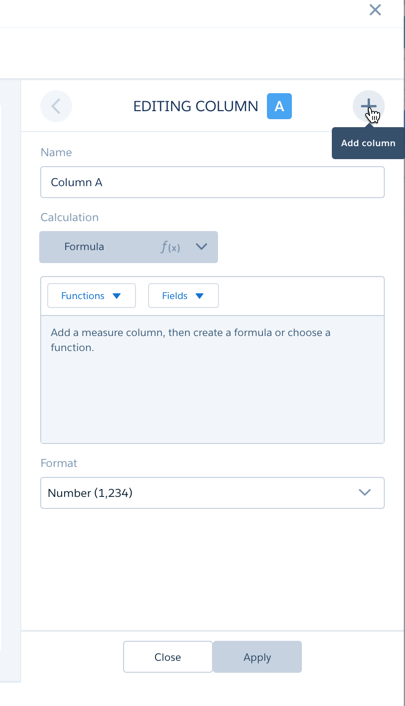
See your data and tables from a new perspective with today’s #AnalyticsProTip: Derived Columns 📊
Our Analytics experts say, “Use the + button (when you edit a column) to Add a derived column in Compare table and the arrow marks to move between the columns."
Check it out! ⬇️
Why have one...when you can have two!? Today's #AnalyticsProTip: Single and Multi Selections 👤➡️👥
Learn how faceting and single/multi selections can bring a new perspective to your dashboards. Follow along with our ACE experts to see how 👉https://t.co/8ms2FAtwVC

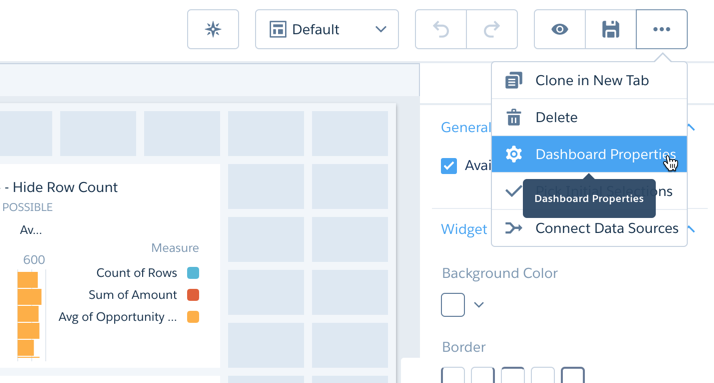
Ready for today’s #AnalyticsProTip? Let's check out Dashboard Properties 📊
Want to update the default settings for your newly-created widgets? Take a look at Dashboard Properties! Once you make updates, all new widgets will have these settings by default. Take a look ⬇️
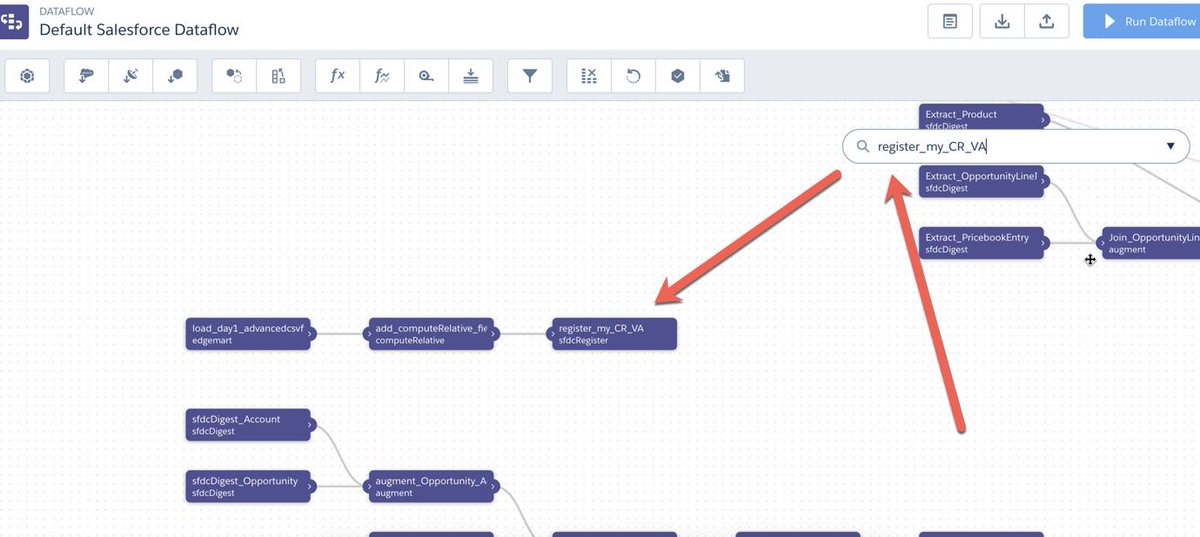
Want to delete unused datasets? Today’s #AnalyticsProTip: Clean the Dataflow 💧
1. Download a backup
2. Open the dataflow editor
3. Search the node names
4. Delete nodes starting from the register node
5. Repeat for desired datasets
6. Save
Analytics on the go? You're in luck! Today's #AnalyticsProTip: Chart Usability Enhancement 📲
You can now long-press and move your finger to view a chart segment's tooltip! Now, you can view chart values quickly on our mobile app without triggering a selection.
Take a look ⬇️
Step up your UI with today's #AnalyticsProTip: custom formatting 🔧See how to personalize dashboard assets below ⬇️
1) Click "Fields"
2) Search for "Amount"
3) Hover over "Number Format", select "Custom Format"
4) Make desired changes
5) Click "Done" & "Save"
⏰It's time for today's #AnalyticsProTip! ⏰Today's tip: Using Retail Calendar
Ready to fully utilize your quarterly analytics? Check out the 53-week retail calendar available in Einstein Analytics Plus!
Take a look at Episode #1 for a step-by-step: https://t.co/A6iQiprjVX

Do your charts need a fresh look? Today's #AnalyticsProTip will bring them to life 📊📷
Adding images to your charts adds a personal touch to your data! Learn how to add icons or photos to your charts by checking out this video from our ACE Team ⬇️https://t.co/MqVVkw309D

TGIF? More like Thank Goodness For Push Notifications 🙌Today's #AnalyticsProTip: Push Notifications on Mobile
Get Einstein Analytics updates on the go! Push notifications are now available on the EA iOS app. See how to enable them for your org TODAY ➡️https://t.co/SCxfqvcveI

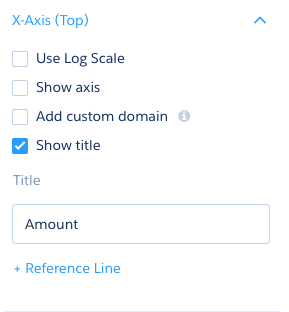
Looking to add a personal touch to your dashboard? Today’s #AnalyticsProTip is all about titles 📝
Our ACE experts can help you personalize the titles of your charts with this tip: “Change the 'Sum of Amount' to 'Amount' by changing the axis title of a widget.”
Try it out ⬇️
What's that I see? ��Today's #AnalyticsProTip: Views
Views can give you a clear visualization of all of your data. Follow along with one of our ACE experts to see how you can utilize views to create a powerful perspective in your own dashboard ⬇️
https://t.co/lwdzSJyXz4

Need a fresh perspective of your mobile dashboard? Take a look at today's #AnalyticsProTip: updating layout orientation 📱
1) Click "Columns"
2) Add 2 columns to the dashboard layout
3) Click "Orientation"
4) Select the desired orientation
5) Adjust the dashboard content
Do you hear that? 🗣Today's #AnalyticsProTip is calling your name! Today's tip: dynamic grouping ⛓
Dynamic grouping can help you focus one or multiple groups in your data. See how by following along with one of our ACE Team experts ➡️https://t.co/RVqpbeoXTd

Time to get cooking 🍽Today's #AnalyticsProTip is all about Data Recipes 😋
Data recipes exist to help you combine data from different sources, while ensuring consistency in your Data Manager. Take 2 minutes to learn how ⬇️
https://t.co/05of1X7rpv
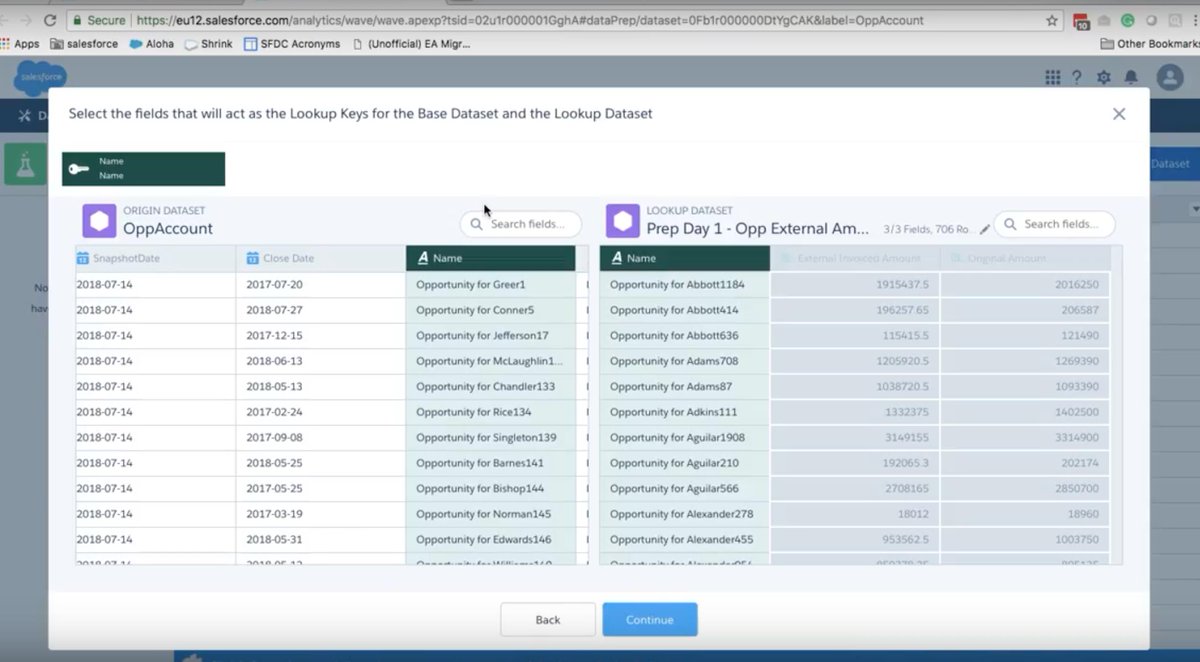
Trends are key in helping you track your organization's growth. Today's #AnalyticsProTip: Trends in Analytics 🔑
Looking for trends in your current reports? Follow along with one of our ACE experts to see how to implement trends in your dataset ⬇️
https://t.co/BvBD5th7up

Frustrated with multi-runs and syntax errors? No fear! Today's #AnalyticsProTip: testing for compute expression 💻
1. Create the step
2. If you are using relative dates, select a sample that you can see, and modify the syntax
3. Switch to SAQL to make changes
4. Test the query


Loving this Titanic dataset... fingers crossed that they do a custom map based on the cabin location next, showing which cabins had a higher survival rate. 🤞🤞🤞 #salesforceLIVE #analyticsprotip @SForceAnalytics
Last Seen Hashtags on Sotwe
JaxanBlaise
Seen from United States
EliminatoriasSudamericanas
Seen from United States
龟责
Seen from Germany
ebonyincest
Seen from South Africa
SEVENTEEN
Seen from United States
TeenageGirl
Seen from Turkey
NOlimit()**** filter:videos
Seen from Netherlands
SilverFoxxxy
Seen from Italy
İstanbul
Seen from Turkey
mbull
Seen from Singapore
Most Popular Users

Elon Musk 
@elonmusk
240.3M followers

Barack Obama
@barackobama
119.3M followers

Donald J. Trump
@realdonaldtrump
111.6M followers

Cristiano Ronaldo
@cristiano
109.7M followers

Narendra Modi
@narendramodi
106.9M followers

Rihanna
@rihanna
97.4M followers

NASA
@nasa
92.1M followers

Justin Bieber
@justinbieber
90.7M followers

KATY PERRY
@katyperry
87.2M followers

Taylor Swift
@taylorswift13
81M followers

Lady Gaga
@ladygaga
72.6M followers

Kim Kardashian
@kimkardashian
69.6M followers

Virat Kohli
@imvkohli
69.2M followers

YouTube
@youtube
68.6M followers

Bill Gates
@billgates
63.6M followers

The Ellen Show
@theellenshow
62.5M followers

CNN
@cnn
61.9M followers

Neymar Jr
@neymarjr
61.8M followers

X
@x
60.9M followers

Selena Gomez
@selenagomez
60.3M followers