

Top Tweets for #flutterflowtip

Long time no see, time for another quick #Flutterflowtip 🤓
Getting red screen of death? It's probably null value!

#Flutterflowtip for today:
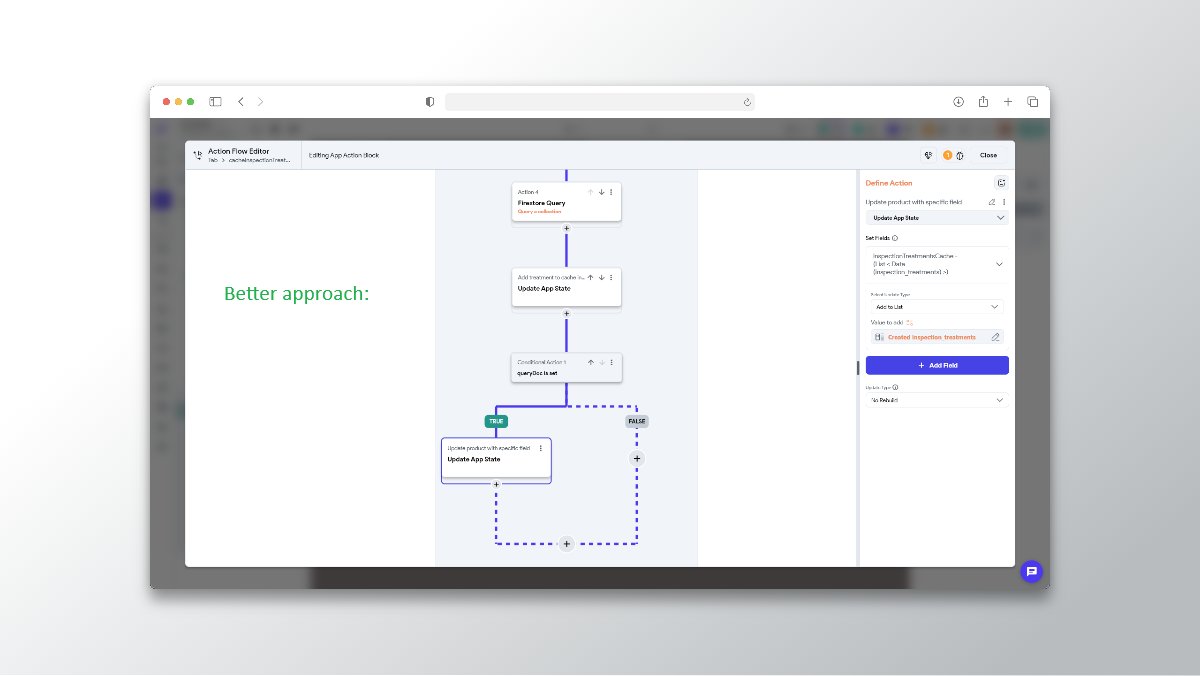
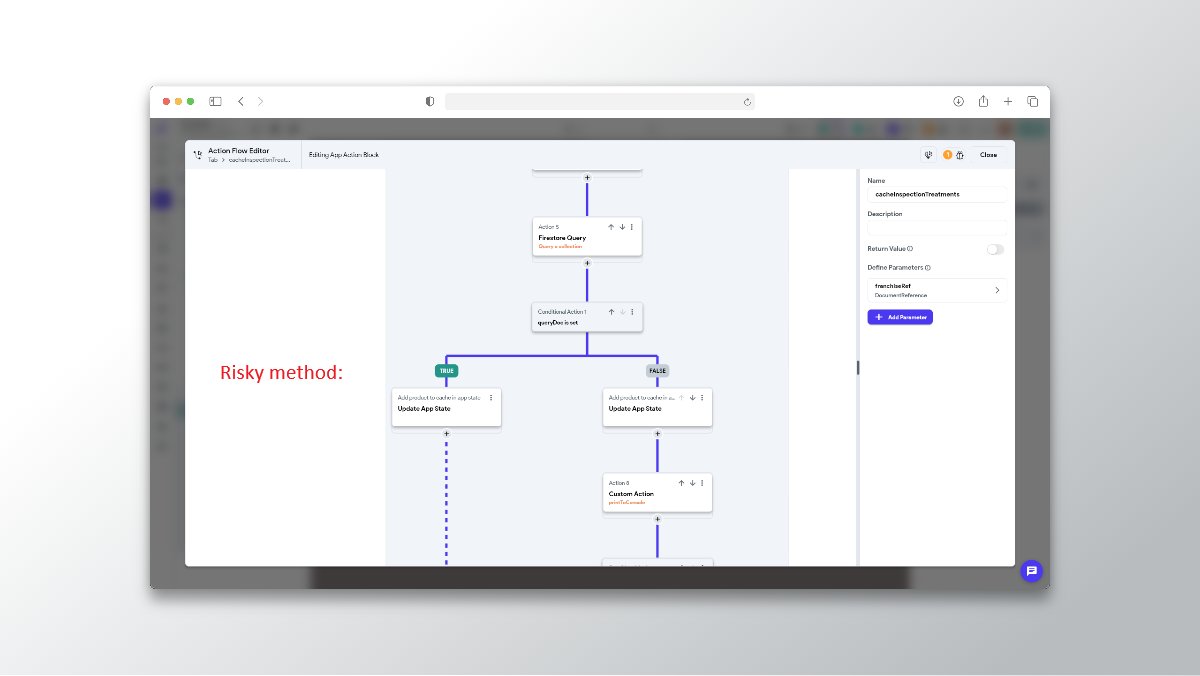
Be careful with duplicating your data updates!
Sometimes you'll update same data twice, eg. based on condition.
Later, when you change something in one update, it's easy to forget about second update.
It's much cleaner to update whole data once.

Updated my profile on a mission to help businesses and creators bring their ideas to life through no-code mobile apps ⚡📱 #flutterflow #flutterflowprocess #flutterflowtip #NewProfilePic


Recently completed a project using @flutterflow intuitive visual dev. interface
Client was happy 'cause Flutterflow's custom coding was able to bring his vision to life 😊
Here's the App preview
#flutter #mobileapp #flutterflowtip #flutterflow #ai #StartupIndia #NoCode
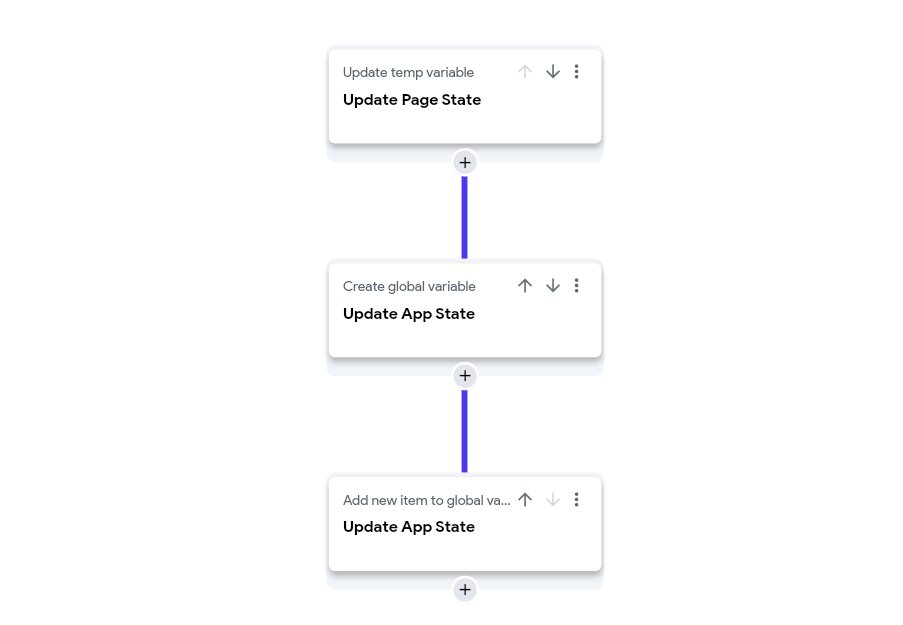
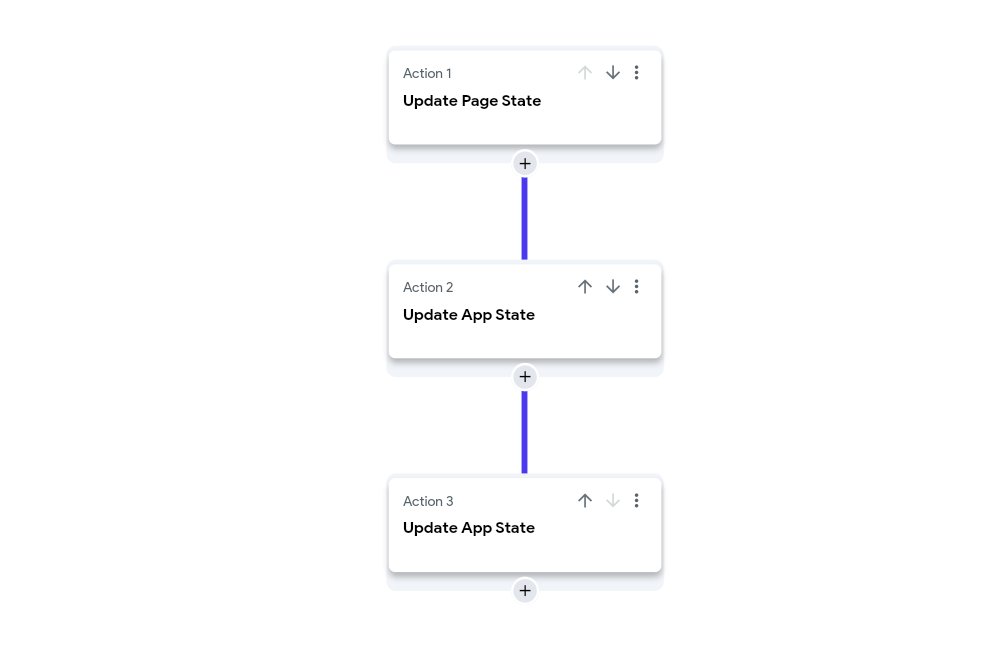
#Flutterflowtip for today: Name your actions in action flow!
Compare these two action flows:
Which one is more understandable for you?
I'm pretty sure right one is more readable!
Why? Because it's described better.
It's been forever since I posted #Flutterflowtip . Time for another one!
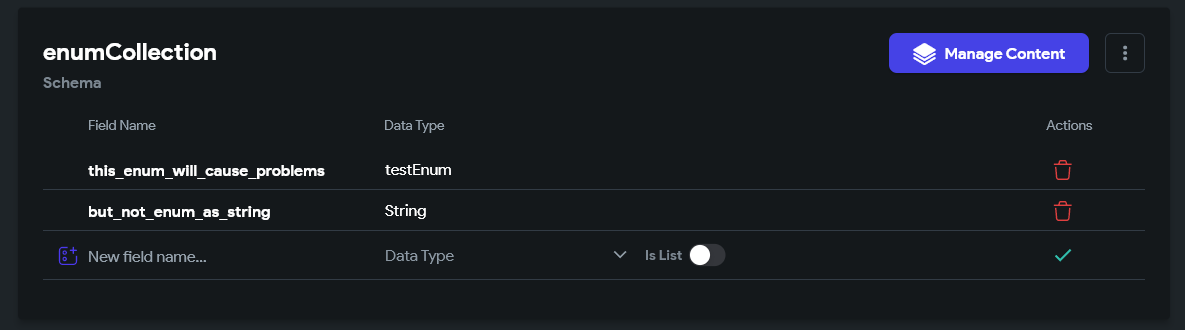
Are you using enums in your @Flutterflow app?
DON'T use enums in the backend structure. Use strings here!

One of my favorite features in @flutterflow has to be "Custom Dialogs"... sounds boring but you have the ability to create awesome dropdown menus, modals and other experiences that just add so much to the user experience.
Our next #flutterflowtip will be how to implement dropdownsin your project!
#flutter #flutterdev #flutterui #design #education #learnflutterflow #buildinpublic #ui #ux #flutterflow
#flutterflowtip number 2: Utilizing custom select states in @flutterflow, you can watch it now on #youtube.
https://t.co/PkOXyLcGnp
#flutter #flutterdev #flutterui #design #education #learnflutterflow #buildinpublic
@karolgost_ Don't worry I'm diving into my #flutterflowtip era -- I have a @YouTube video coming on the @nocodeui_
channel on how to create this type of message but I feel like you get it.

I am working on a custom Stripe integration in one of @Flywheel_Studio's @flutterflow projects. 💳 Created a custom action to initialize the Stripe client, but need a way to use the correct API key for production and development environments. 🤔 #flutterflowtip #buildinpublic
#Flutterflowtip for today:
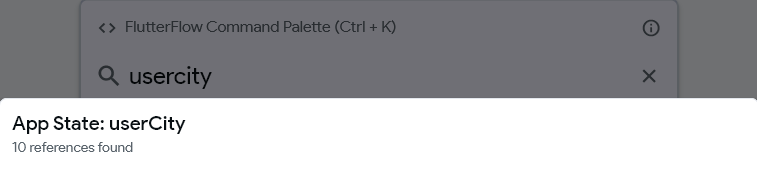
How to check ANY variable usage across the app?
For app states you can find it from command palette.
But how would you do it for specific field in firebase document?
This solution might be a little tricky, so read till the end!
👇👇
When you want to find variable usage in @flutterflow, you can check its references from command palette.
BUT it doesn't work for variables inside a firebase document (for example).
So I'm wondering, how do you find references for such variables?
Do you have some tricks? 🤓

If you're having issues uploading multiple images with @nocodebackend and @flutterflow
Just add [] to the end of your variable name in FlutterFlow ✨
#FlutterFlowTip #XanoTip #PHPThings
![DanielPetroAI's tweet photo. If you're having issues uploading multiple images with @nocodebackend and @flutterflow
Just add [] to the end of your variable name in FlutterFlow ✨
#FlutterFlowTip #XanoTip #PHPThings https://t.co/kg6mawUwhr](https://pbs.twimg.com/media/GT_X0IbWwAAzbYr.jpg)
Very short #Flutterflowtip for today.
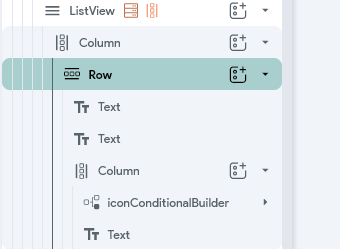
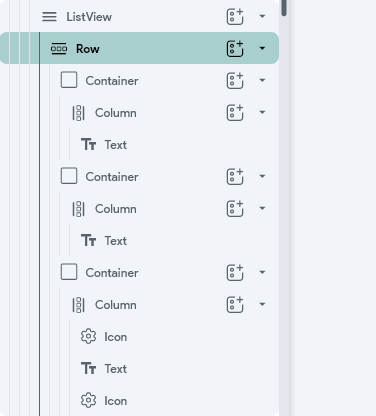
Keep your widget tree simple!
Very often you can greatly reduce your widget tree structure, while keeping UI the same.
For example, I went from this:
to this:
UI is exactly the same - I was using more widget properties, instead of adding yet another widget.
The simpler widget tree, the easier it is to read it. The easier to find anything on the page!
So once again, keep it clean - including widget tree!
That's it for today 🙂
#Flutterflow #Nocode #Lowcode
Recently, I played around and did some live building + tutorial video session, to explain callbacks for @brucevanzyl
He replied:
"You should put some live building things on YouTube / X"
That got me thinking 😅 Maybe, instead of doing long #Flutterflowtip,in text, I would record quick tutorial looms sometimes?
What do you think?
It's been a while since last #Flutterflowtip
Today back to (debugging) basics:
Debug like a pro.
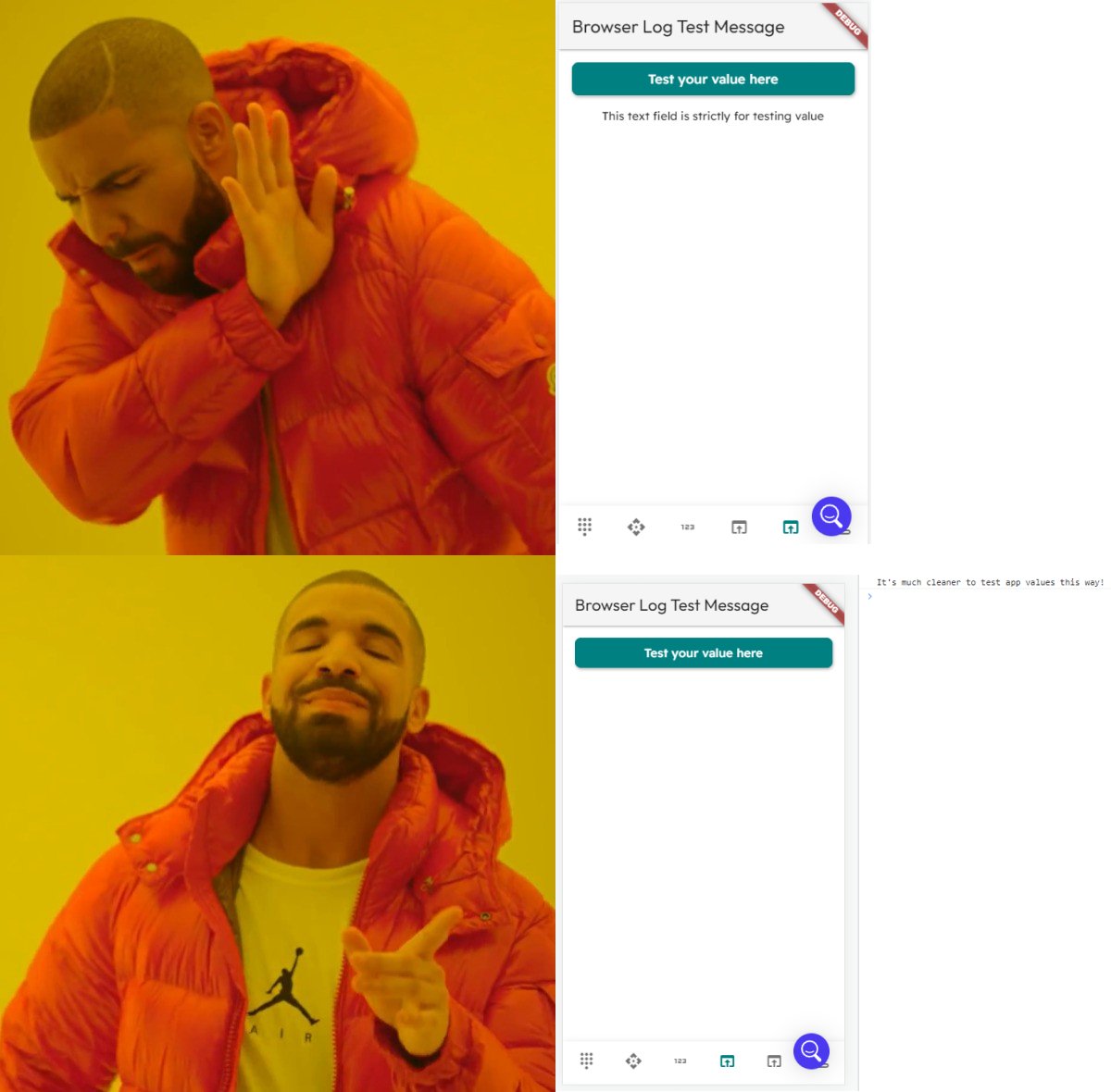
Use browser console 😎
You're testing your app, and some value isn't working as expected?
You probably jump off to editor, to create *text* widget to test this value.
While it's correct approach, it takes your previous space in app. Also, it can mess up your page design.
Instead, it's better to use tools created just for this - debugging tools.
To be more specific, it's console logs.
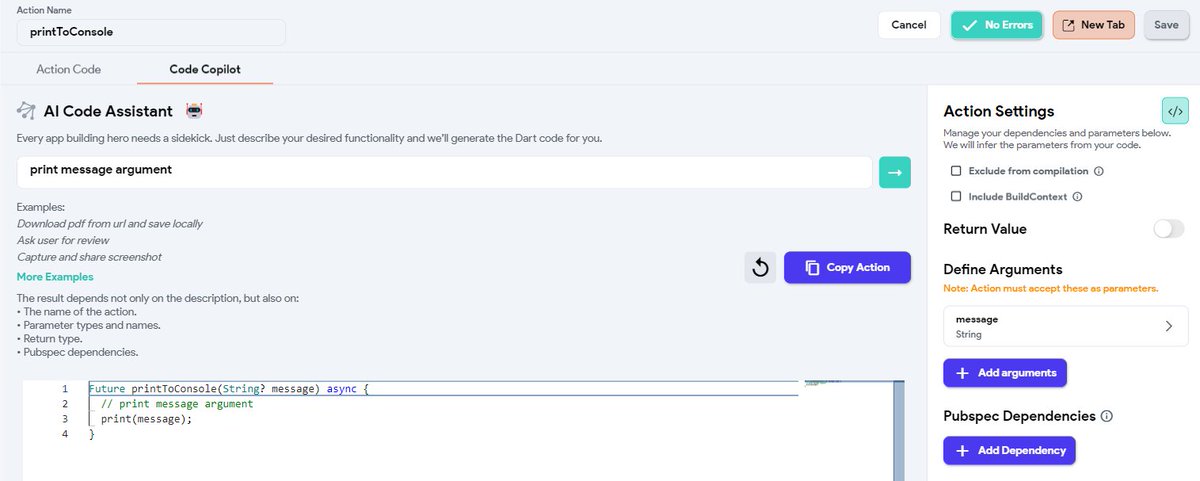
You can trigger logs using custom action.
Custom action for this is as simple as it can be - just one line.
Just add string argument to action, and write / ask Code Copilot to print this argument.
That's all it takes to write this custom action!
Now you can reuse it across your app as custom action, without messing up with your existing structure.
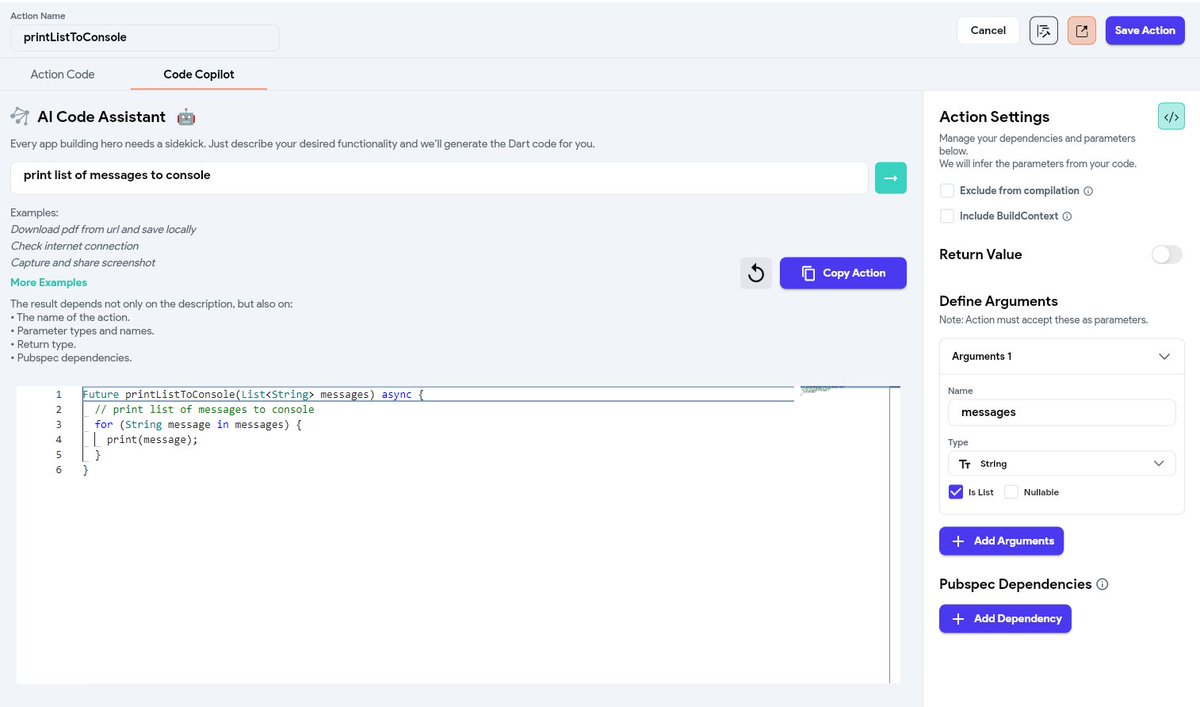
But what if you want to print a list?
Same method!
Just change parameters to list of string, and ask Copilot to print list to console.
To test it, on the web test/run mode open debug logs. Instructions are described here:
https://t.co/LdvUpGgEqz
#Flutterflow still doesn't offer so much options for debugging. With local run, we got #Flutter devtools, but these can be daunting for regular user.
Hopefully FF team will introduce some debugging tools soon. But until that, console logging works like a charm!
Do you use this method?
Maybe you use some other way to debug things?
Share it in the comments!
#Flutterflow #Tip #NoCode #Lowcode
That's it, hope it was helpful!
When everyone is hyped about @flutterflow new features (properly!), it's good to remind some basics - like primary option 😉
#Flutterflow #NoCode #Lowcode #Flutterflowtip
It's been a while, time for another #Flutterflowtip !
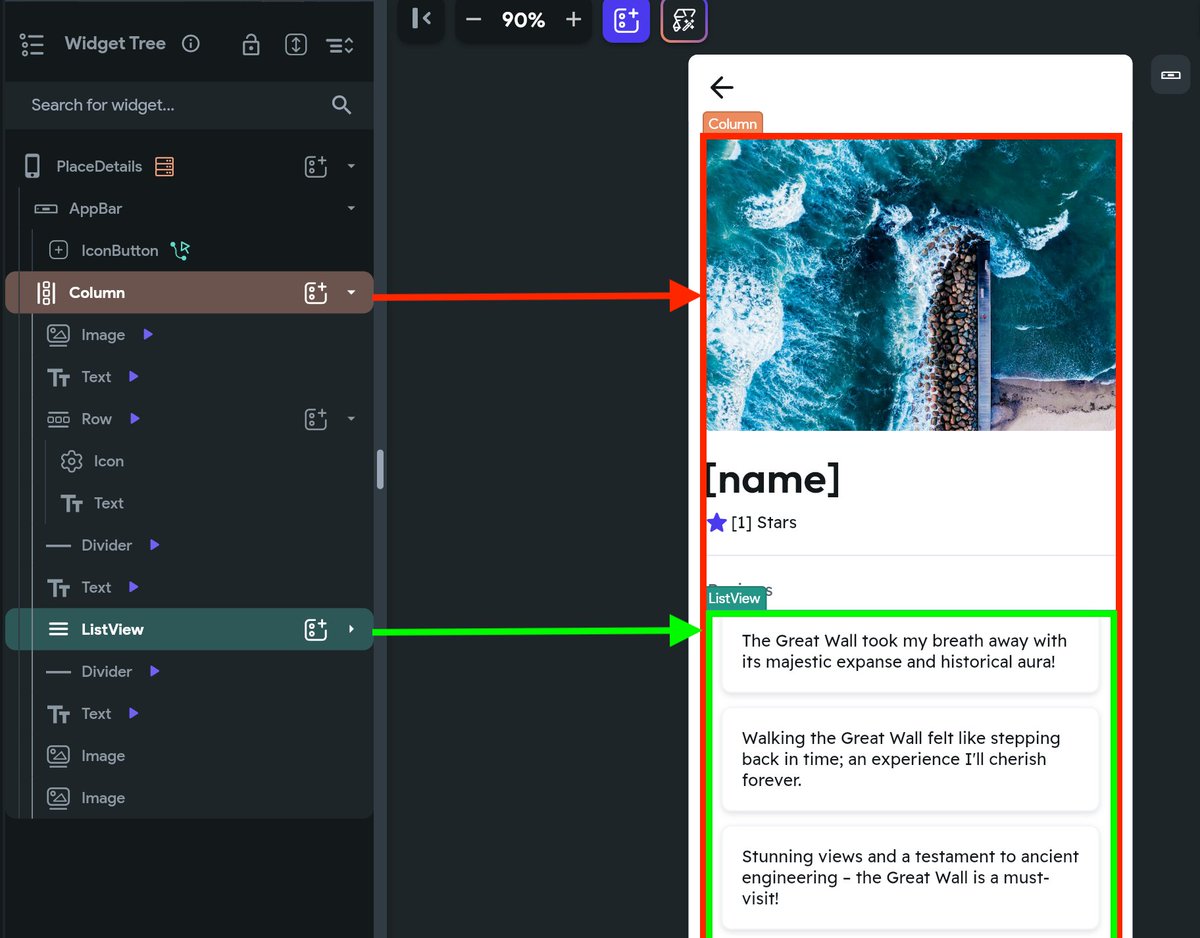
Does your @flutterflow column / list doesn't scroll like you want it to?
Check primary option!
Really quick #Flutterflowtip for today!
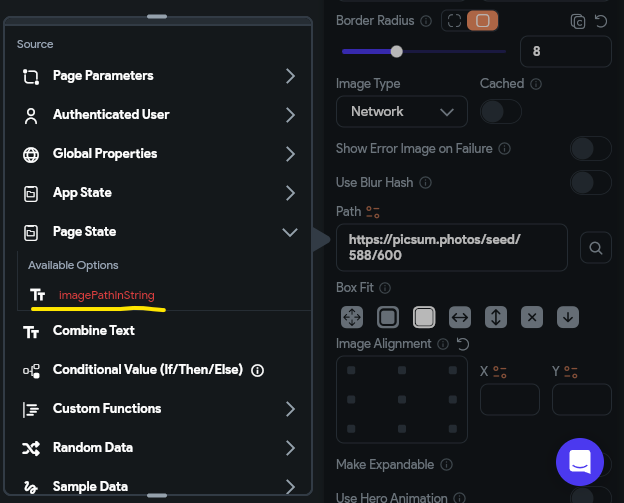
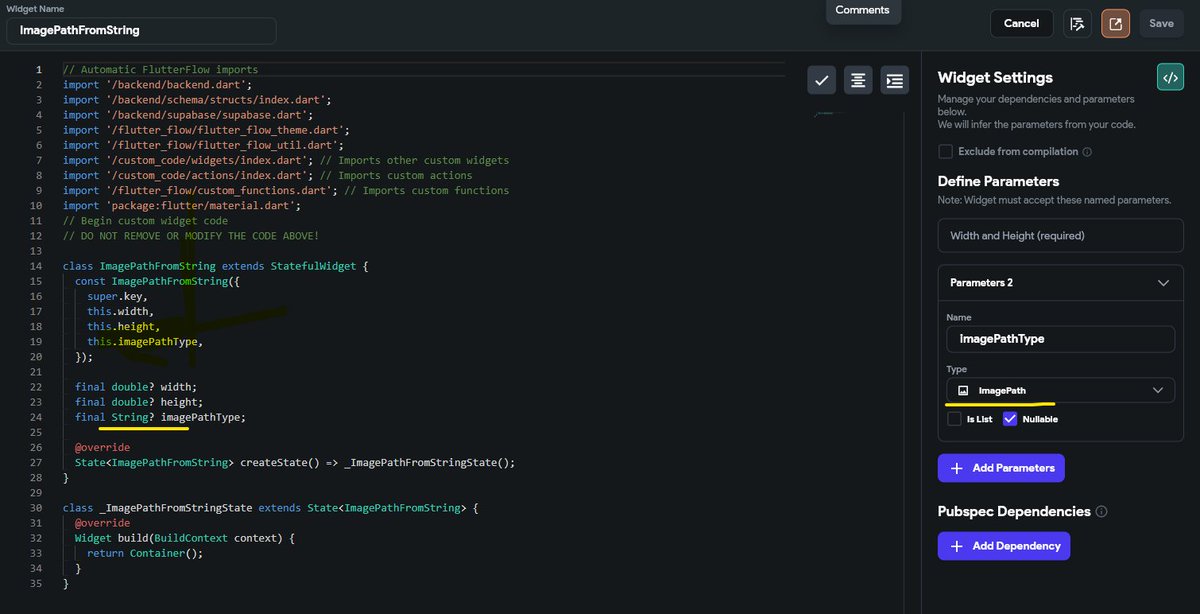
imagePath data type is basically string (see code)
BUT it won't allow you to parse string to image widget.
What do you do? 👇
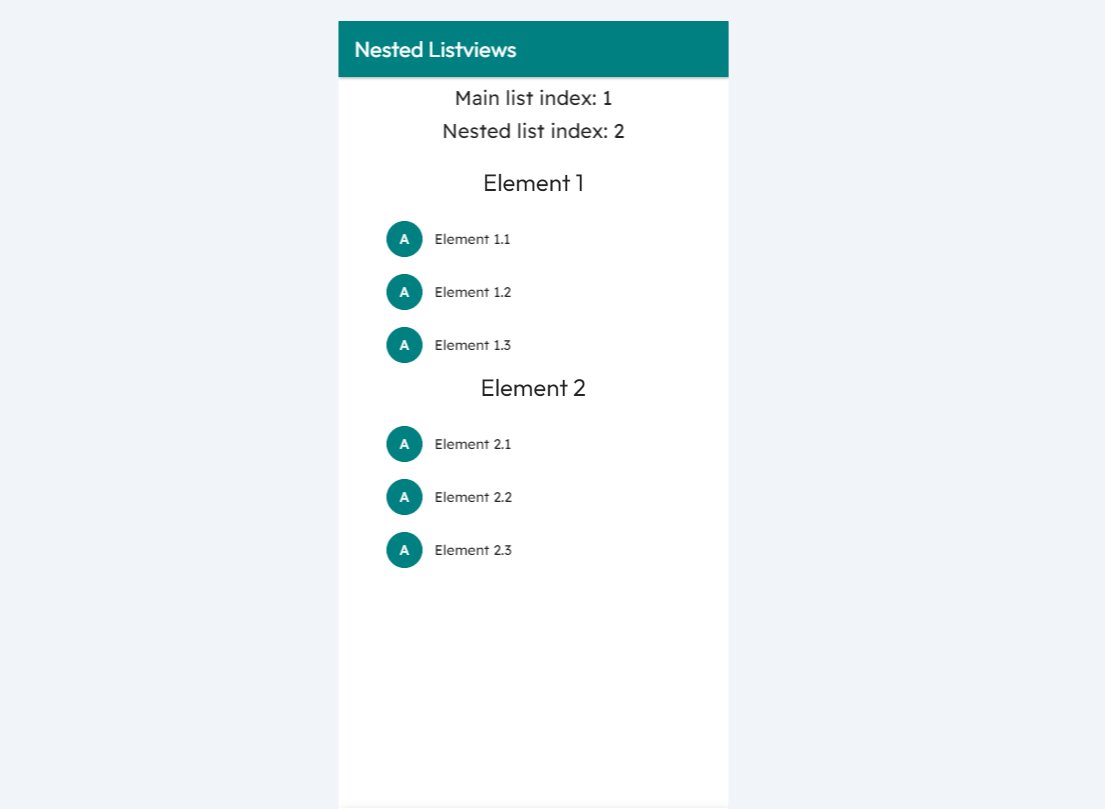
That way, when callback is executed, we will receive nested list index with it 🤓
Of course, doing that without callback parameters would still be possible - but a lot harder!
Let me know if this little explanation was clear to you 🙂
#Flutterflow #NoCode #Flutterflowtip
Hey, another #Flutterflowtip for today 🙂
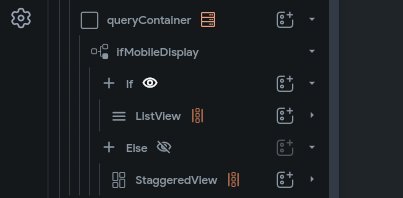
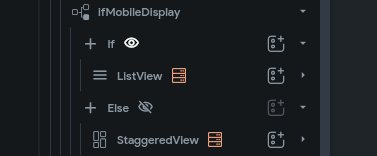
Optimize your queries!
As you can see on the first image, I used 2 same queries to display same data.
But these 2 queries can be replaced with 2 generated children - see second image.
Most Popular Users

Elon Musk 
@elonmusk
240.1M followers

Barack Obama
@barackobama
119.3M followers

Donald J. Trump
@realdonaldtrump
111.6M followers

Cristiano Ronaldo
@cristiano
108.8M followers

Narendra Modi
@narendramodi
107M followers

Rihanna
@rihanna
97.2M followers

NASA
@nasa
92.1M followers

Justin Bieber
@justinbieber
90.5M followers

KATY PERRY
@katyperry
86.8M followers

Taylor Swift
@taylorswift13
80.6M followers

Lady Gaga
@ladygaga
72.1M followers

Kim Kardashian
@kimkardashian
69.4M followers

YouTube
@youtube
68.6M followers

Virat Kohli
@imvkohli
68.5M followers

Bill Gates
@billgates
63.4M followers

The Ellen Show
@theellenshow
62.5M followers

CNN
@cnn
61.9M followers

Neymar Jr
@neymarjr
61M followers

X
@x
60.9M followers

CNN Breaking News
@cnnbrk
59.9M followers