

Top Tweets for #iPhoneTips

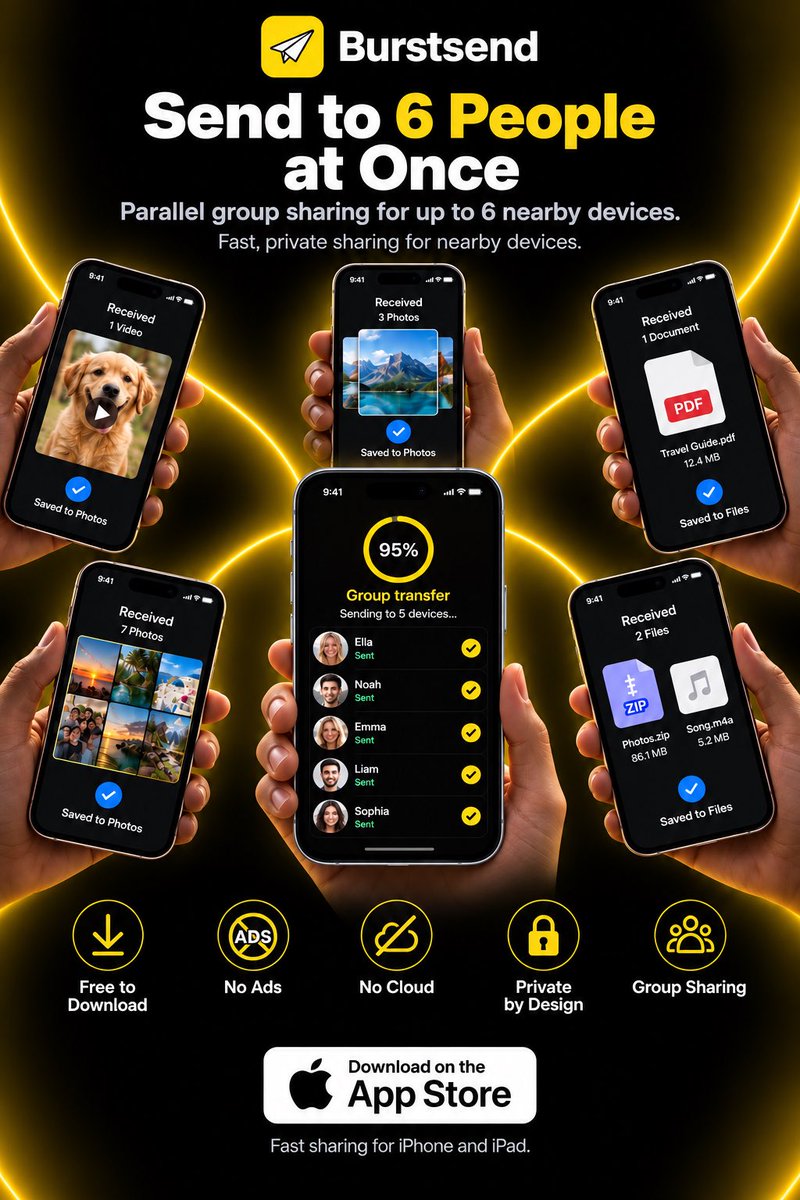
Stop sending files one by one 👀
Share with up to 6 nearby people at once with Burstsend. Fast, simple and perfect for trips, school, work and friends. ⚡️
Download on the App Store 👉 https://t.co/rznBxMPpxP
#Burstsend #iPhoneTips #TechTok #FileSharing #UsefulApps

📱 iOS 26.4 is OUT! Here’s how to update:
Apple just dropped the latest software. Don't miss out on the new AI Playlist Playground and those 8 fresh emojis! 🐋🎹
How to install:
1️⃣ Go to Settings ⚙️
2️⃣ Tap General
3️⃣ Tap Software Update
4️⃣ Hit Download and Install
Quick Tips for a Smooth Update:
🔋 Plug in your charger (keep it above 50%).
📶 Use a stable Wi-Fi connection.
☁️ Back up your data to iCloud first—better safe than sorry!
What's New?
✨ Apple Music: AI-generated playlists & "Concerts Near You.
🎨 Liquid Glass: New customization options for your UI.
💳 Family Sharing: Members can finally use their own payment methods
#iOS26 #AppleUpdate #iPhoneTips #TechNews #LagosTech
Most people use their iPhone for 3 years without knowing about the 'Hidden Field Test' menu. Dial *3001#12345#* to see your actual signal strength. As a repair engineer, I use this to test if a baseband chip is failing. 🛠️📱 #iPhoneTips #NigeriaTech


Did you know your iPhone lets you long-press to remove the background from photos? Perfect for creating PPTs or collages! 🖼️✨
But if your image is on the computer, try https://t.co/xhp5mdy5Fk — it does the same thing, completely free and unlimited! 🎉📲
#iPhoneTips

iPhone Hack Alert
Tired of muffled audio from your earbuds’ mic? In iOS 26, Apple introduced Choose Input Microphone, letting you switch to your iPhone’s studio-quality mics for crystal-clear sound.
How to enable it:
1.During a call or recording, open Control Center
2.Tap the new Mic Mode icon
https://t.co/alewUOnpbq iPhone Microphone
That’s it. Your voice will instantly sound sharper and more professional.
#iOS26 #iPhoneTips #TechTips #Apple #Microphone #LifeHack

📲 Is your phone slow? These 4 simple steps will speed it up without any software:
1️⃣ Delete apps you don't use.
Every app runs in the background and consumes RAM even if you don't open it.
2️⃣ Clear your cache.
Temporary files accumulate over time.
– Android: Settings > Storage
– iPhone: From within apps or by reinstalling.
3️⃣ Live wallpapers? Remove them!
They consume the processor and battery.
4️⃣ System updates.
Some include performance improvements and bug fixes.
💡 Keep at least 20% free storage space... your phone breathes from it!
🧠 I'm an IT expert.
I share real solutions to your daily tech problems.
Follow me and use technology to your advantage.
#TechTips #SmartTools #Android #iPhoneTips #Tech #SmartphoneTips #TechTips


🚨 Attention Apple Users in India! 🚨
CERT-In has issued a high-severity alert impacting several Apple devices. Multiple vulnerabilities could risk unauthorized access, data modification, and denial of service.
🛡️ Affected Versions:
🔹 iOS/iPadOS: Earlier than 18.1 & 17.7.1
🔹 macOS Sequoia: Prior to 15.1
🔹 macOS Sonoma: Below 14.7.1
🔹 macOS Ventura: Under 13.7.1
🔹 watchOS: Older than 11.1
🔹 tvOS: Before 18.1
🔹 Safari: Below 18.1
🔹 visionOS: Prior to 2.1
🔒 Action Required: Update your Apple devices to the latest versions ASAP!
#AppleAlert #CyberWarning #UpdateNow #CERTIn #StaySecure #Apple #MacMiniM4 #AppleIndia #M4Pro #PowerInSmall #iOS18 #iOS18Update #iOS18Features #iOS18Release #iPhone #AppleEvent #AppleUpdate #AppleIndia #iOSUpgrade #iPhoneUpdate #iPhoneUpgrade #iOS #AppleFans #TechNews #iPhoneTips #iOSNewFeatures #AppleLovers #AppleCommunity #AppleNews #iPhoneX #iPhone14 #iPhone15 #AppleSoftware #iOS18Improvements #AppleLaunch #iPhoneFeatures #iPhoneLife #iPhoneUser #macmini #apple


Back Tap for Quick Actions:
The Back Tap feature allows you to perform quick actions by simply tapping the back of your #iPhone. This can be used for tasks like taking a screenshot, opening the camera, or even launching a specific app.
**How to set it up:**
1. Open the Settings app.
2. Scroll down and tap Accessibility.
3. Tap Touch and then scroll down to Back Tap.
4. You’ll see options for Double Tap and Triple Tap. Select one.
5. Choose an action from the list, such as Screenshot, Mute, Lock Screen, or even Open App to select a specific app.
Now, whenever you double or triple tap the back of your iPhone, it will perform the action you selected. This feature is especially handy for tasks you perform frequently, making your iPhone even more efficient to use.
#iPhoneTips #TechHacks #Apple

You can turn your face, your pet or anything else into a Live Sticker with iOS 17. 📱📱📱📱🚨🚨🚨
#iOS17 #Apple #iPhoneTips
Most Popular Users

Elon Musk 
@elonmusk
240M followers

Barack Obama
@barackobama
118.6M followers

Cristiano Ronaldo
@cristiano
114.4M followers

Donald J. Trump
@realdonaldtrump
111.7M followers

Narendra Modi
@narendramodi
106.9M followers

Rihanna
@rihanna
98.6M followers

NASA
@nasa
92.1M followers

Justin Bieber
@justinbieber
91.7M followers

KATY PERRY
@katyperry
89.9M followers

Taylor Swift
@taylorswift13
83.9M followers

Lady Gaga
@ladygaga
75.4M followers

Virat Kohli
@imvkohli
73.3M followers

Kim Kardashian
@kimkardashian
70.8M followers

YouTube
@youtube
68.6M followers

Neymar Jr
@neymarjr
66.3M followers

Bill Gates
@billgates
65.2M followers

Selena Gomez
@selenagomez
63M followers

The Ellen Show
@theellenshow
62.1M followers

CNN
@cnn
61.7M followers

X
@x
60.6M followers