

Top Tweets for #iRealProTutorial

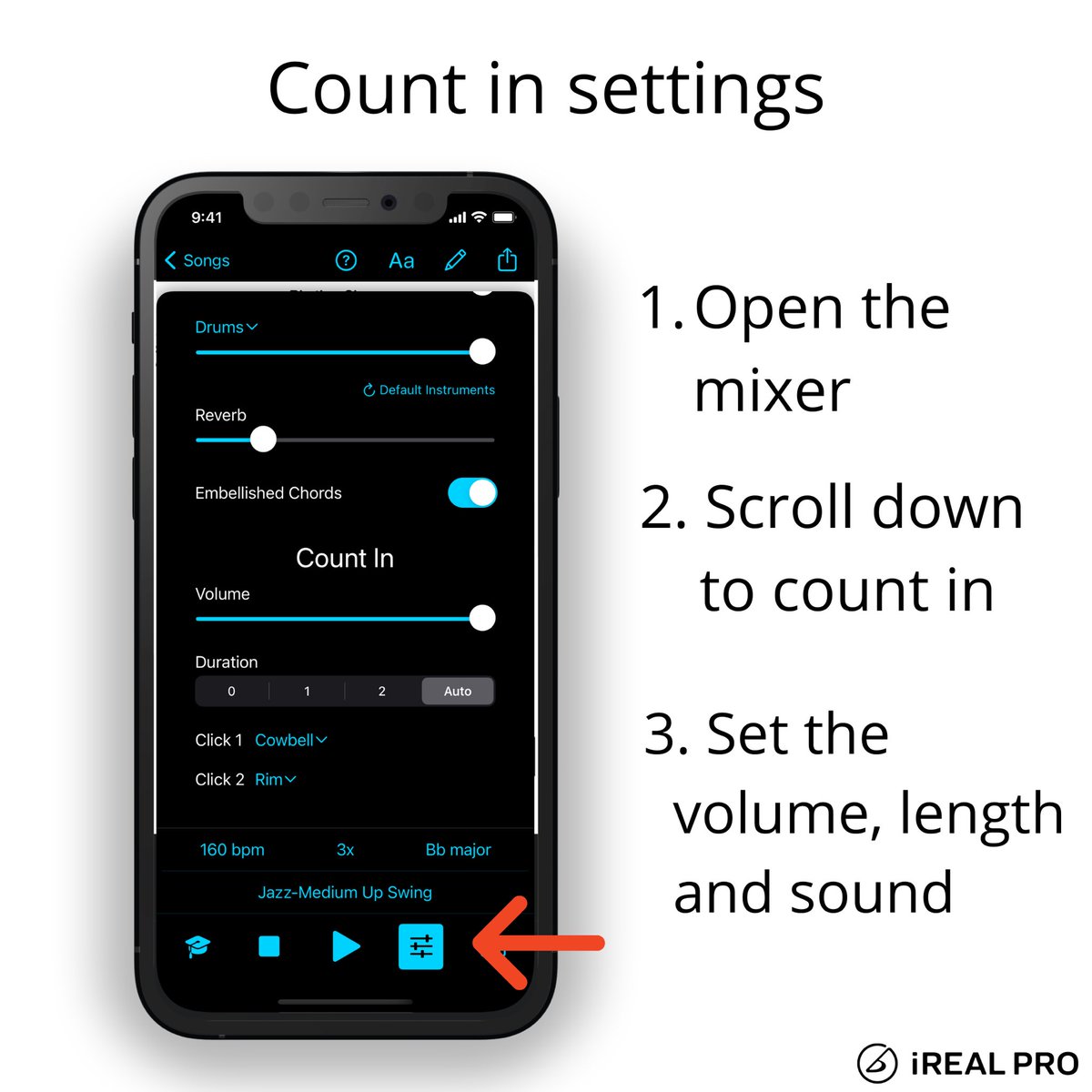
Do you want to change the Count-in settings?
Select zero for No count-in, set the volume of the count in with the slider or change the click sounds.
The Auto setting will automatically play 1 or 2 measures - depending on the tempo.
#irealprotutorial
Did you know that you can change the backing track’s tempo during playback?
Set the song’s tempo by tapping it out in the playback control. You can also drag the slider or tap the +/- buttons to change it.
#irealprotutorial
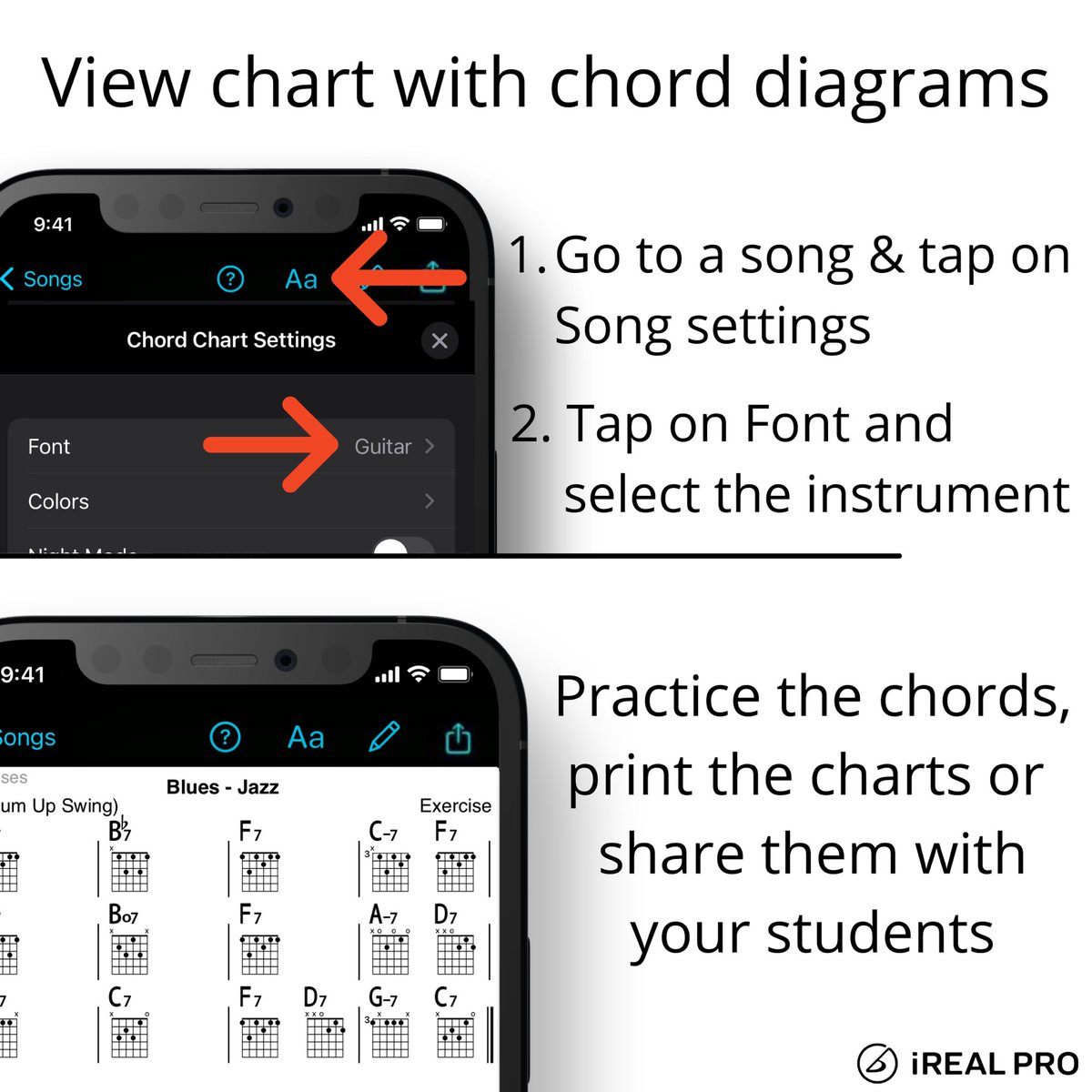
Do you want to work on the voicing in a song? Try the guitar, ukulele or piano fonts and view the chord diagrams in the song chart.
Print it, share it, practice it!
#irealprotutorial
Getting ready for your gig? Have you sent the setlist to your band?
It’s only a few steps to quickly share it from iReal Pro.
#iRealProTutorial
#MusicPractice
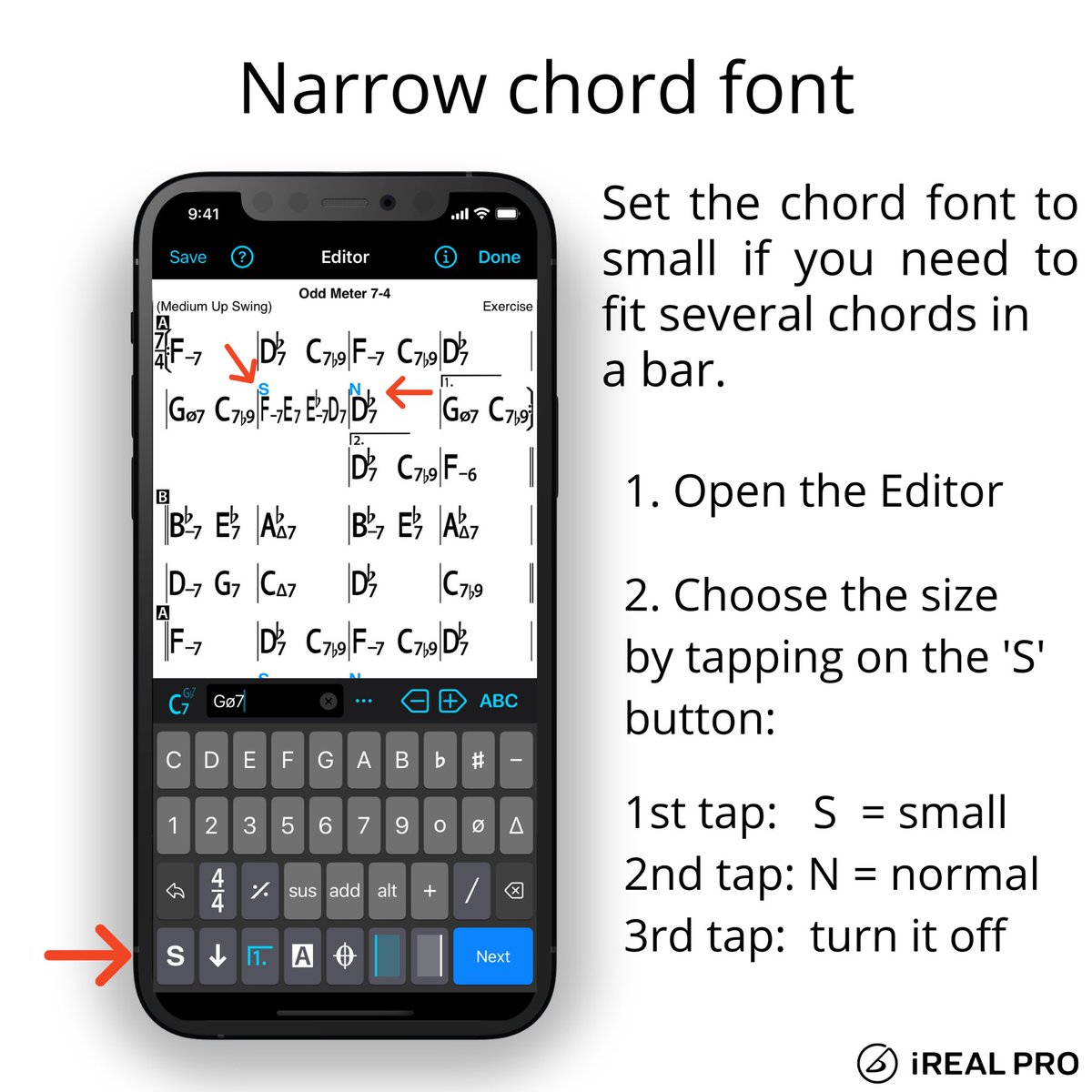
How to use narrow chord font in iReal Pro
#irealprotutorial
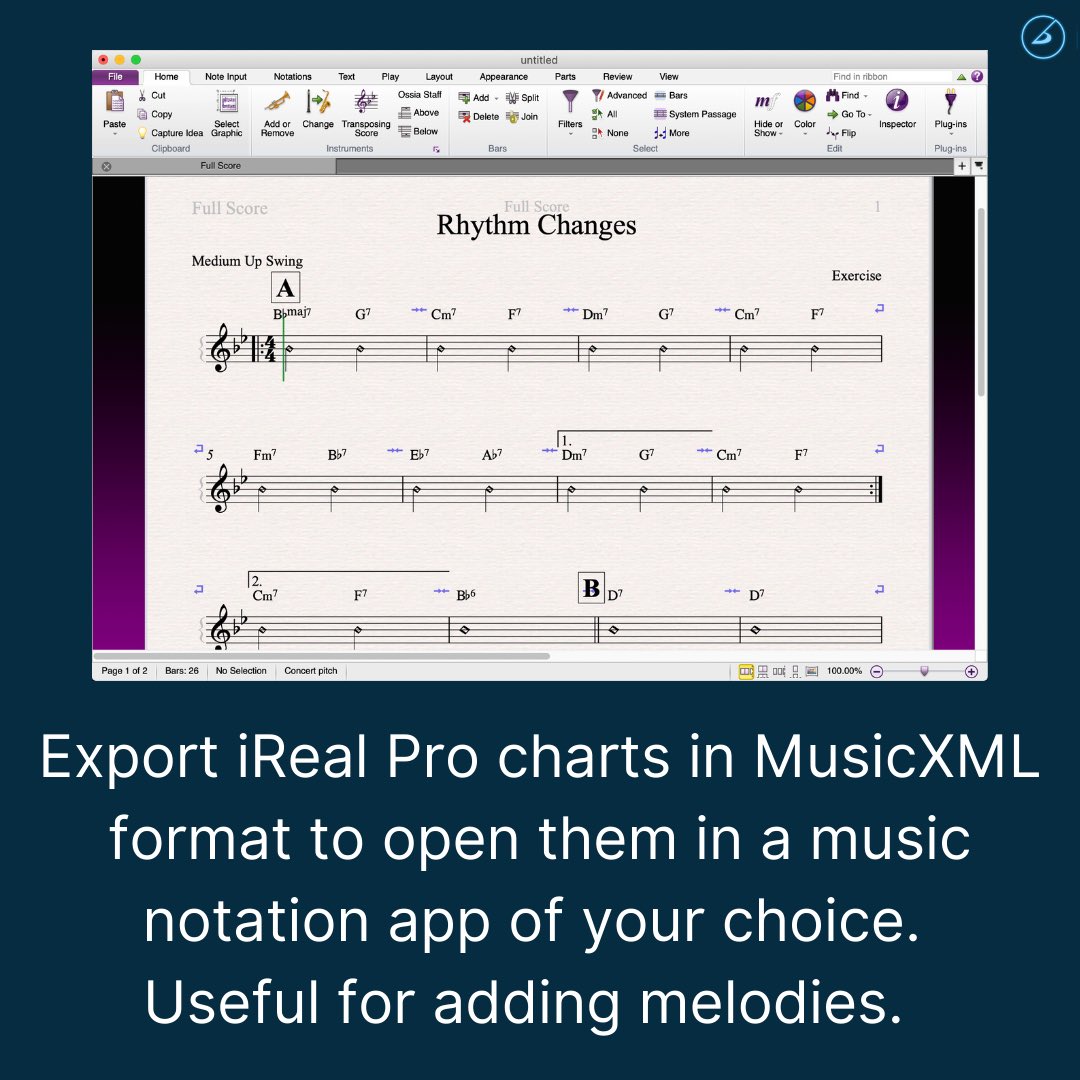
Do you need to make a chart?
Save some time and export the song from iReal Pro in MusicXML format.
You’ll have the form of the song and the chords already, just quickly add the melody.
More info: https://t.co/0SeMLjzUwY
#irealprotutorial #writeachart #musicnotation
Do you want to add a 2nd verse to your chart?
It’s easy to add a new line in iReal Pro’s Editor.
#irealprotutorial
Do you want to work on a specific scale over a chord?
Turn on the Chord Scales in iReal Pro’s playback control and select the scale you want to practice in song view.
#irealprotutorial
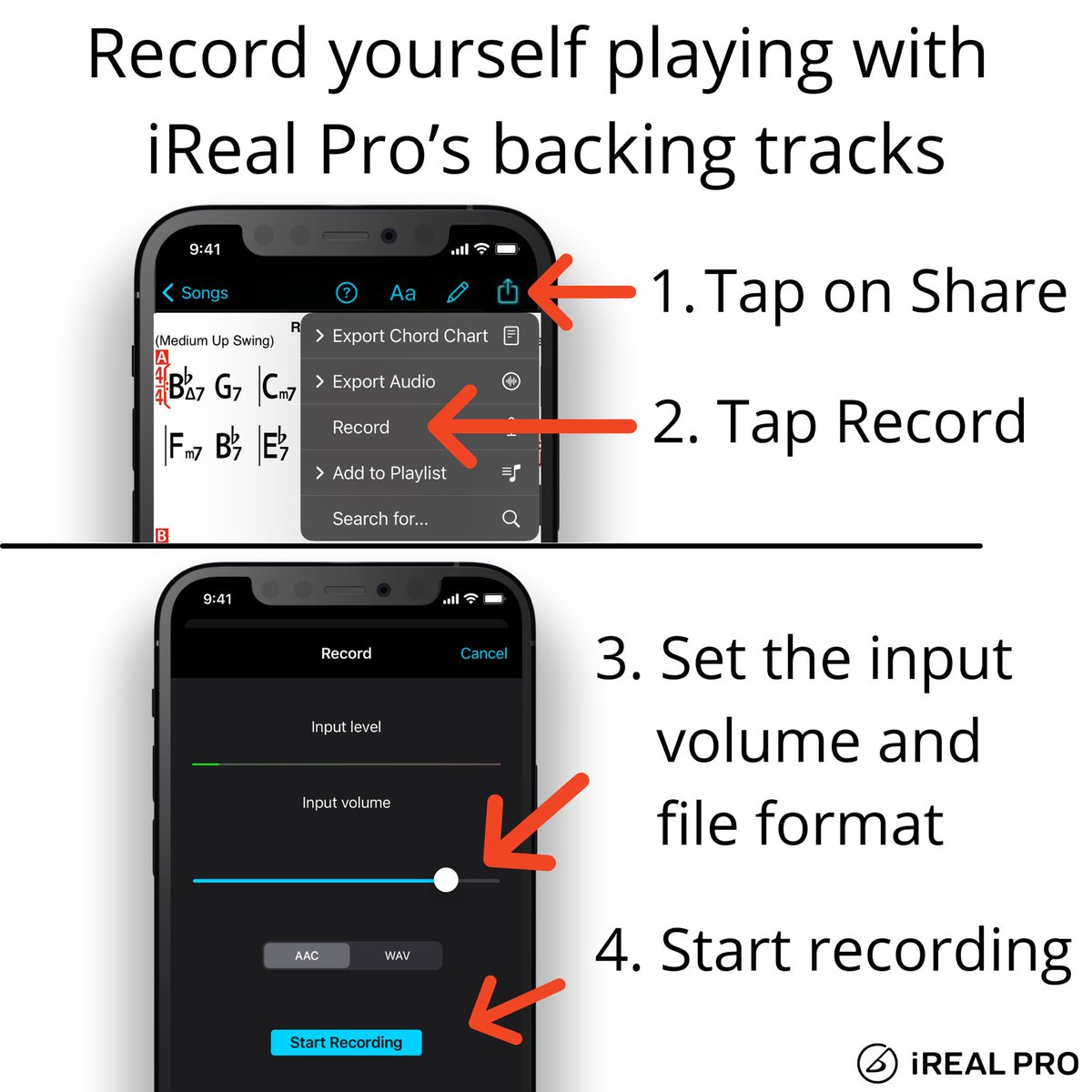
Record yourself playing or singing along with iReal Pro’s backing tracks.
Have an idea for a solo or have to submit homework for your music class?
Make a quick recording of it!
#irealprotutorial #record #backingtrack
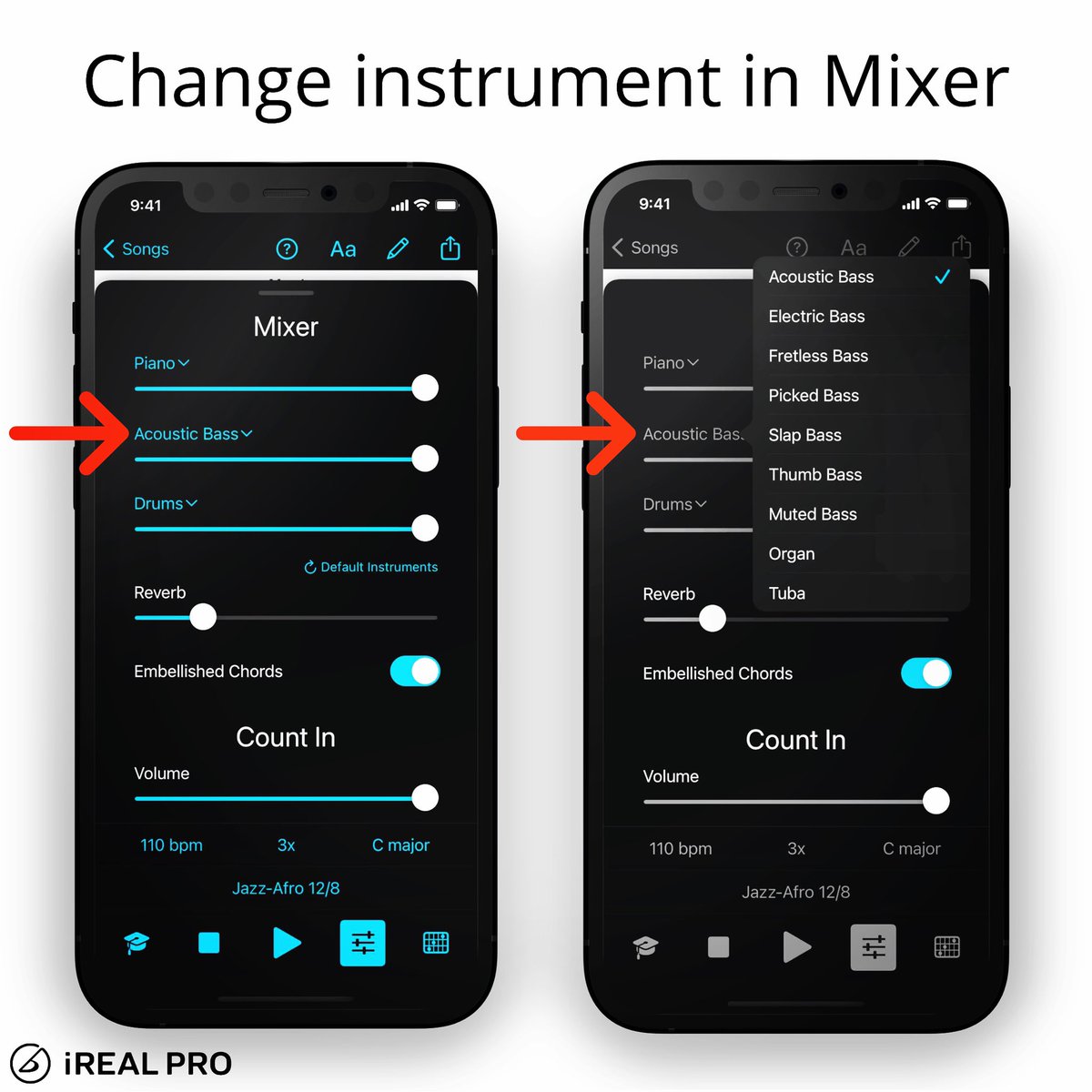
When you’re composing or practicing, it gives such a different feel to change an instrument and mute one.
In the Mixer, tap on the name of the instrument and choose one of the sounds.
Have fun personalizing your backing tracks!
#irealprotutorial
In case you need a ‘break’, here is a quick reminder how to use it in iReal Pro.
Open the Editor and in the text field, add the word “Break” and use the double bar line to resume the drums again.
#drumbreak #irealprotutorial #practice

Save some time when you need to make a chart. Export the song from iReal Pro in MusicXML format so you’ll have the form of the song and the chords added already.
More info: https://t.co/0SeMLjzmHq
#irealprotutorial #musicxml #writeachart #musicnotation #musicscore

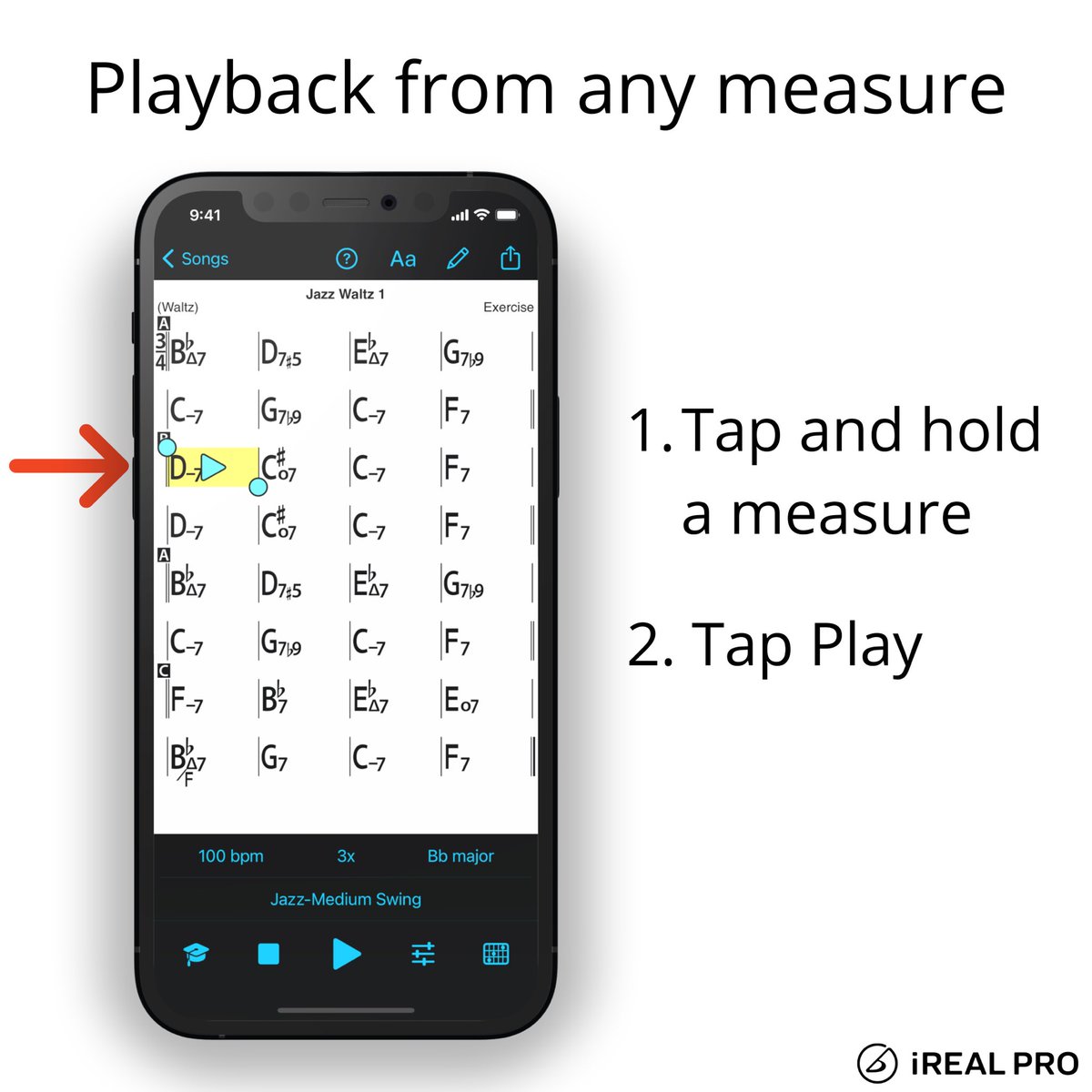
Still a recurring question from users if they can start the playback from any measures.
You can simply tap and hold a bar to start from a specific measure in the chart.
Add 1 more repeat in the playback and play from the last 4 bars to have an intro.
#irealprotutorial
Here is how you can quickly access the Transposition settings for horn players.
#irealprotutorial

In the Player controls, tap the Mixer button to change the Count-in settings.
Select 0 for No count-in, set the volume of count in with the slider or change the click sounds.
The Auto setting will automatically play one or two measures - depending on the tempo
#irealprotutorial

Here is an easy way to set the song’s tempo by tapping it out in the playback control.
You can also drag the slider or tap the +/- buttons to change it.
#irealprotutorial
Do you want to work on the voicing in a song? Try the guitar, ukulele or piano fonts and view the chord diagrams in the song chart.
Print it, share it, practice it!
#irealprotutorial

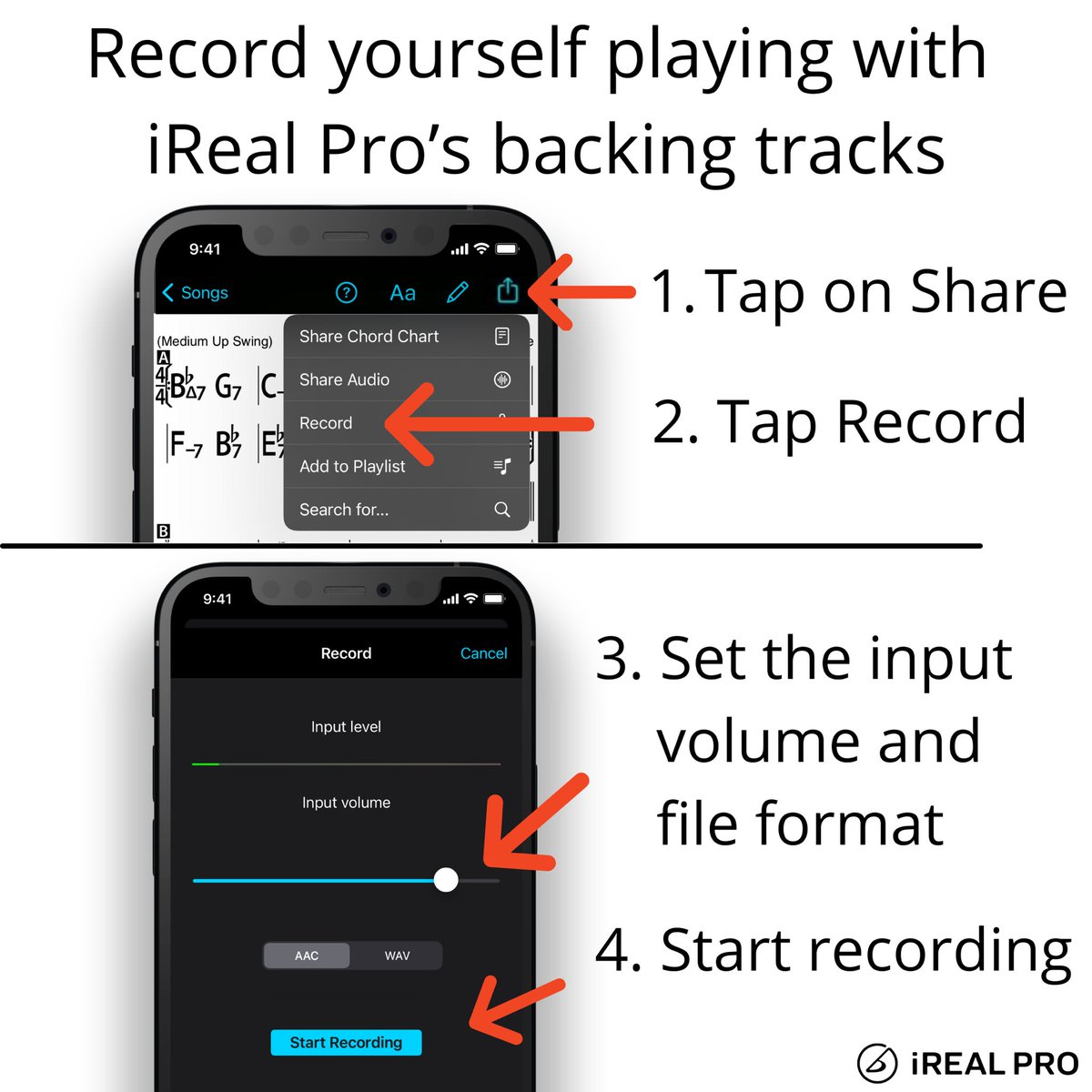
Check out how simple it is to record yourself playing or singing along with iReal Pro’s backing tracks.
Have an idea for a solo or have to submit homework for music class?
Make a quick recording of it!
#irealprotutorial #record #backingtrack
When you make a chart and want to save some time, export the song from iReal Pro in MusicXML format so you’ll have the form of the song and the chords added already.
More info: https://t.co/0SeMLjQXyY
#irealprotutorial #musicxml #musicnotation #musicscore

In the Mixer, you can change the Drums track to Click track and set the sound of the clicks under Count In settings.
#irealprotutorial
Last Seen Hashtags on Sotwe
Most Popular Users

Elon Musk 
@elonmusk
240.1M followers

Barack Obama
@barackobama
119.3M followers

Donald J. Trump
@realdonaldtrump
111.6M followers

Cristiano Ronaldo
@cristiano
108.8M followers

Narendra Modi
@narendramodi
107M followers

Rihanna
@rihanna
97.2M followers

NASA
@nasa
92.1M followers

Justin Bieber
@justinbieber
90.5M followers

KATY PERRY
@katyperry
86.8M followers

Taylor Swift
@taylorswift13
80.6M followers

Lady Gaga
@ladygaga
72.1M followers

Kim Kardashian
@kimkardashian
69.4M followers

YouTube
@youtube
68.6M followers

Virat Kohli
@imvkohli
68.5M followers

Bill Gates
@billgates
63.4M followers

The Ellen Show
@theellenshow
62.5M followers

CNN
@cnn
61.9M followers

Neymar Jr
@neymarjr
61M followers

X
@x
60.9M followers

CNN Breaking News
@cnnbrk
59.9M followers