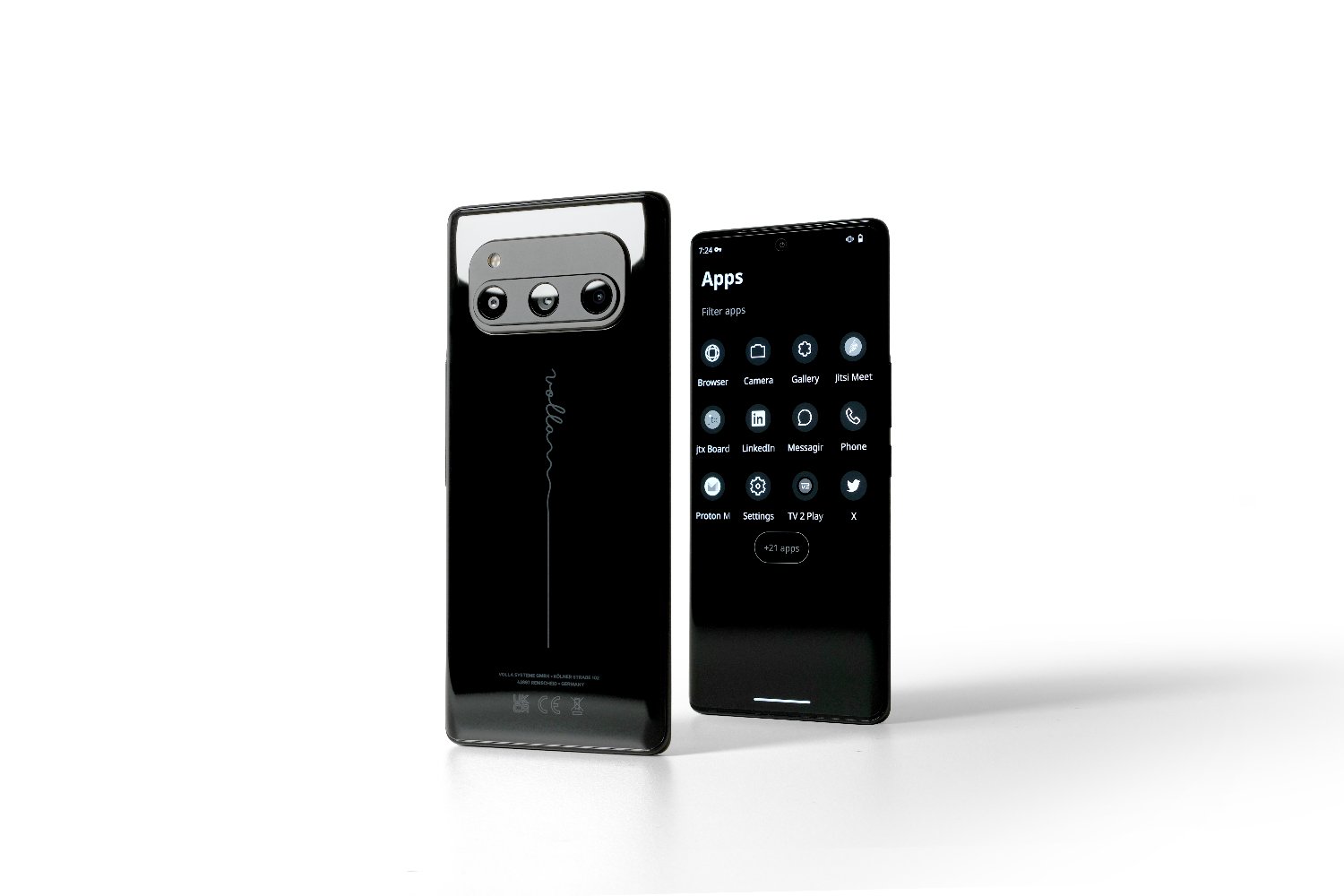
💥Save the DATE 💥
The annual Volla Community Days twill take place on 13th and 14th june.
Mobile communication can be independent, self-determined, and secure.
Register and visit us in Remscheid:
[email protected]
Read more:
👉 https://t.co/I3kk7uqYwy
#volla#VCD
Volla OS tip:
✅ Find and edit messages directly on your start screen without having to open an app. You can use shortcuts to display messages on your home screen.
#Volla#VollaOS#OpenSource#Software#Hardware#Tip
Volla OS tip:
✅Inclusion list allows Internet addresses and IP addresses to be accessed!
Select firewall settings and add the desired domains.
❗Important❗ While the security mode is activated, the settings cannot be changed🛡️
#Volla#VollaOS#Opensource#Software#Tip
Volla OS tip:
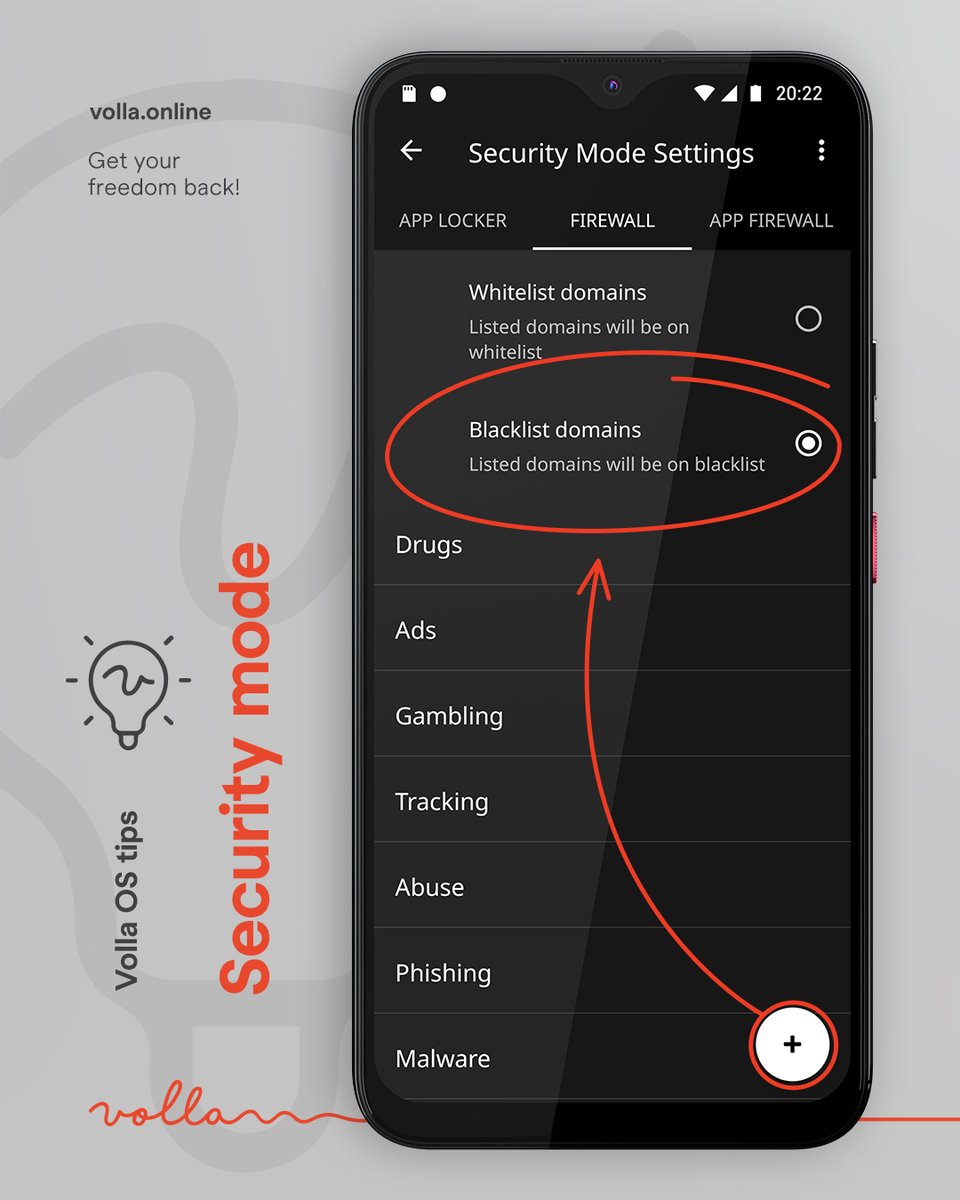
✅ Use Blacklist to block dangerous domains from being accessed!
❗Important❗ While the security mode is activated, the settings cannot be changed🛡️
#Volla#VollaOS#OpenSource#Software#Hardware#Tip
Maybe it’s time to question why the most privacy obsessed people on the internet keep choosing Mullvad VPN and IVPN…
while Proton VPN dominates mainstream recommendations.
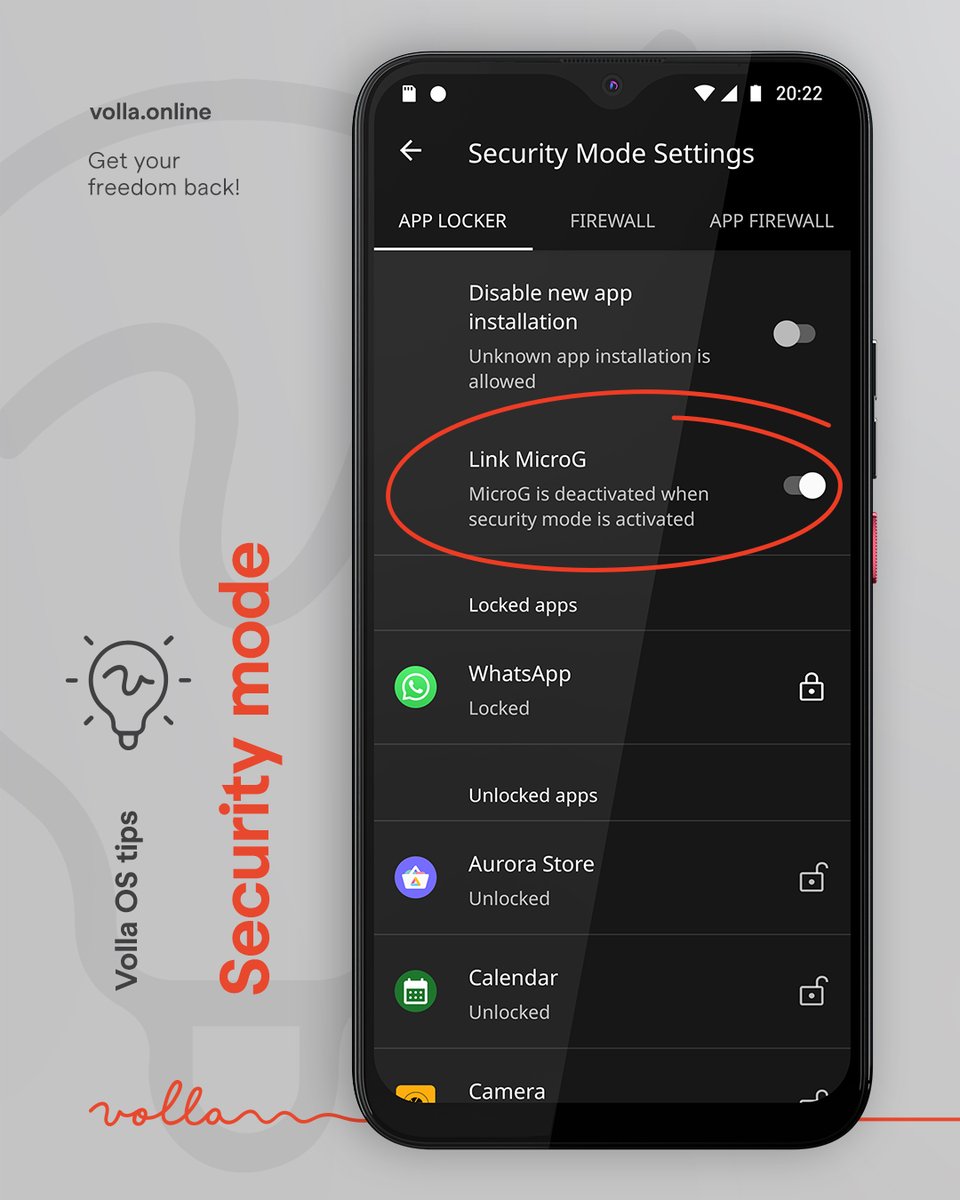
Volla OS tip:
✅ Deactivating microG, the alternative for Google Play services, can easily be linked to activating security mode.
#Volla#VollaOS#OpenSource#Software#Hardware
Volla OS tip:
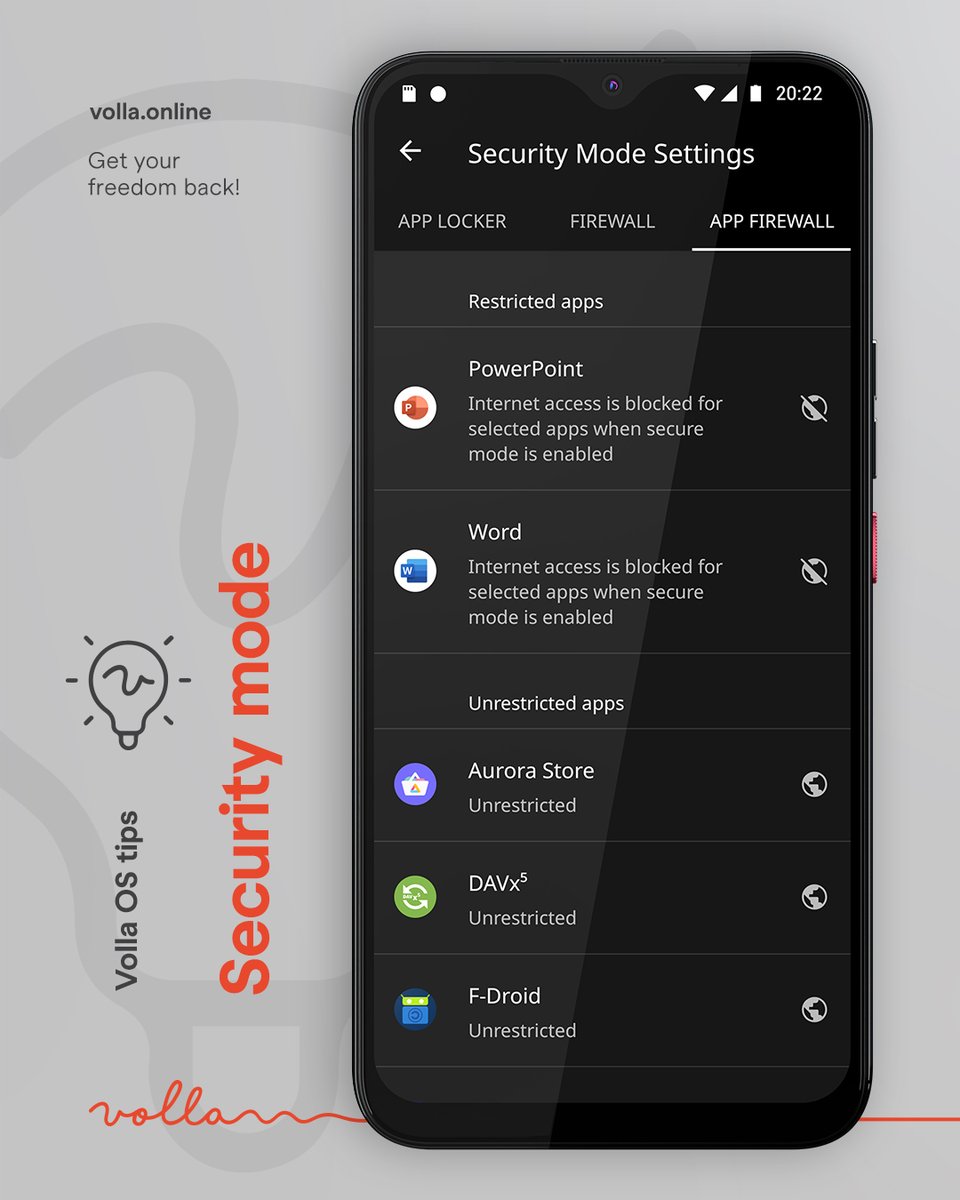
✅ Control Internet access for individual apps with a single gesture by activating security mode.
👉Click on the globe in security mode settings under App Firewall.
#Volla#VollaOS#OpenSource#Software#Hardware#Tip
Volla OS tip:
✅ Use security mode to block Internet access for selected apps so that neither content nor statistics about your usage can be passed on.
✅ Save battery consumption by blocking apps or simply enjoy a tidy app overview.
#Volla#VollaOS#OpenSource#Software
🚀 Join the Volla Community Days 2026 on June 13–14 in Remscheid, Germany!
Meet partners, discover privacy-focused mobile tech and enjoy live demos/workshops - onsite and via livestream.
More info: https://t.co/GaH0lEOLgP
#Volla#OpenSource#Privacy#LinuxMobile
Volla OS tip:
✅ Activate security mode to temporarily block apps or their Internet access and filter Internet traffic.
👉Swipe to the right on home screen until the quick menu appears. Select 'Security mode is ON/OFF'
#Volla#VollaOS#OpenSource#Software#Hardware
Volla OS tip:
✅ Search via springboard
👉Enter website or search term in the text field, then choose “Search on the Internet”. The default search engine is then called up in the browser (you can choose which one to use)
#Volla#VollaOS#OpenSource#Software#Hardware#Tip
Volla OS tip:
✅ Create calendar entries via the springboard
👉The springboard text field anticipates what you want to do - enter a future time, e.g: Friday morning or tomorrow morning, optionally with a time. Tap “Add to calendar” and you can complete the entry.
#Volla#Tip
Volla OS tip:
✅ Use the springboard to create messages
👉Start typing on the springboard and select the desired recipient by typing @. Write your message and select “Send text message”.
#Volla#VollaOS#OpenSource#Software#Hardware
VollaOS tip:
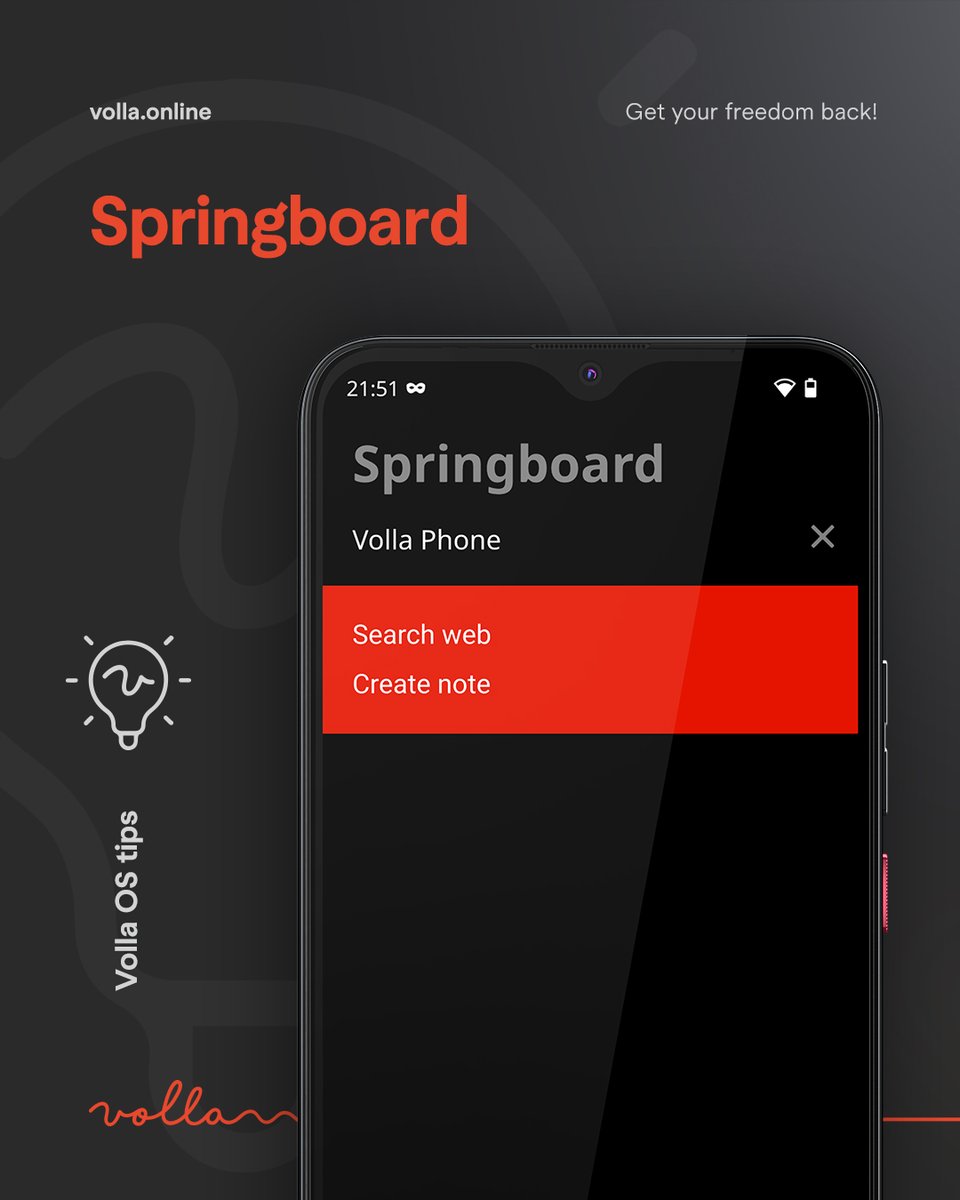
✅ Create notes via the springboard
👉start typing in the text field and write your notes.
“create note” menu appears, select, and the note is saved immediately. You can then retrieve your notes by swiping left.
#Volla#VollaOS#OpenSource#Software#Hardware
Everybody is talking about digital sovereignty, but so far it's mostly talk.
At this #republica we were excited to explain to our Digital Minister Karsten Wildberger that 🇩🇪 German and 🇪🇺 European solutions already exist.
Now it's time to walk the talk!
Together, we can make the change! 💪
'How to turn off data traps'
The @republica workshop was a huge success!
Thanks to everybody for the interest in the Volla Phones, Volla Tablets and VollaOS 🙏😍
Special Thanks to 👉 https://t.co/0PupFEhbPS
#Volla#VollaOS#republica#OpenSource#Software#Hardware
Interesting for the our norwegian community:
We have a new partner for repairs and sales in Norway, PC SPESIALISTEN
👉https://t.co/YAhO1y95ZR
There is also a retail store where you can view and test the various devices, have a look 🤩
#Volla#PCspesialisten#OpenSource