Engine²r DÜ EE. ve Bilg.Müh. Y.Lisans, İÜ YBS Öğrenci, ∞ Öğre(t/n)en Python sever, C# aşığı, Arduino ile nişanlı, Raspberry Pi ile evli, Gelecek IoTAICyberSec:)
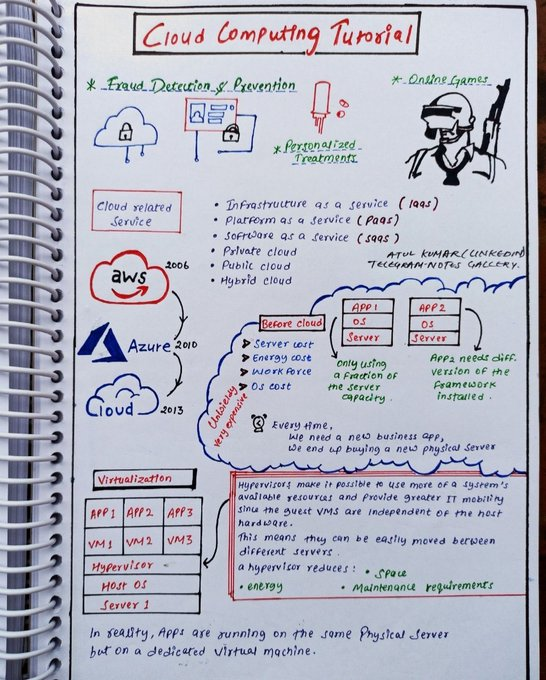
𝗖𝗹𝗼𝘂𝗱 𝗖𝗼𝗺𝗽𝘂𝘁𝗶𝗻𝗴
Learning cloud computing in 2025 is crucial because it powers modern businesses, AI, and scalable technology solutions.
Notes Zero To Hero
Complete Cloud Computing Handwritten Notes.
Simply:
1. Follow me (so I will Dm)
2. Like and Repost
3. Comment “send” To Recieved
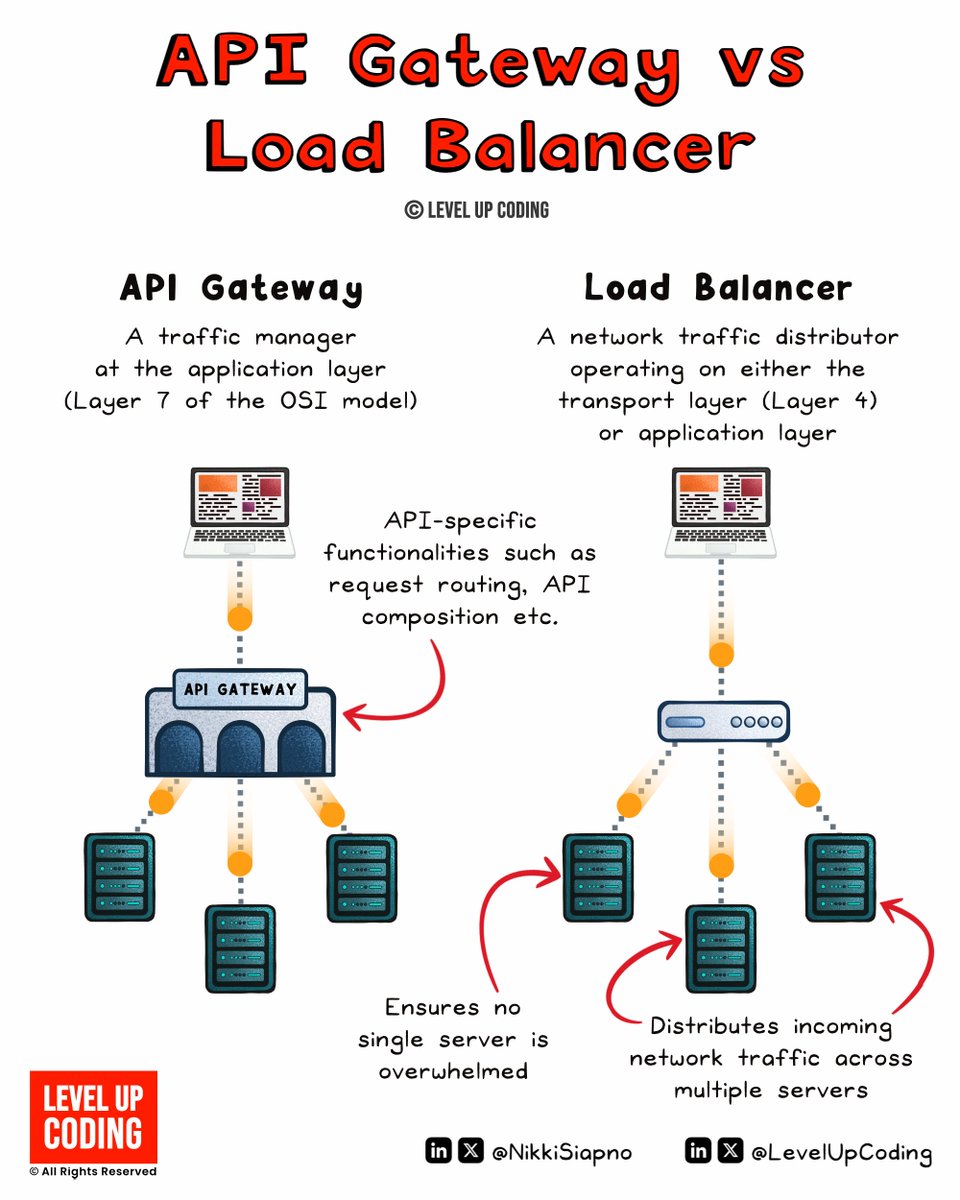
API gateway vs load balancer
(explained in 2 mins or less):
An 𝗔𝗣𝗜 𝗚𝗮𝘁𝗲𝘄𝗮𝘆 acts as a single entry point for clients, handling request routing, composition, and protocol translation. It simplifies client interactions with microservices and offers features like rate limiting, authentication, monitoring, and more.
𝗟𝗼𝗮𝗱 𝗯𝗮𝗹𝗮𝗻𝗰𝗲𝗿𝘀 are concerned with routing client requests across multiple servers to distribute load and prevent bottlenecks. This helps maximize throughput, reduce response time, and optimize resource use.
So what are the key differences?
API gateways focus on request management and microservice communication, while Load Balancers focus on traffic distribution and server load management.
API gateways operate at the application layer (L7), while Load Balancers can operate at both transport (L4) or application (L7) layers.
API gateways offer features like routing, rate limiting, authentication, service discovery, parameter validation, circuit breakers, and more. Load Balancers handle traffic distribution and failover.
An 𝗔𝗣𝗜 𝗴𝗮𝘁𝗲𝘄𝗮𝘆 𝗶𝘀 𝗜𝗱𝗲𝗮𝗹 𝗳𝗼𝗿 𝗺𝗶𝗰𝗿𝗼𝘀𝗲𝗿𝘃𝗶𝗰𝗲 𝗮𝗿𝗰𝗵𝗶𝘁𝗲𝗰𝘁𝘂𝗿𝗲𝘀 needing centralized API request management.
A 𝗹𝗼𝗮𝗱 𝗯𝗮𝗹𝗮𝗻𝗰𝗲𝗿 𝗶𝘀 𝗲𝘀𝘀𝗲𝗻𝘁𝗶𝗮𝗹 𝗳𝗼𝗿 applications requiring high availability, distributing traffic across multiple servers.
In summary, API gateways manage and secure API calls, while load balancers ensure efficient traffic distribution.
💭 What else would you add? 💬
--
👋 PS: If you like this post, then you'll love our newsletter. Join 25,000+ software engineers: https://t.co/OQtXb4zMoe
PPS: You get our Architecture Patterns Playbook for free when you join. It’s packed with visuals, tradeoffs, & real-world examples.
--
🔖 Save for later
♻️ Repost to help others learn system design
🙋🏻♀️ Follow Nikki Siapno + turn on notifications
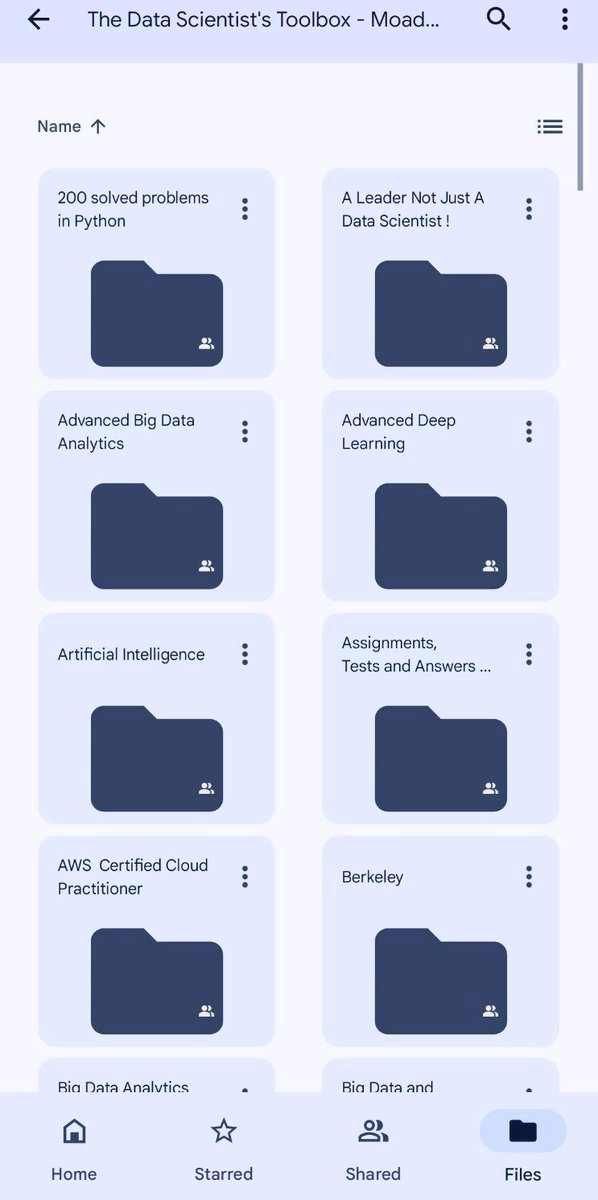
𝗣𝗮𝗶𝗱 𝗖𝗼𝘂𝗿𝘀𝗲 𝗙𝗥𝗘𝗘 (PART - 2)
1. Artificial Intelligence + Data Analyst
2. Machine Learning + Data Science
3. Cloud Computing + Web Development
4. Ethical Hacking + Hacking
5. Data Analytics + DSA
6. AWS Certified + IBM COURSE
7. Data Science + Deep Learning
8. BIG DATA + SQL COMPLETE COURSE
9. Python + OTHERS
10 MBA + HANDWRITTEN NOTES
(72 Hours only ) Cost About - $500
To get: -
1. Follow (So I can DM you )
2. Like & retweet
3. Reply " Send "
Free Udemy Cybersecurity Course Collection
🎓 Access 30+ Courses & 1,000 TB of Resources!
What you'll learn:👇
💼 Cybersecurity Basics
💼 Ethical Hacking
💼 Penetration Testing
💼 And more!
How to Access:👇
1️⃣ Like & Repost
2️⃣ Follow Me
3️⃣ Comment "Cyber"
Start learning FREE
🚀 FREE certification attempt!
Use code CCEP100OFF
Become a Certified Cybersecurity Educator Professional (CCEP) — the credential for pros who teach, mentor, and lead in security.
80 exam questions. 2 hours. Real-world domains: SecOps, IAM, Cloud, AppSec, IR & more.
Level up your expertise AND your ability to educate.
🔐 Ready to prove you can both do the work and teach it?
Comment “CCEP” for the link.
Linux User and Group Management
1. Introduction
→ Linux is a multi-user operating system, meaning multiple users can work on the same system with different permissions.
→ User and group management ensures security, access control, and proper organization of system resources.
2. User Types
→ Root User
→ The superuser with unrestricted access.
→ Username: root
→ Can perform system-wide operations.
→ Regular Users
→ Normal accounts with limited privileges.
→ Used for everyday tasks and applications.
→ System Users
→ Created by services (e.g., mysql, www-data).
→ Not meant for login.
→ Used for running background processes.
3. User Identification Files
→ Linux stores user information in:
→ /etc/passwd — basic user info (username, UID, GID, home directory, shell).
→ /etc/shadow — encrypted passwords and password policy.
→ /etc/group — group information.
4. Creating and Managing Users
→ Create a User
→ sudo adduser username
→ Creates home directory and prompts for password.
→ Add User Without Prompts
→ sudo useradd username
→ Use passwd to set password.
→ Delete a User
→ sudo deluser username
→ Remove with home directory:
→ sudo deluser --remove-home username
5. User IDs (UIDs)
→ Each user has a unique UID.
→ UID ranges:
→ 0 → root
→ 1–999 → system users
→ 1000+ → regular users
→ Check UID:
→ id username
6. Group Management
→ Groups define permissions for sets of users.
→ A user can belong to multiple groups.
→ Create a Group
→ sudo groupadd groupname
→ Add User to Group
→ sudo usermod -aG groupname username
→ Remove User from Group
→ sudo gpasswd -d username groupname
→ Delete a Group
→ sudo groupdel groupname
7. Primary vs Secondary Groups
→ Primary Group
→ Assigned when user is created.
→ Controls default ownership of files.
→ Secondary Groups
→ Additional groups for extra permissions.
→ Example: sudo group for admin privileges.
8. File Permissions and Ownership
→ Every file has:
→ Owner (user)
→ Group
→ Permission bits (read, write, execute)
→ Commands:
→ chown user:group file — change ownership
→ chmod 755 file — modify permissions
→ ls -l — view permissions
9. Password and Authentication Management
→ Change Password
→ passwd username
→ Password Policies stored in:
→ /etc/login.defs
→ /etc/shadow
→ Define:
→ Expiry
→ Minimum/maximum age
→ Complexity rules
10. Sudo Privileges
→ Grant admin rights using the sudo group.
→ Add user to sudoers:
→ sudo usermod -aG sudo username
→ Configure sudo rules:
→ visudo (edits /etc/sudoers safely)
11. Checking User and Group Info
→ id username — show UID, GID, groups
→ groups username — list groups
→ getent passwd — list users
→ getent group — list groups
12. Security Best Practices
→ Create separate users for different tasks.
→ Avoid using root for normal operations.
→ Strong password enforcement.
→ Regularly audit /etc/passwd, /etc/shadow, /etc/sudoers.
→ Remove inactive users.
13. Tip
→ Linux user and group management controls access, security, and permissions.
→ Commands like useradd, groupadd, chmod, and chown make managing users straightforward.
→ Proper organization ensures a stable and secure environment.
✅ Learn More About Linux System Administration in This Ebook:
https://t.co/mCaIRlvD0A
Cyber Security from Zero to Expert
A Complete Paid Course Free for 24 Hours⏰
This will help you crack your dream role
Only for the First 500 People🫣
Retweet & Reply "NEED" to get it for free.
[MUST FOLLOW] @TheUltimate_AI so that I can DM you.
SSL/TLS Handshake 🔐:
The SSL/TLS handshake is a crucial process that establishes a secure connection between a client (like your web browser) and a server (like a website).
1.ClientHello: Client proposes security parameters.
2.ServerHello: Server agrees and sends its certificate.
3.Key Exchange: Both parties exchange keys.
4.Finished: Secure connection established!










![TheUltimate_AI's tweet photo. Cyber Security from Zero to Expert
A Complete Paid Course Free for 24 Hours⏰
This will help you crack your dream role
Only for the First 500 People🫣
Retweet & Reply "NEED" to get it for free.
[MUST FOLLOW] @TheUltimate_AI so that I can DM you. https://t.co/JjXA7F1A6l](https://pbs.twimg.com/media/G6HRdGEbUAArFR_.png)


