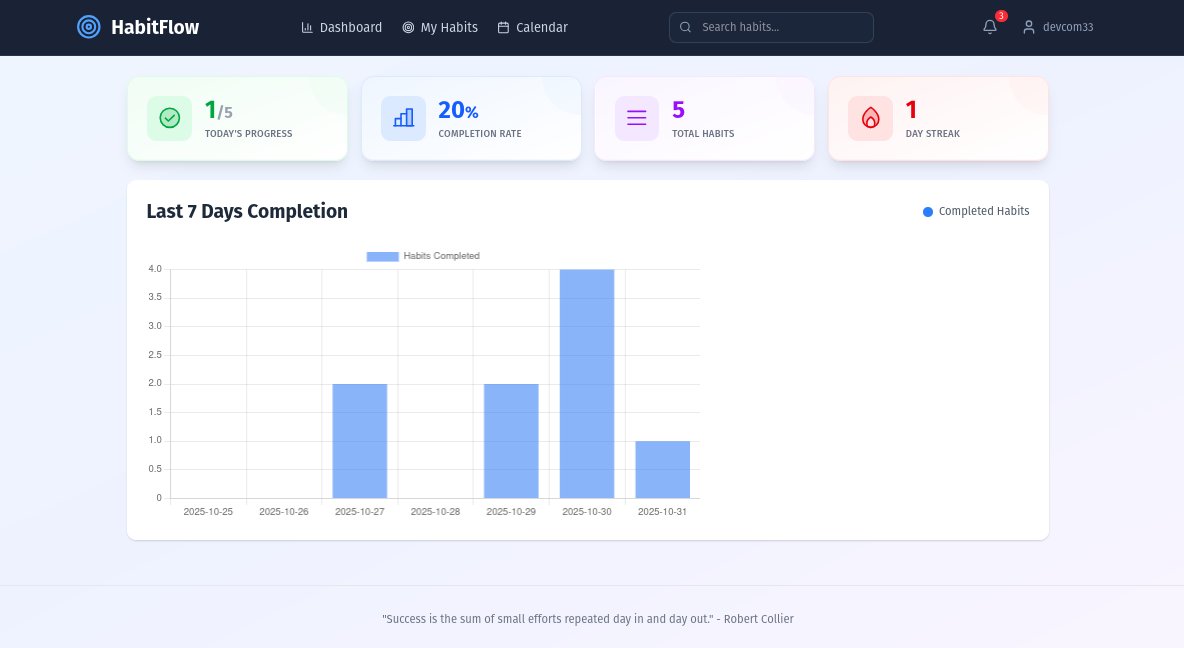
I got tired of manually redacting my resume every time I wanted to ask an LLM for feedback.
So I built Redacly to automate the process.
Now I can scrub my PII (Name, Email, Phone) in seconds before pasting it into ChatGPT.
Try it out: https://t.co/NyGkvU7hI1
#BuildInPublic#AI
Reflecting on my 2025 Dev Journey
Finished in the Top 5% on GitHub 🔥 it was a rich year of building, learning new tech, and leveling up my Full Stack skills. 💪
Let’s make 2026 even better!
#Java#SpringBoot#FullStack#GitHub#BuildInPublic
السلام عليكم 🇲🇦
بدينا التحضيرات لـ State of Dev Morocco 2025، وكيما ديما، بغيناكم تكونو جزء من هاد العملية!
هادي هي الفرصة ديالكم باش تشاركو معانا الأفكار ديالكم وتساعدونا نحسنو السورفاي (الاستبيان) ديال هاد العام.
✅ عندك شي سؤال جديد بغيتينا نزيدوه؟ ✅ شي سؤال قديم بغيتي تبدل الصياغة ديالو؟ ✅ شي اختيار كان ناقص فالأجوبة؟ ✅ أي فكرة كيفما كانت باش السورفاي يكون حسن؟
الرأي ديالكم مهم بزاف. دخلو لليان لتحت فشاركوا معانا فالـ discussion على GitHub ا!
🔗 الرابط: https://t.co/1dnDqY3zPh
#StateOfDevMA #StateOfDev2025 #GeeksBlaBla #MoroccanDevelopers #TechMaroc #البرمجة_فالمغرب
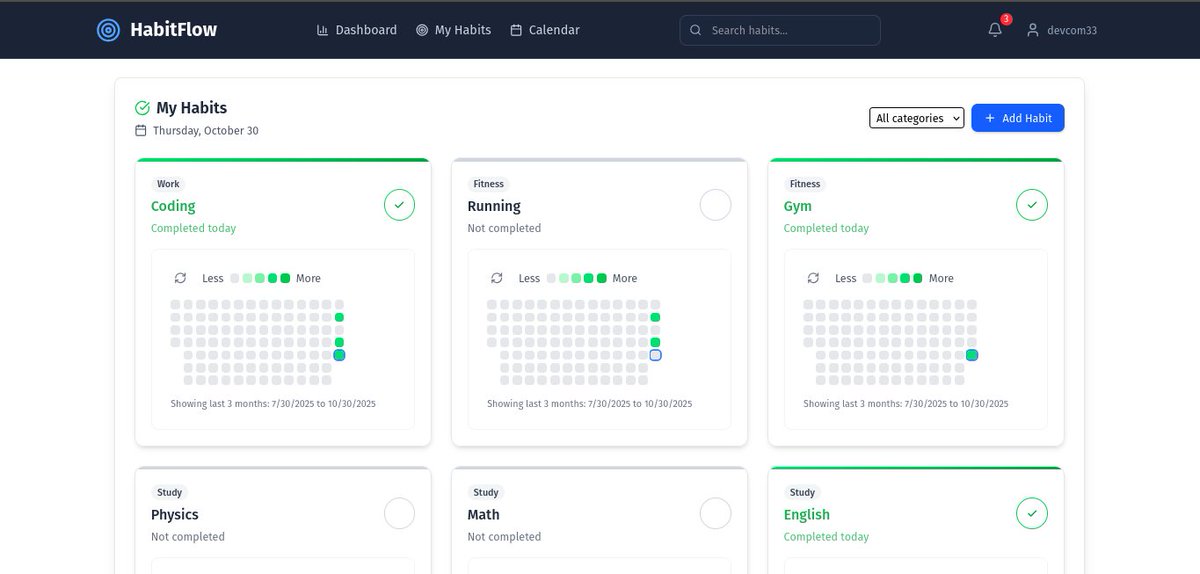
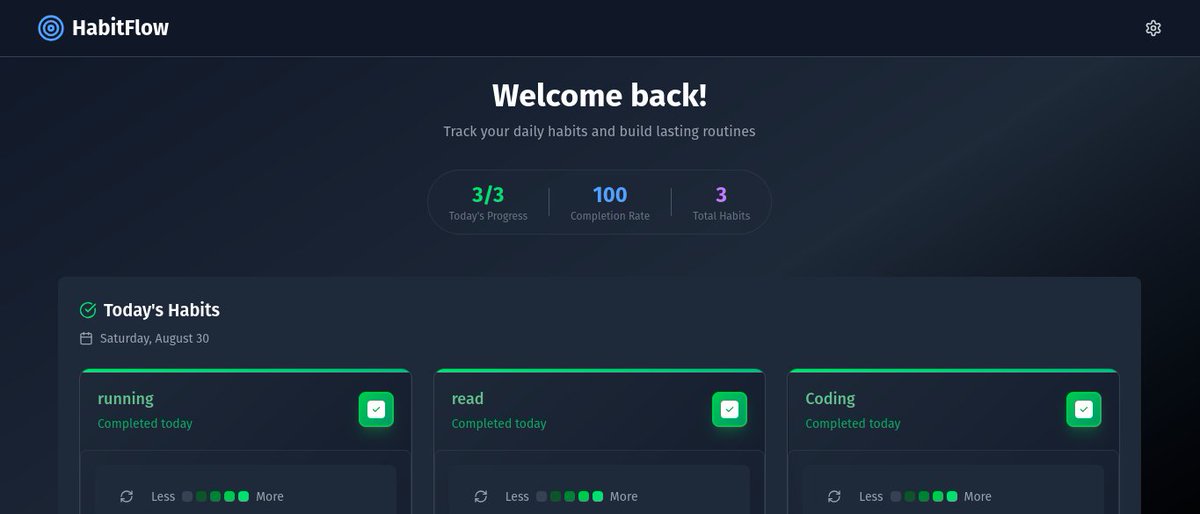
Building HabitFlow — a GitHub-style habit tracker using Spring Boot + React
Track daily habits, streaks, and progress inspired by GitHub’s contribution graph.
Follow for updates as I build in public.
#Java#SpringBoot#React#BuildInPublic#OpenSource
Backend Data Flow (in simple words)
1. Client sends HTTP request
2. Server parses request
3. Middleware checks auth
4. Controller maps routes
5. Service layer does logic
6. DB query runs
7. Response returns
Every full stack dev should know this flow.
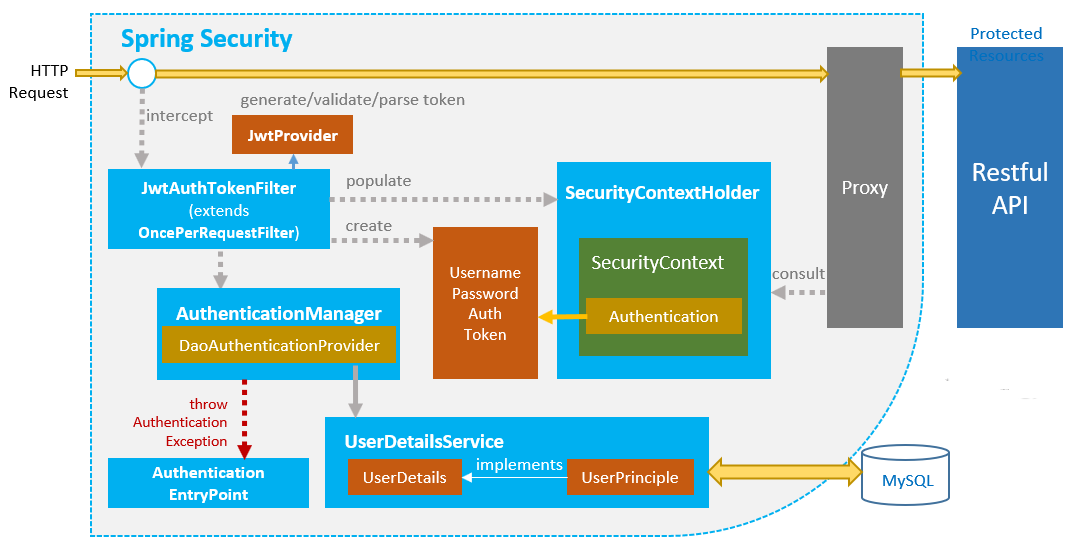
Today’s work on my Spring Boot eLearning REST API has been fantastic! 🚀 JWT authentication is live, and role-based access control is now seamlessly integrated. Feeling accomplished and excited for what’s next! 🌟 #SpringBoot#Java#eLearning#Restapi
🚀 Excited to share my latest project: an eLearning RESTful API built with Spring Boot! Today, I’m diving into configuring JWT authentication to ensure secure and stateless access. Stay tuned for updates as I integrate this feature!
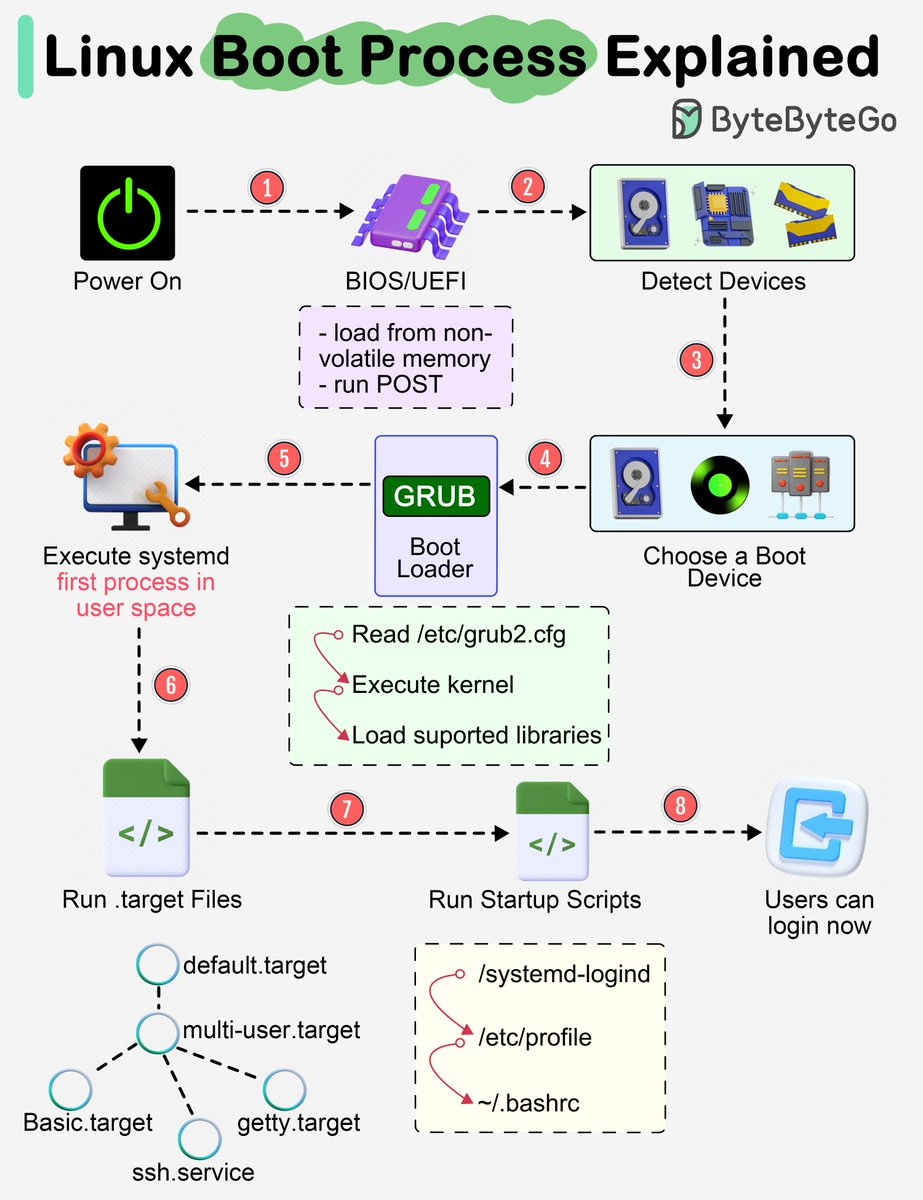
Almost every software engineer has used Linux before, but only a handful know how its Boot Process works :) Let's dive in.
The diagram below shows the steps.
Step 1 - When we turn on the power, BIOS (Basic Input/Output System) or UEFI (Unified Extensible Firmware Interface) firmware is loaded from non-volatile memory, and executes POST (Power On Self Test).
Step 2 - BIOS/UEFI detects the devices connected to the system, including CPU, RAM, and storage.
Step 3 - Choose a booting device to boot the OS from. This can be the hard drive, the network server, or CD ROM.
Step 4 - BIOS/UEFI runs the boot loader (GRUB), which provides a menu to choose the OS or the kernel functions.
Step 5 - After the kernel is ready, we now switch to the user space. The kernel starts up systemd as the first user-space process, which manages the processes and services, probes all remaining hardware, mounts filesystems, and runs a desktop environment.
Step 6 - systemd activates the default. target unit by default when the system boots. Other analysis units are executed as well.
Step 7 - The system runs a set of startup scripts and configure the environment.
Step 8 - The users are presented with a login window. The system is now ready.
–
Subscribe to our weekly newsletter to get a Free System Design PDF (158 pages): https://t.co/FIzCeaWsZV
10 Good Coding Principles to improve code quality.
Software development requires good system designs and coding standards. We list 10 good coding principles in the diagram below.
🔹 01 Follow Code Specifications
When we write code, it is important to follow the industry's well-established norms, like “PEP 8”, “Google Java Style”, adhering to a set of agreed-upon code specifications ensures that the quality of the code is consistent and readable.
🔹 02 Documentation and Comments
Good code should be clearly documented and commented to explain complex logic and decisions, and comments should explain why a certain approach was taken (“Why”) rather than what exactly is being done (“What”). Documentation and comments should be clear, concise, and continuously updated.
🔹 03 Robustness
Good code should be able to handle a variety of unexpected situations and inputs without crashing or producing unpredictable results. Most common approach is to catch and handle exceptions.
🔹 04 Follow the SOLID principle
“Single Responsibility”, “Open/Closed”, “Liskov Substitution”, “Interface Segregation”, and “Dependency Inversion” - these five principles (SOLID for short) are the cornerstones of writing code that scales and is easy to maintain.
🔹 05 Make Testing Easy
Testability of software is particularly important. Good code should be easy to test, both by trying to reduce the complexity of each component, and by supporting automated testing to ensure that it behaves as expected.
🔹 06 Abstraction
Abstraction requires us to extract the core logic and hide the complexity, thus making the code more flexible and generic. Good code should have a moderate level of abstraction, neither over-designed nor neglecting long-term expandability and maintainability.
🔹 07 Utilize Design Patterns, but don't over-design
Design patterns can help us solve some common problems. However, every pattern has its applicable scenarios. Overusing or misusing design patterns may make your code more complex and difficult to understand.
🔹 08 Reduce Global Dependencies
We can get bogged down in dependencies and confusing state management if we use global variables and instances. Good code should rely on localized state and parameter passing. Functions should be side-effect free.
🔹 09 Continuous Refactoring
Good code is maintainable and extensible. Continuous refactoring reduces technical debt by identifying and fixing problems as early as possible.
🔹 10 Security is a Top Priority
Good code should avoid common security vulnerabilities.
Over to you: which one do you prefer, and with which one do you disagree?
--
Subscribe to our weekly newsletter to get a Free System Design PDF (158 pages): https://t.co/uc5M7CdXXC
Why spend 💵 💵on Bootcamps? Learn everything for FREE with the best tutorials-
0. How the Internet Works - https://t.co/DzqCN1ISZz
1. HTML & CSS basics - https://t.co/kyhypZfpub
2. CSS Flexbox - https://t.co/eepvLKKvbw
3. CSS Grid - https://t.co/7kFLjMv9QW
Many More 👇