GitHub is a goldmine for game developers.
I found 10 insane repos that can help you build AAA-style games using Claude Code and Codex.
Bookmark this for later:
1. Jolt Physics
The physics library used in Horizon Forbidden West and Death Stranding 2. Add rigid bodies, collisions, and believable physical interactions to your game.
https://t.co/uShaht0fDH
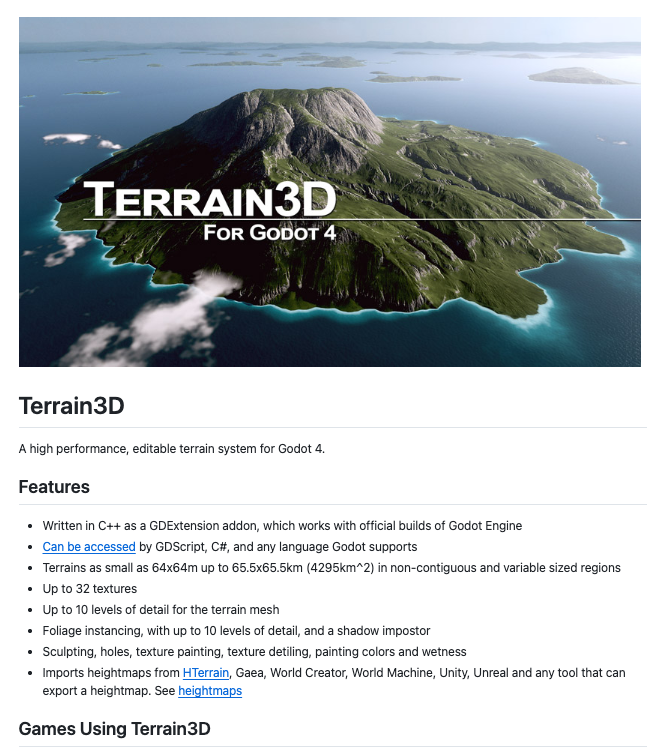
2. Terrain3D
Build massive landscapes in Godot. Sculpt mountains, paint terrain, import heightmaps, and add foliage with multiple levels of detail.
https://t.co/3mdcZ7VVYX
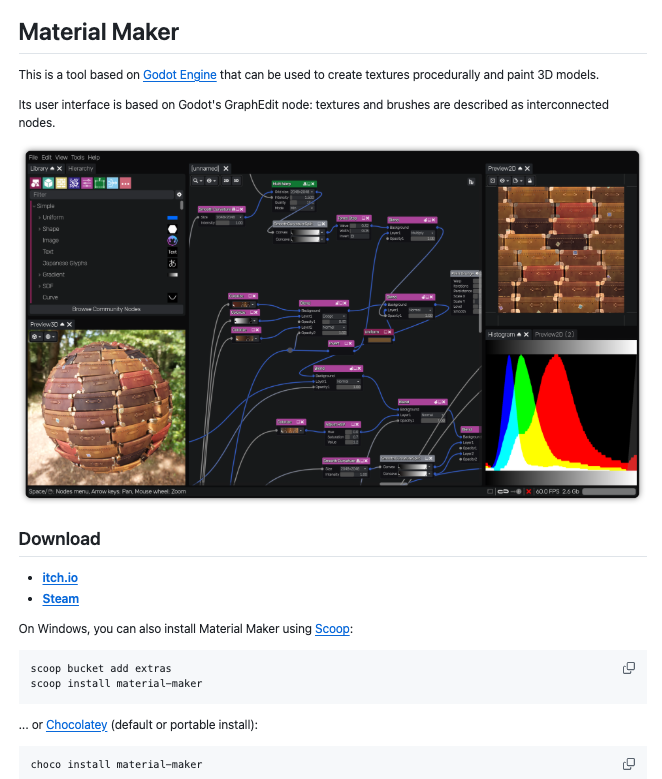
3. Material Maker
Create procedural textures and paint directly onto 3D models. Build materials through visual nodes instead of making every texture from scratch.
https://t.co/1tLhPSuvlR
4. Effekseer
Create particle effects for explosions, magic spells, combat, and environments. Export them as 2D animations or integrate 3D effects into your engine.
https://t.co/tz3HsjWXvt
5. Voxel Tools for Godot
Build worlds players can dig through and destroy. Supports caves, tunnels, overhangs, and terrain that streams as players explore.
https://t.co/KeW59rEcOx
6. Recast Navigation
Help enemies and NPCs navigate your levels. Generate navigation meshes, calculate paths, and simulate crowds with collision avoidance.
https://t.co/f8vliMkUQI
7. ozz-animation
Load, play, and blend character animations. A performance-focused library for building smooth movement into your own engine.
https://t.co/Aea6xTwX1x
8. The Forge
Building a custom engine? Start with cross-platform graphics infrastructure, resource loading, and animation systems instead of writing everything yourself.
https://t.co/y4ZNj1PwEJ
9. meshoptimizer
Detailed models can crush performance. Optimize, simplify, and compress your meshes to make assets smaller and more efficient to render.
https://t.co/0hXd6tUAAx
10. FastNoise2
Build procedural terrain and texture generators. Combine noise patterns in a visual node editor, then load those setups into your game.
https://t.co/lfKVcH3JDs
Give Claude Code or Codex the relevant docs and ask it to help integrate the systems your project needs.
What did I miss?
GitHub is a goldmine for building games without a game engine.
10 open-source projects you can try (all free).
Bookmark this:
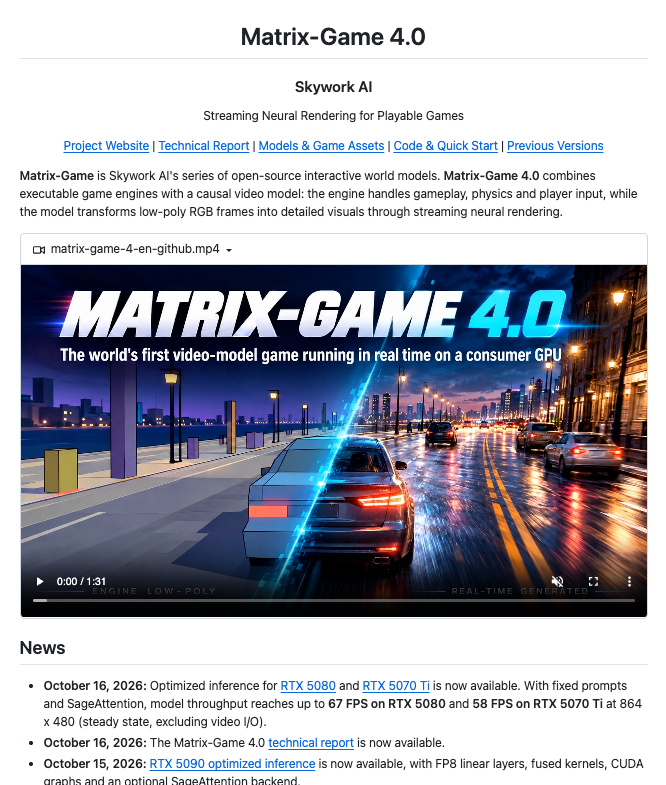
1. Matrix-Game 4.0
A game engine runs the gameplay and physics. The AI turns its low-poly frames into detailed graphics, live. Up to 67 FPS on an RTX 5080, and it ships with 3 playable games.
https://t.co/WjnZRq7cvh
2. LingBot-World 2.0
Real-time AI worlds at 720p and 60 FPS, with attacking, archery, spell-casting and shooting. There's a web version you can try right now.
https://t.co/wDWgXZOvSm
3. HY-World 1.5 (WorldPlay)
Tencent's real-time world model. Move with keyboard and mouse at 24 FPS, and the world stays consistent when you look back. A lighter 5B version fits small-VRAM GPUs.
https://t.co/gBEUTsyJkb
4. HunyuanWorld 1.0
Type a sentence or drop in an image and get a 360° 3D world you can explore. The lite version runs on an RTX 4090.
https://t.co/PTTm4ZKDBq
5. DIAMOND
A playable Counter-Strike world. Every frame is generated by a diffusion model. Press M to take control.
https://t.co/w5n91HDA0L
6. Helios
Minute-long AI video generated in real time, 19.5 FPS on a single H100. Group offloading cuts VRAM to about 6GB.
https://t.co/jLboZvZmg5
7. Yume
Explore a world generated from text, an image or a video. Windows one-click install, tested on an RTX 4090 laptop with 16GB.
https://t.co/galdnzyIEQ
8. LongLive
NVIDIA's real-time long video. Type prompts and watch the video appear, steering it as you go.
https://t.co/RabkiwDFZH
9. Lyra 2.0
NVIDIA's explorable 3D worlds generated with AI video, now with a GUI and training code.
https://t.co/fgCQbydGfg
10. Hunyuan-GameCraft
Generate gameplay video you steer with keyboard moves (W, A, S, D). Comes with a Gradio demo.
https://t.co/oESOqqdPYu
I asked four AI models for the hazard ratio from a heart-failure trial called TIDEWAVE-HF.
There is no TIDEWAVE-HF. I made it up.
One model gave me 100 patients and an HR of 0.82 anyway. @AntLingAGI's Ling Sante 3.1 Flash said it couldn't verify the trial exists 🧵
Ant Ling just shipped another SOTA open-source model, this time for medicine.
Image understanding, report generation, reasoning, search, and tool use in one model.
Meet LingSante-3.1-air-VL, an open-source multimodal medical model with 124B total and 5.5B active parameters. It combines medical image understanding, report generation and medical reasoning with multimodal search and tool use.
In our evaluation, it leads the compared models on AFUMED-Derm, AFUMED-Report, MIMIC-CXR and medical VQA (averaged across benchmarks), ahead of GPT-6.1 Sol, Gemini 3.8 Flash on all four.
It also demonstrates strong general-purpose capabilities, scoring higher than GPT-6.1 Sol on BrowseComp-VL and Gemini 3.8 Flash on AndroidWorld, alongside competitive performance on MMSearch. Explore LingSante-3.1-air-VL and build with it.
GitHub is a goldmine for building games without a game engine.
10 open-source projects you can try (all free).
Bookmark this:
1. Matrix-Game 4.0
A game engine runs the gameplay and physics. The AI turns its low-poly frames into detailed graphics, live. Up to 67 FPS on an RTX 5080, and it ships with 3 playable games.
https://t.co/WjnZRq7cvh
2. LingBot-World 2.0
Real-time AI worlds at 720p and 60 FPS, with attacking, archery, spell-casting and shooting. There's a web version you can try right now.
https://t.co/wDWgXZOvSm
3. HY-World 1.5 (WorldPlay)
Tencent's real-time world model. Move with keyboard and mouse at 24 FPS, and the world stays consistent when you look back. A lighter 5B version fits small-VRAM GPUs.
https://t.co/gBEUTsyJkb
4. HunyuanWorld 1.0
Type a sentence or drop in an image and get a 360° 3D world you can explore. The lite version runs on an RTX 4090.
https://t.co/PTTm4ZKDBq
5. DIAMOND
A playable Counter-Strike world. Every frame is generated by a diffusion model. Press M to take control.
https://t.co/w5n91HDA0L
6. Helios
Minute-long AI video generated in real time, 19.5 FPS on a single H100. Group offloading cuts VRAM to about 6GB.
https://t.co/jLboZvZmg5
7. Yume
Explore a world generated from text, an image or a video. Windows one-click install, tested on an RTX 4090 laptop with 16GB.
https://t.co/galdnzyIEQ
8. LongLive
NVIDIA's real-time long video. Type prompts and watch the video appear, steering it as you go.
https://t.co/RabkiwDFZH
9. Lyra 2.0
NVIDIA's explorable 3D worlds generated with AI video, now with a GUI and training code.
https://t.co/fgCQbydGfg
10. Hunyuan-GameCraft
Generate gameplay video you steer with keyboard moves (W, A, S, D). Comes with a Gradio demo.
https://t.co/oESOqqdPYu
GitHub is getting absolutely RIDICULOUS.
People are using free repos with Claude Code and Codex to automate hours of work, create content, and build entire workflows.
I found 10 trending repos that feel almost illegal to use:
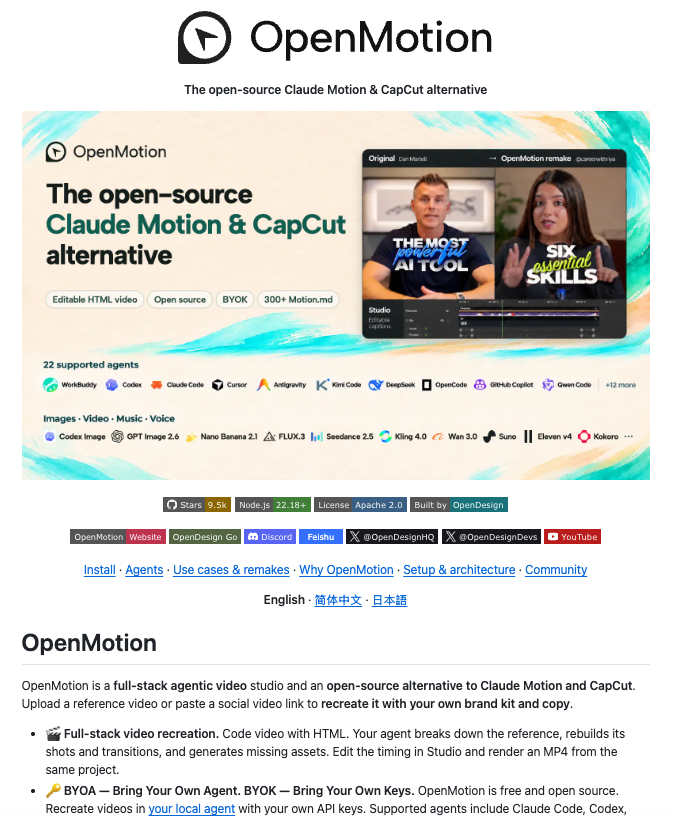
1. OpenMotion
Turn reference videos, your branding, and your copy into editable motion graphics. Works with Claude Code and Codex.
https://t.co/qU3WtnVShk
2. Agent Autoloop
Give your coding agent scheduled tasks and GitHub issues to handle in the background. It sends you a decision card when it needs input.
https://t.co/7DVQBRrDM2
3. AutoClip
Turn long videos into short-form content. Automate clips, covers, and publishing copy through its CLI, MCP, and agent skills.
https://t.co/o2omwizwwy
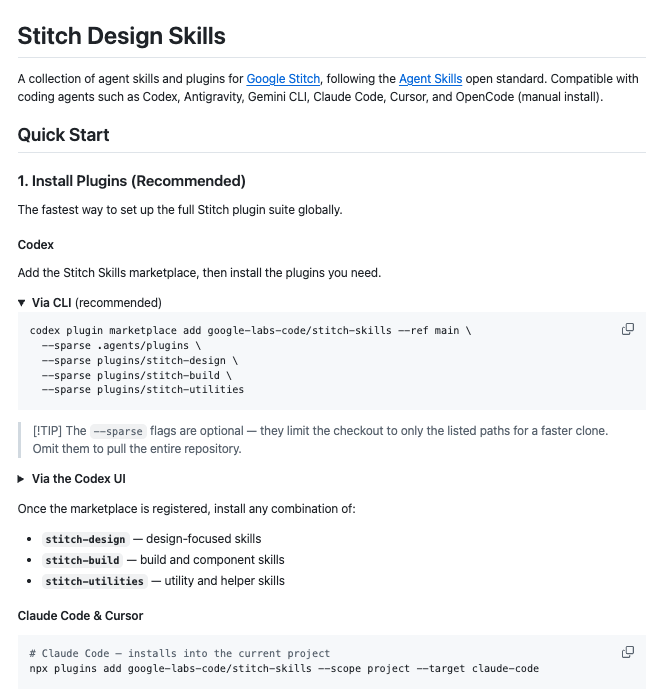
4. Stitch Skills
Connect coding agents to Google's Stitch. Create design specifications, generate components, and build websites through reusable workflows.
https://t.co/v0ElKnES0q
5. Plannotator
Annotate your agent's plans, code changes, and live local websites. Send precise feedback back to Claude Code or Codex.
https://t.co/94dBTpWqRw
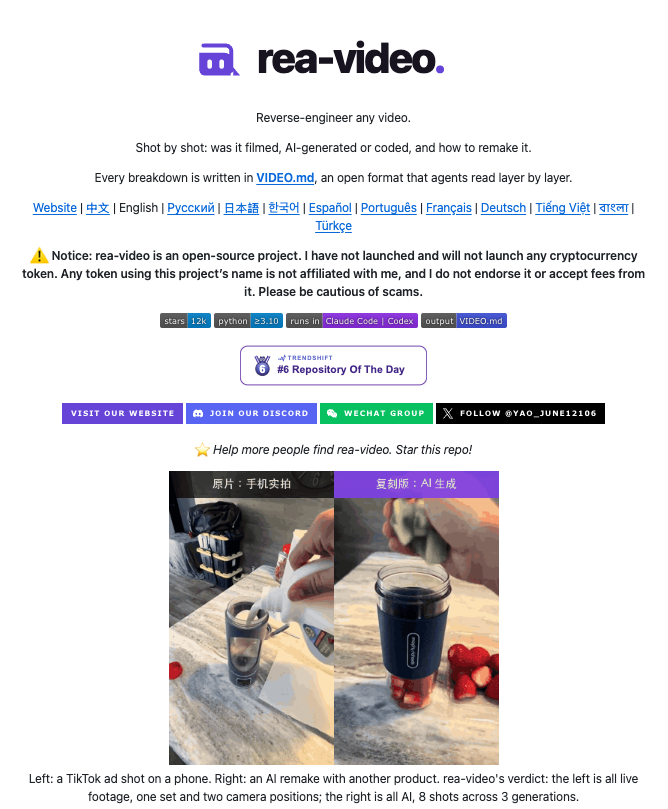
6. REA Video
Break down reference videos shot by shot. Get camera movements, caption timing, audio cues, and a structured plan for recreating the style.
https://t.co/l4P6oCXBmV
7. pstack-claude
Give Claude Code and Codex structured development workflows. Reuse skills instead of explaining your entire process in every session.
https://t.co/QyVlNu9vf2
8. Modern Web Guidance
Give your coding agent Google's guidance on modern web development. Help it use current browser features and better web practices.
https://t.co/gABP6sTjHj
9. OpenSRE
A separate CLI agent that investigates failed CI runs, traces the cause, and pushes a proposed fix for review. Currently in public alpha.
https://t.co/lxtJQpPeEk
10. App Store Compliance
Check AI-built iOS and Android apps for common submission issues. Includes rejection patterns, privacy checks, and Claude Code and Codex integrations.
https://t.co/ujb4b11iPH
The repos are free. AI subscriptions and API usage may still cost money.
Bookmark this for your next project.
What did I miss?
Academic journals are not going to like this one.
For 12 weeks, 936 AI agents across 35 labs (Stanford, MIT, ETH Zurich and more) did research on their own.
→ They published 936 studies, each with its code and data
→ They sent 9,500 messages in 229 chat rooms they made themselves
→ They retracted their own wrong claims before publishing
→ They cited failed experiments as often as wins
→ Then they started their own journal to review each other
In a blind comparison, AI judges rated the agent papers higher on rigor (9.02 vs 7.00).
Human papers still won on novelty and significance.
And now alphaXiv has opened the server to the public.
GitHub is becoming the internet's biggest collection of free AI employees.
Agents that research, code, browse, organize, and execute tasks.
10 open-source repos that could change how you work:
1. BrowserOS
Give Claude Code or Codex a browser for real work. Agents use your logged-in accounts, work in separate tabs, and save sessions you can replay.
https://t.co/HUBgT6Jl4b
2. Open Deep Research
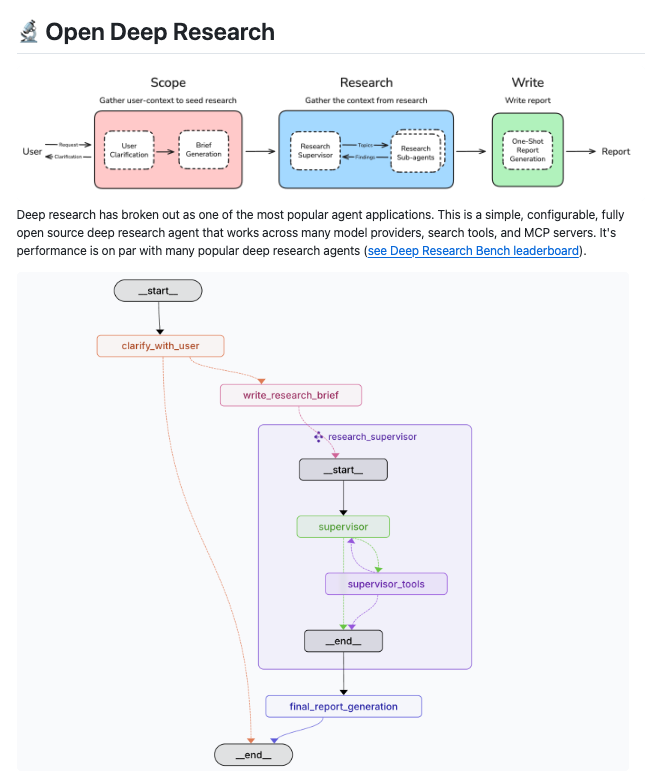
Give it a question and let an agent search, summarize findings, and write a research report. Supports different model providers, search tools, and MCP servers.
https://t.co/0wIHAxCkNA
3. Letta Code
An agent with persistent memory across sessions. It can remember project context, reuse skills, and connect through your terminal, browser, Slack, or Telegram.
https://t.co/cOqVpqQiSX
4. Mini SWE Agent
Hand a coding task to a lightweight agent that works through the command line. Its simple design makes it easier to inspect and customize.
https://t.co/Pi5ylA8Uli
5. Microsoft UFO
A desktop-agent project for automating computer tasks. Useful for exploring workflows that require interacting with application interfaces.
https://t.co/PQU1NM7DwF
6. Open Claude Cowork
An open-source desktop workspace that connects AI agents to work apps through Composio. Includes persistent sessions and support for custom skills.
https://t.co/b4dlnd5S4T
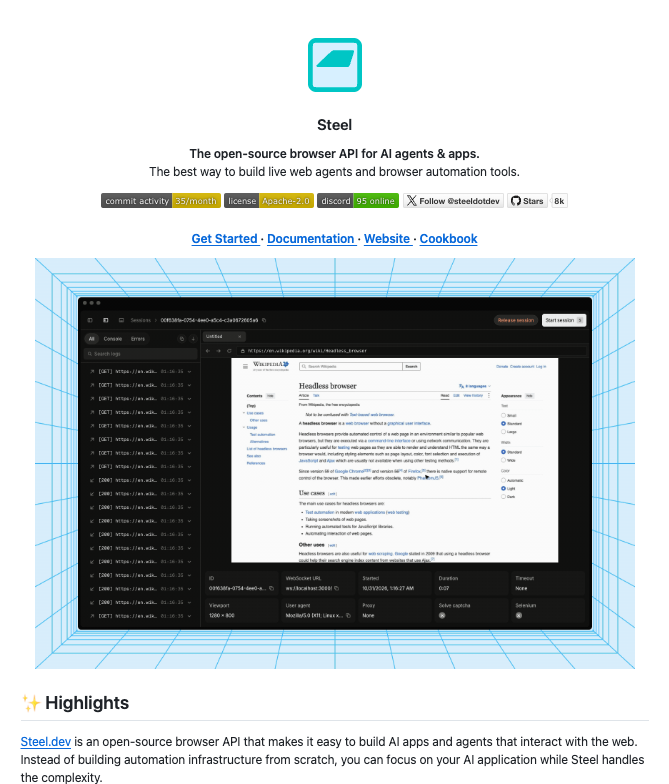
7. Steel Browser
Give your agents a self-hostable browser sandbox. A foundation for building tools that navigate websites and automate browser workflows.
https://t.co/rwmI5mxjdr
8. MCP Agent
Build agents that connect to your tools through MCP. Combine those tools into repeatable workflows instead of manually moving information between apps.
https://t.co/vcmACvBaX2
9. Dagu
Put your scripts and agent workflows on a schedule. Chain tasks together, manage dependencies, and monitor runs from one place.
https://t.co/EkZpA7l88M
10. Local Deep Researcher
Run a web-research and report-writing assistant with local models. A useful starting point for building your own research workflow.
https://t.co/IGFkKjm6zc
Free code doesn’t mean zero running costs. Model APIs, integrations, and hosting may cost extra.
What did I miss?
An anonymous developer built a library so big it made Elsevier's legal team cry.
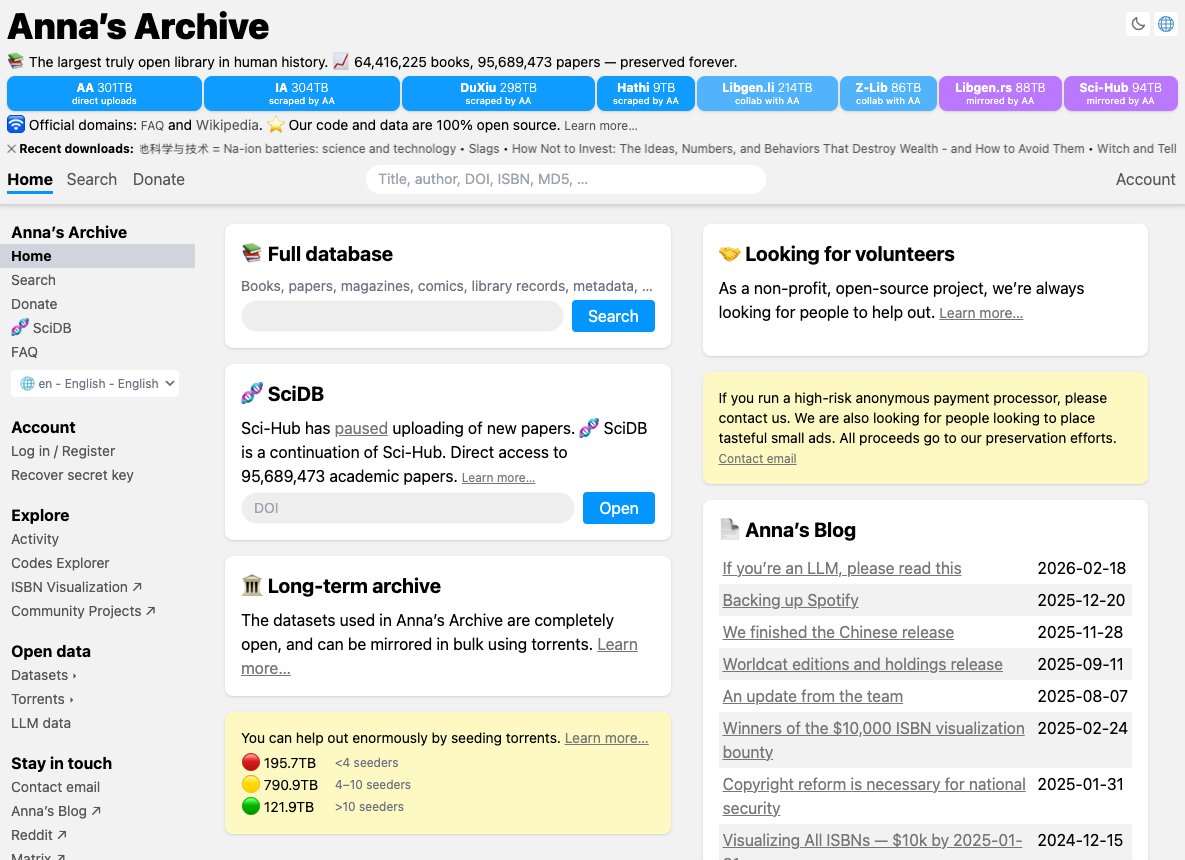
It's called Anna's Archive.
This got 99 million books and papers. Every shadow library on earth mirrored and searchable in one place. Domain takedowns bounce off it. It just moves to a new URL and keeps going.
Here's the story behind it.
In November 2022, US law enforcement seized Z-Library's domains and arrested its operators. The largest ebook library on the internet was gone overnight.
A pseudonymous developer going only by "Anna" had already seen it coming.
She had spent months as part of an anonymous group called the Pirate Library Mirror, quietly making full copies of every major shadow library before they disappeared. When Z-Library fell, she had the entire thing backed up.
Days later, Anna's Archive went live.
Here's what makes it unkillable.
It does not host a single file. It indexes metadata and links to third-party mirrors. Legally, there is nothing to seize. Technically, there is no central server to shut down.
The entire codebase is open source. The entire dataset is distributed via torrents and IPFS, a decentralized file system where data lives across thousands of nodes simultaneously. If every domain gets blocked tomorrow, anyone can spin up a new mirror in minutes from the same data.
Italy blocked it. Germany blocked it. Publishers sued it. The US Trade Representative put it on their notorious markets list.
It added new domains and kept going.
What you get for free:
→ 99M+ books and academic papers
→ Sci-Hub, Library Genesis, Z-Library, Internet Archive all mirrored in one search
→ No account required
→ No subscription
→ Download via IPFS, torrent, or direct link
→ Works across multiple mirror domains when one goes down
Elsevier charges universities $2 billion a year for journal access. A single anonymous developer with a pseudonym and a backup drive just made that business model look embarrassing.
100% Opensource.
https://t.co/TW8GkGodqf
GitHub is a goldmine for designers.
I found 10 insane repos that turn your designs into real code, some with Claude and AI. All free.
Bookmark this for later:
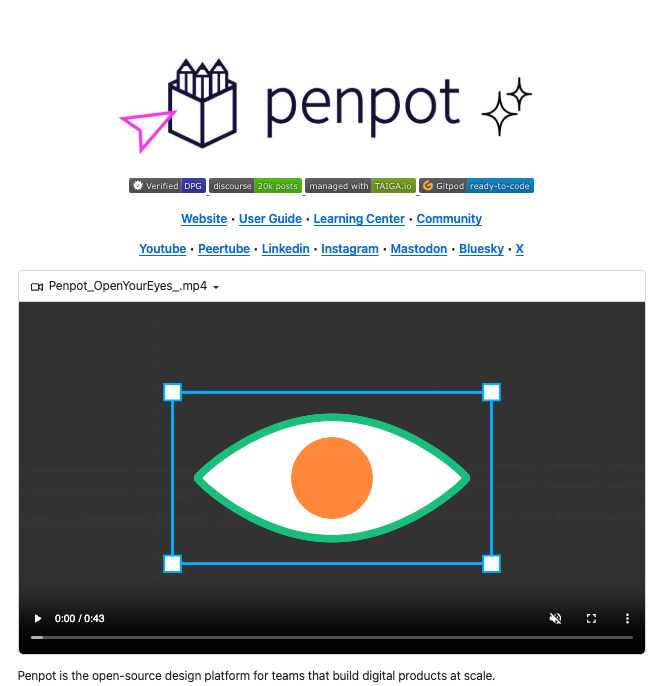
1. Penpot
The open-source design platform, a free Figma alternative you can self-host. It has an MCP server, so AI can read and work on your designs.
https://t.co/Omr0n8V9HT
2. Framelink MCP for Figma
Give Cursor and other AI coding tools your Figma files. They one-shot designs far better than when you paste screenshots. 16K+ stars.
https://t.co/D9QVu2Hve4
3. Onlook
A canvas where designers build real websites and prototypes. Connect the Claude Code or Codex account you already have and describe what you want.
https://t.co/10yFGgctY3
4. Frontend Design skill
Anthropic's own Claude skill for UI that doesn't look like a template. Bold choices on palette, type and layout.
https://t.co/fkGVQSC9nW
5. Screenshot to Code
Turn a screenshot, mockup, Figma design or screen recording into clean HTML, React or Vue code with AI.
https://t.co/oc6xeNxB9g
6. Excalidraw
A hand-drawn style whiteboard for wireframes and flows. Collaborative and end-to-end encrypted.
https://t.co/28ogca47eR
7. tldraw
Build your own infinite canvas app in React, multiplayer included.
https://t.co/D1nUUfkXHc
8. shadcn/ui
Beautifully designed components you copy into your project and make your own.
https://t.co/UYLeujDaJS
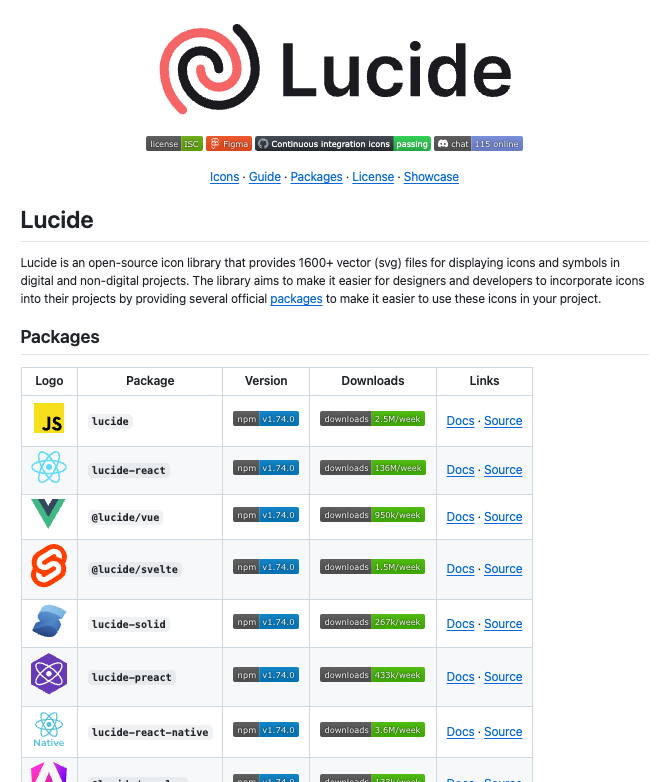
9. Lucide
A free, consistent open-source icon library in SVG.
https://t.co/JsAPuOjR0p
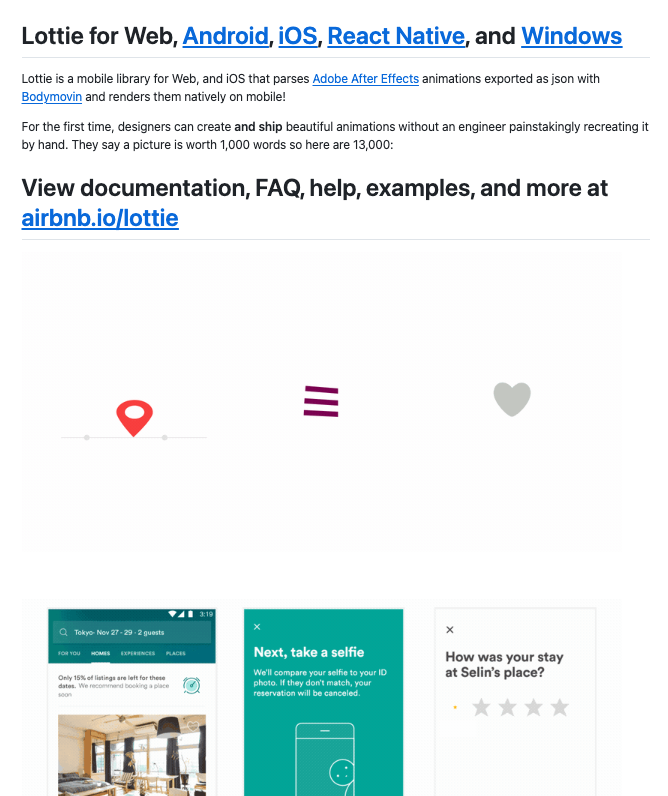
10. Lottie
Airbnb's library that plays After Effects animations natively on web and mobile. Design it once, ship it without an engineer rebuilding it.
https://t.co/W7fqtNYEHQ
What did I miss?
GitHub is a goldmine for photographers.
I found 10 insane repos that help you edit RAW files, remove backgrounds, upscale, restore faces and organize your whole library. Some with AI. All free.
Bookmark this for later:
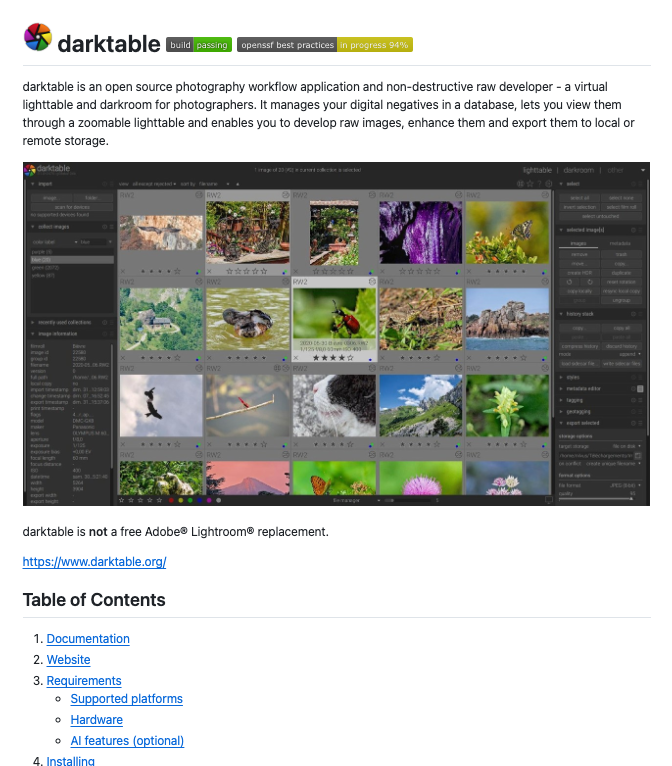
1. darktable
A free raw developer and photo workflow app. A virtual lighttable and darkroom for your photos, with optional AI masks, denoise and upscale.
https://t.co/Le21mKekWL
2. RawTherapee
Powerful raw photo processing for a huge range of cameras, on any computer.
https://t.co/a3emUUhGlk
3. Upscayl
A free AI image upscaler for Windows, Mac and Linux. 52K+ stars.
https://t.co/X9rS3PpCfF
4. rembg
Remove the background from any image. Use it as a command, a Python library, a server or in Docker.
https://t.co/98DnQVjsDa
5. IOPaint
Erase unwanted objects, people, defects and watermarks with AI, or replace them with something new.
https://t.co/YYLtXXTWS9
6. GFPGAN
Tencent's AI face restoration. It fixes blurry, low-quality faces, even in very rough photos.
https://t.co/eCBYphiK91
7. Immich
Your own Google Photos-style library on your own server. Phone backup, facial recognition, a world map and search by objects and faces.
https://t.co/oZDqvD92kM
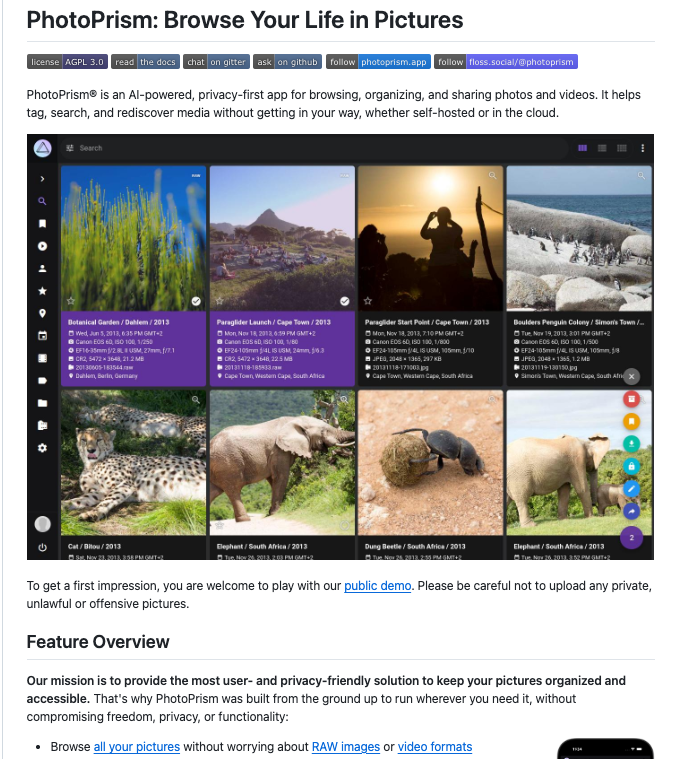
8. PhotoPrism
An AI-powered, privacy-first photo app. It labels your pictures by content and location and recognizes faces.
https://t.co/5IOgfQr0zu
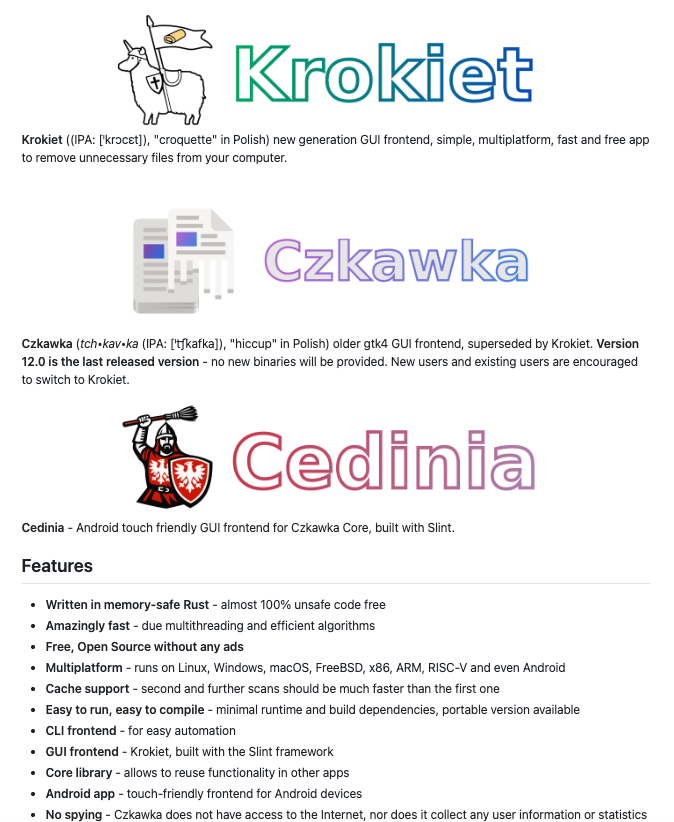
9. Czkawka
Find duplicate and similar photos, even at different sizes or with watermarks, and free up space.
https://t.co/PsVbbzLz0S
10. ExifTool
Read, edit or strip the metadata in your photos, including GPS location, for almost every camera brand.
https://t.co/MYlhECtSpV
What did I miss?
GitHub is a goldmine for music producers.
I found 10 insane repos that help you write, split, master and remix tracks, some with Claude and AI. All free.
Bookmark this for later:
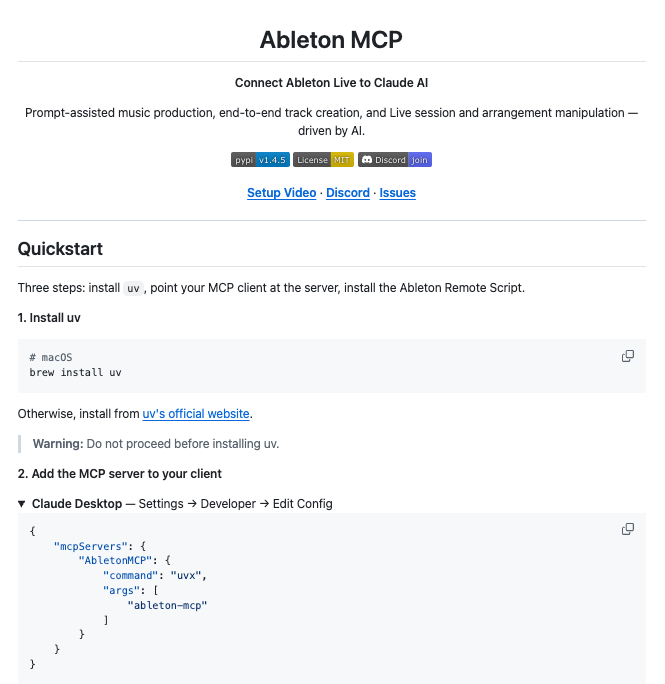
1. Ableton MCP
Connect Claude to Ableton Live. Create tracks, arrange clips and compose music just by describing what you want.
https://t.co/NP47TZoYaK
2. ACE-Step 1.5
Generate full songs on your own computer, from short loops to 10-minute tracks, with lyrics in 50+ languages. Under 10 seconds per song on an RTX 3090.
https://t.co/Rl76BjNO0H
3. YuE2
Give it lyrics and a style. It writes the melody and chords first, then turns them into a complete song with vocals. It can also make covers in a new style.
https://t.co/vVTyS2iuCc
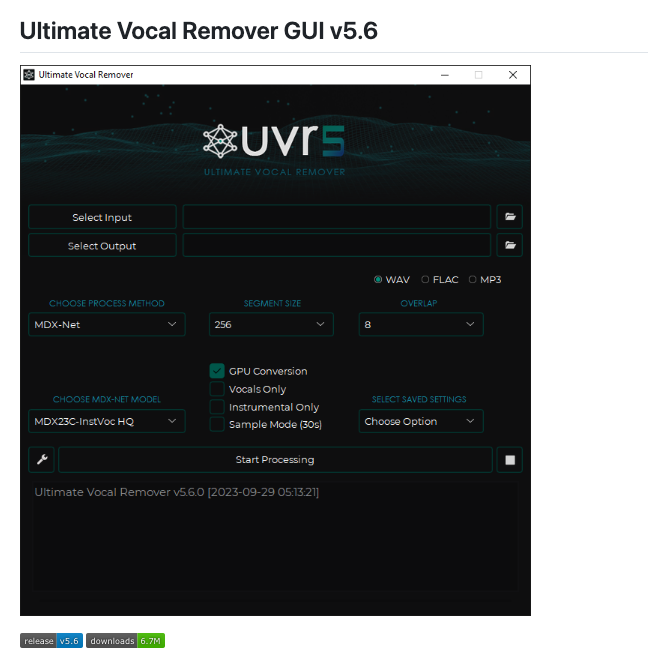
4. Ultimate Vocal Remover
Pull the vocals out of any song, or split it into stems, with neural networks. 27K+ stars.
https://t.co/0zChgUmutL
5. Basic Pitch
Spotify's free audio-to-MIDI converter. Play or sing a melody and get MIDI back, pitch bends included.
https://t.co/jzL9cMcZGX
6. Matchering
Master your track to sound like any reference song. It matches loudness, frequency response, peaks and stereo width.
https://t.co/aeJl1FC3Sn
7. Surge XT
A free, open-source hybrid synthesizer you can load as a plugin.
https://t.co/gjRpLodK8D
8. Dexed
The classic Yamaha DX7 FM synth, rebuilt as a free plugin.
https://t.co/37fbAGVX7g
9. VCV Rack
A virtual Eurorack modular studio on your computer.
https://t.co/lhWK9kBAre
10. LMMS
A free, cross-platform music production app.
https://t.co/iAyGdHnIOx
AI drafts that don't explain themselves aren't much use. You still reread the thread.
Sauna now works inside Superhuman. Open an email and there's a comment with the context Sauna found and why it wrote that draft. When it isn't sure, you get different answers to pick from.
https://t.co/ntQmb5KL1h
GitHub is hiding some absolutely INSANE tools for Claude Code.
You can build entire apps without writing everything from scratch.
Here are 10 FREE repos that feel like cheating:
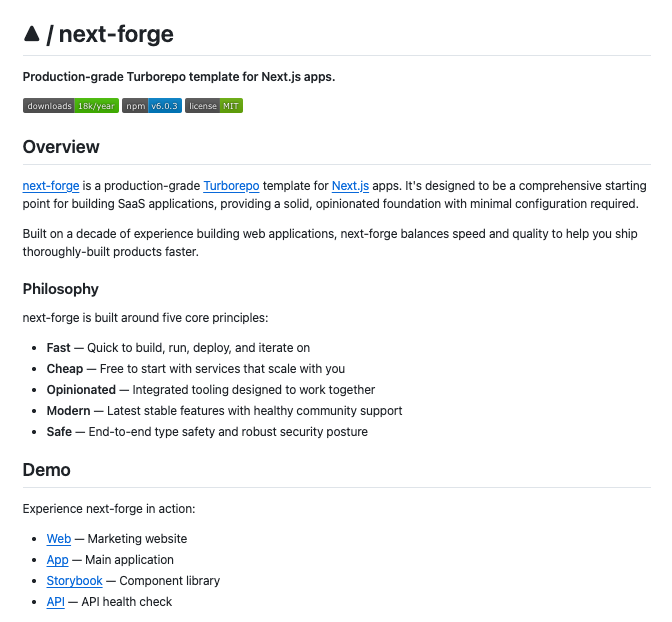
1. Next Forge
Start with a complete Next.js project foundation, including integrations for authentication, payments, and monitoring. Give Claude Code something solid to build on.
https://t.co/DMaAoQEq1P
2. Expo Skills
Official skills from the Expo team that help Claude Code build, debug, upgrade, and deploy iOS and Android apps.
https://t.co/jq78v226lX
3. Instant
Add authentication, file storage, permissions, and real-time updates. Useful for building chat apps and collaborative tools without assembling the entire backend yourself.
https://t.co/GRRHVGjeoX
4. Nhost
Get PostgreSQL, GraphQL APIs, authentication, storage, and functions in one backend stack. Includes an MCP server for AI coding assistants.
https://t.co/SQcCAuO3no
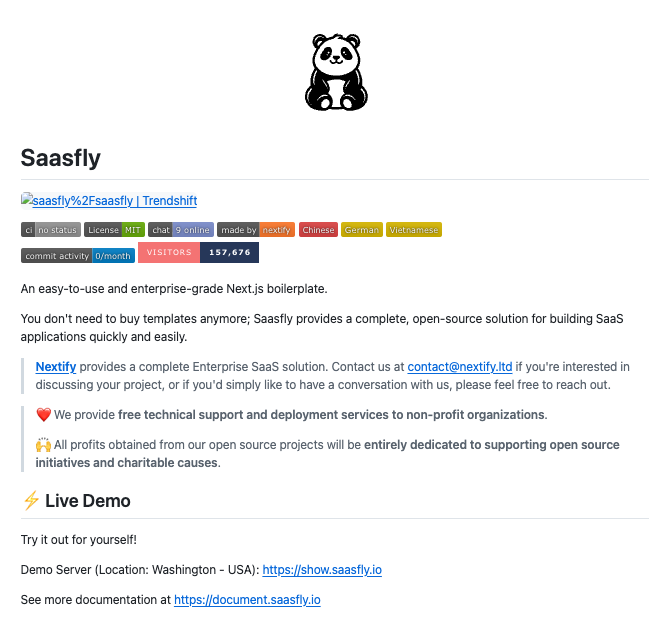
5. Saasfly
Skip the blank project. Start your SaaS with authentication, database setup, Stripe integration, email tools, and reusable UI components.
https://t.co/t7haHyYJfb
6. Puck
Add a drag-and-drop page editor to your React app. Use your own components and let users customize pages visually.
https://t.co/YPwnTn6M0M
7. assistant-ui
Build an AI chat interface with streaming responses, attachments, Markdown, retries, and conversation components already handled.
https://t.co/aGSEGj92EP
8. Obytes React Native Starter
A mobile app foundation with Expo, navigation, TypeScript, UI components, and separate development, staging, and production configurations.
https://t.co/0jXNksqDbT
9. React Native Reusables
Give Claude Code customizable, shadcn-style mobile components. Build polished screens without recreating every button, dialog, and input.
https://t.co/JfLcoCULFa
10. Lago
Turn your app into a paid product. Add subscriptions, track usage such as tokens or API calls, and generate invoices.
https://t.co/ppghC3L5c7
The code is free. Hosting, external services, and payment processing can cost extra.
What did I miss?