Monologue has always been my go-to dictation app over Wispr Flow (I'm in the top 100 users with 660,000 total words)
There were a few things missing though, so I built Natter, my own version, to add them. Design is nowhere near as good, but it works much better for me
https://t.co/sbxsHS4mX5
A few differences:
1. It shows you the transcript as you are talking on the screen. I sometimes lose my train of thought so seeing it keeps me on track
2. It can stream the text into terminal windows so you don't get [Pasted Content 1161 chars]
3. If it makes a mistake I can say "Hey Natter, add a dictionary rule for clawed code to become Claude Code spelled C-L-A-U-D-E in title case"
4. It's faster than Monologue and has the technical rewrites I needed when working with AI agents and giving coding instructions
5. I can type a bit and then decide to switch to dictation and start with "lowercase" for it to continue without a capital letter mid-sentence
It's not perfect but I've done 100k words in the first 11 days! Only supports English right now but I have a draft PR for more languages if anybody wants to test it out.
Two Codex plugins worth installing:
Record & Replay
Codex Browser Recorder
These record your screen/browser and turn your actions into a reusable skill. Record & Replay works across your computer. Codex Browser Recorder handles browser workflows.
In the video below, I use Record & Replay to create a skill that downloads a thumbnail from a YouTube video from a 20 sec video.
I think when OpenAI first released Record & Replay, it was not available in the EU. Apparently, that has changed. Good news for this Euromerican.
Codex computer and browser use has gotten so freaking good that these feel like magic. Can't wait for cerebras.
(ps: this is 2x speed)
CODEX SKILL THAT FINDS STARTUP IDEAS FOR YOU!
I made a Codex skill that searches the public web for real problems, requests, workarounds, and demand signals,then turns them into startup ideas shaped around you.
Use " Surprise Me" when you don’t have a niche in mind.
-> 3 quick founder questions
-> Surprise Me exploration mode
-> Reddit, GitHub, communities, and public web research
-> 12 startup ideas in the first round
-> Love / Maybe / No feedback loop
-> sharper second-round ideas
-> competitor, workaround, and demand checks
-> evidence-backed finalists
-> a structured Markdown report that opens directly in Codex
-> one-command install
Install: npx --yes startup-idea-machine@latest
100% open source.
Repo in Bio.
I still notice confusion here:
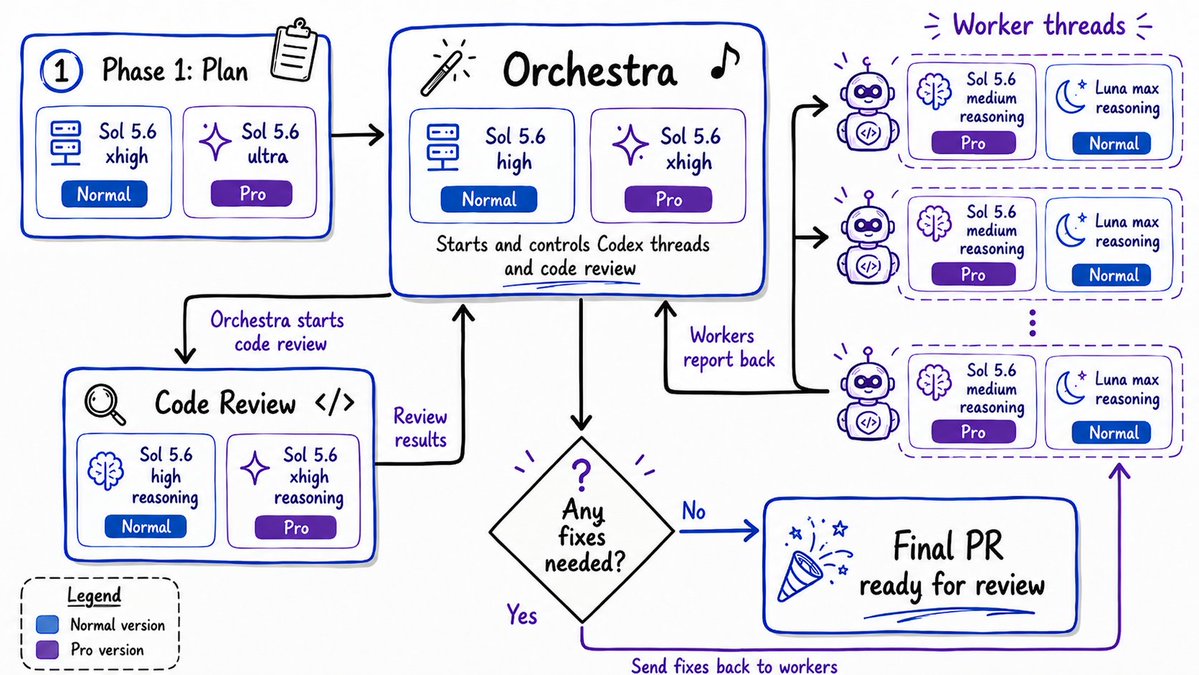
Ask ☀️Sol to start fresh threads in 🌕Luna. Yes, Sol cannot do Luna subagents by default. So literally ask it to start a thread in Luna, Max effort. Also instruct it to have that output be submitted back to the parent Sol, review it, and if it's not good enough, send it back to the Luna Max thread again. Repeat until output is approved.
☀️Sol -> 🌕Luna
🌕Luna -> ☀️Sol
(☀️Sol -> 🌕Luna, 🌕Luna -> ☀️Sol)
repeat until mission accomplished.
codex tip: I always use define-goal instead of /goal. It's basically like having a master level genius AI write your goal better than you could. And it's an official OpenAI skill.
You can get your prompts to run longer and your output better. Ask a high effort Sol to research + plan it. Sol then spawns a new thread for a workhorse model (Luna Max) to execute the work and return a result to Sol for review. LLM-as-judge to determine if Luna's output is acceptable progress toward goal
https://t.co/mB1m0lDa6w
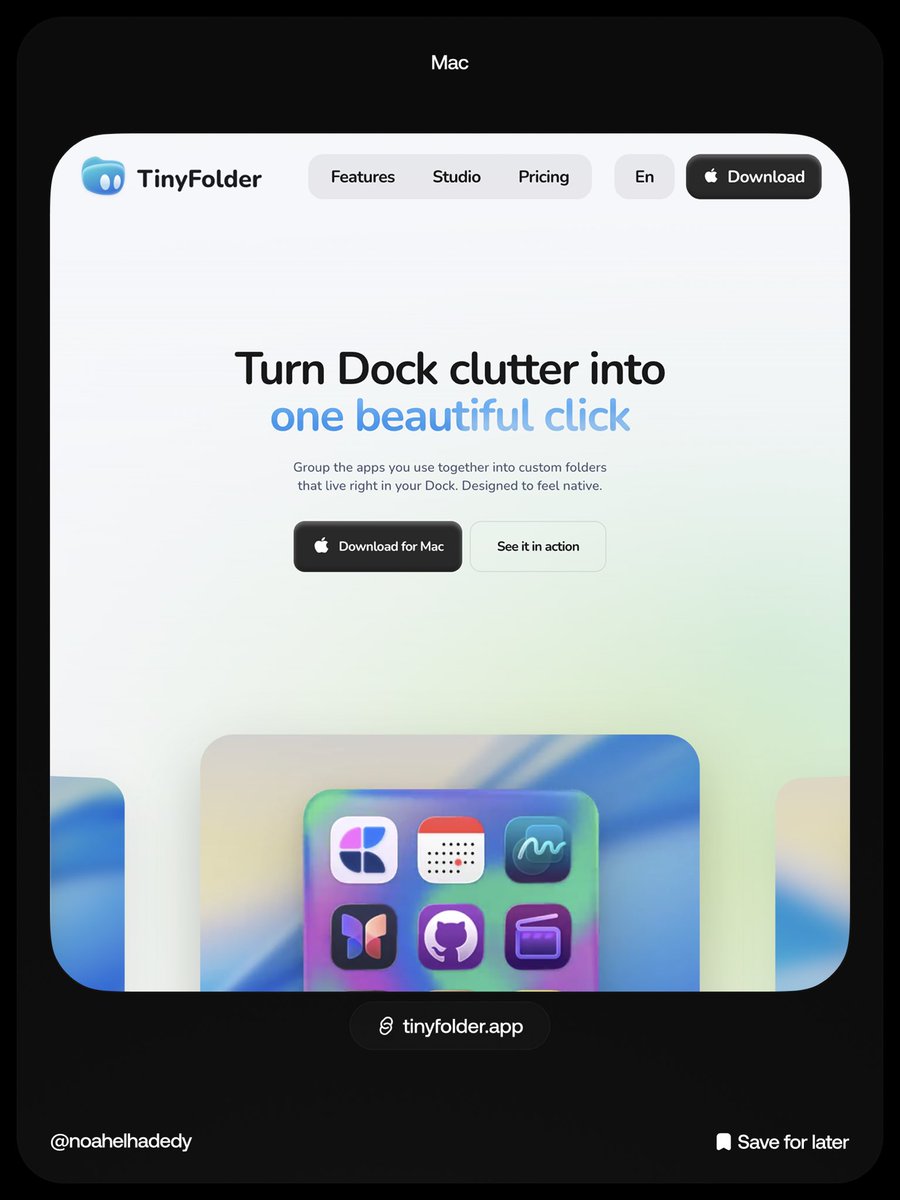
Mac Apps Collection
1. https://t.co/hxM90yUUbF
2. https://t.co/7R4zdO8Gk7
3. https://t.co/XPbaAbABag
4. https://t.co/Vj8EdPEQu9
5. https://t.co/MquluP4h78
6. https://t.co/qJFTu20gsm
Save for later
1 billion Gemma downloads...pretty INSANE.
But if you look at the quality and utility, it all makes sense.
Google dropped this premium AI voice dictation and editing app powered by Gemma 4.
100% free and local.
Frosted glass icons are easy now
Re-use my prompt system that turns any brand or icon into a translucent 3D-styled asset
I call this process 'Asset shifting' - you take an existing visual asset and move it into a new visual state without losing its identity
Start here🔽
Wow. Maciej Dobrodziej - twórca cyfrowy „ożywił” jedno z najsłynniejszych zdjęć Warszawy. Fotografie biegnącej w deszczu dziewczyny na ulicy Puławskiej zrobił Zbigniew Siemaszko w 1968 roku.
Ciekawostka: po latach udało się odnaleźć panią Grażynę, która jest bohaterką zdjęcia. Rozpoznała siebie widząc.. fotografię na Fb.










![iannuttall's tweet photo. Monologue has always been my go-to dictation app over Wispr Flow (I'm in the top 100 users with 660,000 total words)
There were a few things missing though, so I built Natter, my own version, to add them. Design is nowhere near as good, but it works much better for me
https://t.co/sbxsHS4mX5
A few differences:
1. It shows you the transcript as you are talking on the screen. I sometimes lose my train of thought so seeing it keeps me on track
2. It can stream the text into terminal windows so you don't get [Pasted Content 1161 chars]
3. If it makes a mistake I can say "Hey Natter, add a dictionary rule for clawed code to become Claude Code spelled C-L-A-U-D-E in title case"
4. It's faster than Monologue and has the technical rewrites I needed when working with AI agents and giving coding instructions
5. I can type a bit and then decide to switch to dictation and start with "lowercase" for it to continue without a capital letter mid-sentence
It's not perfect but I've done 100k words in the first 11 days! Only supports English right now but I have a draft PR for more languages if anybody wants to test it out.](https://pbs.twimg.com/media/HPhXGB9bAAAfQKD.jpg)