Si estás usando npm install, estás en peligro.
¡Así de crudo te lo cuento para que reacciones!
Ayer se comprometieron paquetes de TanStack en npm.
De las bibliotecas más usadas en el mundo JavaScript.
Y de ahí saltó a Mistral, OpenSearch, UiPath, PyPI...
Porque muchos ataques no necesitan que importes nada. Basta con una instalación para infectarte.
¿Cómo?
Colando scripts como preinstall o postinstall que se ejecutan durante la instalación.
Lo importante es que tiene solución:
① Usa pnpm 11
Viene con defensas por defecto contra este tipo de ataques.
② Si sigues usando pnpm 10, npm, yarn o bun
Activa minimumReleaseAge y ponle 1440.
Evita instalar versiones publicadas el mismo día.
③ Bloquea scripts de instalación por defecto
pnpm evita que cualquier dependencia ejecute código en tu máquina solo por instalarla.
Por favor, comparte esto para que le llegue al máximo número de personas y paremos la cadena de ataques.
"2>&1"은 무엇을 의미하나?
- 표준 오류(stderr) 와 표준 출력(stdout) 을 하나의 스트림으로 합치기 위해 사용하는 리디렉션 구문
- 숫자 1은 stdout, 2는 stderr를 의미하며, `&`는 파일 디스크립터를 참조한다는 표시로 사용됨
- `2>&1`은 “st…
https://t.co/qsANQIoDBs
Introducing Claude Code Security, now in limited research preview.
It scans codebases for vulnerabilities and suggests targeted software patches for human review, allowing teams to find and fix issues that traditional tools often miss.
Learn more: https://t.co/n4SZ9EIklG
CSS Trick ⚡️ (@rogie challenge edition 🤙)
You can create this secret code reveal with only CSS using :has() and trig functions 🔥
.digit::hover + .digit,
.digit:has(+ .digit:hover) {
--active: var(--lerp-1);
}
:root {
--lerp-1: calc(sin(50deg));
}
.digit {
scale: calc(var(--active) + 0.5);
}
There are a couple of moving parts. The first thing we can do is set up a scale.
:root {
--lerp-0: 1; /* === sin(90deg) */
--lerp-1: calc(sin(50deg));
--lerp-2: calc(sin(45deg));
--lerp-3: calc(sin(35deg));
--lerp-4: calc(sin(25deg));
--lerp-5: calc(sin(15deg));
}
The digit styles define scale and blur. They also dictate the transition duration
.digit {
transition: scale calc(((1 - var(--active, 0)) + 0.2) * 1s);
}
When a digit is hovered, then you can set the --active custom property based on the digit position 🤙
The digit that is hovered.
.digit:hover {
--active: var(--lerp-0);
}
And the digit on either side of that hovered digit
.digit:is(:hover, :focus-visible) + .digit,
.digit:has(+ .digit:is(:hover, :focus-visible)) {
--active: var(--lerp-1);
}
We can select the previous sibling using :has() and the next sibling with the sibling combinator (+)
And that's it! ⭐️ That's how you create these hover scale interactions with CSS 🙌
We're jus' waiting on Firefox for :has() support. When that lands, it'll likely break the internet 😅
@CodePen link below! 👇
The native `<textarea>` can now automatically increase its height.
Just one line of CSS: `form-sizing: normal`
Coming soon to Chrome Canary. Any suggestions or ideas? You can chat about it at CSSWG: https://t.co/5RnJ2oT1lM
아두이노 우노 R4가 나왔다. 메모리, CPU 사양이 크게 오르고, 가동 전압 범위 및 peripheral도 더 좋아졌다. Wi-Fi 모델에는 12×8 LED matrix가 생기는 등, 입문자가 보드 하나만 가지고도 더 많은 일을 할 수 있게 노력한 것 같다. https://t.co/SB6HlUWdpA


![cooked_go9ma's tweet photo. [ 탐랑의 탐사단 서버 ] 2024/07/15 ~ 2024/07/28
서버 관리 담당했습니다.
네트워크 기술 도와주신 packetstream(https://t.co/pDMf9FhcNA), 렌더링 도와주신 @Varuna_Denver 님 감사합니다!
#탐랑출격 https://t.co/4o85JGwNqj](https://pbs.twimg.com/media/GTlQLPGbYAAZOmv.jpg)
![cooked_go9ma's tweet photo. [ 탐랑의 탐사단 서버 ] 2024/07/15 ~ 2024/07/28
서버 관리 담당했습니다.
네트워크 기술 도와주신 packetstream(https://t.co/pDMf9FhcNA), 렌더링 도와주신 @Varuna_Denver 님 감사합니다!
#탐랑출격 https://t.co/4o85JGwNqj](https://pbs.twimg.com/media/GTlP2yyaAAAVwvd.jpg)
![cooked_go9ma's tweet photo. [ 탐랑의 탐사단 서버 ] 2024/07/15 ~ 2024/07/28
서버 관리 담당했습니다.
네트워크 기술 도와주신 packetstream(https://t.co/pDMf9FhcNA), 렌더링 도와주신 @Varuna_Denver 님 감사합니다!
#탐랑출격 https://t.co/4o85JGwNqj](https://pbs.twimg.com/media/GTlP1rLbQAEtAfV.jpg)








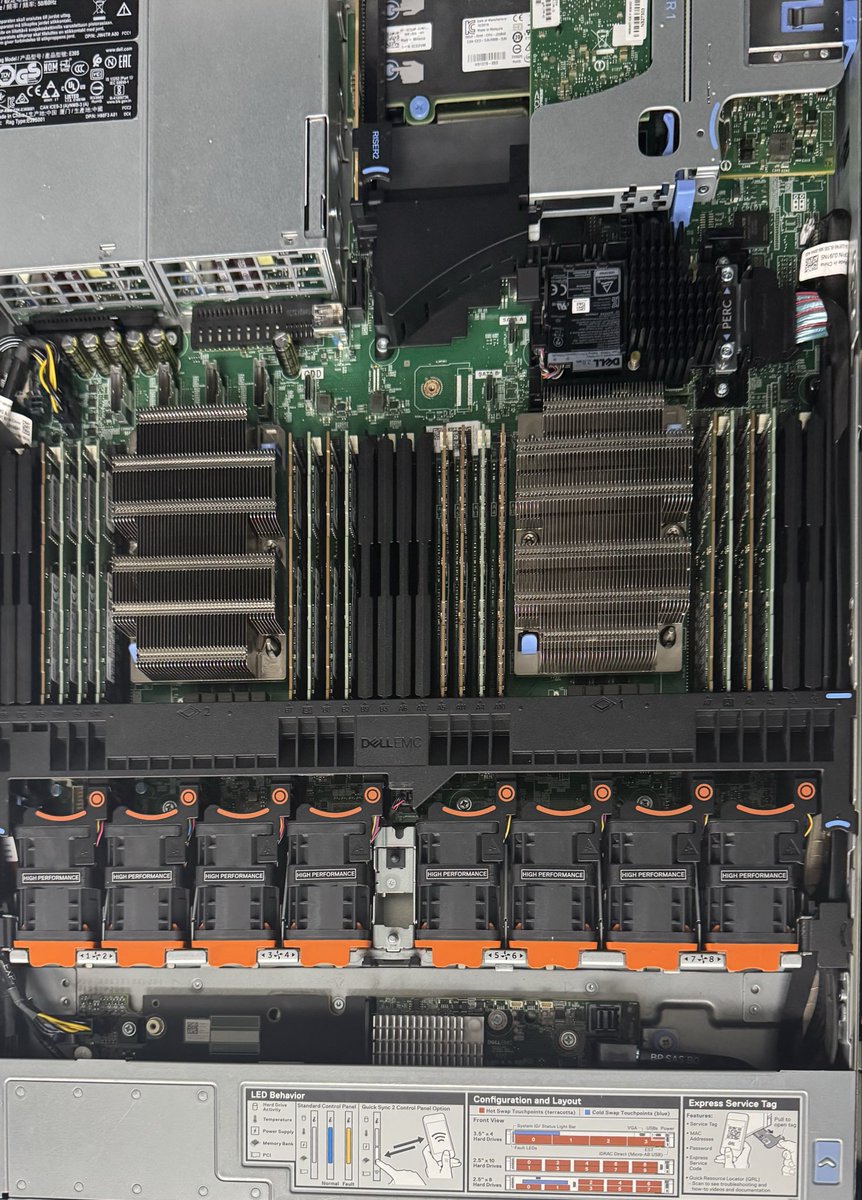


![cooked_go9ma's tweet photo. [ 탐랑의 탐사단 서버 ] 2024/07/15 ~ 2024/07/28
서버 관리 담당했습니다.
네트워크 기술 도와주신 packetstream(https://t.co/pDMf9FhcNA), 렌더링 도와주신 @Varuna_Denver 님 감사합니다!
#탐랑출격 https://t.co/4o85JGwNqj](https://pbs.twimg.com/media/GTlQLnIaIAA67NH.jpg)